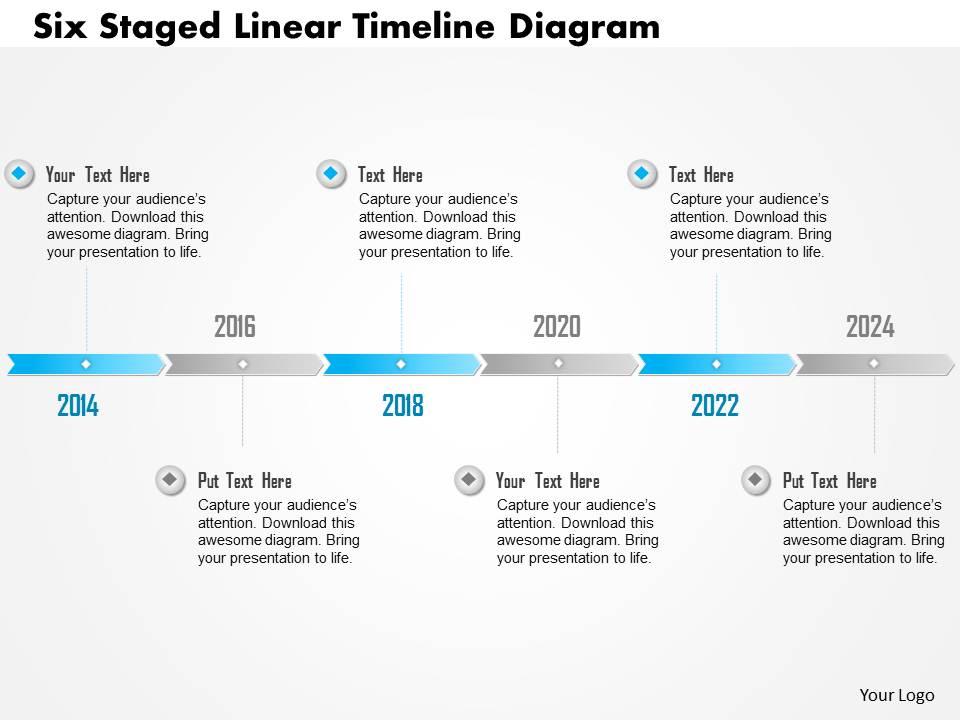
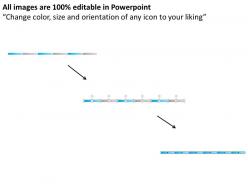
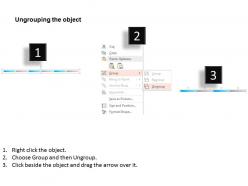
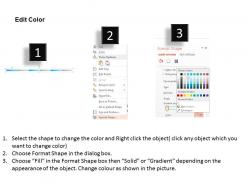
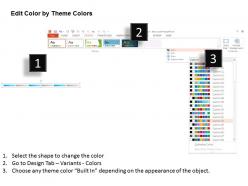
0115 six staged linear timeline diagram powerpoint template
Try Before you Buy Download Free Sample Product
Audience
Editable
of Time
Are you looking for a remarkable business slides for your PowerPoint Presentation to entreat your target audiences than our 0115 six staged linear timeline diagram PowerPoint template will helps you in representing your organizational data with a systematic approach. This PowerPoint design can be used in all kinds of Presentations where the process involved and can be well defined through the six staged timeline process such as market research process, software development process , procurement management process , sales and marketing process, business management process many more like these. Our 0115 Six Staged Linear Timeline Diagram Powerpoint Template have an eye for brilliance. They automatically assist in attaining excellence.
People who downloaded this PowerPoint presentation also viewed the following :
0115 six staged linear timeline diagram powerpoint template with all 5 slides:
Gauge the circumstances with our 0115 Six Staged Linear Timeline Diagram Powerpoint Template. Assess the factors that would effect you.
FAQs for 0115 six staged linear timeline
Honestly, 6 stages just works really well because people can actually follow it without getting lost. Break down your complex stuff into chunks that don't make their eyes glaze over - way better than throwing 12 steps at them. Each stage gets its own moment to shine while still connecting to the whole picture. The left-to-right flow feels natural too. I use these all the time for project timelines and workflows. Oh and definitely throw in some icons or colors if you can - makes it stick in people's heads way better. Trust me on that one.
Breaking your project into six stages makes everything way less overwhelming for people. You're basically giving them a roadmap instead of just saying "trust me, we'll figure it out." Each stage becomes its own little win that stakeholders can actually get excited about - honestly, people love checking things off lists. Way better than dumping everything on them at once and watching their eyes glaze over. When you map your key deliverables to those stages, suddenly your whole timeline clicks. It keeps everyone engaged because they can see progress happening. Try it next time you present!
Honestly, PowerPoint's probably your best starting point - way easier than you'd think for timelines. Google Slides works too if you're sharing it around. Canva has some really nice pre-made templates that look way more professional than the basic PowerPoint ones. Lucidchart's another good option, though I always forget about it until someone mentions it. If you're feeling ambitious, Adobe Illustrator will make it look amazing, but that's probably overkill unless this is for work or something important. I'd just start simple and see how it looks. You can always make it fancier later if you need to.
Tons of industries actually use six-stage timelines for their main stuff. Software teams do planning, design, development, testing, deployment, then maintenance. Manufacturing works similarly - concept through production. Construction's probably the most obvious example: feasibility, design, permits, construction, inspection, handover. Healthcare uses them for treatment plans and clinical trials too. Honestly, most product development follows this pattern because that's just how our brains naturally break down big complicated projects. Once you start noticing it, you'll see these stages everywhere in your own work!
Pick your biggest milestones first - those naturally become your six stages. Each one should hit the most critical stuff your audience actually needs to know. I usually think "what would totally confuse someone if I skipped this?" when I'm deciding what stays or goes. Try to keep each stage roughly the same weight, and yeah, make sure they flow logically. Here's the thing though - stick to 2-3 key points max per stage or people's eyes will glaze over. Once you're done, read it like you've never seen it before. That'll catch the weird parts.
Okay so visual hierarchy is key - you'll want each stage clearly marked with equal spacing between them. Start with a solid horizontal line, then add distinct icons or markers for each milestone. Colors should flow logically, maybe a gradient or complementary palette that moves your eye left to right. Keep typography consistent - same font weight for all stage labels and make them short. Too many timelines look like a mess with random colors everywhere (seriously, it's painful). Skip heavy paragraphs for your descriptions. Keep things scannable. Step back and see if you can quickly spot all six stages without straining your eyes.
Honestly, color schemes can totally make or break your timeline. Go for high contrast between stages - dark text on light backgrounds, or complementary colors that really pop. Don't use similar shades that blend together (trust me, bombed a client presentation doing exactly that). Blues going from light to dark work awesome for showing progression through your six stages. Quick tip though - red might scream "stop" when you actually want "progress," ya know? Oh, and definitely test your colors on different screens. Colorblind-friendly palettes are clutch so everyone can actually follow along.
Don't cram tons of text into each step - nobody wants to read a novel. Bullet points are your friend here. Also, keep your stages roughly the same size unless there's actually a reason not to. I've seen so many timelines where the boxes are all random sizes and it just screams amateur hour. Flow should go left-to-right or top-to-bottom obviously. Resist the urge to use twelve different colors and fonts - it's distracting as hell. Oh, and definitely check how it looks on smaller screens before presenting. Trust me on this one.
Okay so animations are honestly a game changer for timelines - instead of showing all six stages at once and overwhelming people, you reveal them one by one. Fade-ins work great, or those slide transitions. Even basic PowerPoint stuff does the trick! I'd do like 0.5-1 second delays between each stage, or better yet, make it click-to-advance so you control the pacing. That way your audience actually focuses on each part instead of their eyes darting everywhere. Oh and progress bars are cool too if you're feeling fancy. Just start simple and see how it feels!
Okay so basically you want to turn your timeline into an actual story people give a damn about. Each stage should feel like a chapter - with real characters facing problems and figuring stuff out. Don't just dump dates and facts (seriously, nobody cares about that). Focus on WHY things happened and HOW they led to the next stage. Connect everything with cause-and-effect. Oh, and make sure you highlight the big turning points or challenges - those are usually the most interesting parts anyway. Build that narrative thread first, then worry about making it look pretty.
Honestly, I just make two different versions of the same timeline. Executives want the big picture stuff - major milestones, key decisions, business impact. They don't care about the nitty-gritty details. Your frontline people though? They need to know exactly what they're supposed to do and when. So for the exec version, I use broader labels and make the strategic stuff pop with bold colors. For frontline teams, break everything down into actual steps they can follow. Oh, and definitely test both with a few people first - saves you from looking stupid later.
Dude, progressive reveal animations are perfect for this - each stage pops up when you click. Way better than those boring static timelines everyone does. Add some interactive hotspots so people can dig into specific phases, maybe throw in video clips at major milestones. Scroll-triggered stuff works great too, where stages unfold as you scroll down. Oh, and branching paths are cool if different outcomes could lead somewhere else entirely. Prezi's probably your best bet, though Figma works if you're feeling fancy. Start simple with one interactive thing and just build up from there. You'll figure it out!
You definitely want to get your team's eyes on that timeline before you finalize it. Everyone sees different potential problems - maybe Sarah knows the legal review always takes longer than expected, or Mike spots that you'll need approval from someone you forgot about. I'd ask really specific stuff like "is there enough time built into stage 3?" or "what are we missing between steps 4 and 5?" People actually enjoy finding flaws in plans (weird but true), so let them! Way better to catch unrealistic deadlines now than scramble later when everything's behind schedule. Don't just present it like it's done - make it feel collaborative.
You'll need three main things for each stage: timeframes, key milestones, and current status. Also grab who's responsible for what - that always saves headaches later. Dependencies between stages are crucial too, even if they seem obvious now. Budget info helps if you've got it. Honestly, the biggest mistake I see is making descriptions too vague. Write them like you're explaining to someone who's never heard of your project before. Success metrics are gold when you have them. Oh, and start with a basic spreadsheet first - sounds boring but it makes everything way easier when you actually build the timeline.
Honestly, six milestone stages work great for breaking down complicated stuff. Pick the major decision points or transitions - the moments that absolutely have to happen. Works amazing for project timelines, customer flows, whatever. People follow it way better than when you dump everything on them at once. The linear thing just clicks, you know? Make sure each stage actually leads into the next one logically. Then throw in some quick descriptions under each milestone so people get what's actually going down at that point. I use this format all the time.
-
Innovative and Colorful designs.
-
The Designed Graphic are very professional and classic.