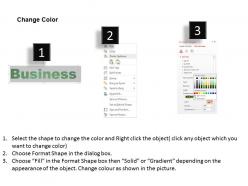
0614 business word cloud powerpoint slide template

Rating:
90%
0614 business word cloud powerpoint slide template
Slide 1 of 3
Favourites Favourites

Try Before you Buy Download Free Sample Product

Audience Impress Your
Audience
Editable 100%
Editable
Time Save Hours
of Time
The Biggest Sale is ending soon in
0
0
:
0
0
:
0
0
Rating:
90%
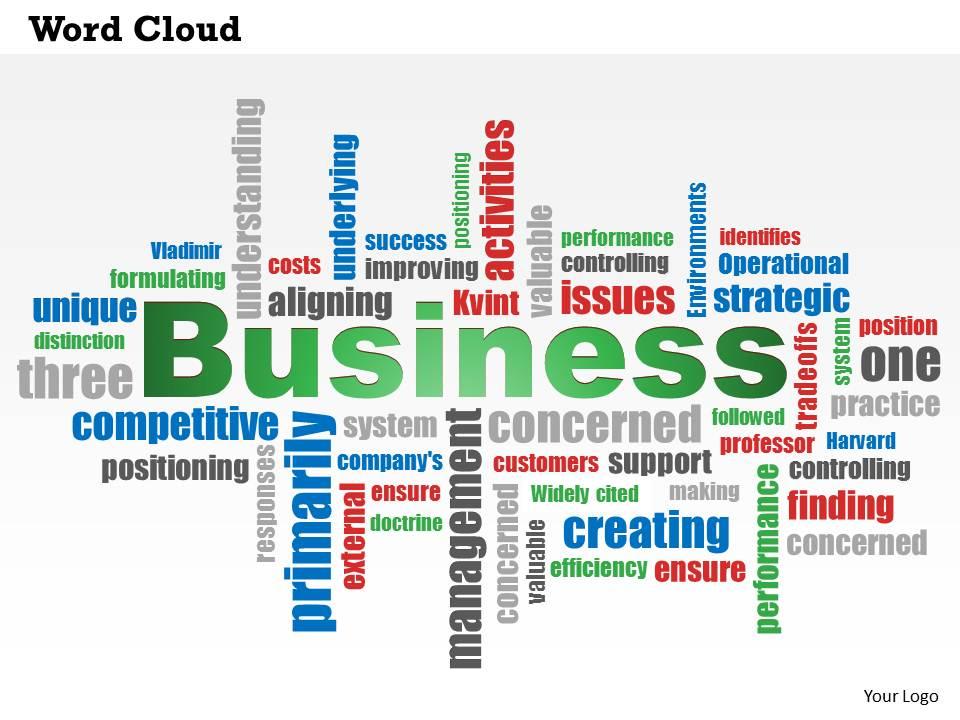
We are proud to present our 0614 business word cloud powerpoint slide template. This Business Word Cloud PowerPoint slide can be used in presentations, as images on a website or as a cover photo for a social media site. Start opening your mind to the possibilities and get creative.

People who downloaded this PowerPoint presentation also viewed the following :

FAQs for 0614 business word cloud

Effective business presentations include clear objectives, compelling storytelling, data-driven insights, engaging visuals, and strong calls-to-action. These elements work together by capturing audience attention, building credibility through evidence, and guiding decision-making, with many organizations finding that strategic presentation design ultimately delivers faster stakeholder buy-in and accelerated business outcomes.

Visual storytelling enhances business presentations by transforming complex data into compelling narratives through infographics, charts, timelines, and strategic imagery that audiences can quickly grasp and remember. These visual elements streamline communication, increase audience engagement, and improve information retention, with many organizations finding that presentations incorporating visual narratives deliver significantly higher persuasion rates and strategic buy-in.

Best practices for designing data visualizations in business presentations include choosing appropriate chart types, maintaining consistent color schemes, simplifying complex datasets, ensuring clear labeling, and prioritizing readability over aesthetics. These approaches streamline decision-making by highlighting key insights, reducing cognitive load, and enabling faster data interpretation, with many organizations finding that strategic visualization design ultimately enhances stakeholder engagement and accelerates business outcomes.

Cultural differences significantly influence business presentation styles through communication patterns, visual preferences, audience engagement approaches, and decision-making frameworks. While Western cultures often favor direct, data-driven presentations with minimal hierarchy acknowledgment, Asian and Middle Eastern businesses frequently emphasize relationship-building, formal protocols, and consensus-oriented discussions, with many multinational organizations finding that adapting presentation styles to cultural contexts ultimately delivers stronger partnerships and more successful outcomes.

Audience engagement drives successful business presentations by fostering active participation, maintaining attention, and ensuring message comprehension throughout the delivery. Engaged audiences retain information more effectively, ask meaningful questions, and make faster decisions, with many organizations finding that interactive presentations lead to higher conversion rates, stronger stakeholder buy-in, and ultimately more successful business outcomes.

Presenters can effectively manage time by allocating specific minutes to each section, using visual cues like slide numbers, practicing with timers, and preparing concise talking points for key messages. Strategic time management enables smoother delivery, enhanced audience engagement, and professional credibility, with many business leaders finding that structured pacing ultimately delivers more impactful presentations and stronger stakeholder buy-in.

Effective call-to-action reinforcement techniques include repetition throughout the presentation, visual emphasis with contrasting colors and bold fonts, storytelling with success scenarios, creating urgency through limited-time offers, and strategic placement at key transition points. These approaches work together by building psychological momentum, enhancing message retention, and compelling immediate audience response, with many presenters finding that combining multiple techniques significantly increases conversion rates and audience engagement.

A clear business presentation follows a logical flow: compelling opening hook, defined agenda, problem identification, proposed solution with supporting data, implementation timeline, and strong call-to-action conclusion. This structure enhances audience engagement by creating narrative momentum, while strategic use of visual hierarchy, concise messaging, and interactive elements ultimately delivers better comprehension and decision-making outcomes.

Common mistakes include overloading slides with text, lacking clear structure, failing to engage the audience, ignoring time limits, and presenting without practicing beforehand. These pitfalls undermine credibility and message effectiveness, with many organizations finding that streamlined visuals, compelling storytelling, and audience interaction ultimately deliver stronger stakeholder buy-in and more successful business outcomes.

Technology enhances business presentations through interactive displays, real-time polling, cloud-based collaboration tools, AI-powered design assistance, and virtual reality experiences. These solutions streamline content creation, enable seamless remote participation, and deliver more engaging audience experiences, with many organizations finding that strategic technology integration significantly improves presentation effectiveness and stakeholder engagement outcomes.

Presenters can tailor their message by analyzing stakeholder priorities, adapting language and complexity levels, emphasizing relevant benefits, and using appropriate data visualization techniques. Financial executives respond to ROI metrics, while technical teams prefer implementation details, and operational managers focus on workflow impacts, ultimately ensuring each audience receives compelling, actionable insights that drive engagement and decision-making.

Ethical considerations include ensuring data accuracy, maintaining privacy and confidentiality, avoiding misleading visualizations, obtaining proper consent, and transparently disclosing limitations or biases. These practices build stakeholder trust by protecting sensitive information, presenting balanced perspectives, and enabling informed decision-making, with organizations finding that ethical data presentation ultimately delivers stronger credibility and sustainable business relationships.

Effective strategies include thorough preparation with rehearsals, visualization techniques, controlled breathing exercises, arriving early to familiarize yourself with the space, and reframing nervousness as excitement. These approaches work by building confidence through practice, reducing physical stress responses, and creating positive mental associations, with many business professionals finding that consistent preparation ultimately delivers smoother presentations and enhanced executive presence.

Feedback is crucial for developing effective business presentation skills, enabling professionals to identify weaknesses, refine messaging, and enhance audience engagement through targeted improvements. Through constructive criticism from colleagues, clients, and stakeholders, presenters can streamline their delivery, strengthen visual storytelling, and build confidence, ultimately delivering more compelling presentations that drive business outcomes and competitive advantage.

Remote work has accelerated trends toward interactive digital presentations, virtual collaboration tools, asynchronous presentation formats, mobile-optimized content, and AI-powered personalization features. These approaches streamline communication by enabling real-time engagement, flexible viewing schedules, and seamless integration across platforms, with many organizations finding that hybrid presentation strategies ultimately deliver broader audience reach and enhanced operational efficiency.

Ratings and Reviews

90% of 100
Write a review
Most Relevant Reviews
  1. 100%

    by Deandre Munoz

    Enough space for editing and adding your own content.
  2. 80%

    by Conrad Romero

    Design layout is very impressive.

2 Item(s)

per page: