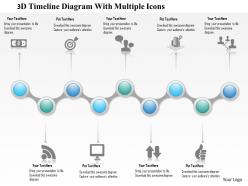
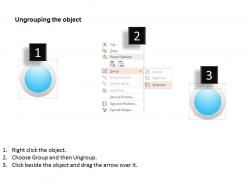
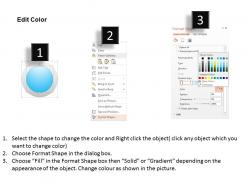
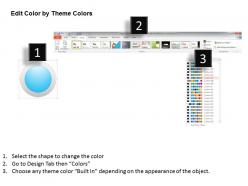
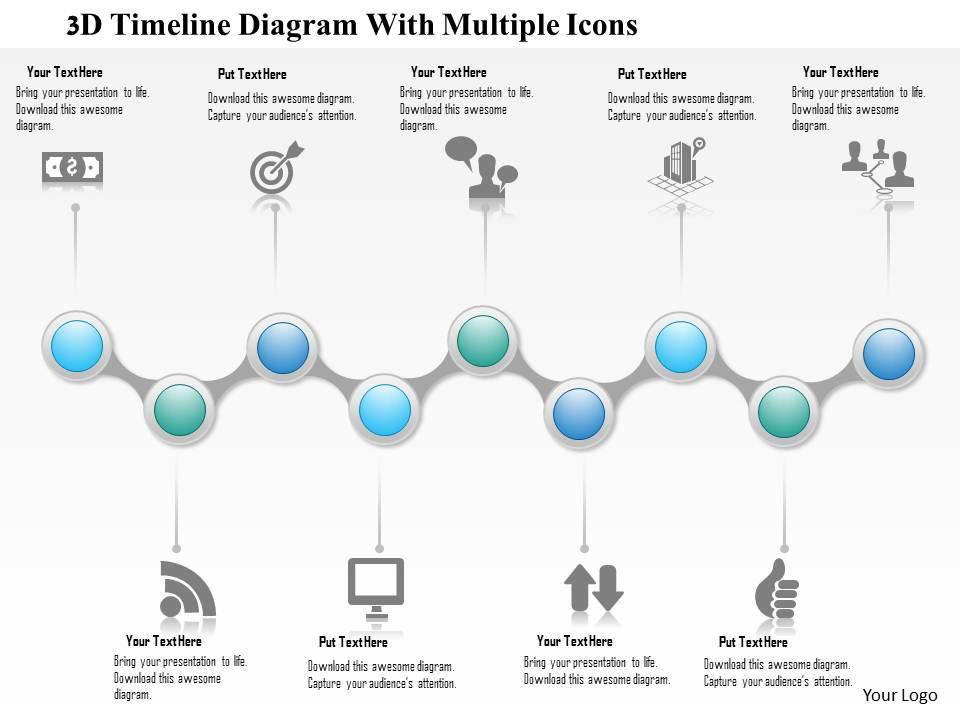
1214 3d timeline diagram with multiple icons powerpoint presentation
Try Before you Buy Download Free Sample Product
Audience
Editable
of Time
Climb away with our 1214 3D Timeline Diagram With Multiple Icons PowerPoint Presentation. Get to the crest with complete ease.
People who downloaded this PowerPoint presentation also viewed the following :
1214 3d timeline diagram with multiple icons powerpoint presentation with all 5 slides:
Discover a new you with our 1214 3D Timeline Diagram With Multiple Icons PowerPoint Presentation. They will help you hone your talents.
FAQs for 1214 3d timeline diagram with multiple
3D timeline diagrams enhance presentations by improving visual engagement, enabling multi-dimensional data representation, facilitating better audience comprehension, and creating memorable milestone showcases. These visual tools help organizations streamline complex project communications by adding depth to traditional timelines, with many businesses finding that incorporating dimensional elements significantly increases audience retention and stakeholder understanding of critical project phases.
A 3D timeline diagram enhances audience engagement by creating visual depth, improving information hierarchy, and making complex chronological relationships more intuitive to follow. These dynamic presentations capture attention more effectively than flat alternatives, with many organizations finding that three-dimensional elements help audiences better comprehend project phases, historical progressions, and strategic roadmaps, ultimately delivering more memorable and impactful communications.
**INPUT**: What software tools or platforms are best suited for creating 3D timeline diagrams? **OUTPUT**: Leading 3D timeline creation tools include Blender, Cinema 4D, SketchUp, PowerPoint with 3D features, and specialized platforms like Timeline 3D and Aeon Timeline. These applications streamline complex project visualization by enabling dynamic perspective shifts, layered data presentation, and interactive navigation, with many organizations finding that 3D timelines enhance stakeholder engagement and strategic planning outcomes.
3D timeline diagrams are particularly effective in project management, manufacturing, healthcare, and software development industries where complex, multi-layered processes require clear visualization. These diagrams enhance understanding by displaying interconnected phases, dependencies, and parallel workflows simultaneously, with construction companies, pharmaceutical firms, and technology organizations finding that 3D timelines streamline communication and improve project coordination significantly.
Color coding in 3D timeline diagrams enhances information retention by creating visual associations, grouping related events, distinguishing priority levels, and establishing categorical hierarchies that help viewers process complex chronological data more efficiently. Through strategic color schemes, organizations streamline project tracking, milestone identification, and progress visualization, with many teams finding that consistent color patterns across departments ultimately deliver improved communication and faster decision-making processes.
Key design principles for 3D timeline clarity include consistent depth positioning, strategic color coding, readable typography, logical spatial hierarchy, and balanced visual elements. These principles work together by minimizing visual clutter, enhancing chronological flow, and maintaining professional aesthetics, with many organizations finding that well-designed 3D timelines significantly improve stakeholder comprehension and project communication effectiveness.
3D timeline diagrams enhance educational experiences by making abstract concepts tangible, improving information retention through visual depth, and enabling interactive exploration of chronological relationships across multiple dimensions. These tools prove particularly effective in history, science, and business courses, with many educators finding that students demonstrate significantly better comprehension of complex sequences, cause-and-effect relationships, and interconnected events when traditional linear timelines are enhanced with three-dimensional visual storytelling capabilities.
Common mistakes include overcrowding with excessive detail, using inconsistent visual elements, poor color contrast, confusing depth perception, and neglecting mobile responsiveness. These design pitfalls can undermine clarity and user engagement, with many organizations finding that streamlined approaches, consistent formatting, and strategic use of 3D effects ultimately deliver better comprehension and professional presentation outcomes.
3D elements can initially reduce timeline readability by creating visual complexity, depth distortion, and potential information hierarchy confusion, requiring viewers to process additional dimensional cues. However, when strategically implemented, these elements enhance engagement and memorability while highlighting key milestones, with many organizations finding that selective 3D usage ultimately delivers stronger audience retention and comprehension.
Interactivity can be incorporated through clickable elements, hover effects, zoom functionality, animated transitions, and filtering options. These features enable users to explore specific time periods, access detailed information, manipulate viewing angles, and customize displayed data, with many organizations finding that interactive timelines significantly enhance audience engagement and information retention.
3D timeline visualizations typically increase cognitive load compared to 2D formats due to added depth perception requirements, spatial navigation complexity, and potential visual occlusion of information layers. However, when designed effectively, 3D timelines can reduce cognitive burden for complex, multi-dimensional datasets by providing intuitive spatial organization and enhanced context recognition, with many organizations finding strategic advantage in presenting layered project dependencies and interconnected business processes through carefully structured three-dimensional representations.
Animations enhance 3D timeline diagrams by guiding viewer attention through sequential events, revealing data progressively, and creating dynamic visual storytelling that transforms static information into engaging narratives. These interactive elements streamline complex chronological relationships by highlighting connections, transitions, and milestones, with many organizations finding that animated timelines deliver significantly improved audience comprehension and retention rates.
Effectiveness of 3D timeline diagrams can be measured through audience comprehension rates, engagement metrics, information retention tests, and feedback surveys on visual clarity and understanding. These assessments help organizations determine whether the enhanced visual depth improves communication outcomes compared to traditional formats, with many finding that well-designed 3D timelines significantly reduce explanation time while increasing stakeholder engagement and project timeline comprehension.
**INPUT**: What are some popular themes or case studies where 3D timeline diagrams have been successfully implemented? **OUTPUT**: Popular implementations include project management workflows, product development cycles, historical business evolution, merger timelines, and strategic planning phases across various industries. These visual tools enhance stakeholder understanding by presenting complex chronological data through engaging three-dimensional perspectives, with organizations in manufacturing, healthcare, and financial services finding that enhanced visual clarity improves decision-making and accelerates project communications.
A 3D timeline diagram accommodates varying data volumes through strategic layering, scalable visual hierarchies, and dynamic spacing adjustments that prioritize key information while maintaining readability. By utilizing depth for secondary details, color coding for data categories, and expandable sections for complex periods, organizations can present comprehensive project histories, product development cycles, and strategic roadmaps while ensuring critical milestones remain visually prominent and accessible.
-
Professional and unique presentations.
-
Informative design.