1214 four steps text boxes with arrow diagram for business powerpoint template

Rating:
80%
1214 four steps text boxes with arrow diagram for business powerpoint template
Slide 1 of 5
Favourites Favourites

Try Before you Buy Download Free Sample Product

Audience Impress Your
Audience
Editable 100%
Editable
Time Save Hours
of Time
The Biggest Sale is ending soon in
0
0
:
0
0
:
0
0
Rating:
80%
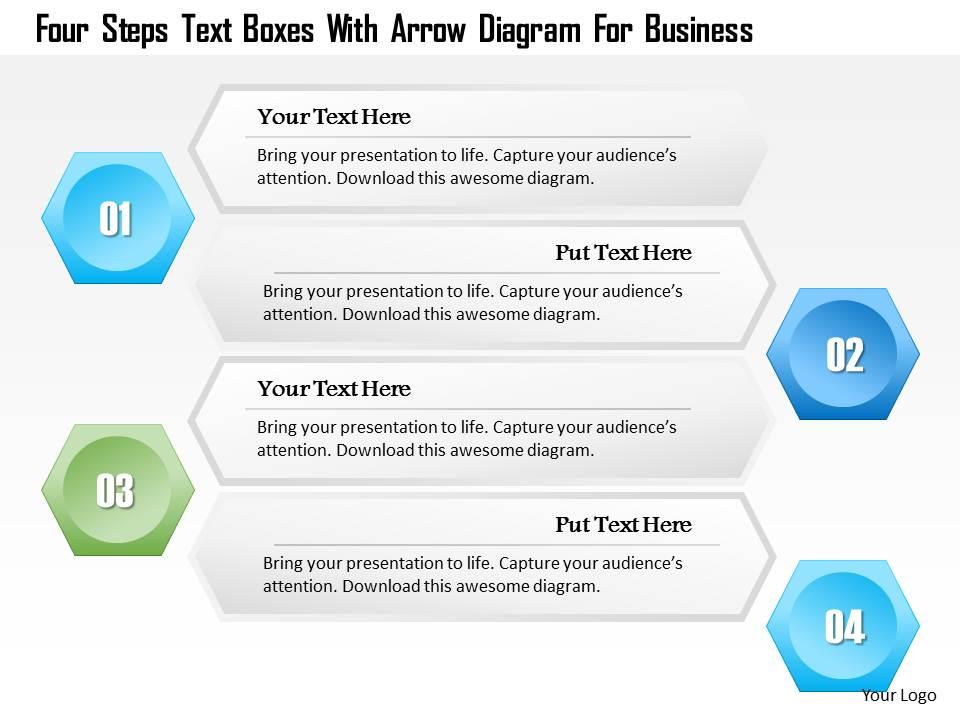
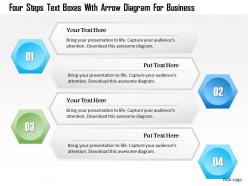
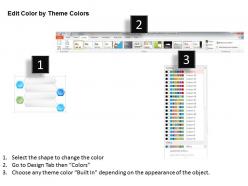
We are proud to present our 1214 four steps text boxes with arrow diagram for business powerpoint template. This Power Point template has been designed with graphic of four tagged text boxes and arrow. This PPT diagram can be used to show business information. Use this PPT for your business and sales data related presentations.

People who downloaded this PowerPoint presentation also viewed the following :

FAQs for 1214 four steps text boxes with arrow diagram for

A business PowerPoint template should include consistent branding elements, professional color schemes, clear typography hierarchy, structured slide layouts, and compelling visual frameworks for data presentation. These components streamline content creation by ensuring brand consistency, enhancing readability, and facilitating audience engagement, with many organizations finding that well-designed templates significantly reduce presentation preparation time while delivering more impactful business communications.

Color psychology significantly enhances presentation effectiveness by influencing audience emotions, attention, and information retention through strategic use of blues for trust, reds for urgency, and greens for growth messaging. Financial services firms and healthcare organizations increasingly leverage these principles to reinforce brand credibility while guiding viewer focus, ultimately delivering more persuasive communications and stronger audience engagement.

Creating visually appealing business PowerPoint templates requires consistent branding elements, clean typography, strategic color schemes, professional imagery, and balanced white space throughout all slides. These design principles streamline presentation development by establishing visual hierarchy, enhancing readability, and maintaining brand consistency, with many organizations finding that well-designed templates ultimately deliver stronger audience engagement and more professional client interactions.

Font choice significantly impacts business template effectiveness by influencing readability, audience perception, and professional credibility through proper sizing, contrast, and typeface selection. Strategic font decisions enhance message clarity, reduce cognitive load, and reinforce brand authority, with many organizations finding that consistent, clean typography like Arial or Calibri ultimately delivers improved audience engagement and strengthened business communications.

Business PowerPoint templates enhance storytelling by providing consistent visual hierarchy, professional color schemes, strategic slide layouts, and cohesive design elements that guide audience attention naturally through your narrative arc. These structured frameworks enable presenters to focus on crafting compelling messages while maintaining visual coherence, with many organizations finding that well-designed templates significantly improve audience engagement and message retention across sales pitches, investor presentations, and strategic communications.

Every business PowerPoint template should include customizable chart layouts, infographic elements, data comparison slides, timeline formats, and dashboard-style summaries for comprehensive data presentation. These features streamline complex information delivery by enabling clear visual hierarchies, consistent branding, and flexible formatting options, with many organizations finding that well-designed templates significantly enhance audience engagement and decision-making processes.

Template customization options enable businesses to maintain brand consistency across diverse divisions, products, and markets by allowing modifications to colors, fonts, logos, and layouts while preserving professional design structure. This flexibility streamlines content creation for multinational corporations, franchises, and diversified companies, ultimately delivering cohesive brand experiences and operational efficiency across all business communications.

Common mistakes include overcrowding slides with excessive text, using mismatched fonts and colors that compromise brand consistency, selecting templates inappropriate for their audience or industry, and failing to customize generic content meaningfully. These presentation missteps undermine professional credibility and audience engagement, with many organizations finding that strategic template selection and thoughtful customization significantly enhance communication effectiveness and business outcomes.

Interactive elements like clickable navigation, hover effects, embedded polls, animated transitions, and multimedia content transform static presentations into dynamic experiences. These features enable presenters to maintain audience attention, encourage participation, and deliver personalized content paths, with many organizations finding that interactive templates significantly improve information retention and meeting outcomes.

Consistency in design establishes professional credibility, reinforces brand identity, reduces cognitive load for audiences, and creates visual harmony throughout presentations. Through unified color schemes, typography, and layouts, businesses deliver clearer messaging, enhance audience retention, and project organizational competence, with many companies finding that consistent templates streamline preparation while strengthening stakeholder confidence.

Effective animations and transitions in business PowerPoint templates focus on enhancing message clarity through subtle entrance effects, smooth slide transitions, and strategic emphasis animations that guide audience attention to key data points. These elements streamline information delivery by revealing complex charts progressively, highlighting important metrics sequentially, and maintaining professional credibility, with many organizations finding that measured animation use ultimately improves audience engagement and comprehension.

Pre-built PowerPoint templates offer significant time savings, professional design quality, consistent branding, cost efficiency, and immediate usability compared to starting from scratch. These templates streamline presentation development by providing proven layouts, cohesive visual elements, and strategic formatting, with many organizations finding that template-based approaches ultimately deliver faster turnaround times and enhanced visual impact.

Businesses can ensure PowerPoint template alignment through consistent brand colors, typography, logo placement, visual elements, and messaging frameworks that reflect their corporate values. These templates streamline presentation creation across departments while maintaining professional consistency, with many organizations finding that standardized designs enhance brand recognition, reduce development time, and deliver cohesive communication strategies.

Templates offer consistent visual standards, reduced technical setup time, enhanced screen readability, simplified content sharing, and streamlined collaboration across distributed teams. Remote presentations particularly benefit from templates' standardized formatting and clear visual hierarchy, with many organizations finding that well-designed templates minimize distractions and technical issues while enabling seamless content delivery regardless of participants' devices or connection quality.

Industry-specific PowerPoint templates vary significantly in design elements, color schemes, visual layouts, content structure, and specialized components tailored to sector needs. Finance templates emphasize data visualization and charts, marketing templates prioritize brand storytelling and customer journey mapping, while tech templates focus on product roadmaps and technical specifications, ultimately enabling professionals to communicate more effectively within their industry contexts.

Ratings and Reviews

80% of 100
Write a review
Most Relevant Reviews
  1. 80%

    by Jones Adams

    Best Representation of topics, really appreciable.
  2. 80%

    by Chris Watson

    Excellent work done on template design and graphics.

2 Item(s)

per page: