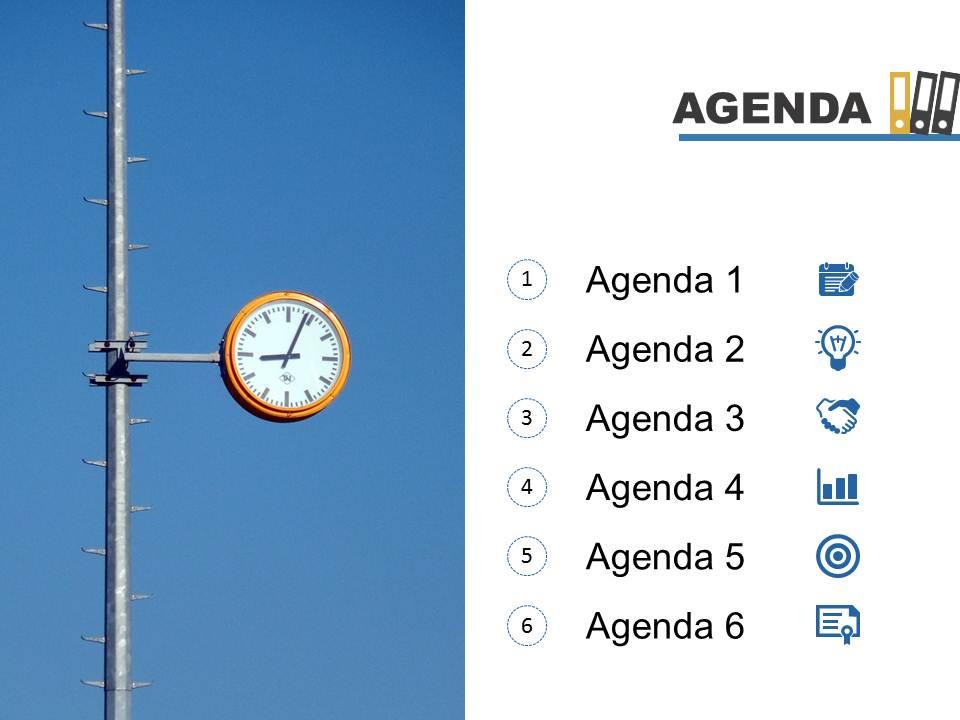
Agenda template slide with clock and books on top powerpoint slide

Rating:
90%
Agenda template slide with clock and books on top powerpoint slide
Slide 1 of 3
Favourites Favourites

Try Before you Buy Download Free Sample Product

Audience Impress Your
Audience
Editable 100%
Editable
Time Save Hours
of Time
The Biggest Sale is ending soon in
0
0
:
0
0
:
0
0
Rating:
90%
Text and graphics can be placed on the slide. PPT diagram 100% compatible with Google slide. Freely edit the icons, color, size and orientation. Attractive and professional color scheme. Multiple format options. Can be put to use by businessmen, marketing professionals and management staff. Pre designed symbols and text holders in PowerPoint presentation.

People who downloaded this PowerPoint presentation also viewed the following :

FAQs for Agenda template slide with clock and books on

An effective agenda template slide should include presentation title, presenter information, clear section headings, estimated time allocations, and key objectives or outcomes. These elements enhance audience engagement by providing roadmap clarity, enabling better time management, and setting expectations, with many organizations finding that well-structured agendas improve meeting efficiency and participant focus throughout business presentations.

An agenda template slide enhances audience engagement by providing clear structure, setting expectations, creating anticipation for key topics, and enabling better follow-along comprehension throughout the presentation. This roadmap approach helps presenters maintain audience attention by breaking complex information into digestible segments, while audiences can mentally prepare for transitions, ultimately delivering more interactive discussions and improved retention rates.

Design tips for visually appealing agenda template slides include using consistent typography, strategic white space, clear visual hierarchy, color coding for different sections, and professional icons or graphics. These elements work together by enhancing readability, maintaining audience attention, and establishing credibility, with many presenters finding that well-designed agendas set positive expectations and improve overall presentation effectiveness.

Agenda template slides adapt to different presentation styles through strategic design modifications, content structuring, and visual alignment with audience expectations. For formal meetings, templates emphasize clean layouts, traditional fonts, and detailed time allocations, while creative pitches incorporate dynamic visuals, engaging graphics, and flexible formatting that enhances storytelling flow, ultimately ensuring each presentation delivers maximum impact for its specific context.

An agenda template slide enhances time management by establishing clear timeframes for each topic, setting audience expectations, and providing a visual roadmap that helps presenters stay on track throughout their delivery. It enables speakers to allocate appropriate time for complex sections, maintain pacing during discussions, and redirect conversations when necessary, ultimately delivering more focused presentations with better audience engagement and comprehension.

Agenda template slides enable presenters to establish clear expectations, highlight key discussion points, and provide visual checkpoints throughout presentations, while serving as reference tools for time management and topic transitions. By displaying structured roadmaps with defined segments, presenters can redirect conversations back to core objectives, maintain participant focus, and ensure comprehensive coverage of critical topics, ultimately delivering more organized and productive meetings.

Strategies include incorporating clickable navigation elements, using expandable sections with dropdown details, embedding multimedia content like brief video introductions, and adding interactive checkboxes for real-time progress tracking. These approaches transform static agenda slides into dynamic engagement tools, with many organizations finding that interactive elements increase meeting participation, improve focus retention, and ultimately deliver more structured collaborative sessions.

Technology enhances agenda template slides through interactive navigation, real-time collaboration features, automated time tracking, dynamic content updates, and multimedia integration capabilities. These digital enhancements streamline presentation flow by enabling clickable sections, live editing during meetings, and seamless transitions between topics, ultimately delivering more engaging experiences and improved meeting efficiency for organizations across industries.

Common mistakes include overcrowding slides with excessive text, using inconsistent formatting across agenda items, neglecting visual hierarchy through poor typography choices, and failing to allocate realistic time estimates for each section. These design flaws undermine meeting effectiveness by creating confusion, reducing readability, and hampering smooth session flow, with many organizations finding that clean, well-structured agenda templates significantly enhance participant engagement and meeting productivity.

Agenda template slides can be tailored by incorporating industry-specific terminology, relevant workflow stages, regulatory requirements, and sector-appropriate timeframes that resonate with your audience's operational context. For example, healthcare agendas might emphasize patient safety protocols and compliance reviews, while manufacturing presentations focus on production metrics and quality control, ultimately ensuring that your content speaks directly to stakeholder priorities and enhances engagement across diverse professional environments.

PowerPoint, Google Slides, Canva, Keynote, and Prezi offer robust agenda template customization capabilities, enabling professionals to design slides with consistent branding, interactive elements, and dynamic formatting. These platforms streamline presentation preparation by providing drag-and-drop functionality, collaborative editing, and seamless integration with existing workflows, ultimately delivering polished agendas that enhance meeting effectiveness and professional credibility.

Visuals can be incorporated through strategic use of icons for agenda items, subtle background elements, consistent color coding for different sections, and minimal infographic-style elements that enhance comprehension. These design approaches streamline information flow by creating visual hierarchy, improving audience engagement, and maintaining professional aesthetics, with many organizations finding that well-integrated imagery ultimately delivers clearer communication and enhanced presentation impact.

An effective agenda template slide should include 5-7 main items to maintain audience attention and ensure comprehensive coverage without overwhelming participants. This strategic approach enables presenters to dive deeper into each topic while maintaining engagement, with many organizations finding that focused agendas deliver clearer outcomes, better participation, and more actionable results across meetings and presentations.

Including timestamps on agenda template slides establishes clear time boundaries and helps audiences mentally prepare for each segment's duration, creating structured expectations for participation and attention. This approach enhances meeting efficiency by promoting punctuality, reducing overruns, and enabling participants to manage their energy levels strategically, with many organizations finding that timestamped agendas ultimately deliver more focused discussions and improved overall meeting outcomes.

Feedback on agenda template slides can be gathered through post-presentation surveys, audience polls, stakeholder interviews, and analytics tracking engagement metrics. Organizations increasingly leverage this data by analyzing response patterns, identifying content gaps, and refining visual hierarchy, with many companies finding that iterative improvements based on feedback enhance audience comprehension, reduce presentation time, and ultimately deliver more impactful business communications.

Ratings and Reviews

90% of 100
Review Form
Write a review
Most Relevant Reviews
  1. 80%

    by Darwin Mendez

    Awesomely designed templates, Easy to understand.
  2. 100%

    by Devon Ferguson

    Excellent work done on template design and graphics.

2 Item(s)

per page: