Business process modelling powerpoint presentation slides

Rating:
84%
Business process modelling powerpoint presentation slides
Slide 1 of 34
Favourites Favourites

Try Before you Buy Download Free Sample Product

Audience Impress Your
Audience
Editable 100%
Editable
Time Save Hours
of Time
The Biggest Sale is ending soon in
0
0
:
0
0
:
0
0
Rating:
84%
This PPT deck displays thirty four slides with in depth research. Our Business Process Modelling Powerpoint Presentation Slides presentation deck is a helpful tool to plan, prepare, document and analyse the topic with a clear approach. We provide a ready to use deck with all sorts of relevant topics subtopics templates, charts and graphs, overviews, analysis templates. Outline all the important aspects without any hassle. It showcases of all kind of editable templates infographics for an inclusive and comprehensive Business Process Modelling Powerpoint Presentation Slides presentation. Professionals, managers, individual and team involved in any company organization from any field can use them as per requirement.

People who downloaded this PowerPoint presentation also viewed the following :

Content of this Powerpoint Presentation

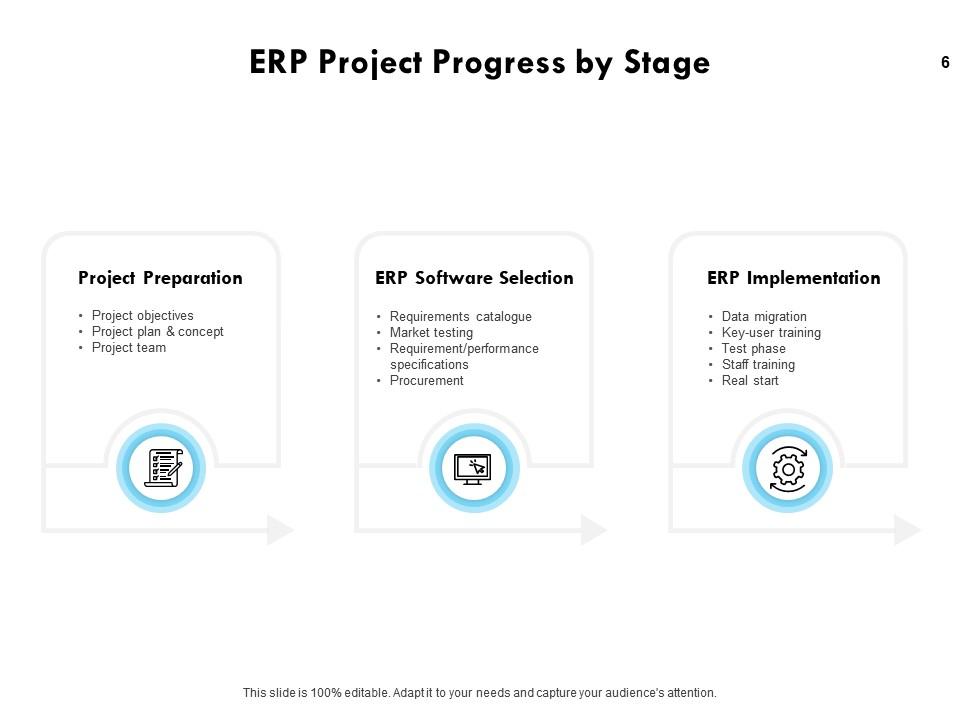
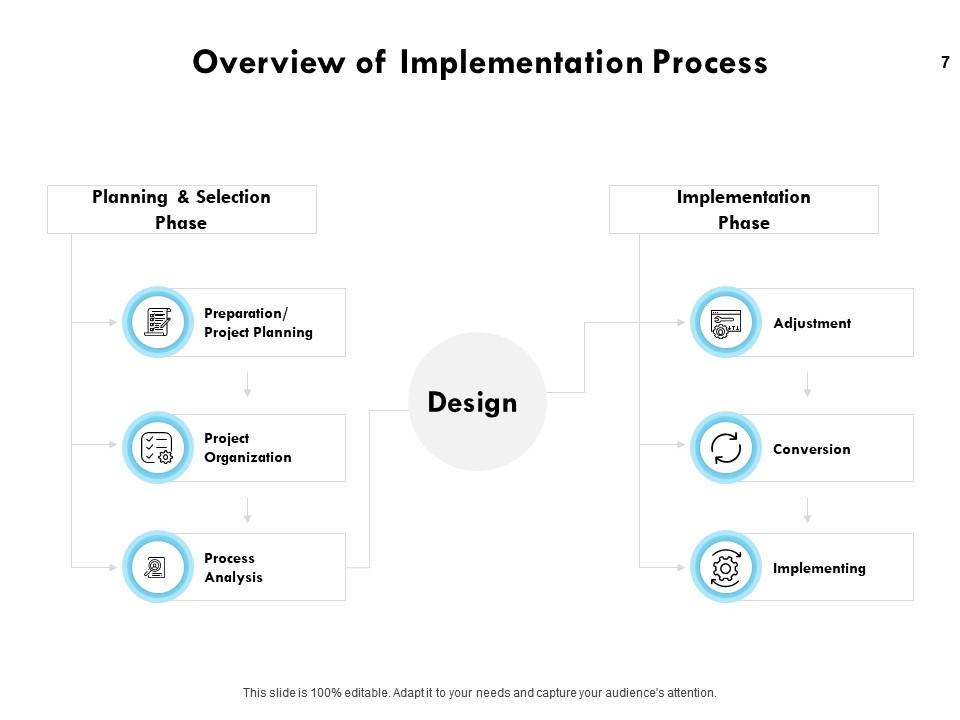
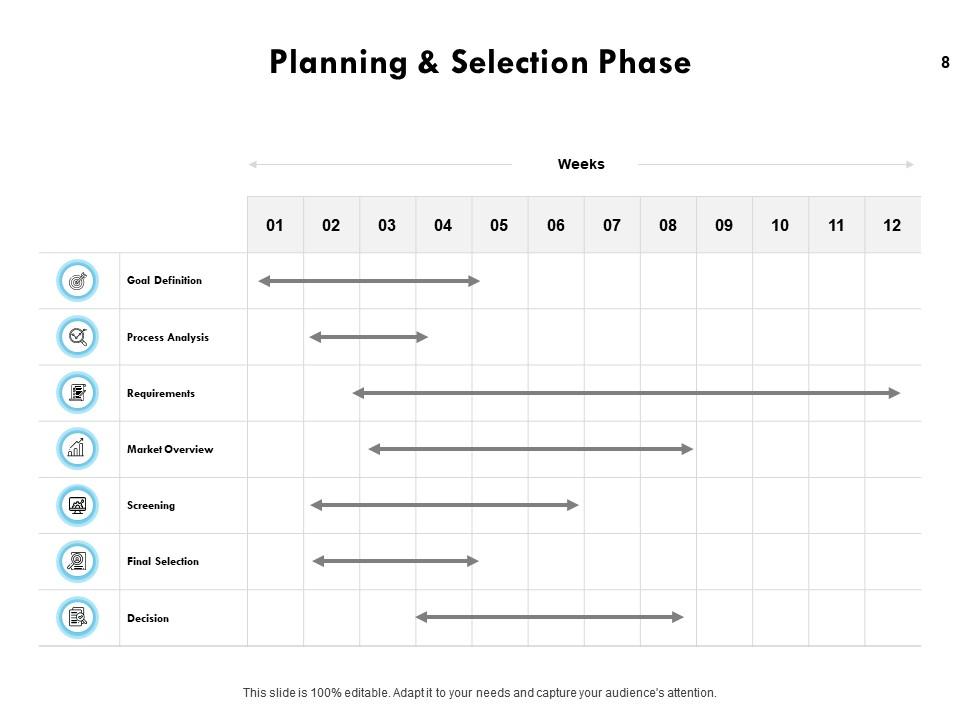
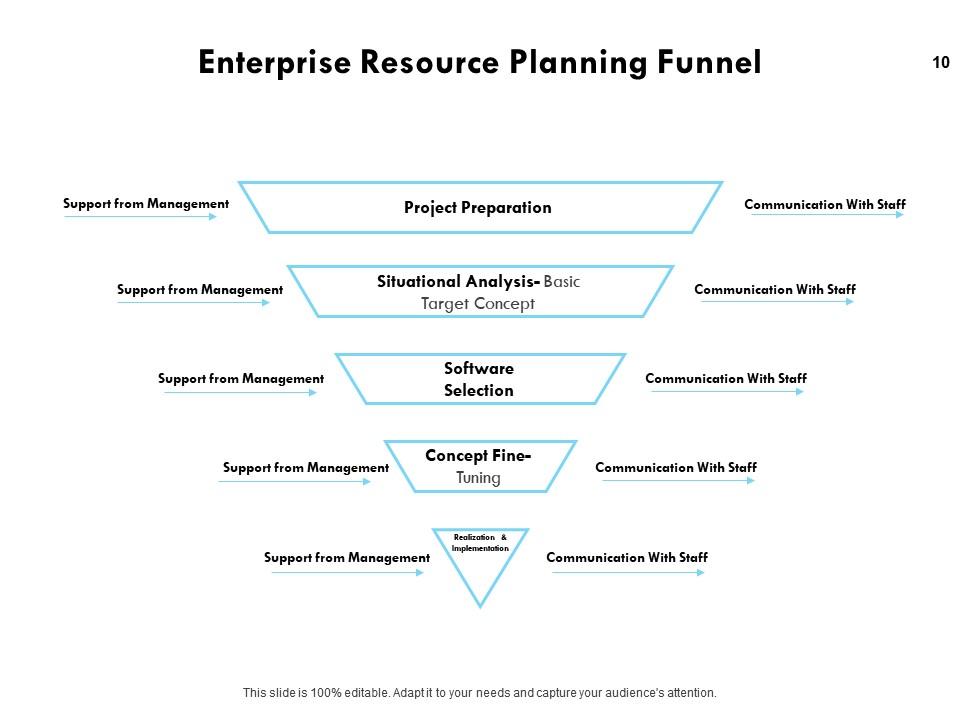
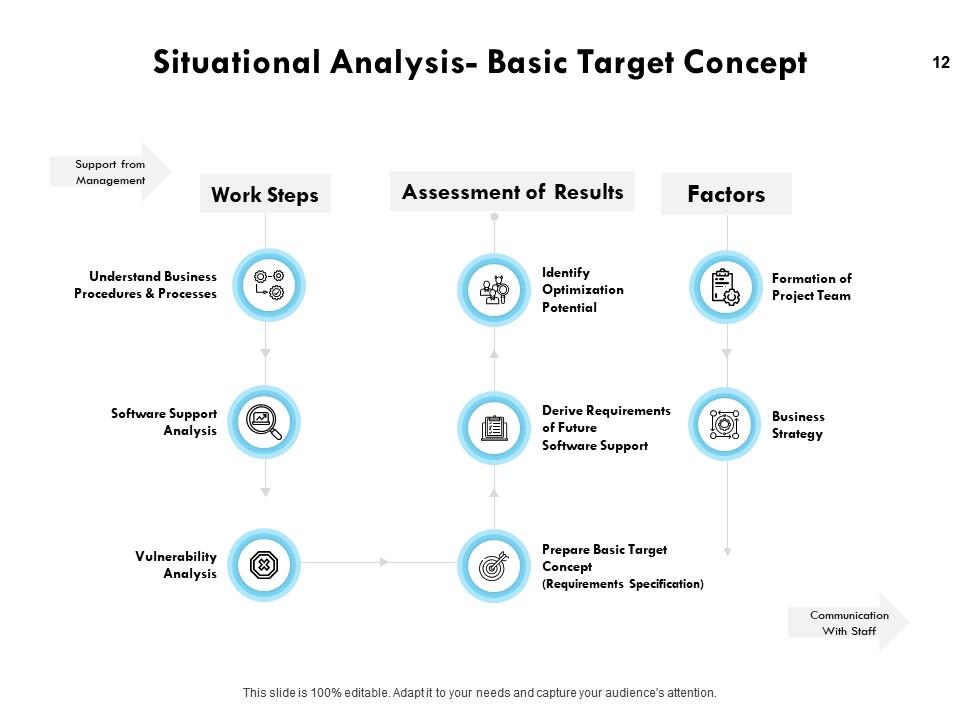
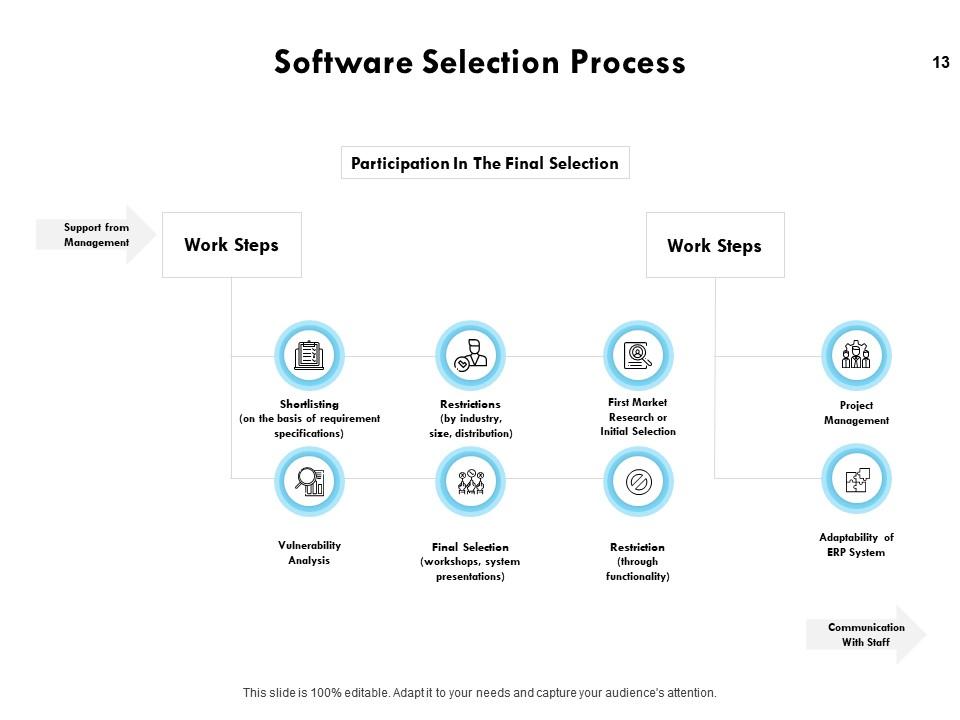
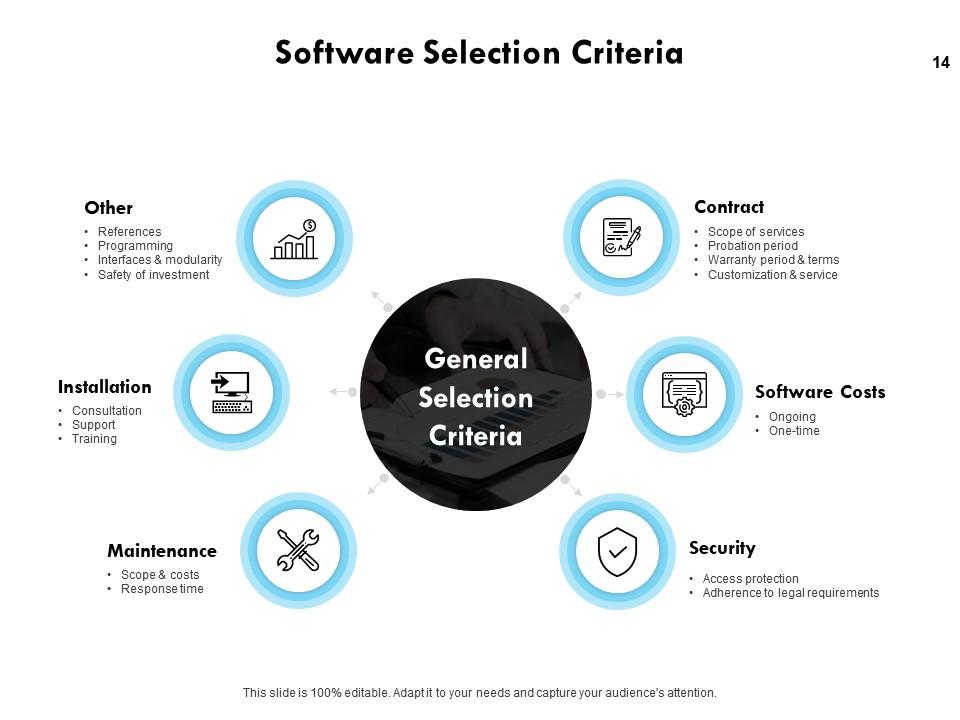
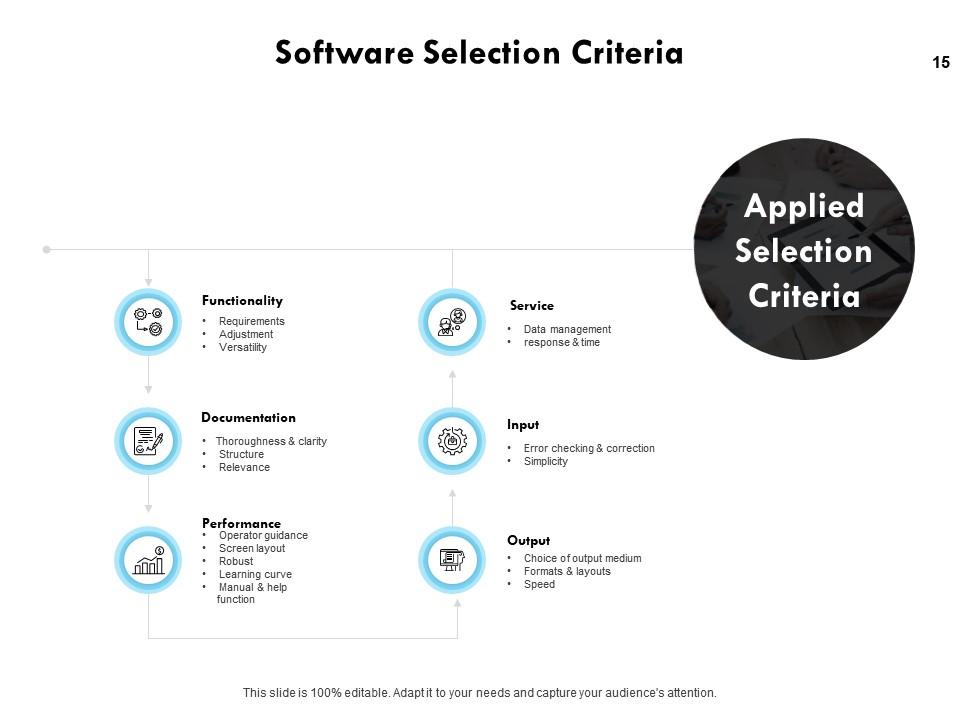
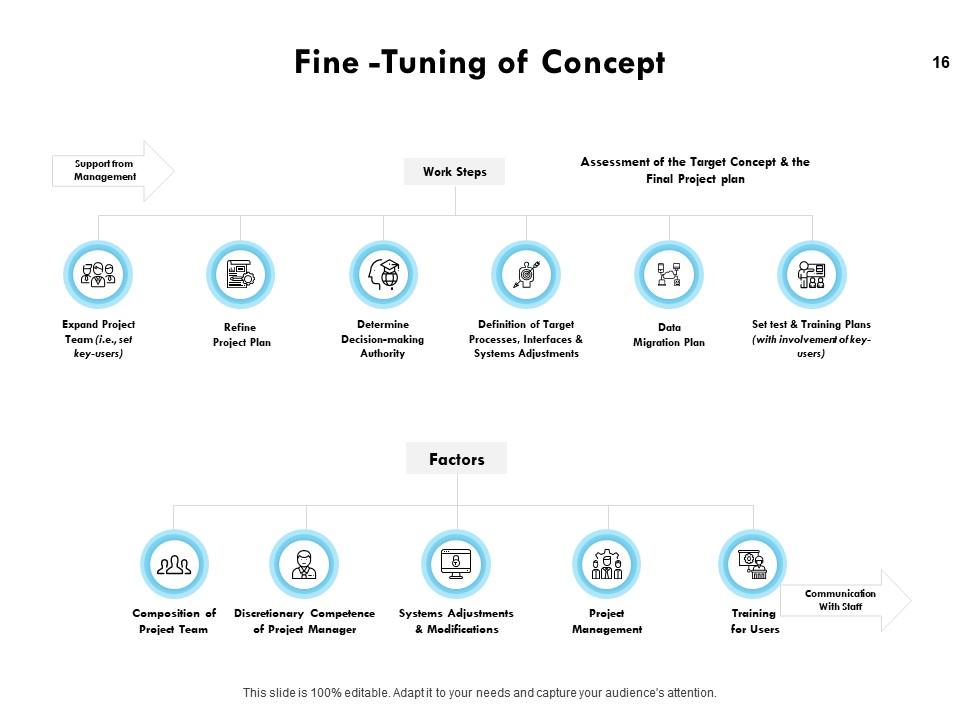
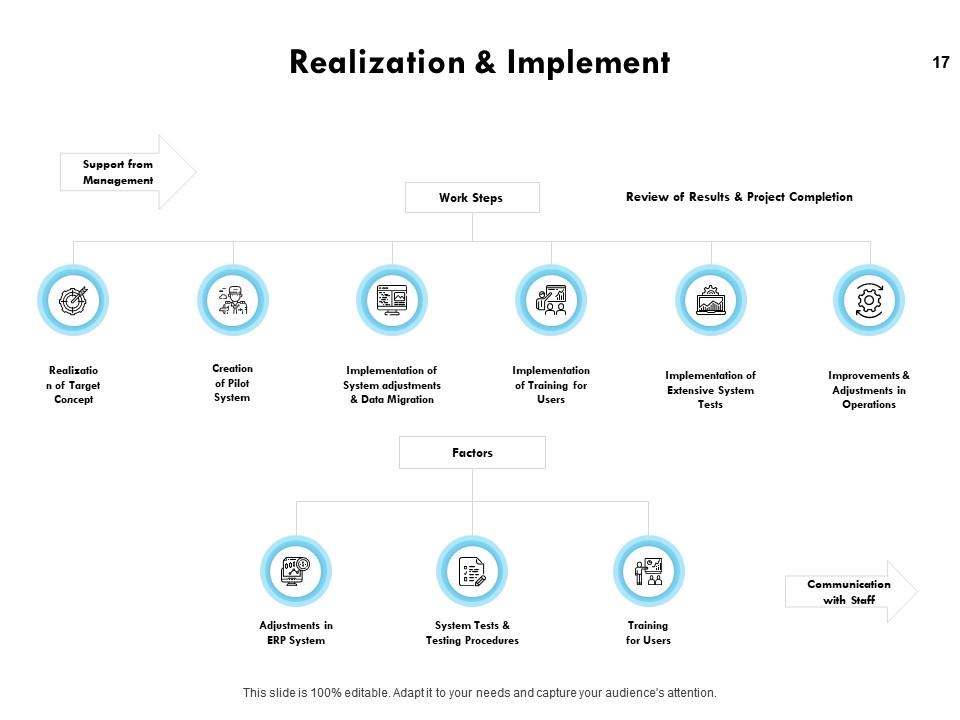
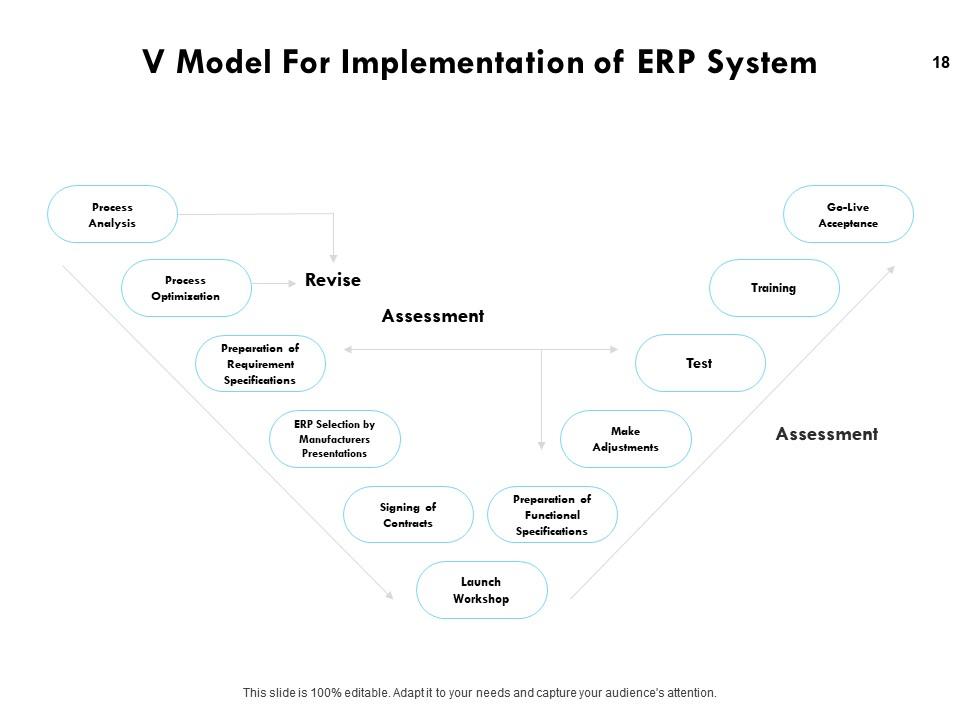
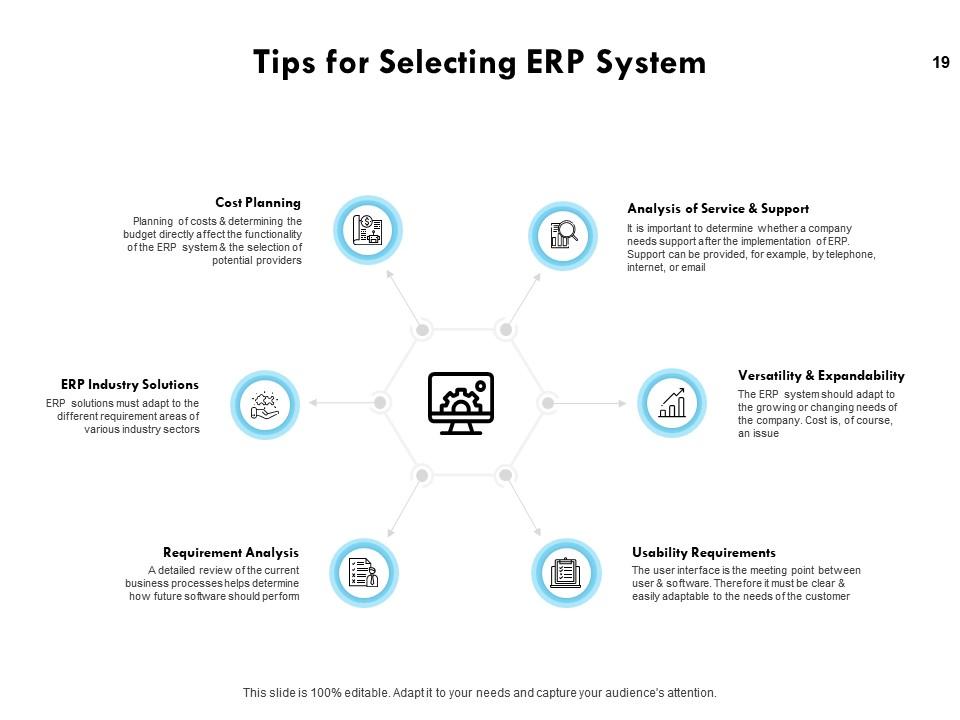
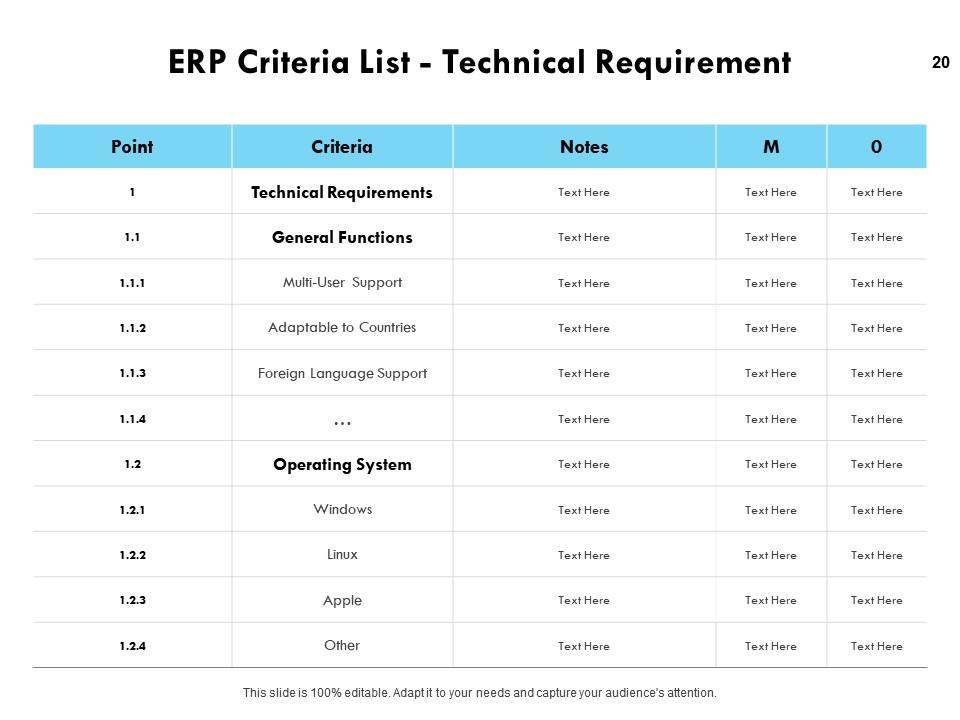
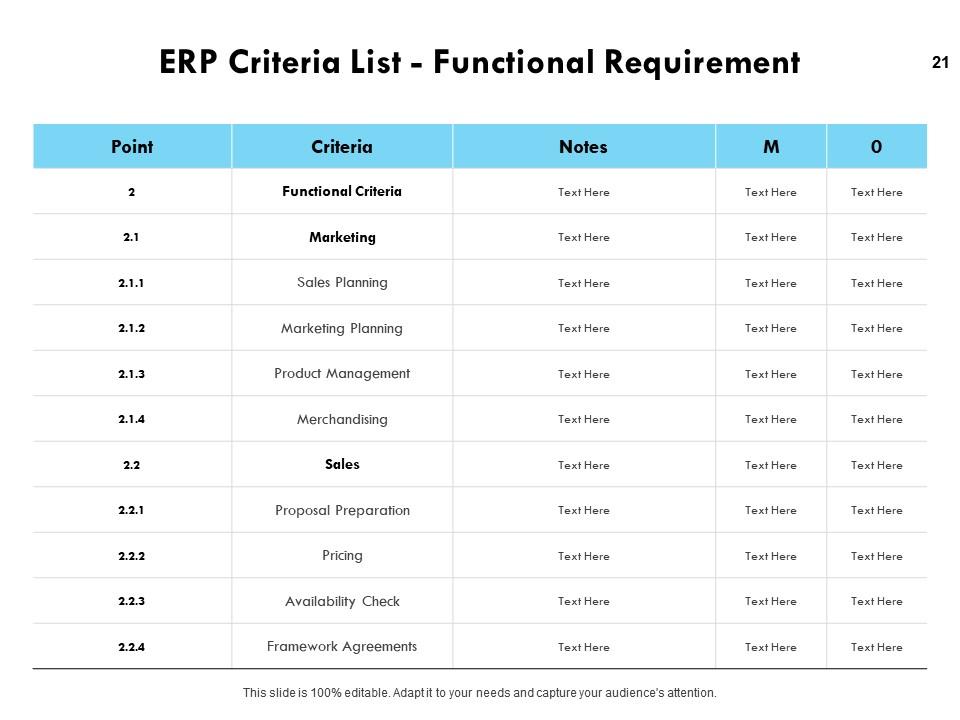
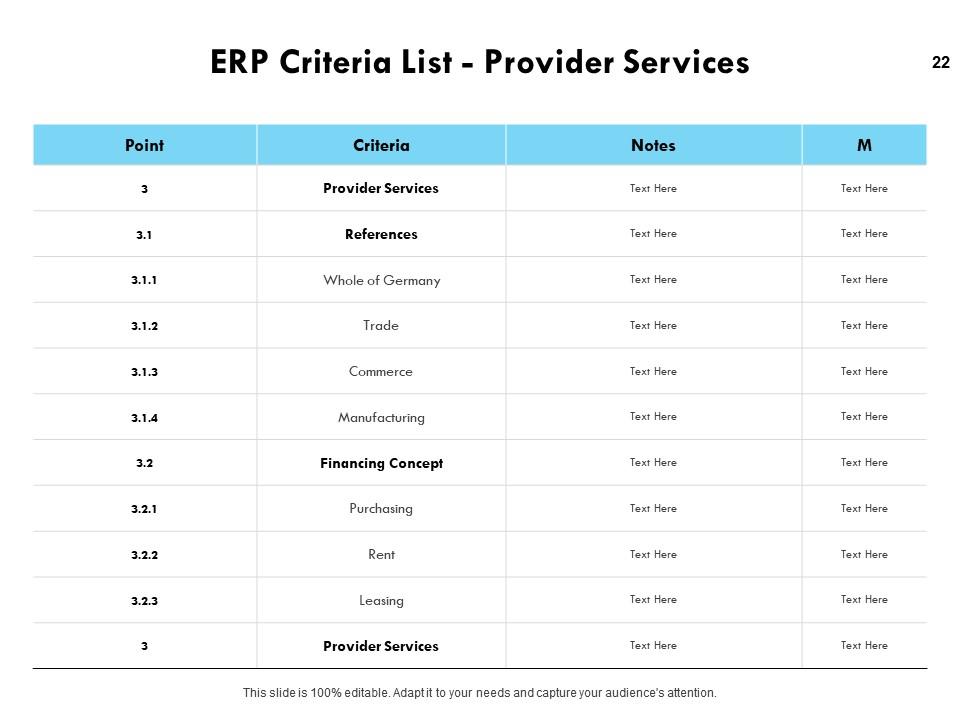
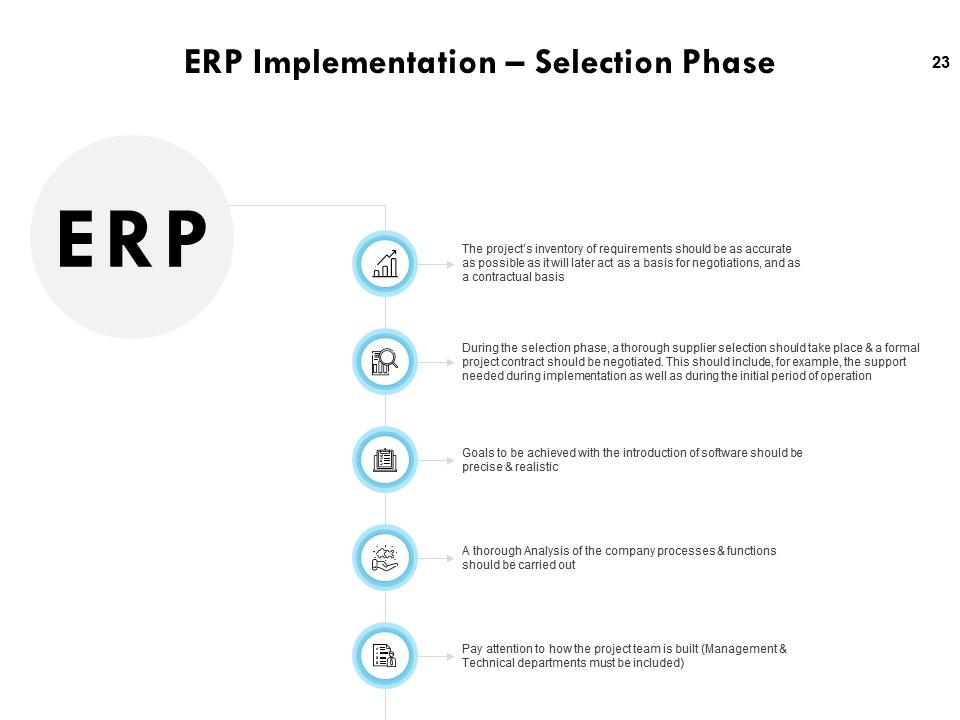
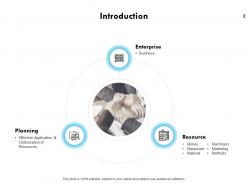
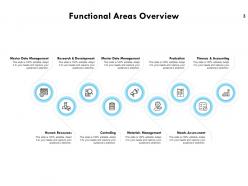
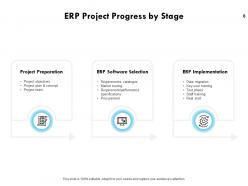
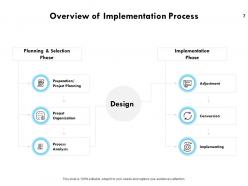
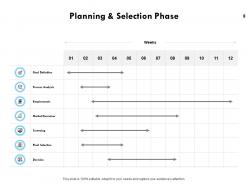
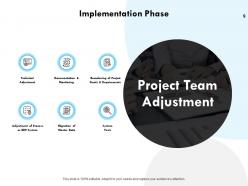
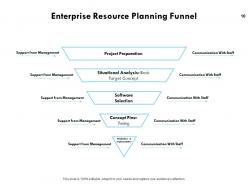
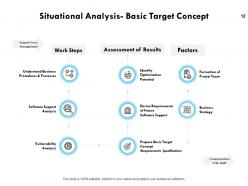
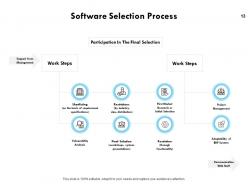
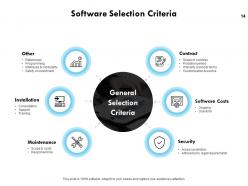
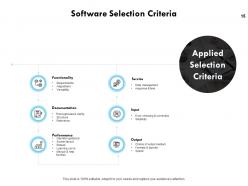
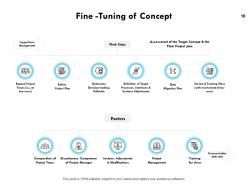
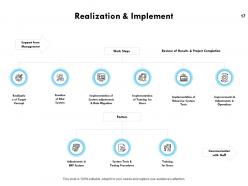
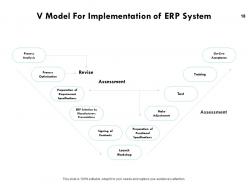
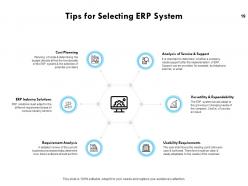
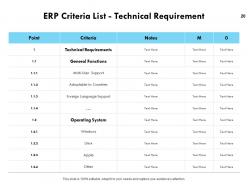
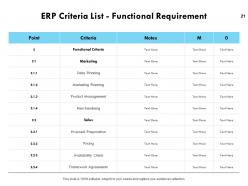
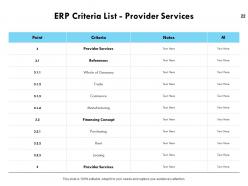
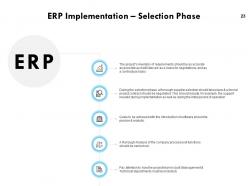
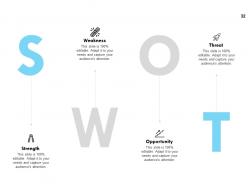
Represent processes of an enterprise by incorporating this Business Process Modelling Powerpoint Presentation Slides. Take the assistance of this business architecture PPT slide to present the reporting relationship of the organization. Analyze, design and implement the business processes with the aid of this enterprise process modeling PPT visual. Give an overview of the implementation process by showcasing the planning and selection phase using this business model canvas PPT layout. Manage the business and automate back-office functions related to technology, services, and human resources by taking the assistance of the enterprise resource planning PowerPoint slideshow. With this business plan PPT theme, evaluate the internal and external conditions that affect an organization. Present the seven key phases of software selection and criteria by utilizing this ERP implementation PowerPoint template. Showcase how to evaluate the project by using the planning and development PPT layouts. Discuss how to manage ERP implementation by downloading this visual attention-grabbing business modeling PowerPoint Presentation.

FAQs for Business process modelling

Start with clear beginning and end points, then map out your activities and decision spots. You'll need to figure out who does what and what inputs/outputs each step needs. Systems and tools are where everything usually falls apart in practice, so definitely include those. Here's the thing though - whatever's written down probably isn't what actually happens. Talk to the people doing the real work to validate your model. They'll tell you the truth! Begin simple first. You can always layer on complexity once you've got the basics nailed down.

So I actually just went through this at my company last month. Map out one messy process first - you'll be shocked at how much redundant stuff you're doing. Like, we had three people checking the same thing! Once you see it visually, the bottlenecks jump out immediately. Then you can fix the waste, automate boring tasks, and figure out who should actually own each step. Honestly, our team was so confused before because nobody knew their role. Now things move way faster and we're making fewer mistakes. Just pick your most annoying process to start.

Most people go with Microsoft Visio, Lucidchart, or draw.io for basic process mapping stuff. Bizagi and Signavio are pretty solid if you need heavy-duty BPM features, but they'll cost you. Honestly? PowerPoint works fine for simple workflows - I've seen entire companies run on sketchy PowerPoint diagrams lol. Camunda's awesome if you're doing technical automation work and need that BPMN precision. I'd start with Lucidchart or draw.io since they're easy to use and your team can actually collaborate without wanting to throw their laptops. Just grab some free trials first and see what doesn't make you want to scream.

First things first - actually figure out what your company's trying to achieve strategically. I know it sounds basic, but tons of people just dive in without this step. Map out your current processes, then see which ones actually matter for hitting those big goals. Some processes probably aren't helping at all (or worse, they're getting in the way). Focus your modeling work on the high-impact stuff - processes that give you real competitive edge or unlock key capabilities. Here's what really works though: get strategy people AND operations folks in the same room during modeling. That way you're not building something that looks great on paper but falls apart in reality.

So BPMN is basically made for business processes, while UML is more like a general software thing that can do processes but wasn't really meant for it. Business people actually get BPMN because it has those pools and lanes and gateways that make sense. UML activity diagrams? They work technically but they're just... awkward for business stuff. I've seen too many confused faces when IT shows those to stakeholders. For process improvement or compliance docs, BPMN all the way. Your business users won't give you blank stares when you present it.
Honestly, get people involved from day one - not just the bosses but whoever's actually doing the grunt work. Map everything out together in workshops (seriously, bring food though). Sticky notes and flowcharts work great since not everyone's technical. Regular check-ins are clutch for making sure you're not totally off base. Show them you're actually listening by documenting their input and explaining how you used it. People need to feel heard, not just like you checked a box. Oh, and visual stuff helps way more than you'd think - makes it less intimidating for everyone to jump in.

Think of data analytics as your BS detector for process models. Most people assume they know how their workflows actually run - spoiler alert, they don't. Track your cycle times and performance metrics to see where things bottleneck or fall apart. It's honestly pretty eye-opening when you realize how off your assumptions were. Start with whatever processes matter most to your business and compare the real numbers against what you mapped out. Short cycles, weird delays, total breakdowns - the data shows it all. Without tracking this stuff, you're basically flying blind and hoping for the best.

Start by sketching out your whole process - where does stuff actually flow? Then hunt for the spots where work gets backed up. Your data will show cycle times and how maxed out each resource is. But honestly, just ask the people doing the work. They know exactly where things turn into a nightmare and aren't shy about sharing their thoughts on it. If you can timestamp each step, even better - shows you the real delay points. Focus on the biggest bottleneck first since that's where you'll get the most bang for your buck.

Start with what's actually happening now - not some ideal version. Get clear on who owns each step because confusion kills productivity. Simple naming conventions save everyone headaches later. Here's the thing though - you absolutely have to validate with the people doing the actual work. They'll spot gaps you totally missed. Don't forget decision points and exceptions either, that's where everything usually breaks down. Oh, and version control everything! Processes evolve constantly. I learned this the hard way when we had three different "current" versions floating around. Keep it straightforward and you'll be fine.

So basically, mapping out your business processes lets you catch compliance issues before they become huge problems. You can see exactly where regulations fit in and spot weak points that might trip you up later. Think of it as creating a roadmap that shows all your vulnerable areas. Then you build in the right controls and approval steps directly into how things actually work. Honestly, auditors love this stuff - makes their job way easier when you can show them clear documentation. Oh, and definitely start with your riskiest processes first since that's where you'll see the biggest impact.

Don't overthink your models from day one - that's where most people crash and burn. I've watched teams spend weeks mapping out every weird edge case instead of nailing the basics first. Also, never build these things alone in your office. Get the actual workers involved or you'll create something totally disconnected from how things really happen. Those diagram-heavy presentations just confuse everyone anyway. Start simple, focus on the main process, then build from there. Oh and skip the fancy business terms - they make stakeholders' eyes glaze over instantly.

Get your baseline numbers locked down first - cycle time, cost per transaction, error rates, customer satisfaction. Measure before AND after so you can actually prove you made things better. Trust me, we "improved" a process once but had zero data to back it up... awkward! Employee happiness matters too since miserable teams usually mean broken processes. Set realistic targets upfront like 20% faster processing, then check in monthly. Oh and start tracking this stuff now even if you're still planning - future you will thank you for having the data ready.

Start by mapping out your current processes first - trust me on this one. Then look for the repetitive, mind-numbing tasks that nobody actually wants to do. Those are your goldmine automation candidates. Mark decision points where systems can handle routing automatically, like approvals or data checks. The key is documenting where automated tools hand off to actual humans. I'd honestly focus on the boring stuff first since that's where you'll see quick wins. Also map how your different systems talk to each other - or should be talking to each other. It's way easier to spot automation opportunities when you can visualize the whole mess laid out properly.

Oh man, culture is huge for BPM in international companies. What flies in Germany's super structured setup? Totally bombs in Japan where relationships matter more. You've got to rethink your whole process flow - their communication styles, approval chains, even how they view deadlines are different. Honestly, I've watched processes crash and burn just because nobody thought about how authority actually works in that region. Get local people involved from day one when you're mapping everything out. Build in flexibility so you can adapt to each area but still hit your main goals. Trust me on this one.

Dude, you gotta check out AI-powered process mining - it finds inefficiencies you never knew existed. Low-code platforms are everywhere now, which is awesome because business teams can model stuff without bugging IT constantly. Cloud collaboration is pretty much standard at this point. Real-time monitoring with predictive analytics is the future, honestly. Everyone's moving away from those brutal yearly overhauls toward continuous optimization instead. Oh, and start playing with process mining tools ASAP. Seriously, the workflow patterns they reveal will absolutely blow your mind - I was shocked when I first saw ours.

Ratings and Reviews

84% of 100
Write a review
Most Relevant Reviews
  1. 80%

    by Jacob Brown

    Great designs, Easily Editable.
  2. 80%

    by Cortez Graham

    Helpful product design for delivering presentation.
  3. 100%

    by Chet Cox

    Perfect template with attractive color combination.
  4. 80%

    by Eddie Sandoval

    Perfect template with attractive color combination.
  5. 80%

    by Clifford Powell

    Informative design.

5 Item(s)

per page: