


Customer Relationship Management System Deployment Steps Powerpoint Presentation Slides
CRM implementation is deploying CRM software so a business can manage present and future customer interactions. Successful CRM deployment may assist firms in analyzing client interactions, tracking leads effectively, and streamlining operations. Check out our efficiently designed PowerPoint presentation introducing Customer Relationship Management System Deployment Steps. It covers CRM system planning, including business goals and implementation. It also includes strategies organizations can use while implementing new CRM software. This PPT covers the detailed CRM implementation process, including analyzing business processes, mapping sales and marketing processes with the CRM system, and identifying key players. It also covers a detailed section of CRM and system deployment with significant steps such as setting up organization details, customizing the account and setting up basic modules, CRM access, etc. This complete deck also covers a section for analyzing system implementation training, cost, and time followed by a post-implementation impact analysis. Download our 100 percent editable and customizable template, which is also compatible with Google slides.




























-

- Google Slides is a new FREE Presentation software from Google.
- All our content is 100% compatible with Google Slides.
- Just download our designs, and upload them to Google Slides and they will work automatically.
- Amaze your audience with SlideTeam and Google Slides.
-

Want Changes to This PPT Slide? Check out our Presentation Design Services
-

- WideScreen Aspect ratio is becoming a very popular format. When you download this product, the downloaded ZIP will contain this product in both standard and widescreen format.
-

- Some older products that we have may only be in standard format, but they can easily be converted to widescreen.
- To do this, please open the SlideTeam product in Powerpoint, and go to
- Design ( On the top bar) -> Page Setup -> and select "On-screen Show (16:9)” in the drop down for "Slides Sized for".
- The slide or theme will change to widescreen, and all graphics will adjust automatically. You can similarly convert our content to any other desired screen aspect ratio.
Compatible With Google Slides

Get This In WideScreen
You must be logged in to download this presentation.


Do you want to remove this product from your favourites?
PowerPoint presentation slides
This complete presentation has PPT slides on wide range of topics highlighting the core areas of your business needs. It has professionally designed templates with relevant visuals and subject driven content. This presentation deck has total of fifty seven slides. Get access to the customizable templates. Our designers have created editable templates for your convenience. You can edit the color, text and font size as per your need. You can add or delete the content if required. You are just a click to away to have this ready-made presentation. Click the download button now.

People who downloaded this PowerPoint presentation also viewed the following :
Content of this Powerpoint Presentation
Slide 1: This slide introduces Customer relationship management system deployment step. State your company name and begin.
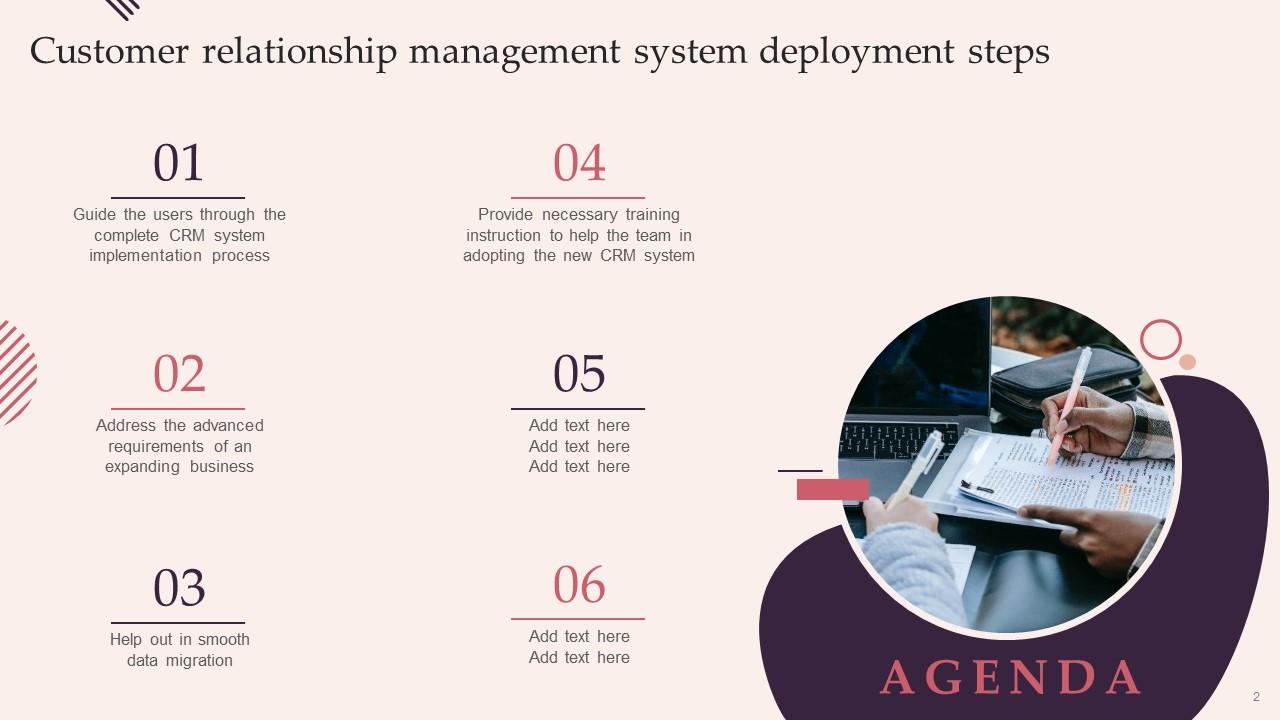
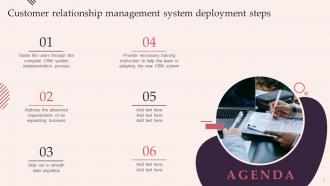
Slide 2: This slide states Agenda of the presentation.
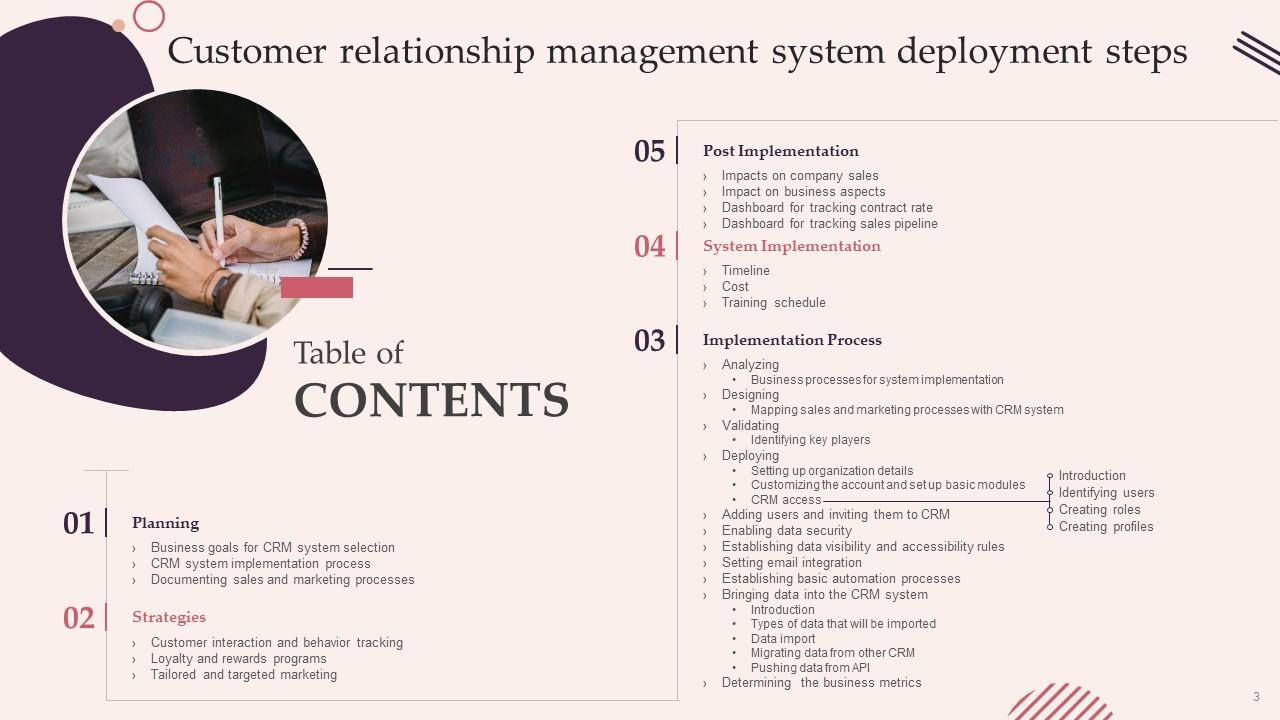
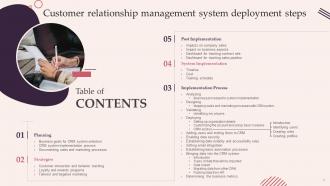
Slide 3: This slide presents Table of Content for the presentation.
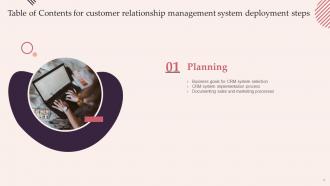
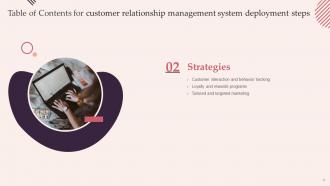
Slide 4: This slide highlights title for topics that are to be covered next in the template.
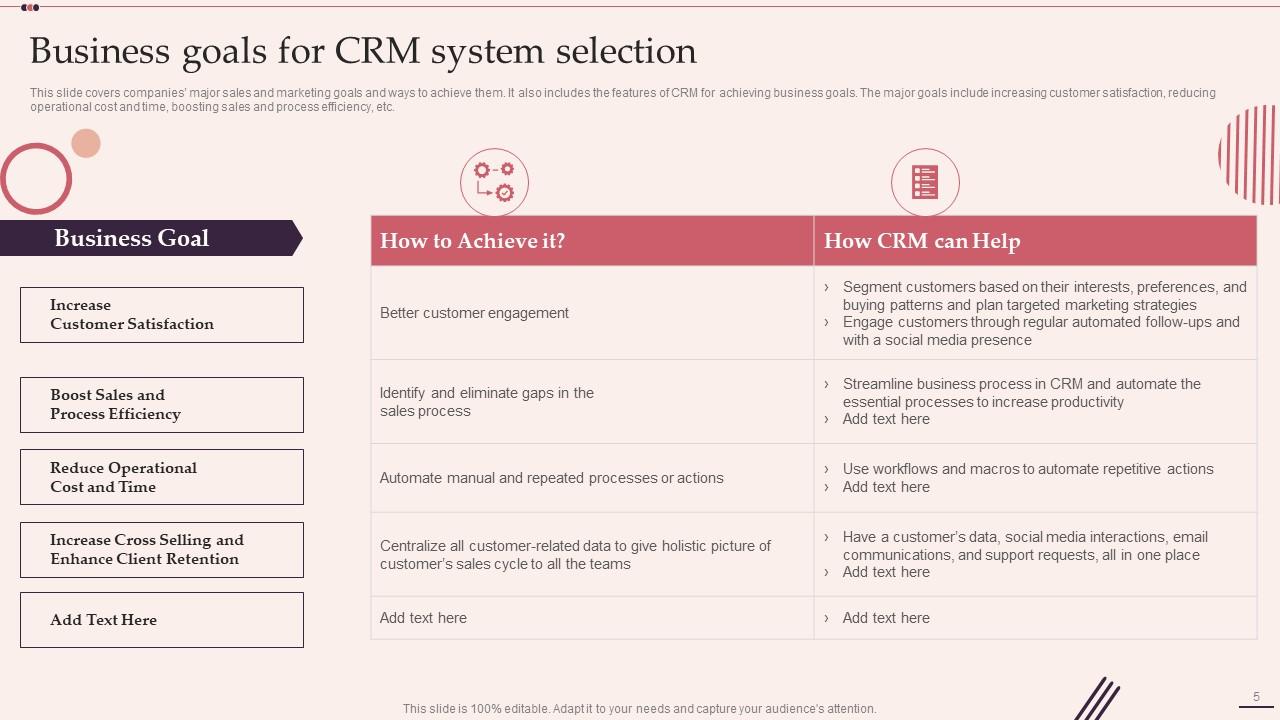
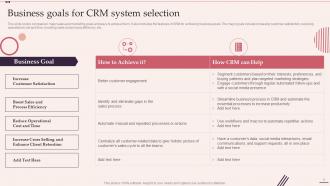
Slide 5: This slide shows Business Goals for CRM System Selection.
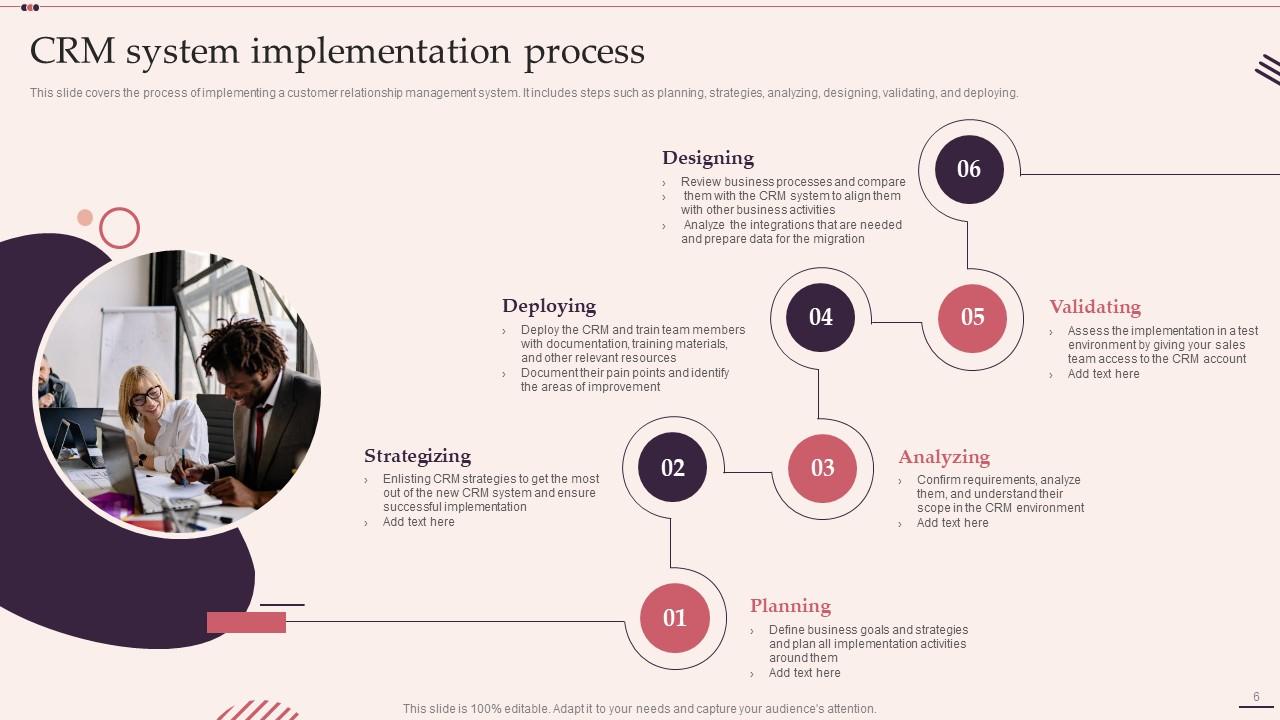
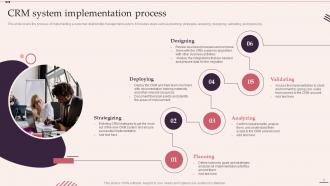
Slide 6: This slide presents CRM System Implementation Process.
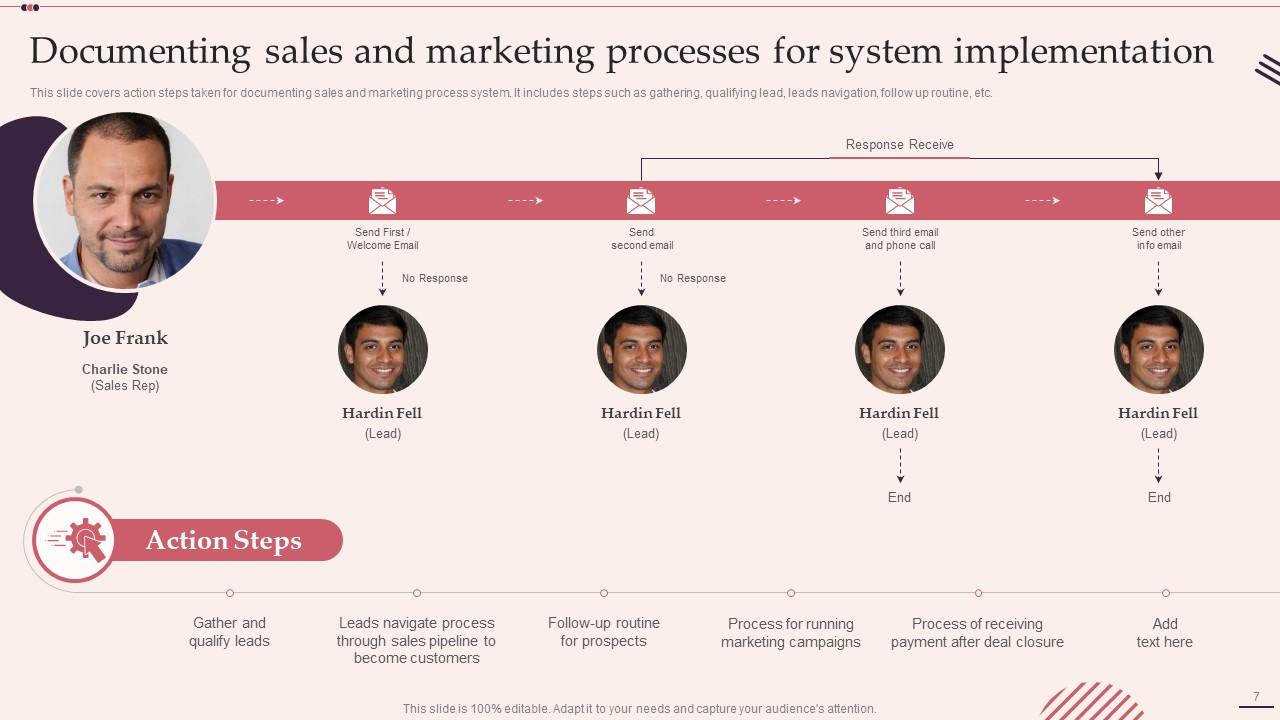
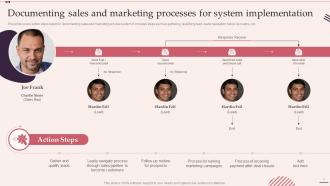
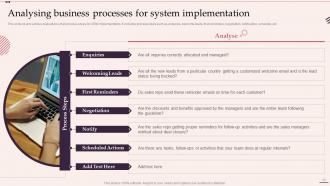
Slide 7: This slide displays Documenting Sales and Marketing Processes for System Implementation.
Slide 8: This slide highlights title for topics that are to be covered next in the template.
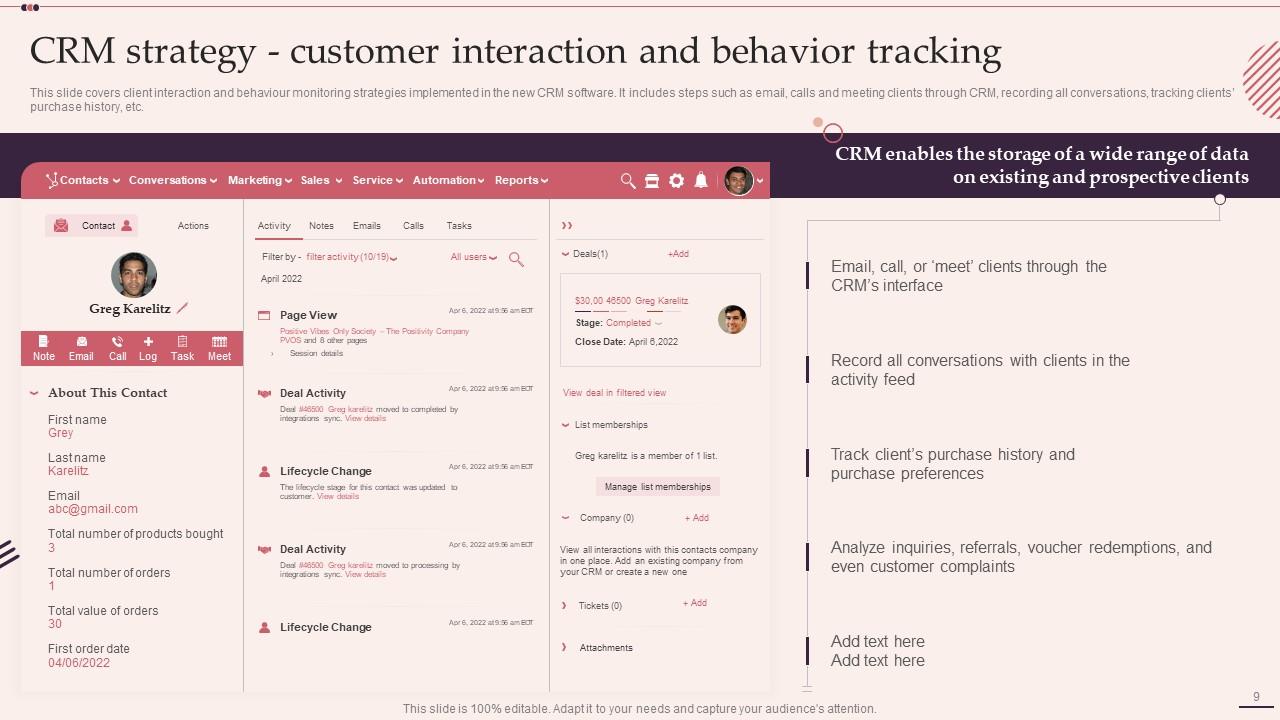
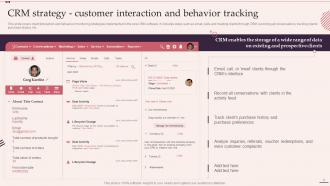
Slide 9: This slide covers client interaction and behaviour monitoring strategies.
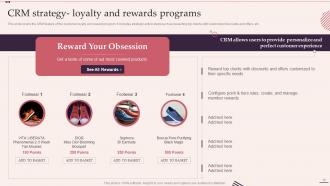
Slide 10: This slide represents CRM feature of the customer loyalty and reward program.
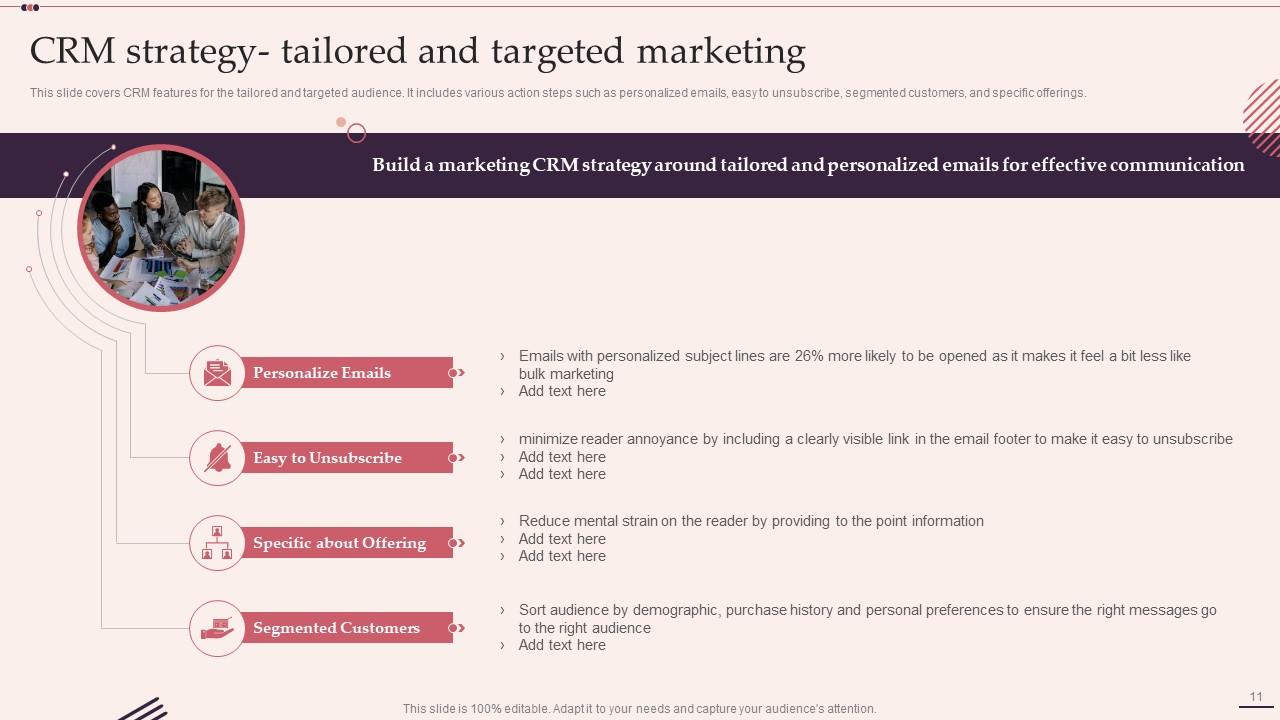
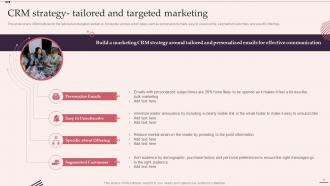
Slide 11: This slide showcases CRM features for the tailored and targeted audience.
Slide 12: This slide highlights title for topics that are to be covered next in the template.
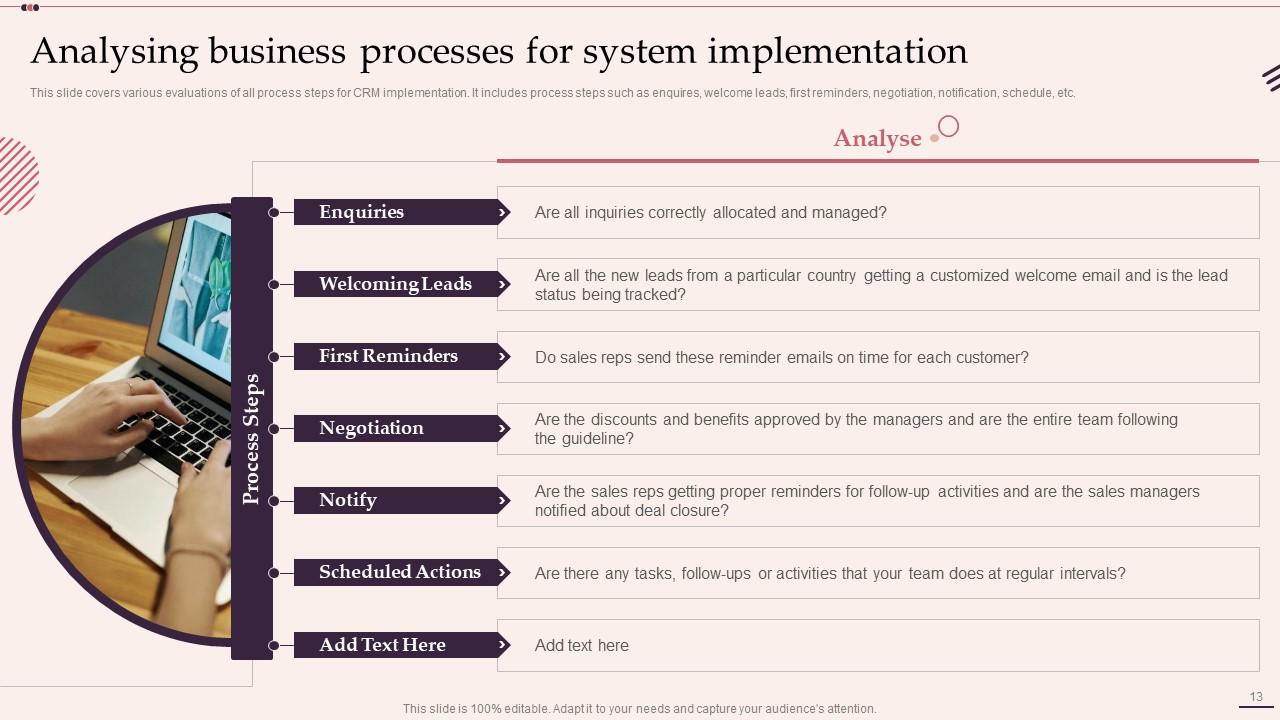
Slide 13: This slide shows various evaluations of all process steps for CRM implementation.
Slide 14: This slide highlights title for topics that are to be covered next in the template.
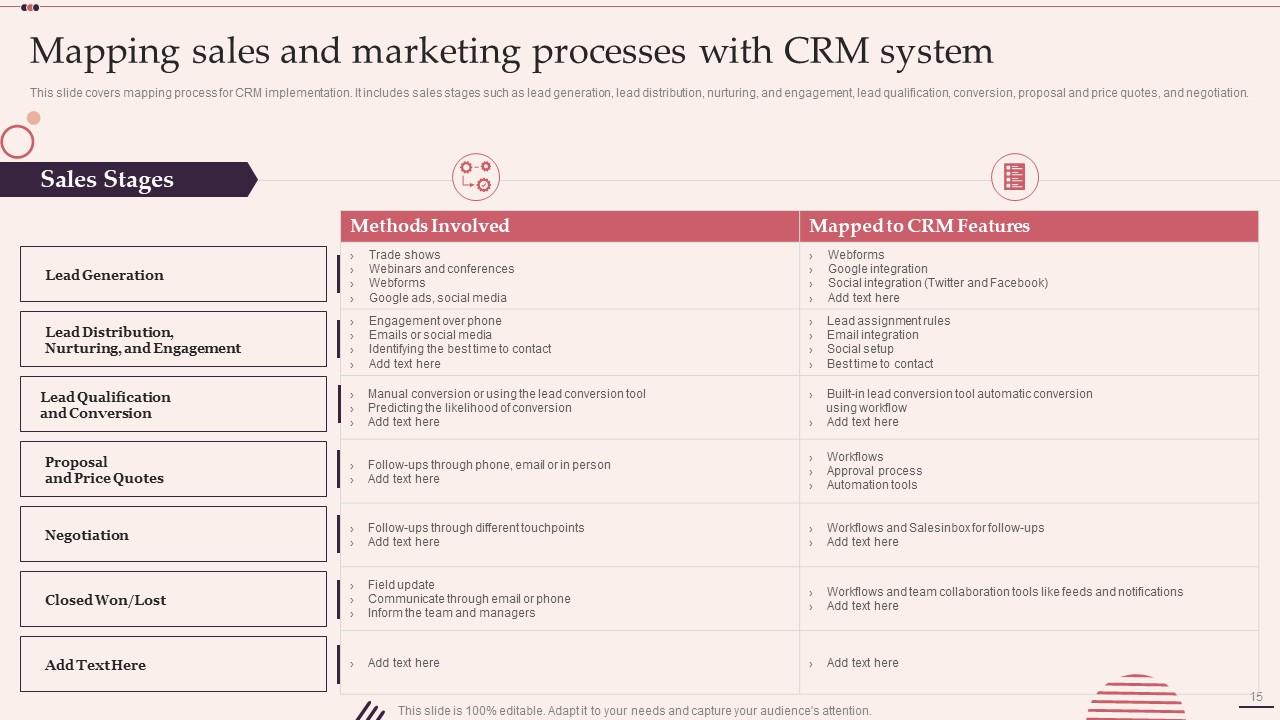
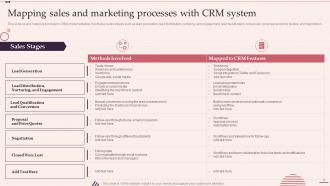
Slide 15: This slide presents Mapping Sales and Marketing Processes with CRM System.
Slide 16: This slide highlights title for topics that are to be covered next in the template.
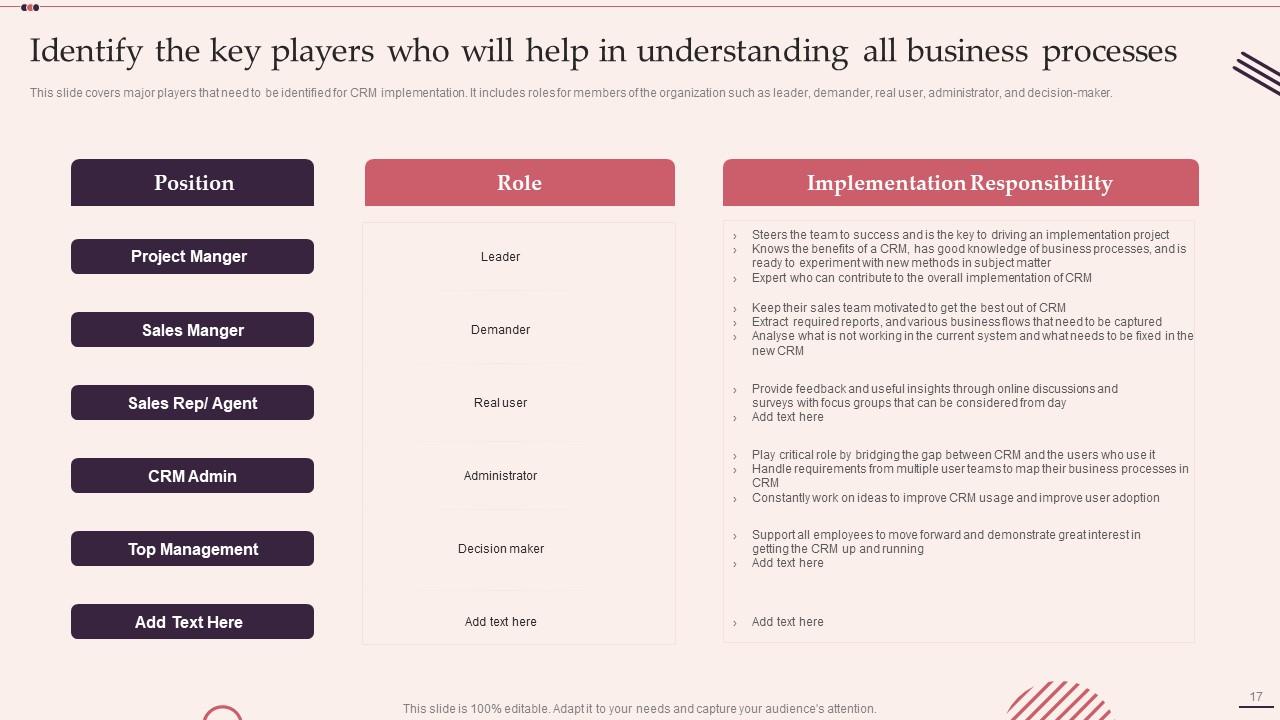
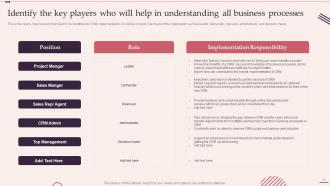
Slide 17: This slide covers major players that need to be identified for CRM implementation.
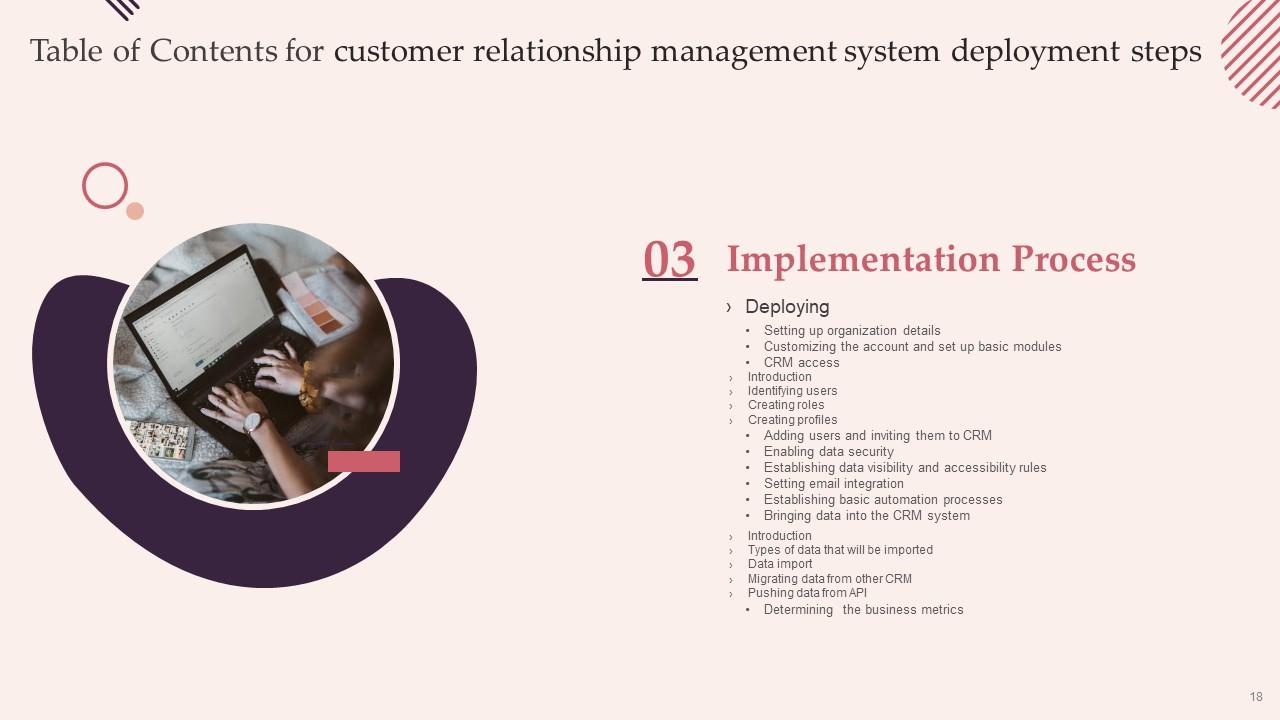
Slide 18: This slide highlights title for topics that are to be covered next in the template.
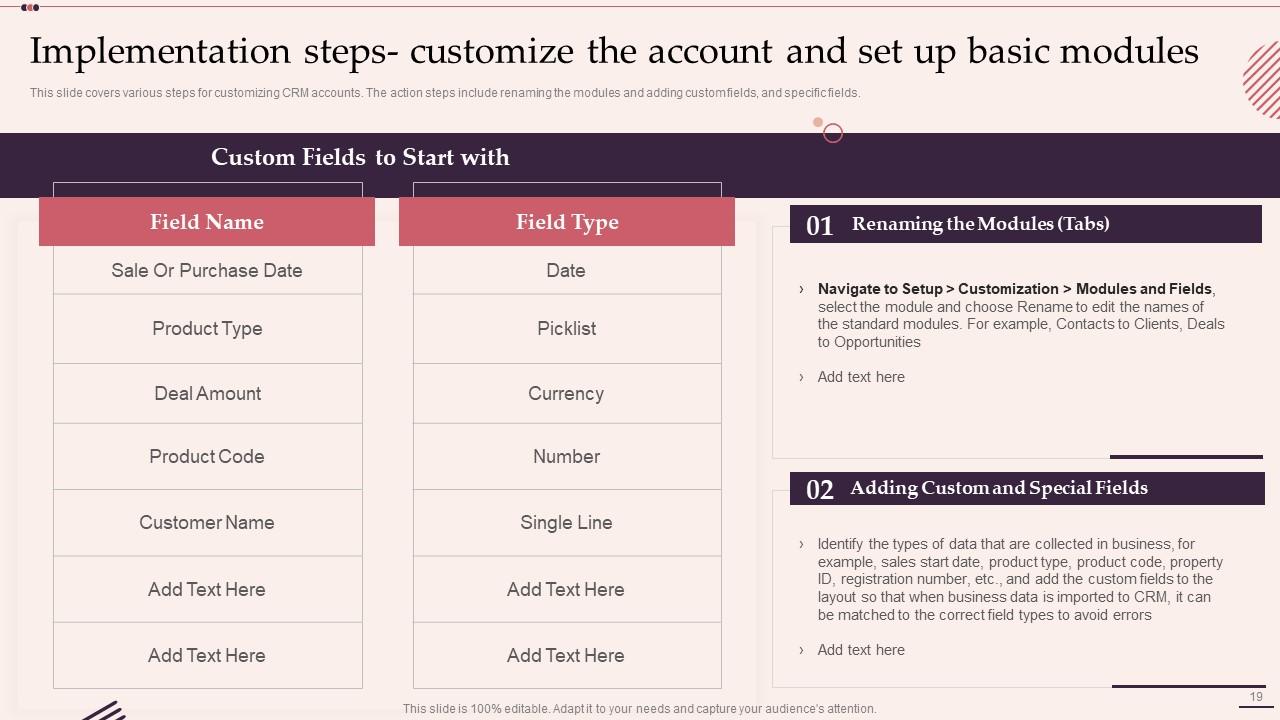
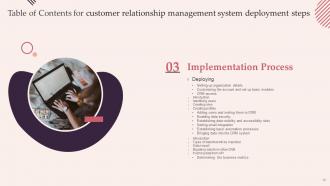
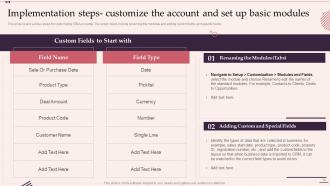
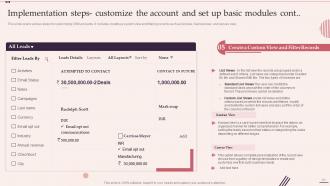
Slide 19: This slide displays various steps for customizing CRM accounts.
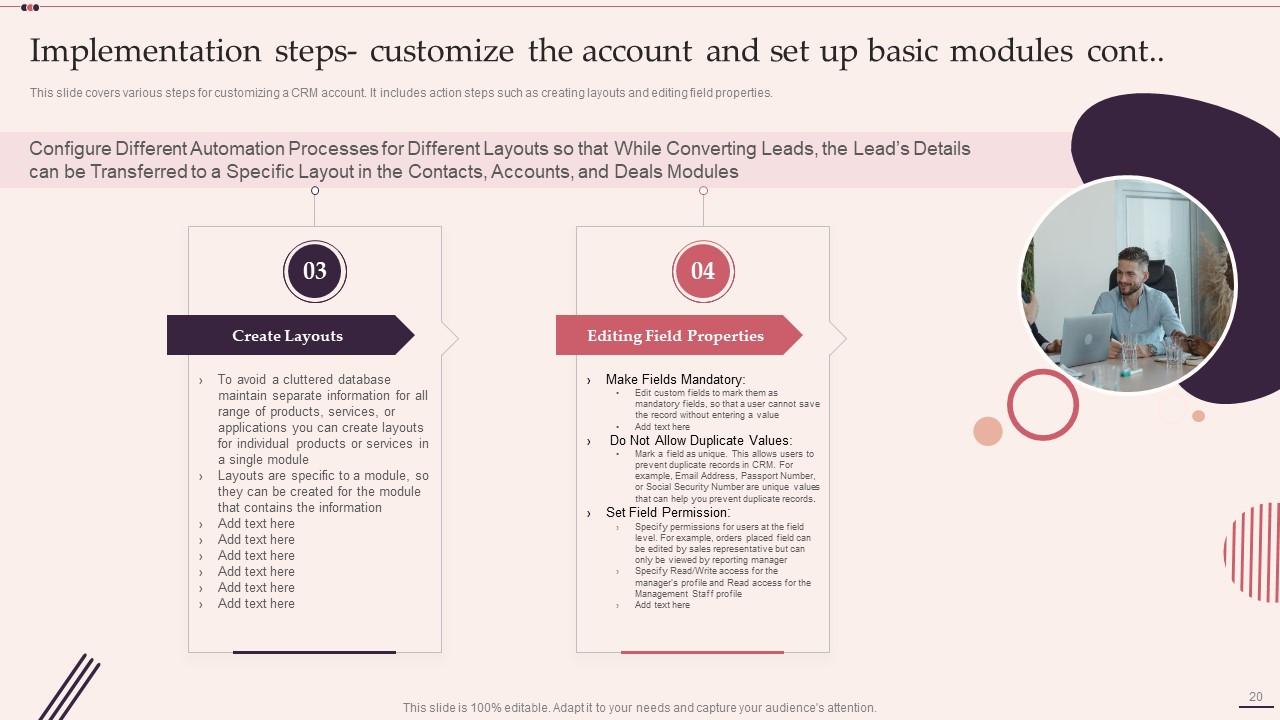
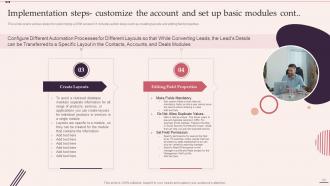
Slide 20: This is another slide continuing steps for customizing a CRM account.
Slide 21: This is another slide continuing steps for customizing a CRM account.
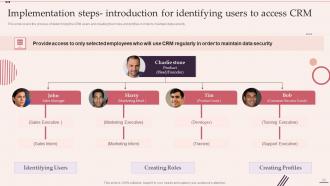
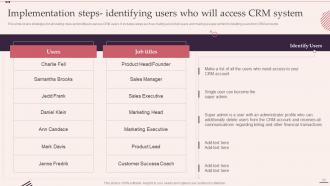
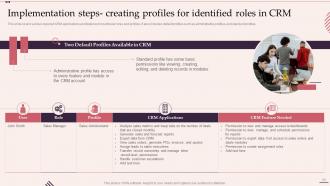
Slide 22: This slide covers the process of determining the CRM users and creating their roles and profiles.
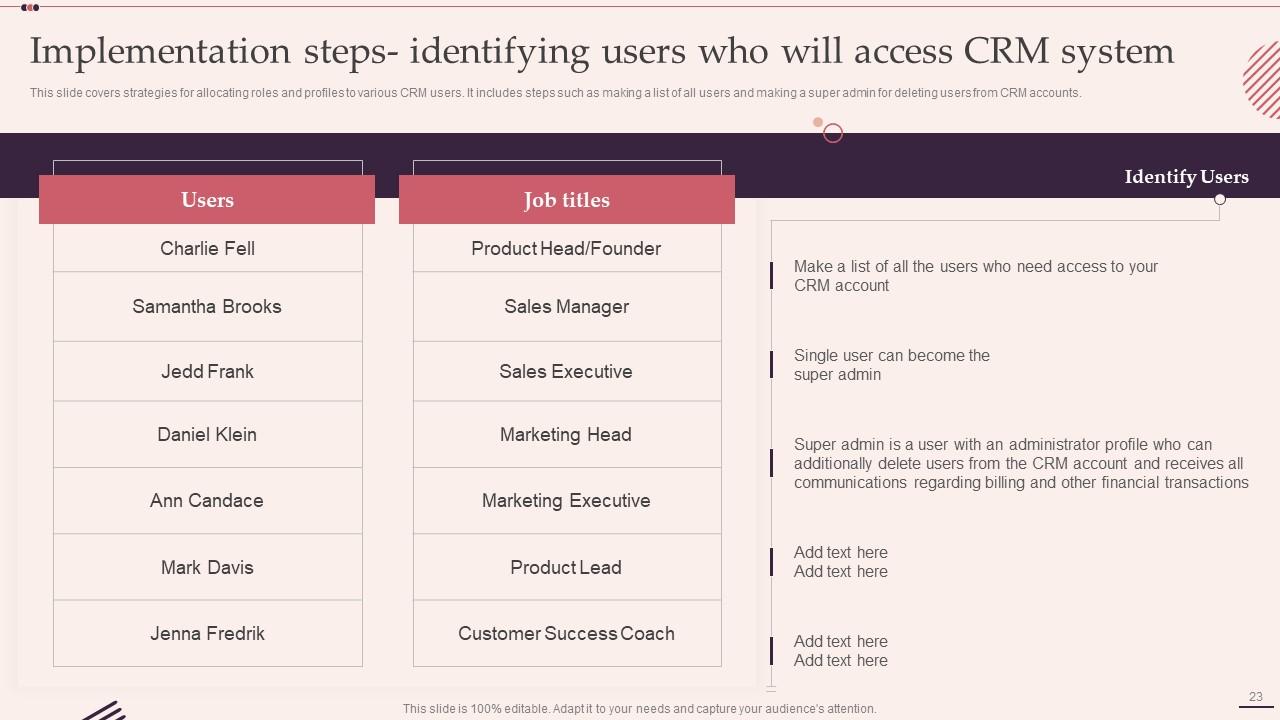
Slide 23: This slide represents strategies for allocating roles and profiles to various CRM users.
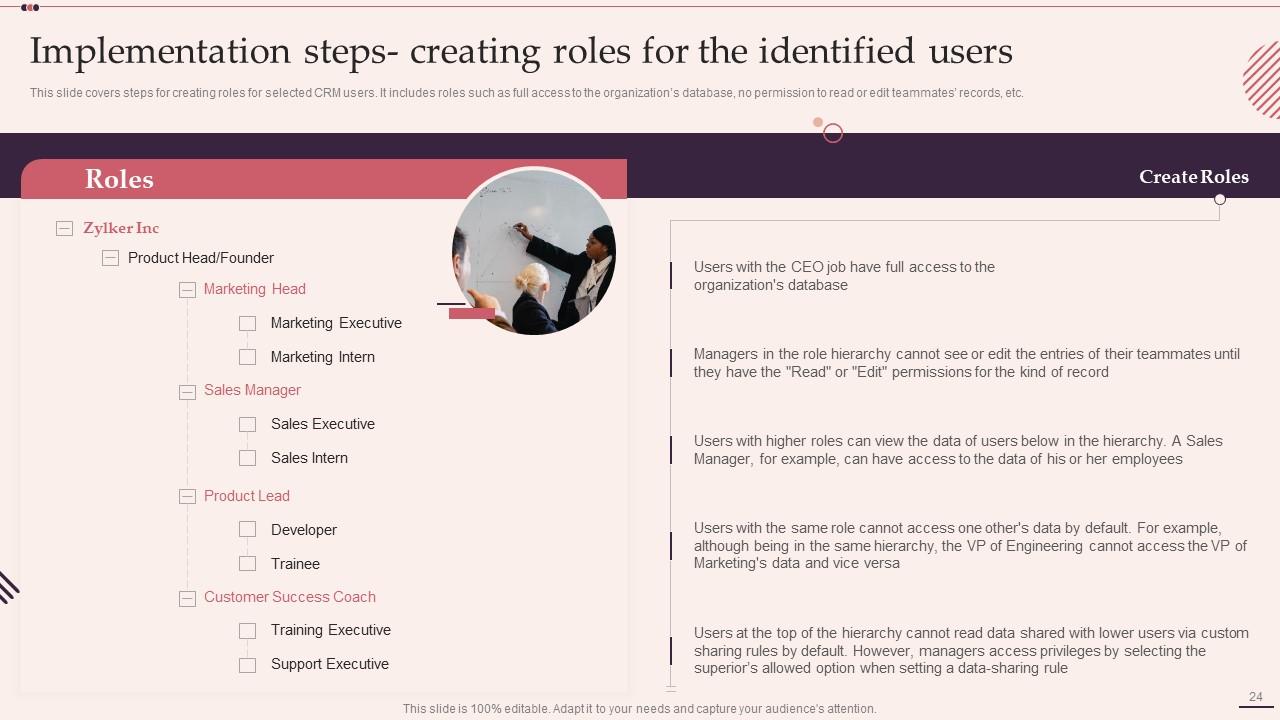
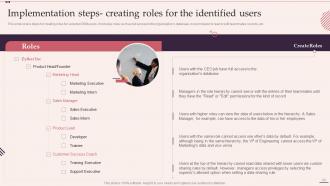
Slide 24: This slide showcases steps for creating roles for selected CRM users.
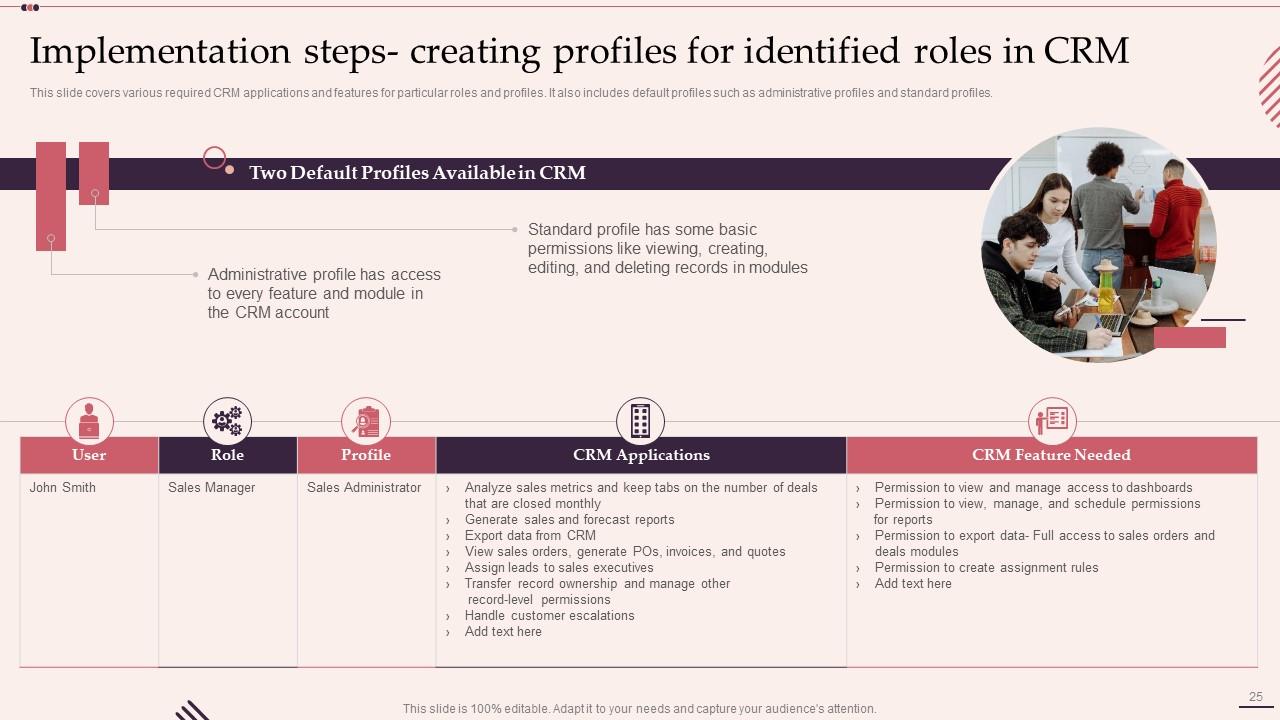
Slide 25: This slide covers various required CRM applications and features for particular roles and profiles.
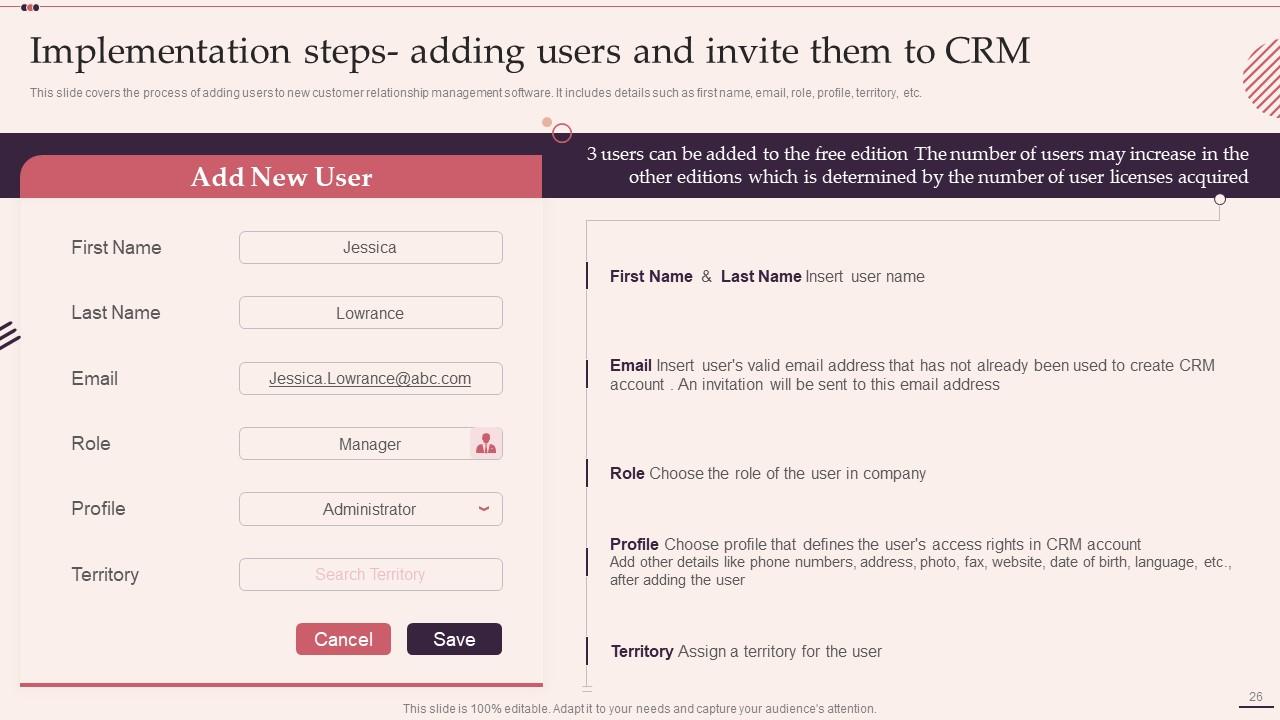
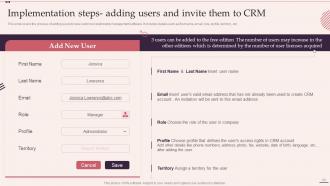
Slide 26: This slide shows process of adding users to new customer relationship management software.
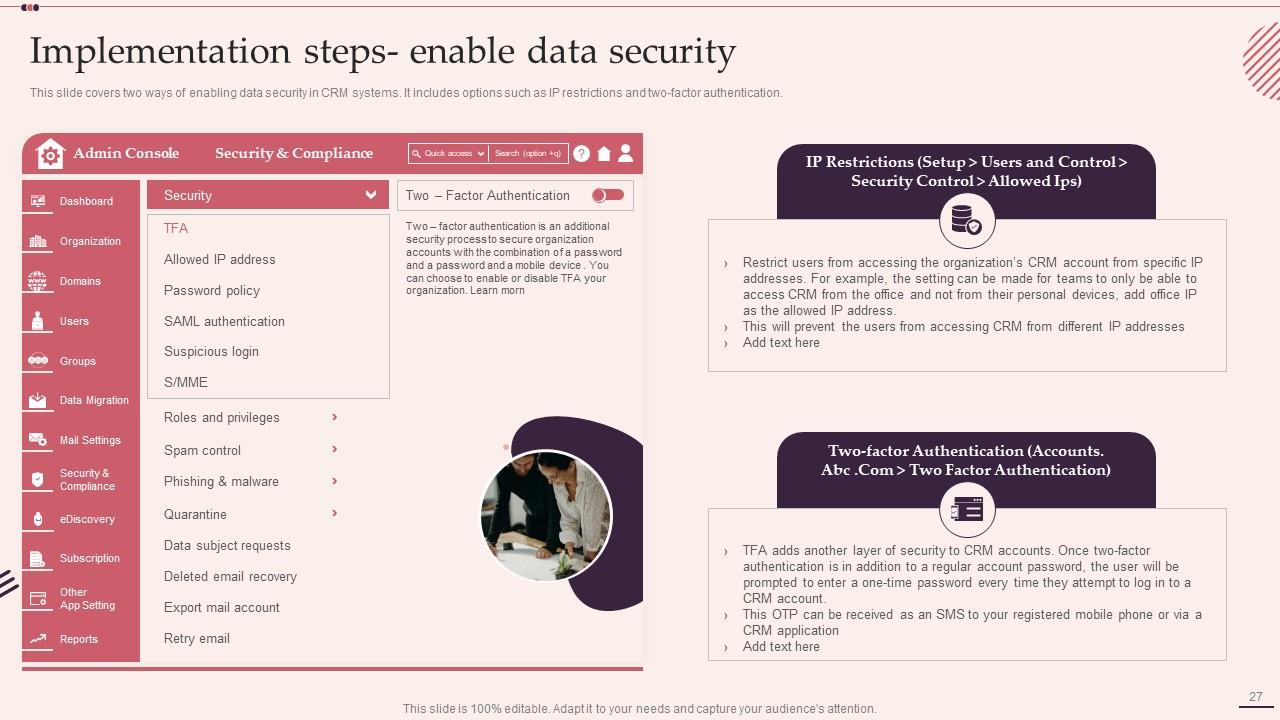
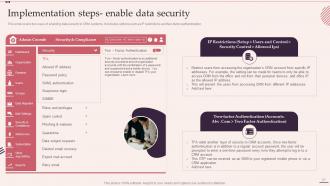
Slide 27: This slide presents two ways of enabling data security in CRM systems.
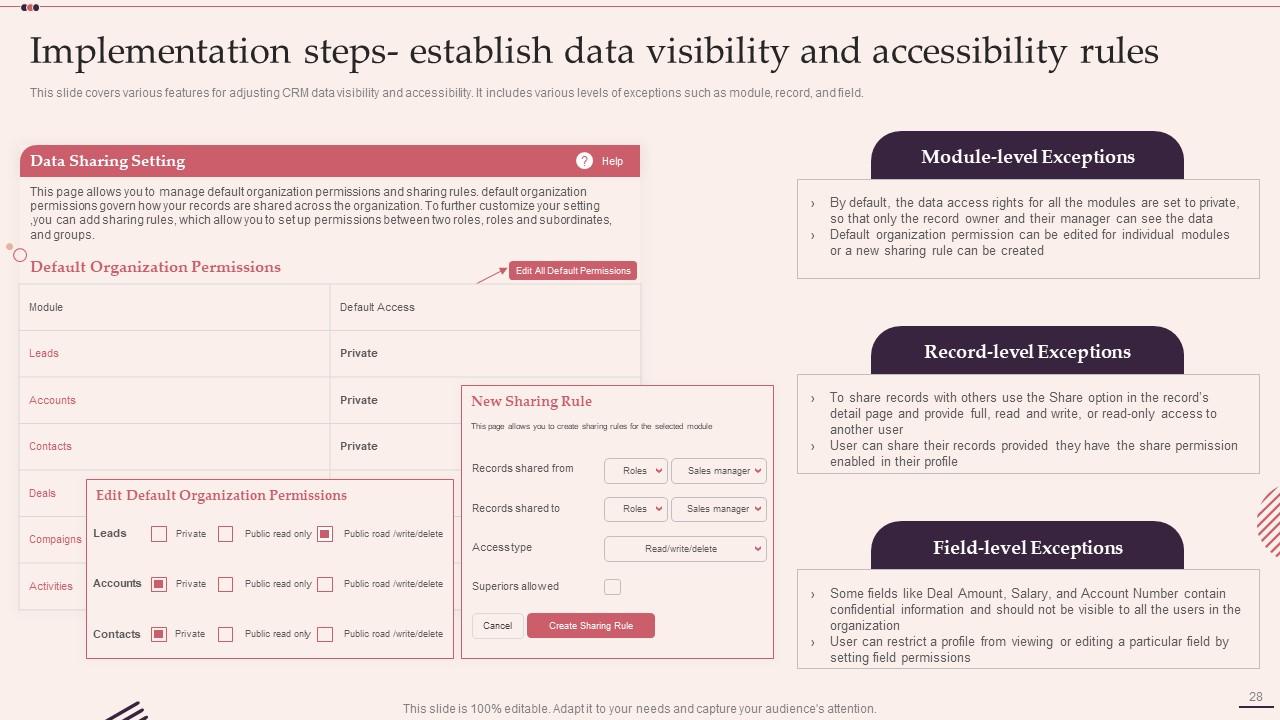
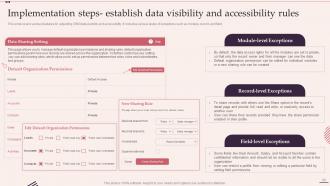
Slide 28: This slide displays various features for adjusting CRM data visibility and accessibility.
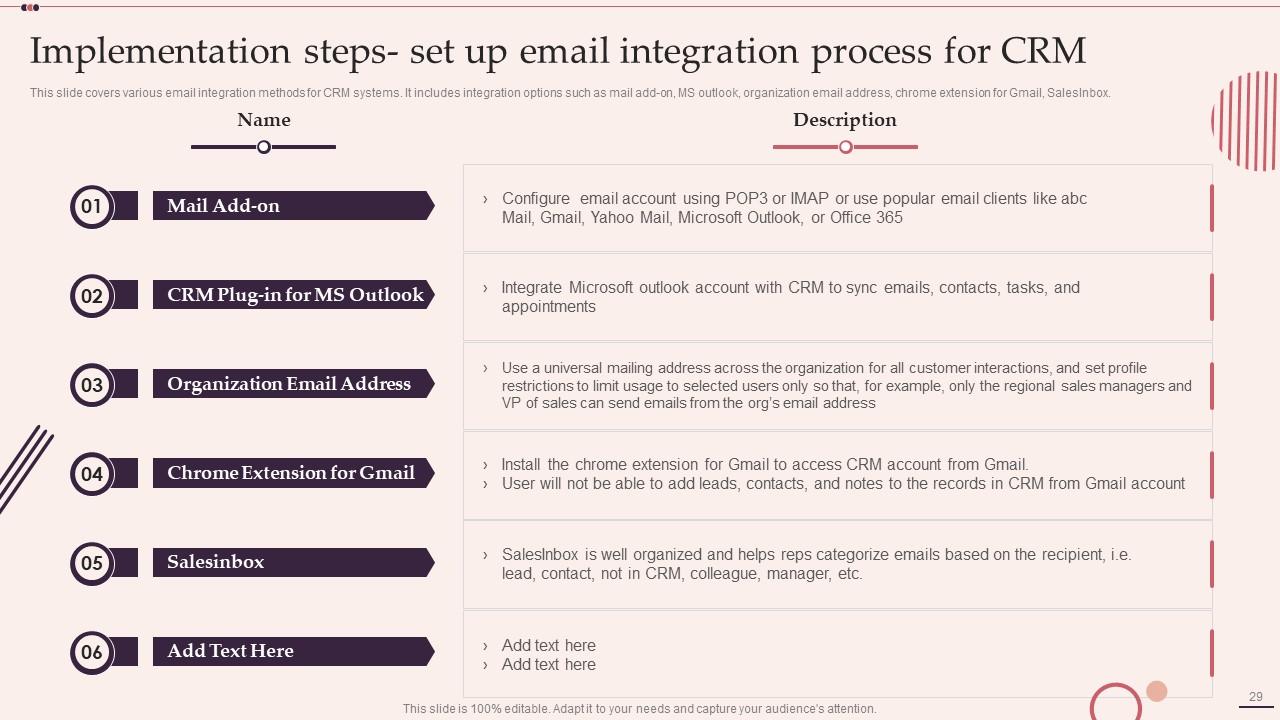
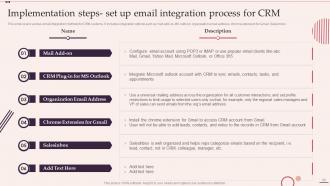
Slide 29: This slide represents various email integration methods for CRM systems.
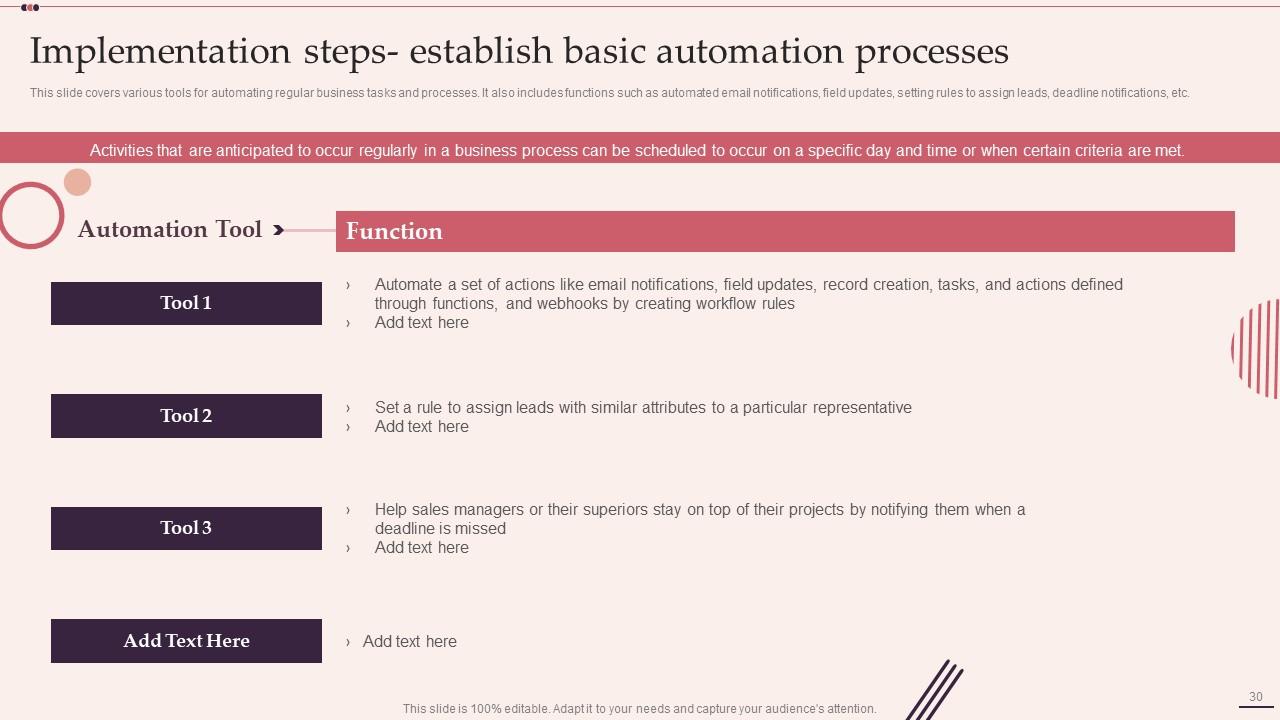
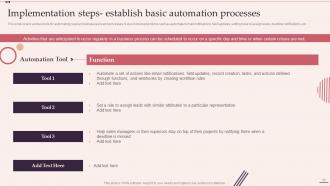
Slide 30: This slide showcases various tools for automating regular business tasks and processes.
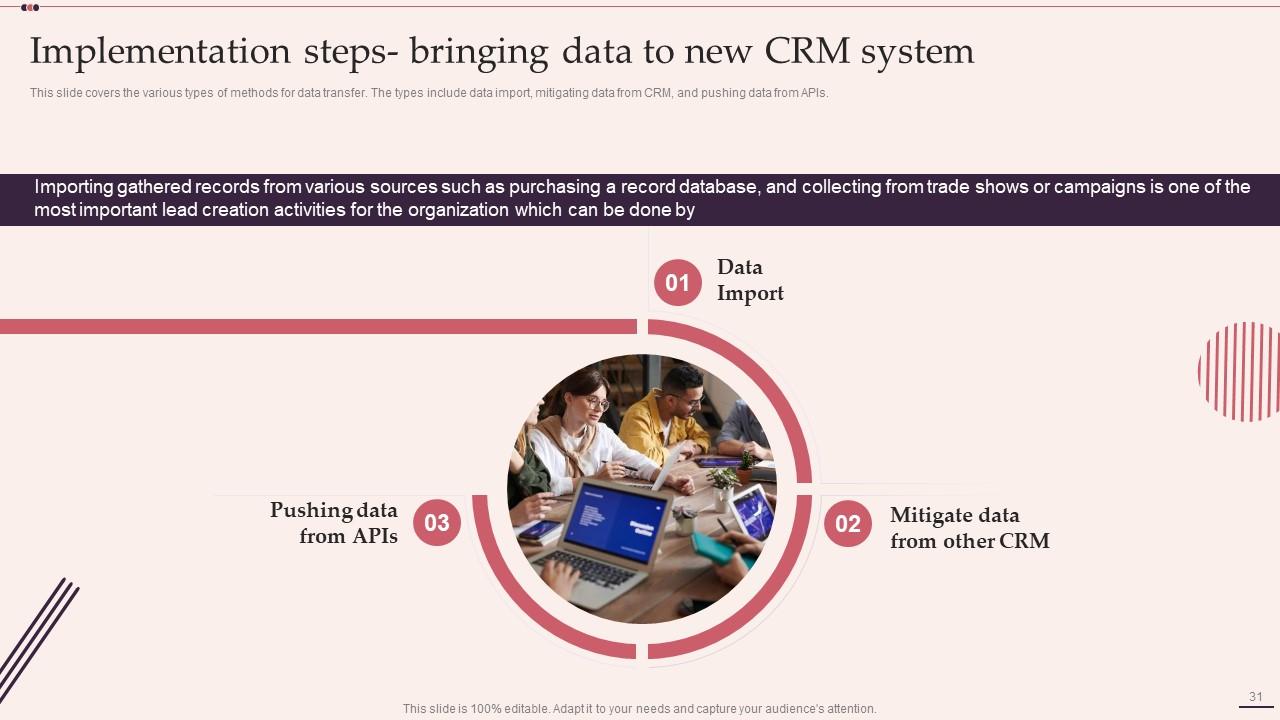
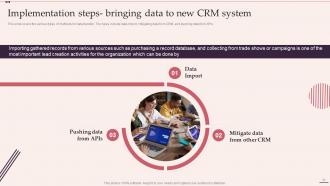
Slide 31: This slide covers the various types of methods for data transfer.
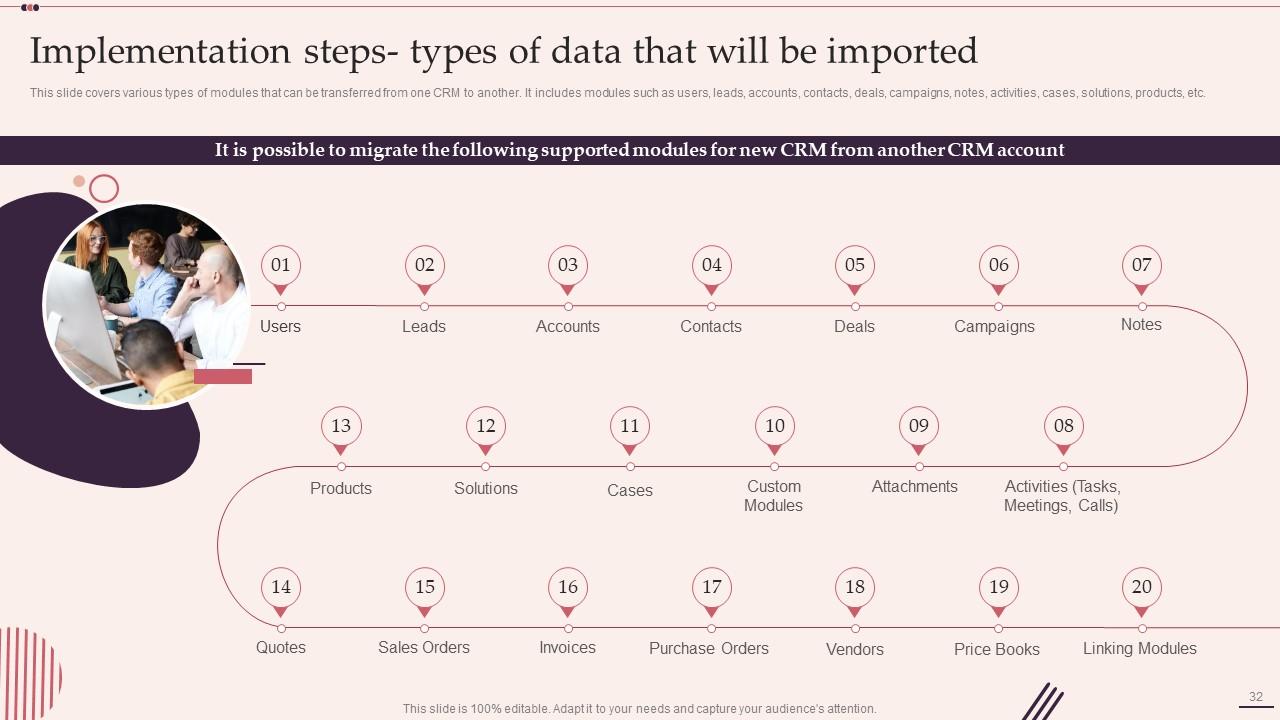
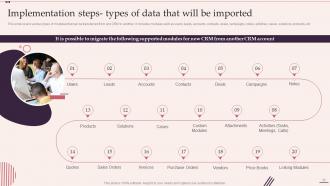
Slide 32: This slide shows types of modules that can be transferred from one CRM to another.
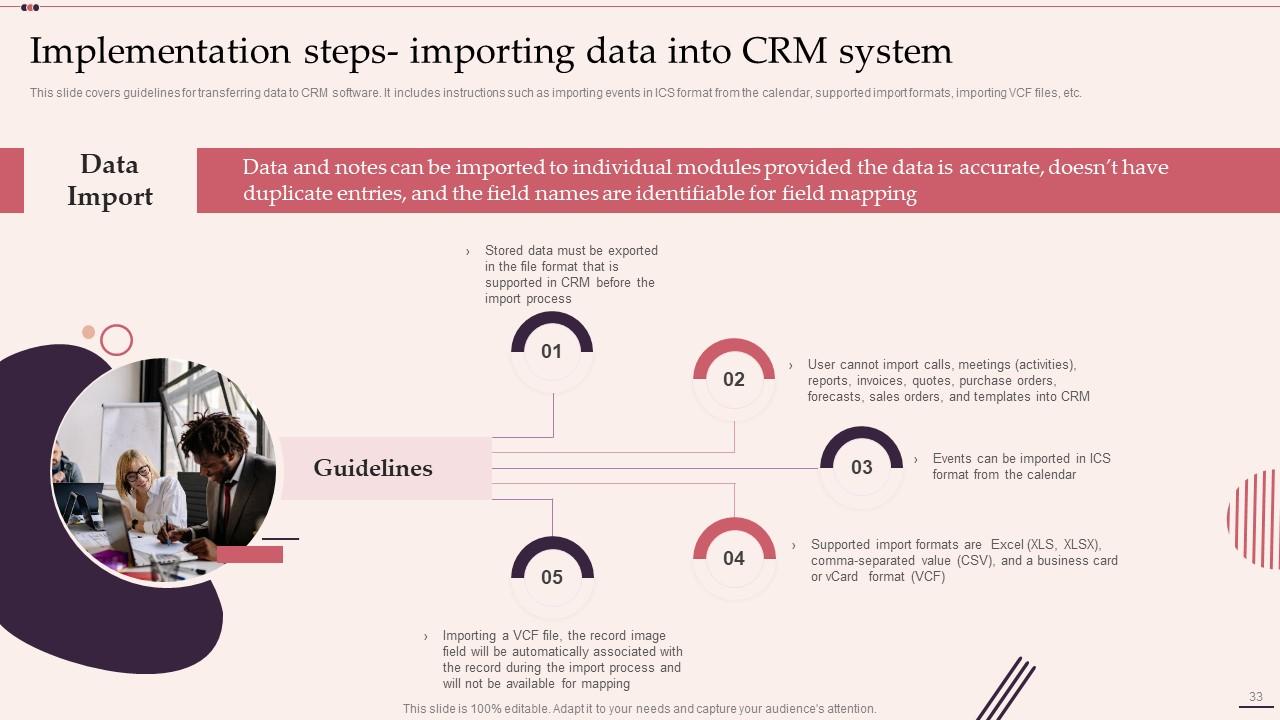
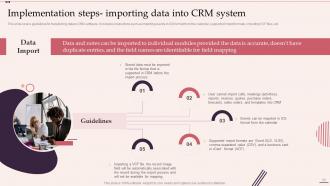
Slide 33: This slide presents guidelines for transferring data to CRM software.
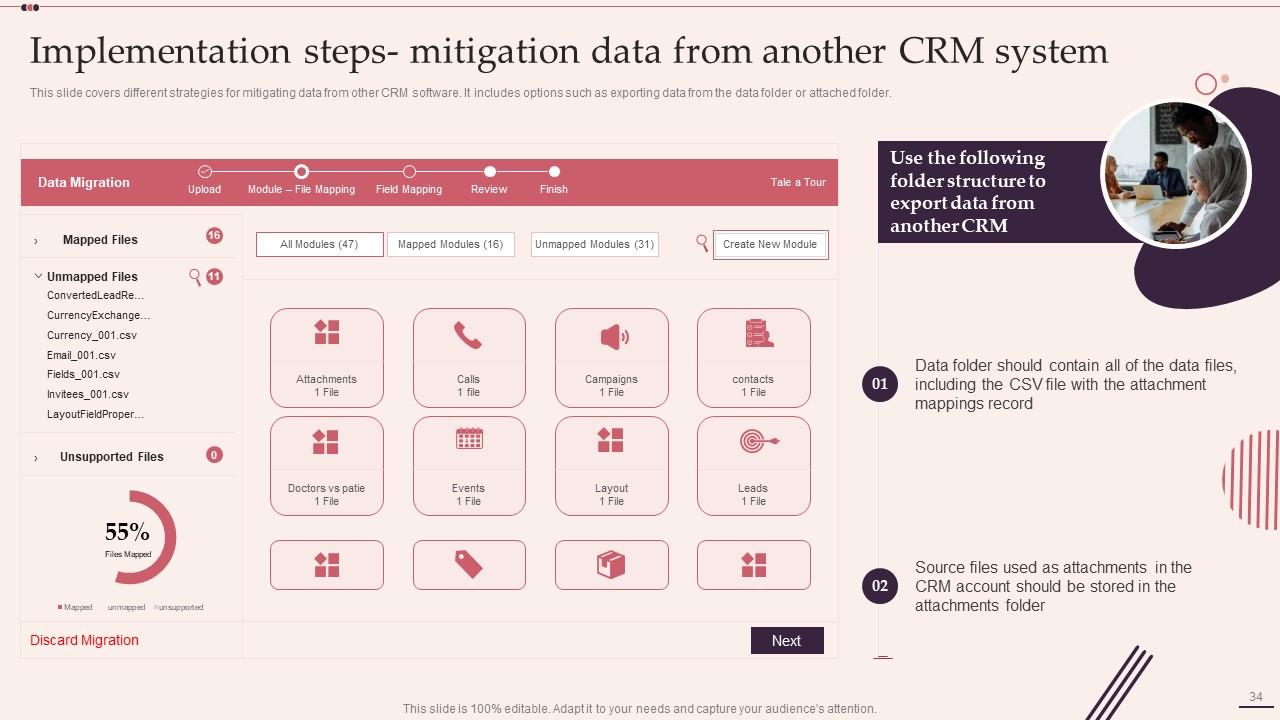
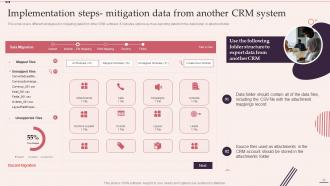
Slide 34: This slide displays different strategies for mitigating data from other CRM software.
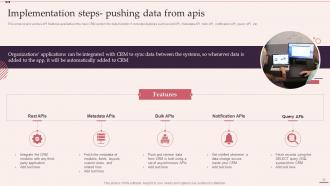
Slide 35: This slide represents various API features available in the new CRM system for data transfer.
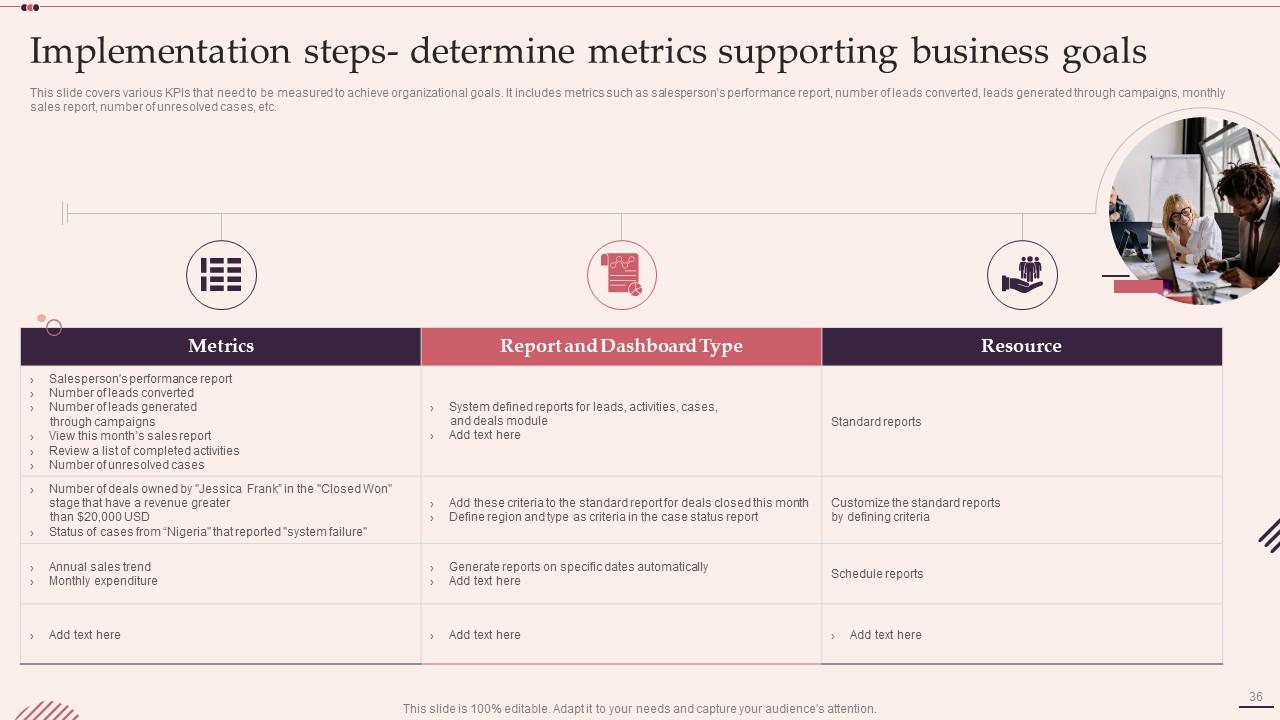
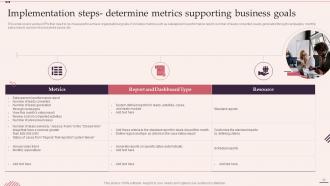
Slide 36: This slide showcases various KPIs that need to be measured to achieve organizational goals.
Slide 37: This slide highlights title for topics that are to be covered next in the template.
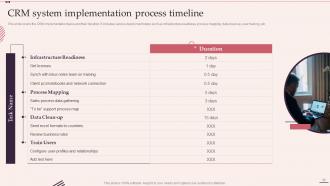
Slide 38: This slide shows CRM System Implementation Process Timeline.
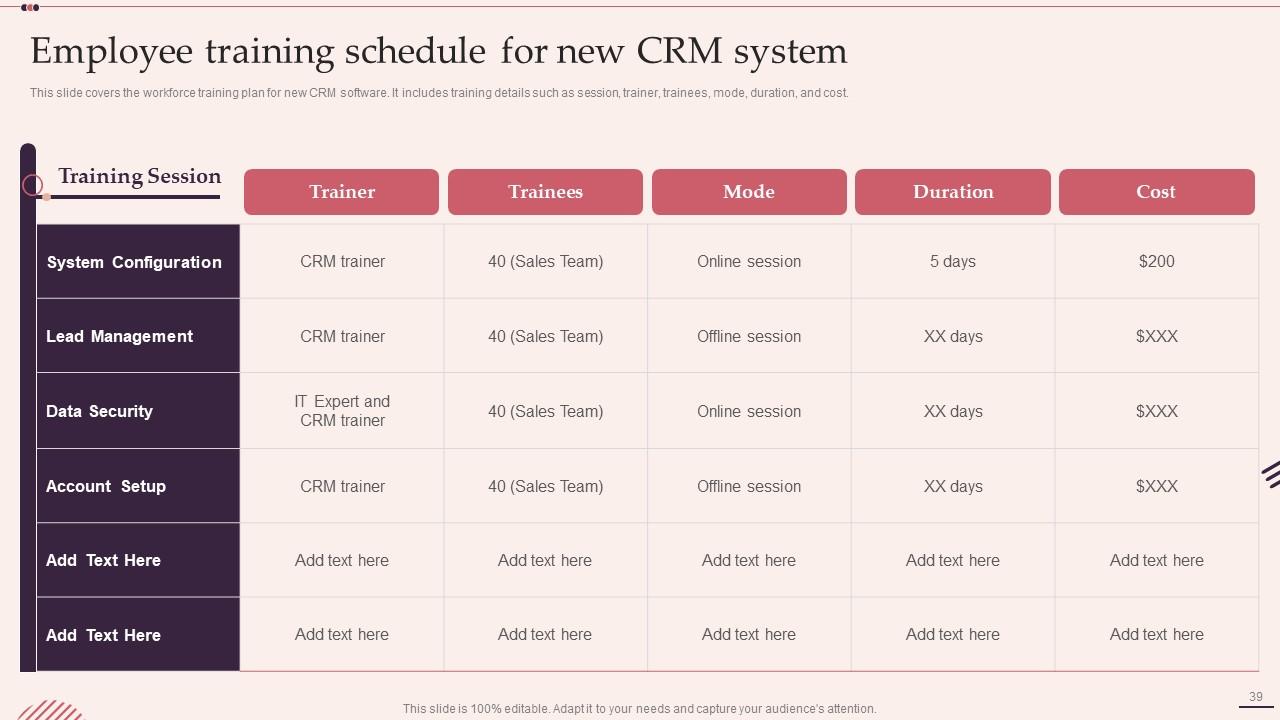
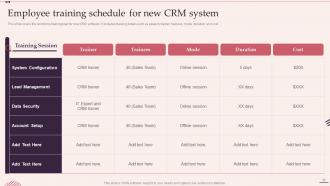
Slide 39: This slide presents Employee Training Schedule for New CRM System.
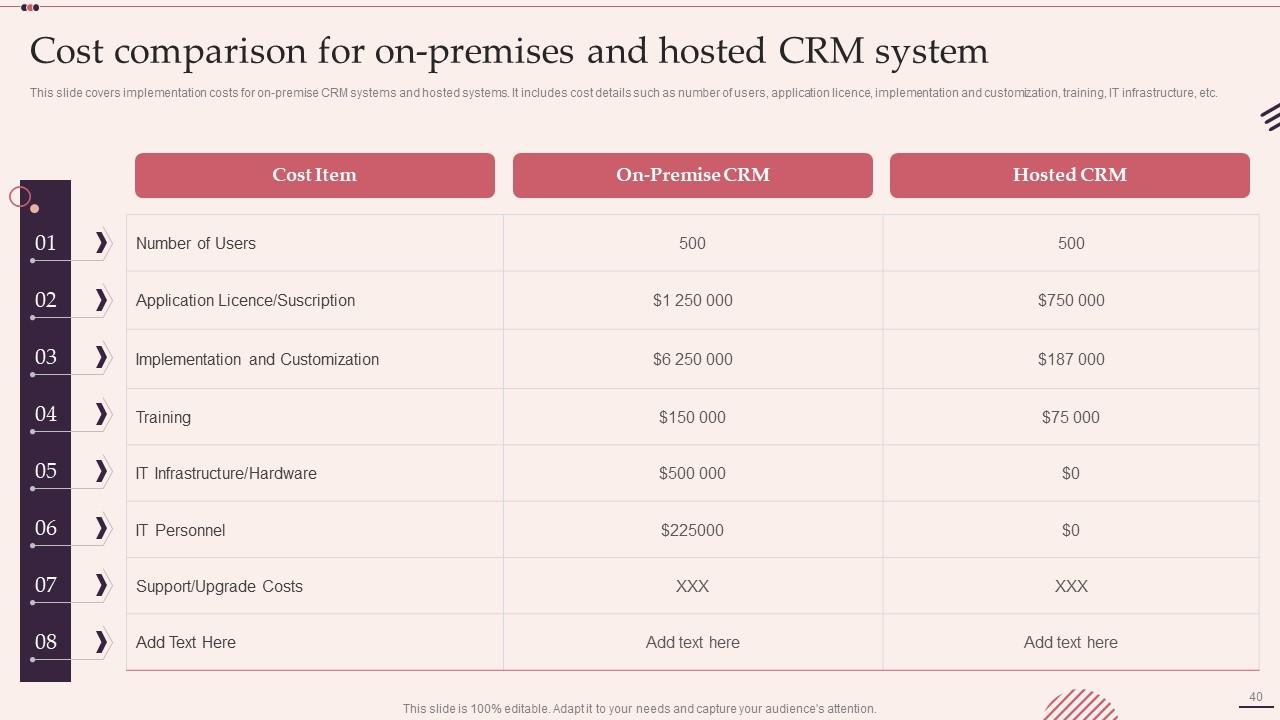
Slide 40: This slide displays Cost Comparison for On-premises and Hosted CRM System.
Slide 41: This slide highlights title for topics that are to be covered next in the template.
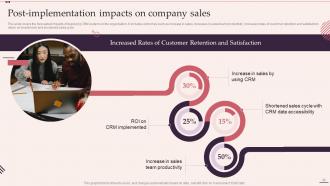
Slide 42: This slide represents Post-implementation Impacts on Company Sales.
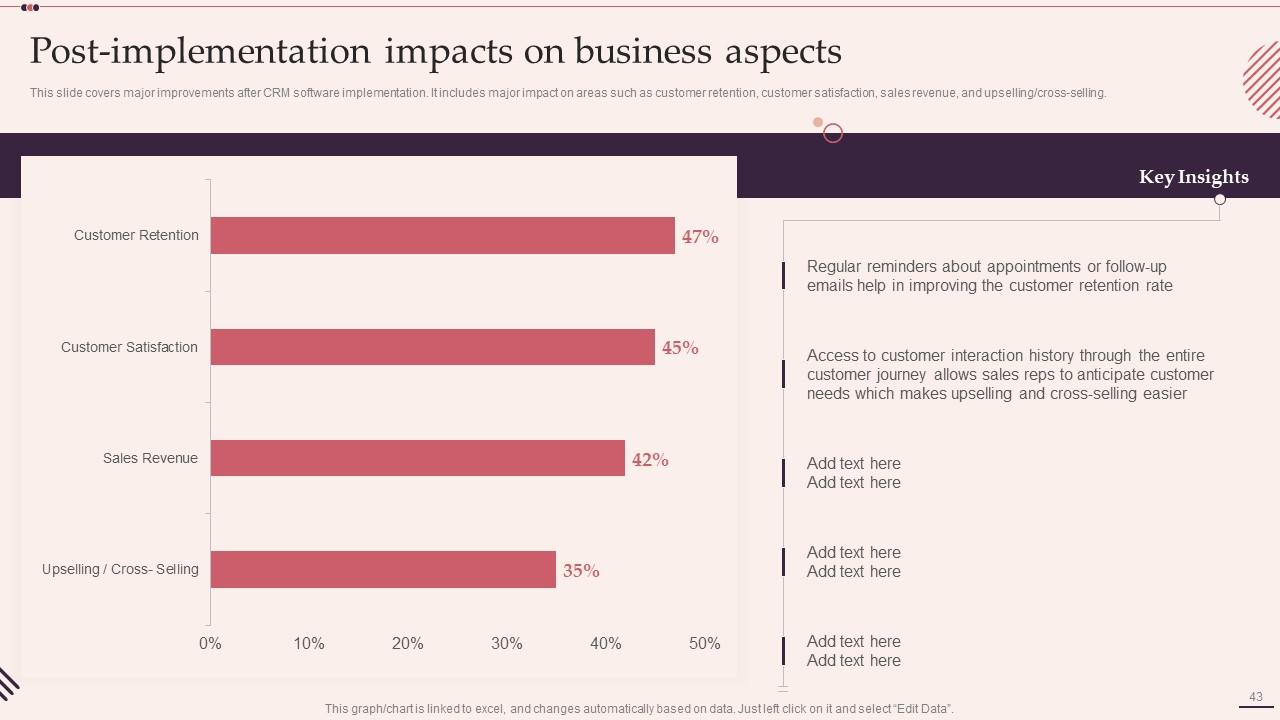
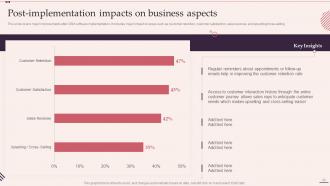
Slide 43: This slide showcases Post-implementation Impacts on Business Aspects.
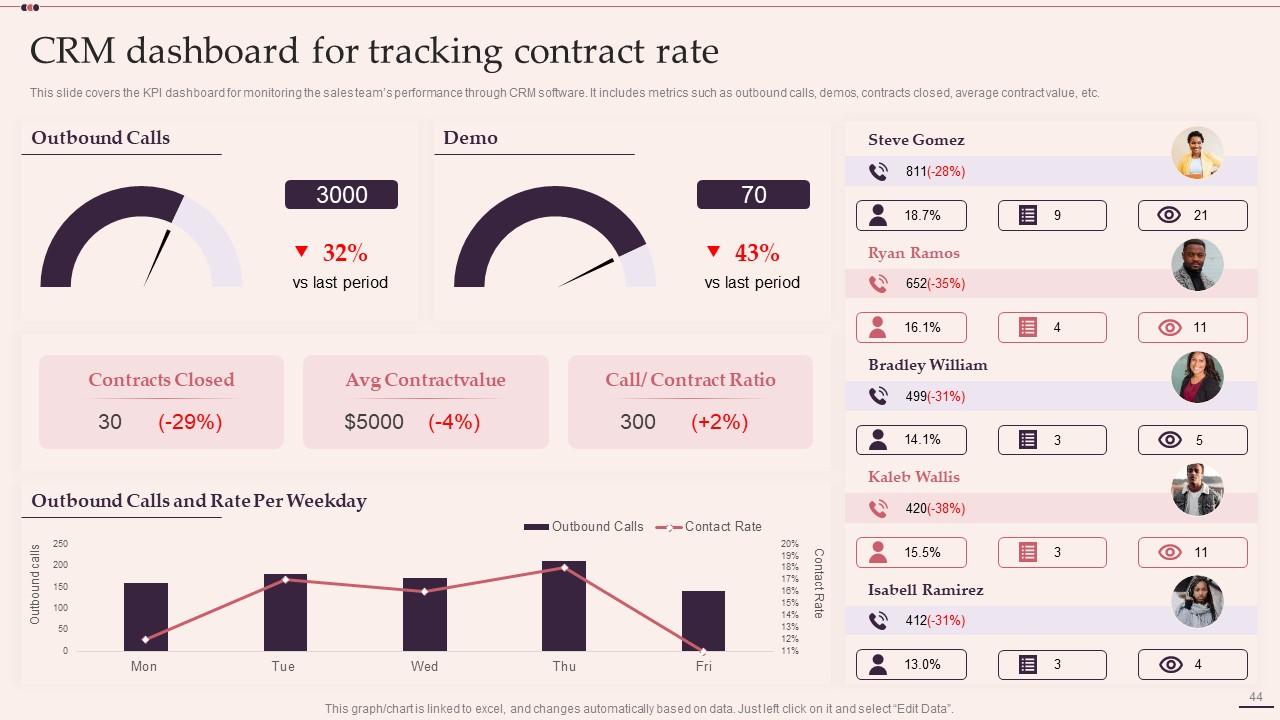
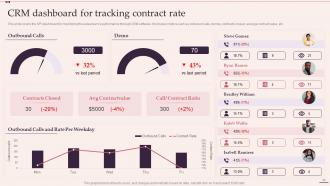
Slide 44: This slide shows CRM Dashboard for Tracking Contract Rate.
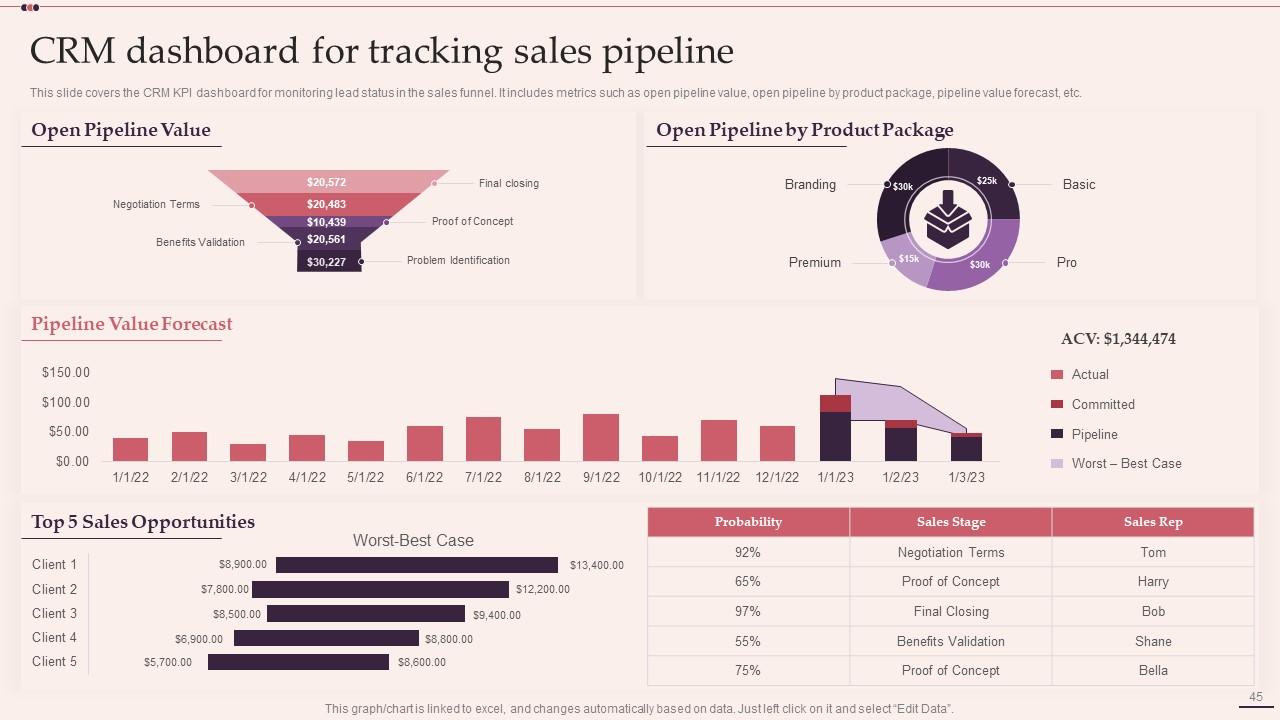
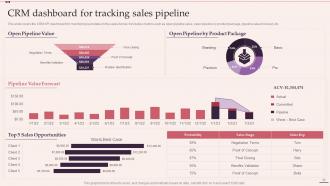
Slide 45: This slide presents CRM Dashboard for Tracking Sales Pipeline.
Slide 46: This slide contains all the icons used in this presentation.
Slide 47: This slide is titled as Additional Slides for moving forward.
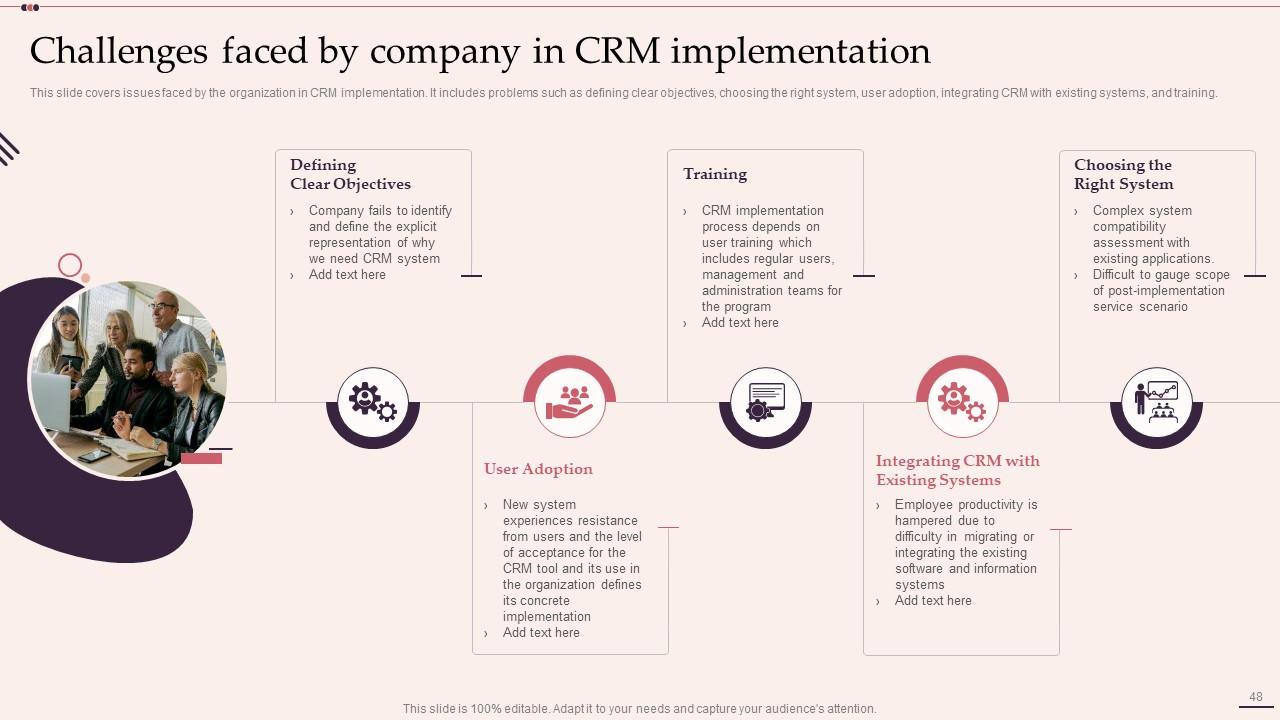
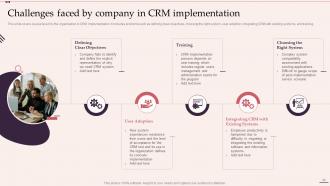
Slide 48: This slide represents Challenges Faced by Company in CRM Implementation.
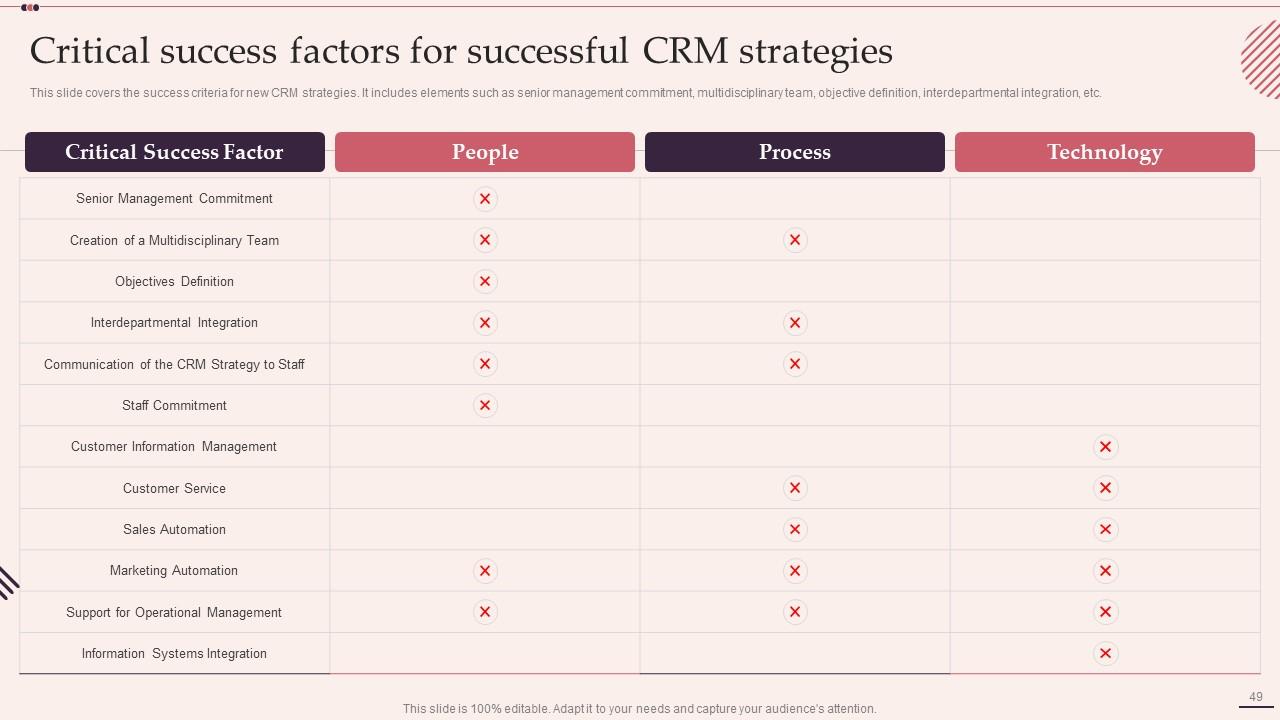
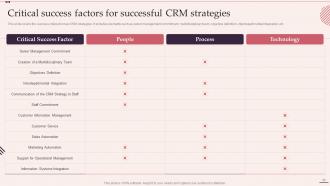
Slide 49: This slide showcases Critical Success Factors for Successful CRM Strategies.
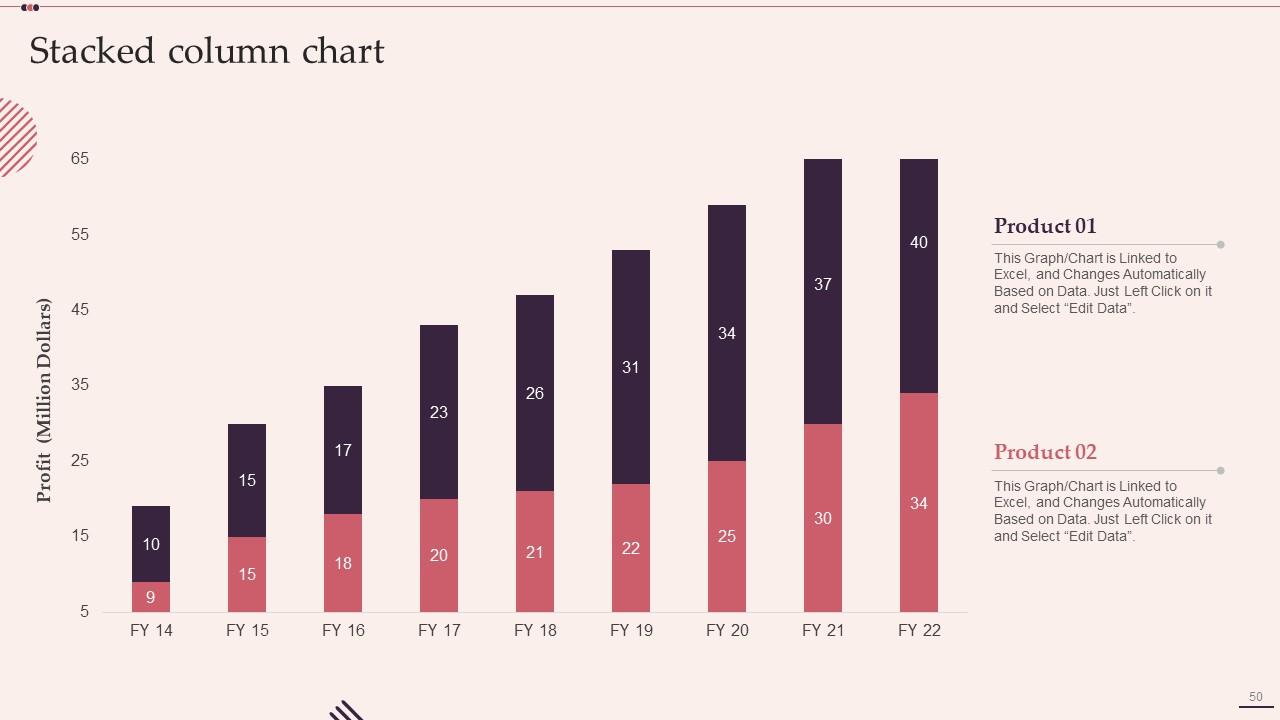
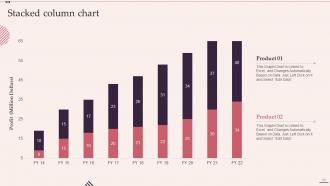
Slide 50: This slide represents Stacked column chart with two products comparison.
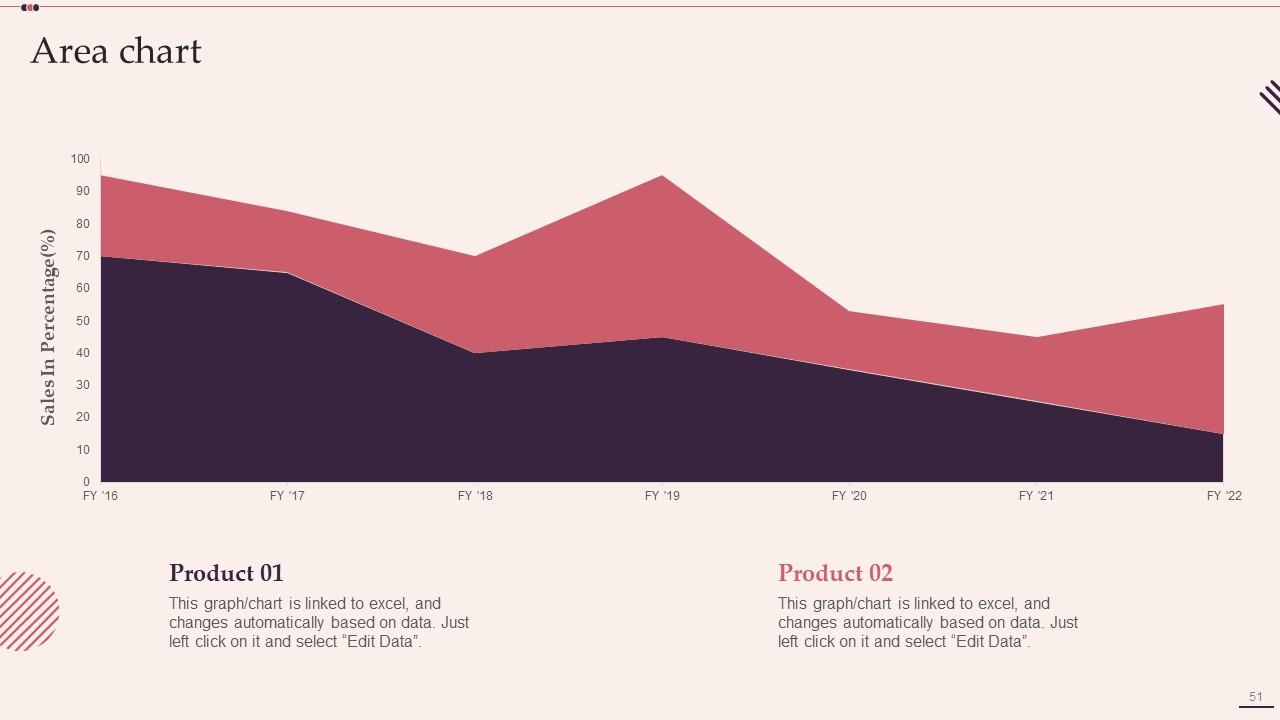
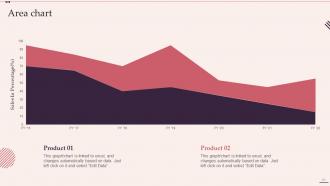
Slide 51: This slide depicts Area chart with two products comparison.
Slide 52: This slide depicts Venn diagram with text boxes.
Slide 53: This slide shows Post It Notes. Post your important notes here.
Slide 54: This is Our Target slide. State your targets here.
Slide 55: This slide contains Puzzle with related icons and text.
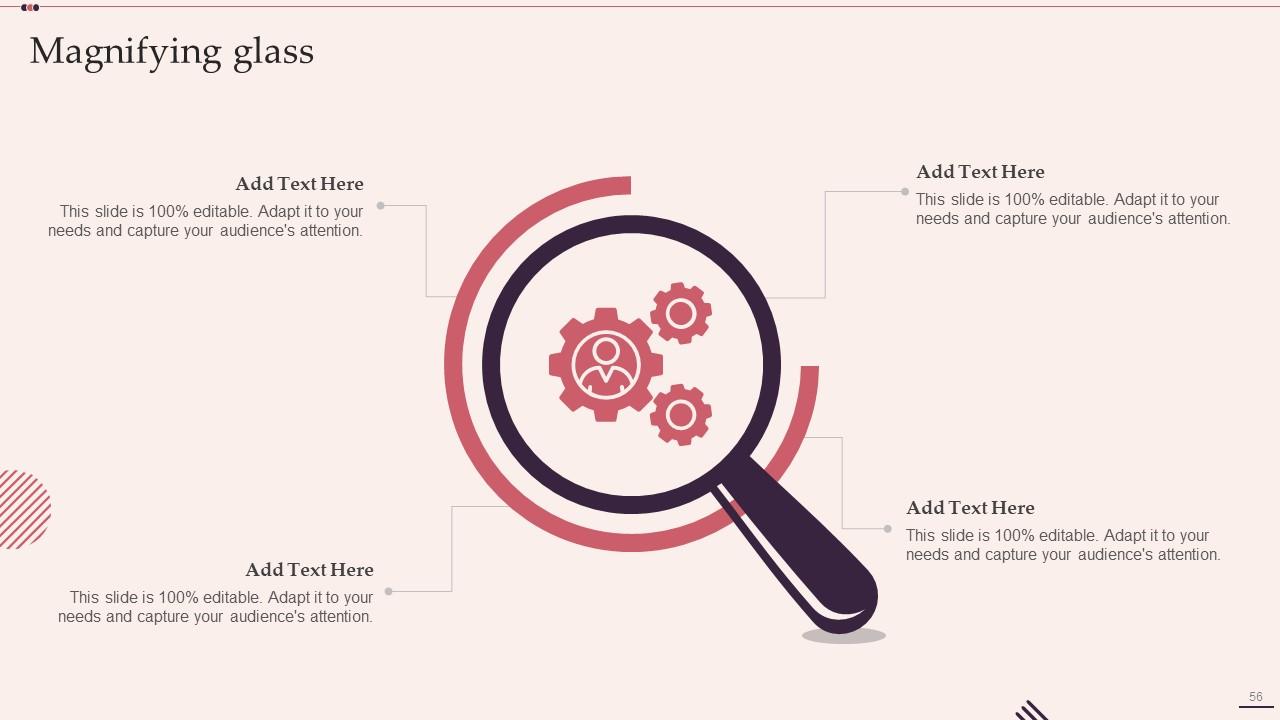
Slide 56: This slide showcases Magnifying Glass to highlight information, specifications, etc.
Slide 57: This is a Thank You slide with address, contact numbers and email address.
Customer Relationship Management System Deployment Steps Powerpoint Presentation Slides with all 62 slides:
Use our Customer Relationship Management System Deployment Steps Powerpoint Presentation Slides to effectively help you save your valuable time. They are readymade to fit into any presentation structure.
-
A perfect platform for all your presentation needs. Unlimited products at an affordable price.
-
What a stunning collection of customizable templates! Really a time-saver..
