


Customer Satisfaction And Feedback Powerpoint Presentation Slides
Supercharge your presentation with our customer satisfaction and feedback PowerPoint slides. This client fulfillment PowerPoint design enables you to easily monitor the performance on the basis of a few parameters such as- on time delivery, lead conversion rate, and customer retention rate. For better understanding, all the details are also displayed in a graphical format in this consumer contentment creative PPT set. This consumer contentment PPT deck enlightens you on the steps involved in scrutinizing the responses. Elevate, suggest, inquire, and reflect are few of the steps involved in this patron pleasure PowerPoint layout. The response results are displayed in an infographic manner in this buyer gratification PPT bundle which leaves an everlasting impact on the audience. This client gratification PowerPoint design gives you a clear image of the increasing and decreasing numbers of your KPI metrics. This PPT layout presents a special slide dedicated to the icons of existing and potential clients so download it right now and make this a part of your esteemed business.
Supercharge your presentation with our customer satisfaction and feedback PowerPoint slides. This client fulfillment PowerP..


















-

- Google Slides is a new FREE Presentation software from Google.
- All our content is 100% compatible with Google Slides.
- Just download our designs, and upload them to Google Slides and they will work automatically.
- Amaze your audience with SlideTeam and Google Slides.
-

Want Changes to This PPT Slide? Check out our Presentation Design Services
-

- WideScreen Aspect ratio is becoming a very popular format. When you download this product, the downloaded ZIP will contain this product in both standard and widescreen format.
-

- Some older products that we have may only be in standard format, but they can easily be converted to widescreen.
- To do this, please open the SlideTeam product in Powerpoint, and go to
- Design ( On the top bar) -> Page Setup -> and select "On-screen Show (16:9)” in the drop down for "Slides Sized for".
- The slide or theme will change to widescreen, and all graphics will adjust automatically. You can similarly convert our content to any other desired screen aspect ratio.
Compatible With Google Slides

Get This In WideScreen
You must be logged in to download this presentation.


Do you want to remove this product from your favourites?
PowerPoint presentation slides
Presenting our customer satisfaction and feedback PowerPoint slides. This PPT layout holds twenty nine slides and each slide is accessible in standard as well as wide-screen formats. It is completely editable as per your requirements and preferences as well. You can use it with Microsoft Office, Google slides and many other presentation software.

People who downloaded this PowerPoint presentation also viewed the following :
Content of this Powerpoint Presentation
Slide 1: This slide introduces Customer Satisfaction & Feedback. State Your Company Name and get started.
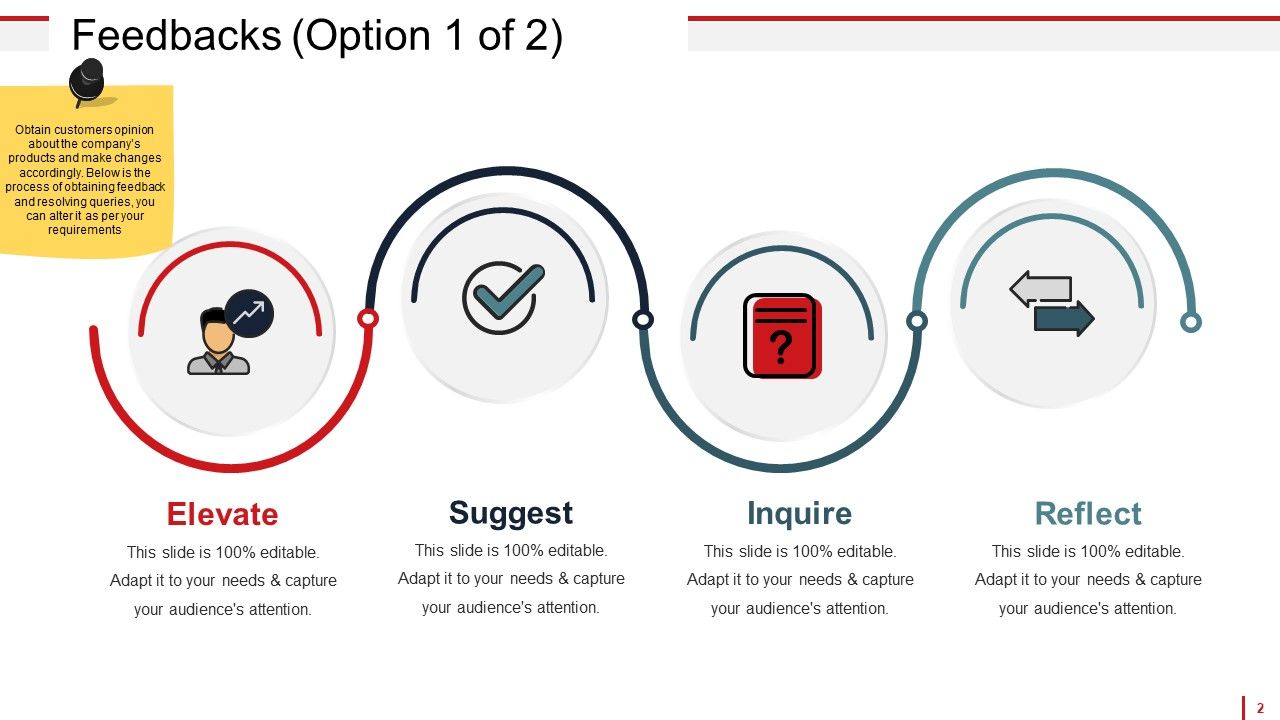
Slide 2: This is a Feedbacks slide showcasing- Elevate, Suggest, Inquire, Reflect. Obtain customers opinion about the company’s products and make changes accordingly. Below is the process of obtaining feedback and resolving queries, you can alter it as per your requirements.
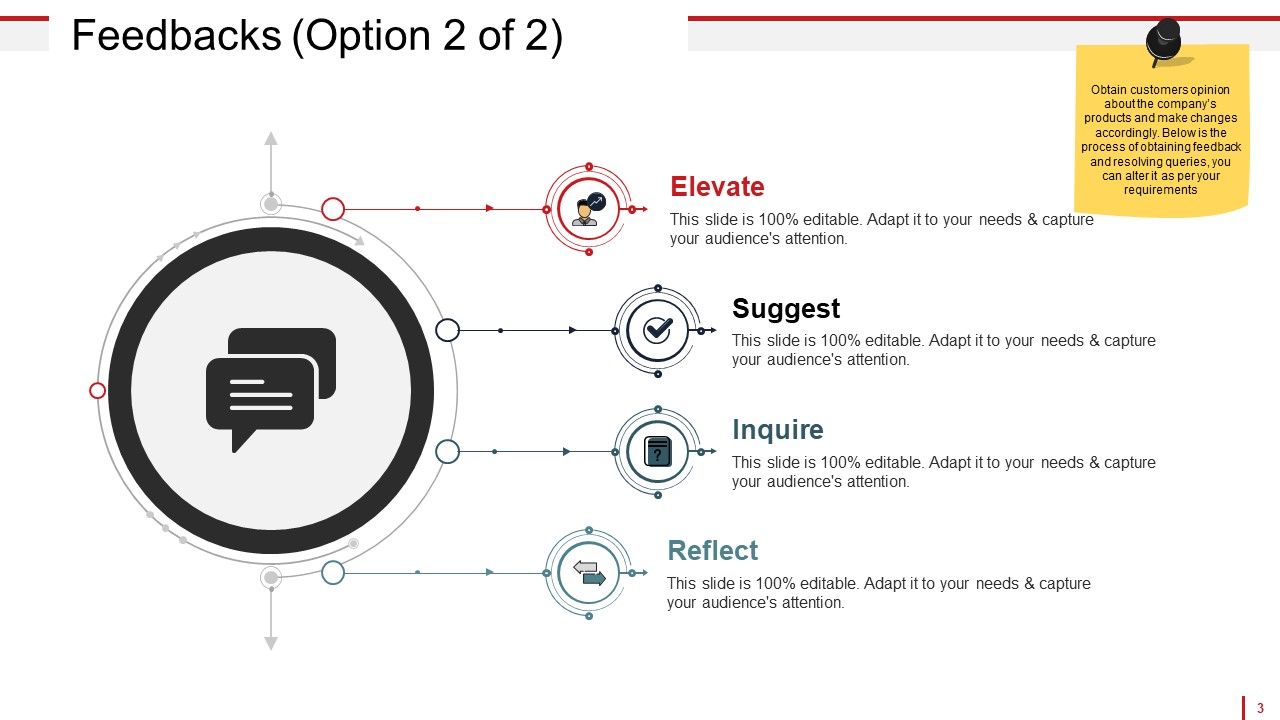
Slide 3: This is the second slide on Feedbacks showcasing- Suggest Inquire Elevate Reflect Obtain customers opinion about the company’s products and make changes accordingly. Below is the process of obtaining feedback and resolving queries, you can alter it as per your requirements.
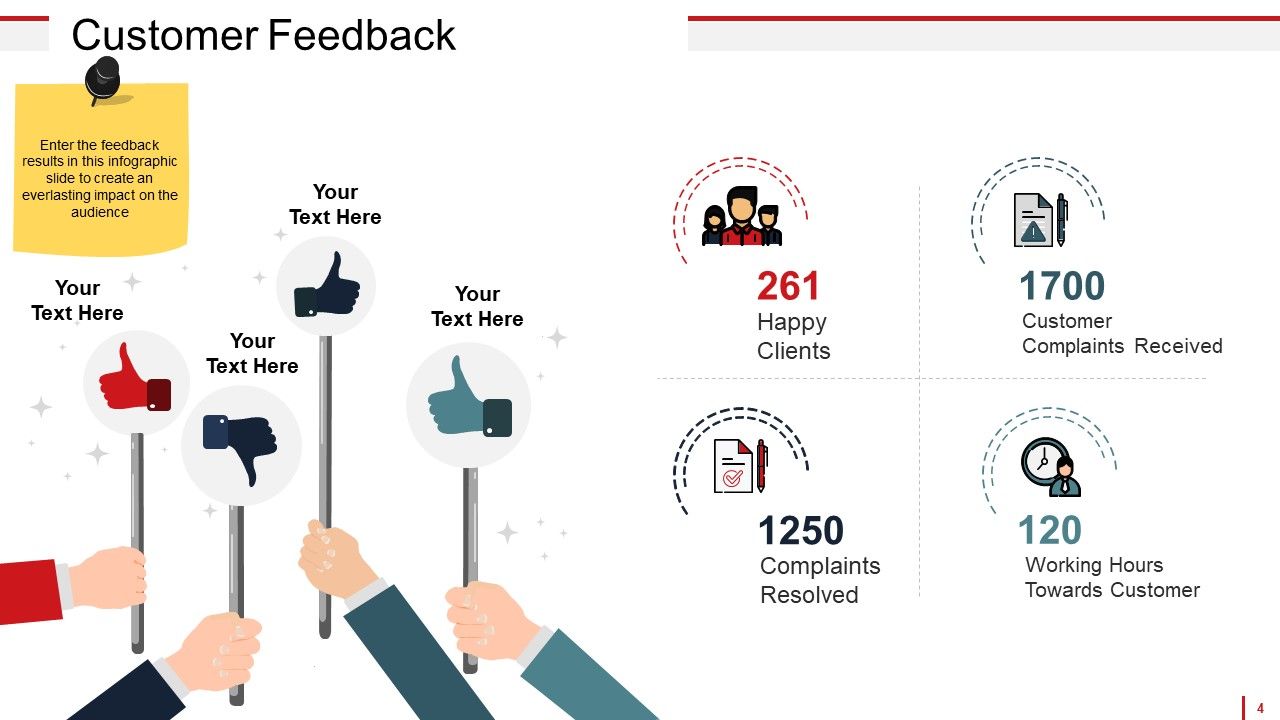
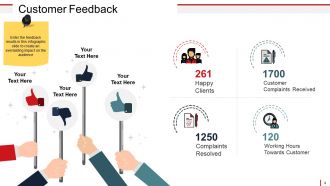
Slide 4: This is a Customer Feedback slide dispalying- Happy Clients, Customer Complaints Received, Complaints Resolved, Working Hours Towards Customer. Enter the feedback results in this infographic slide to create an everlasting impact on the audience.
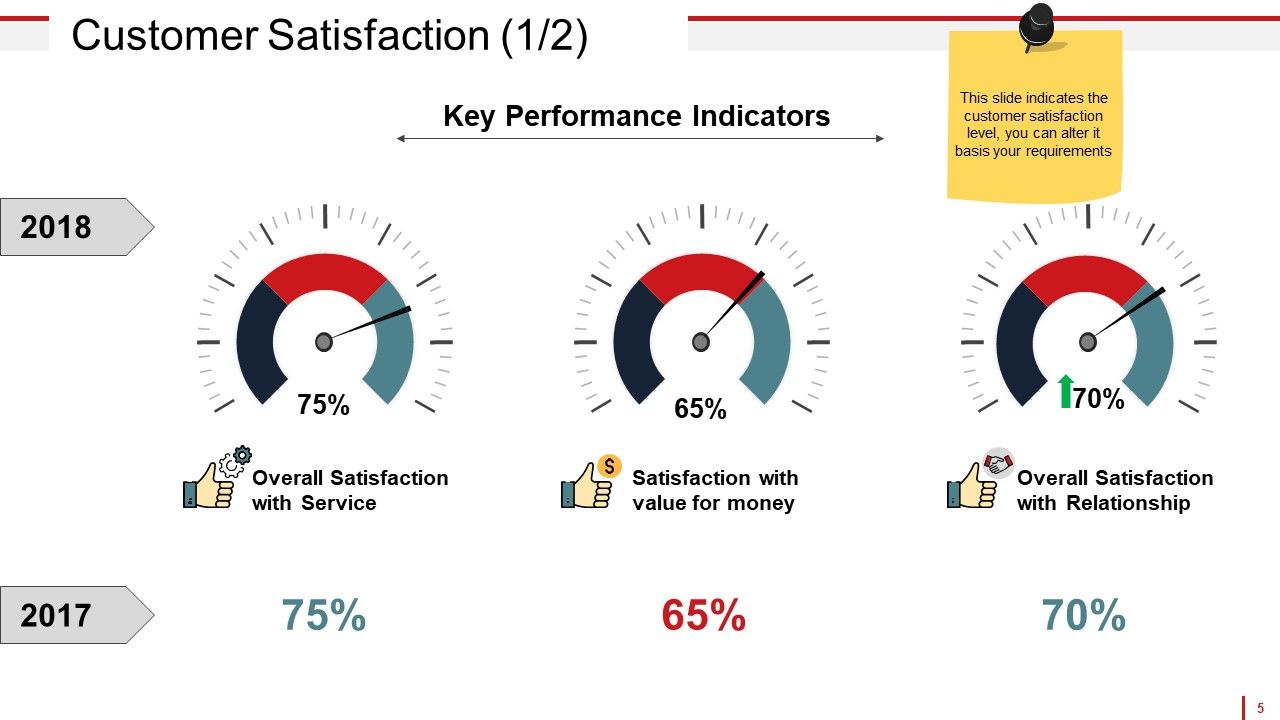
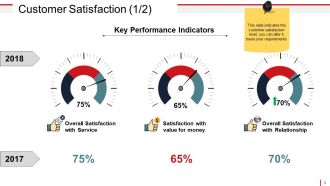
Slide 5: This slide shows Customer Satisfaction in metric scale form displaying- Key Performance Indicators, Satisfaction with value for money, Overall Satisfaction with Relationship, Overall Satisfaction with Service. This slide indicates the customer satisfaction level, you can alter it basis your requirements.
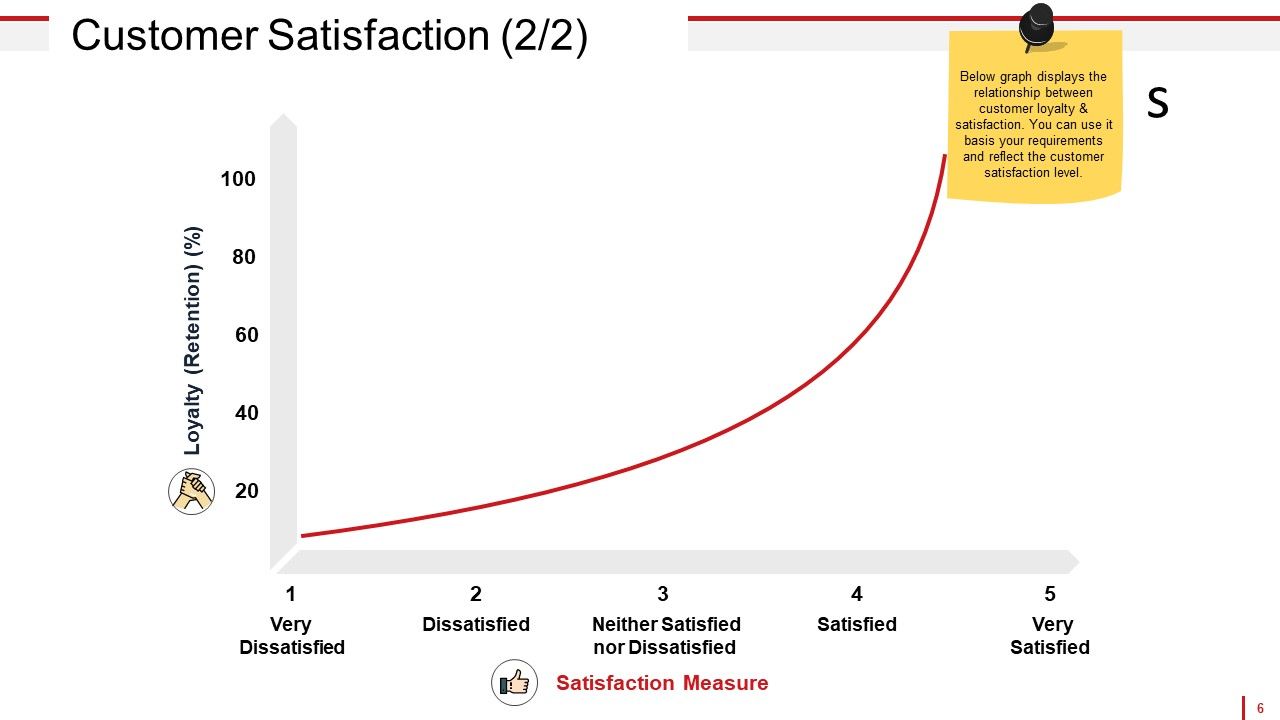
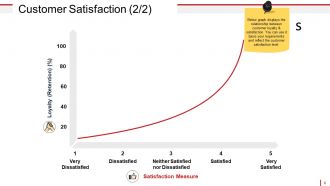
Slide 6: This slide presents Customer Satisfaction in graph form displaying- Very Dissatisfied, Dissatisfied, Neither Satisfied nor Dissatisfied, Satisfied, Very Satisfied, Loyalty (Retention), Satisfaction Measure, Below graph displays the relationship between customer loyalty & satisfaction. You can use it basis your requirements and reflect the customer satisfaction level.
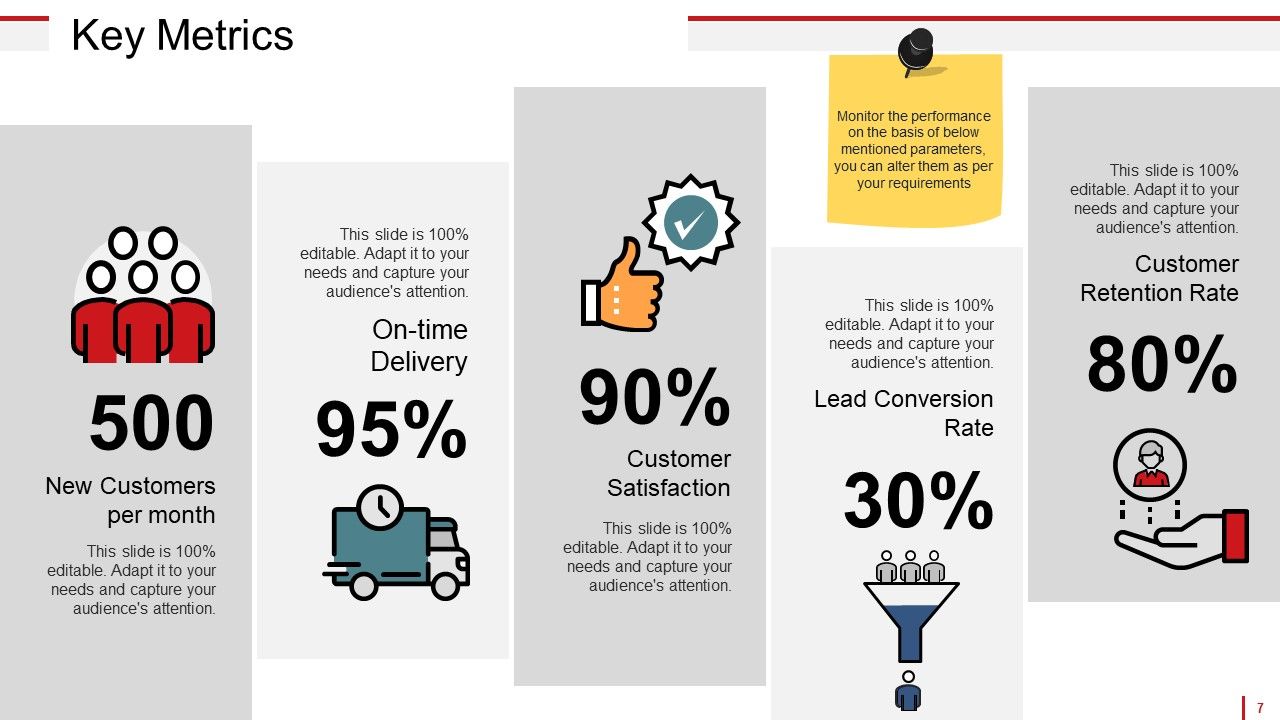
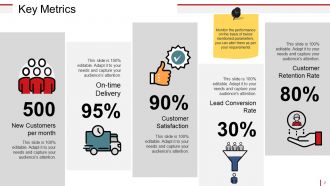
Slide 7: This slide presents Key Metrics for Customer Satisfaction- New Customers per month, Customer Satisfaction, Customer Retention Rate, On-time Delivery, Lead Conversion Rate. Monitor the performance on the basis of below mentioned parameters, you can alter them as per your requirements
Slide 8: This is Customer Satisfaction & Feedback Icons Slide. Use the icons as per need.
Slide 9: This slide is titled Charts & Graphs to proceed forward.
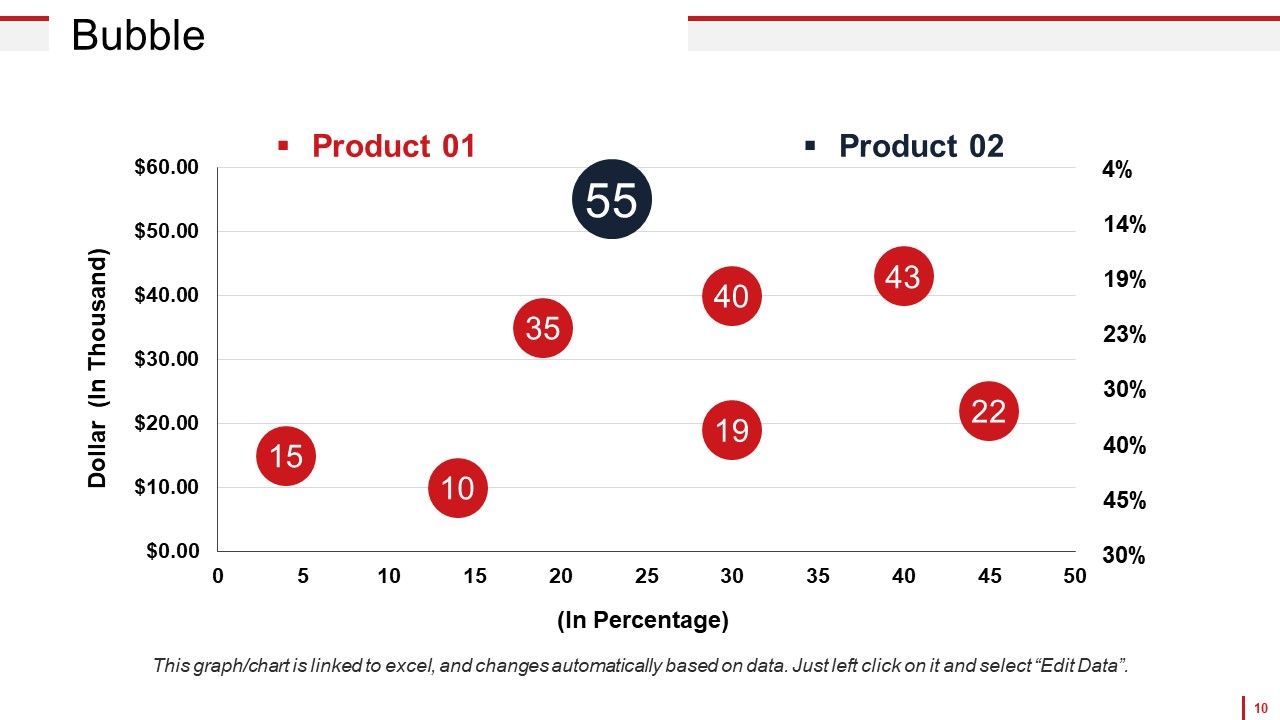
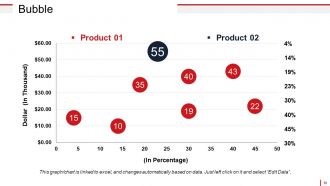
Slide 10: This is a Bubble Graph slide to show product/entity comparison, specifications etc.
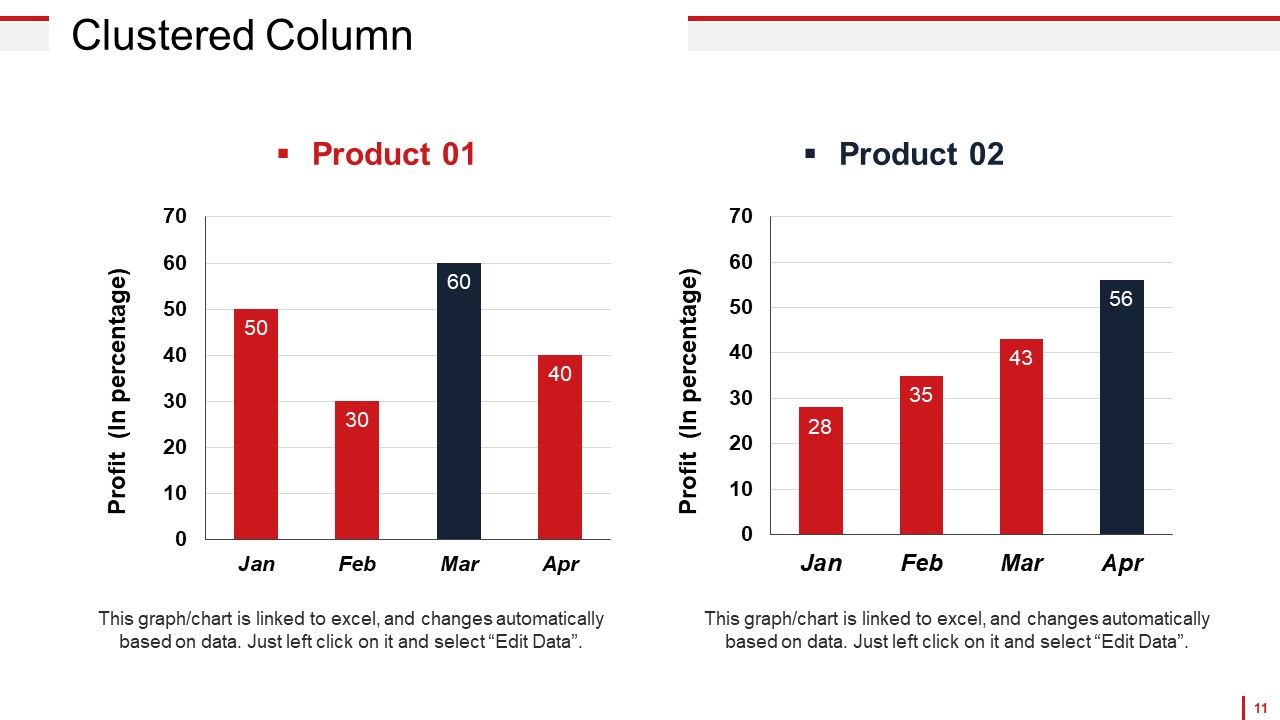
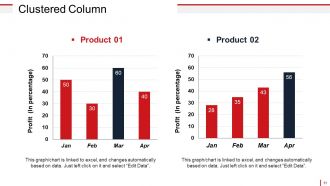
Slide 11: This is a Clustered Column Chart slide to show information, comparison specifications etc.
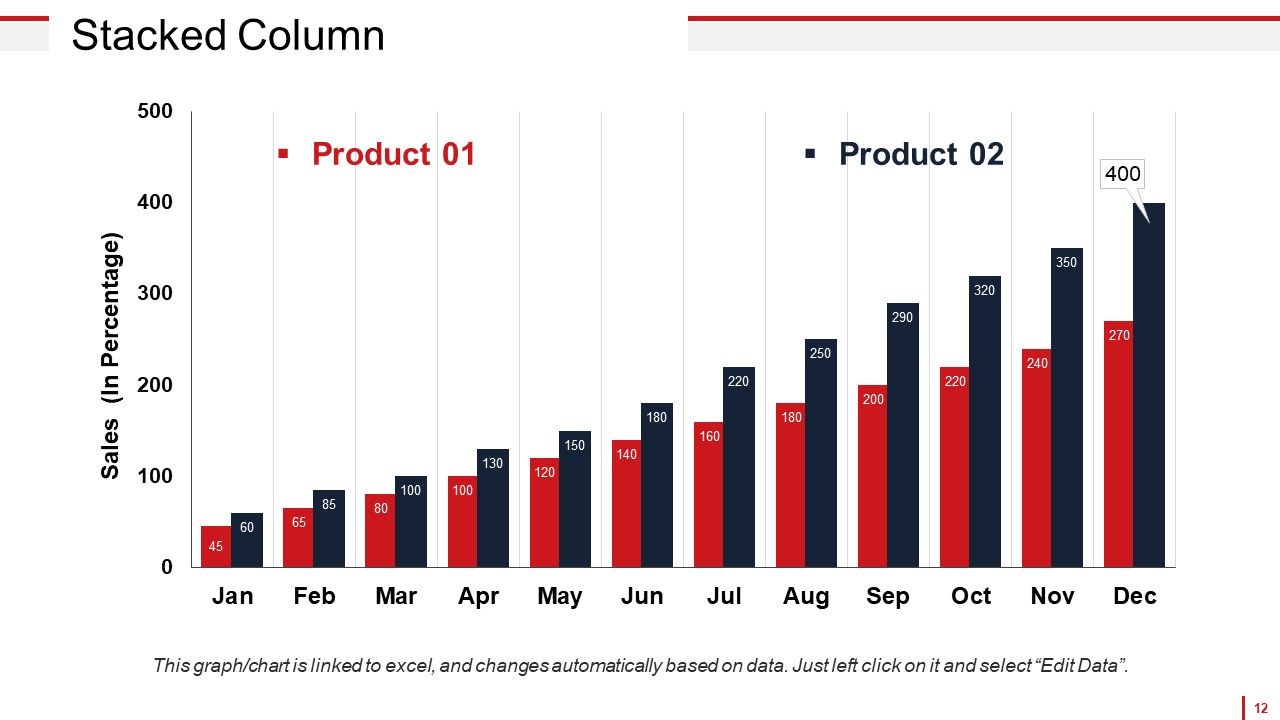
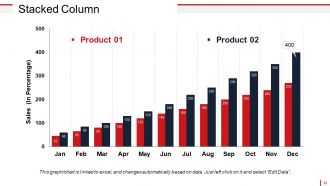
Slide 12: This slide shows a Stacked Column Graph for two product/entity comparison, information, specifications etc.
Slide 13: This slide shows a Column Chart for two product/entity comparison, information, specifications etc.
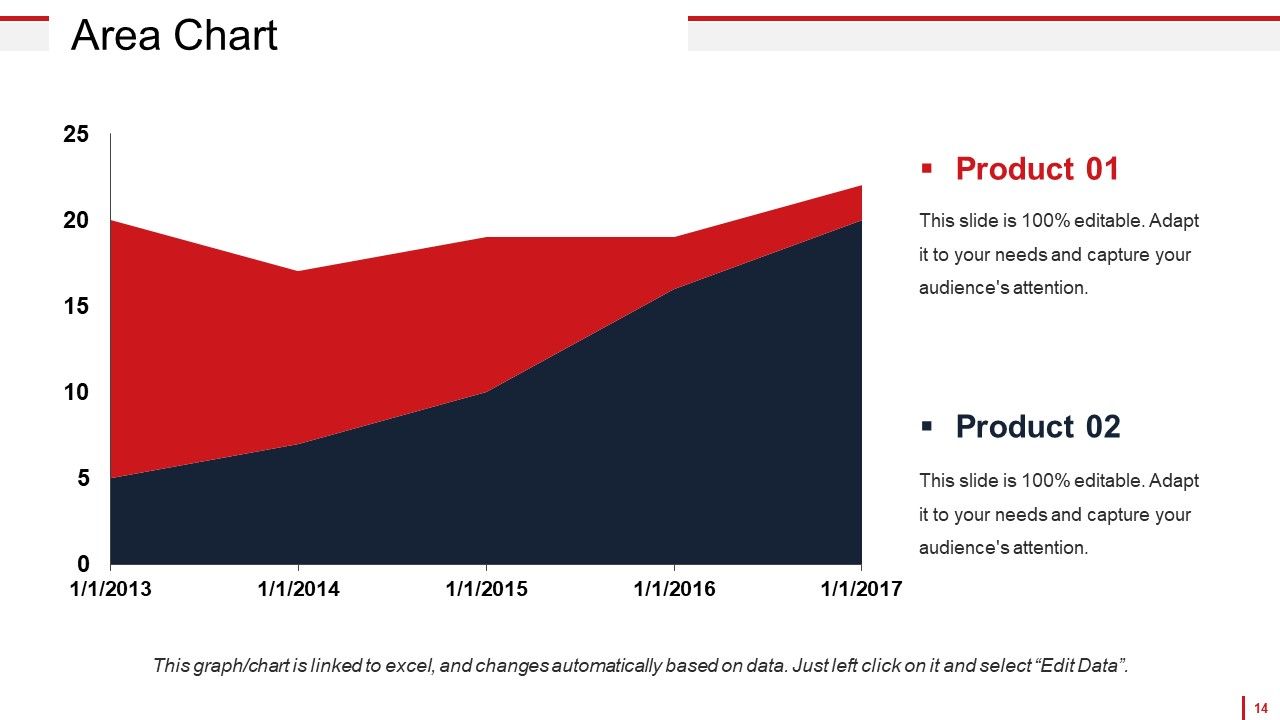
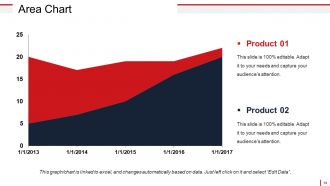
Slide 14: This is an Area Chart slide to show product/entity comparison, specifications etc.
Slide 15: This slide shows Coffee Break image. You may change as per your need.
Slide 16: This slide is titled Additional Slides. You may change content as per your need.
Slide 17: This is Our Mission slide. State company mission here.
Slide 18: This is Our Team slide with name, designation and image boxes.
Slide 19: This is an About Us slide. State team/company specifications here.
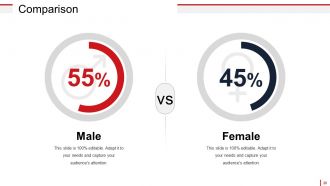
Slide 20: This is a Comparison slide for comparing entities/products etc. here.
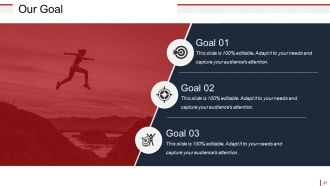
Slide 21: This is Our Goal slide. State goals etc. here.
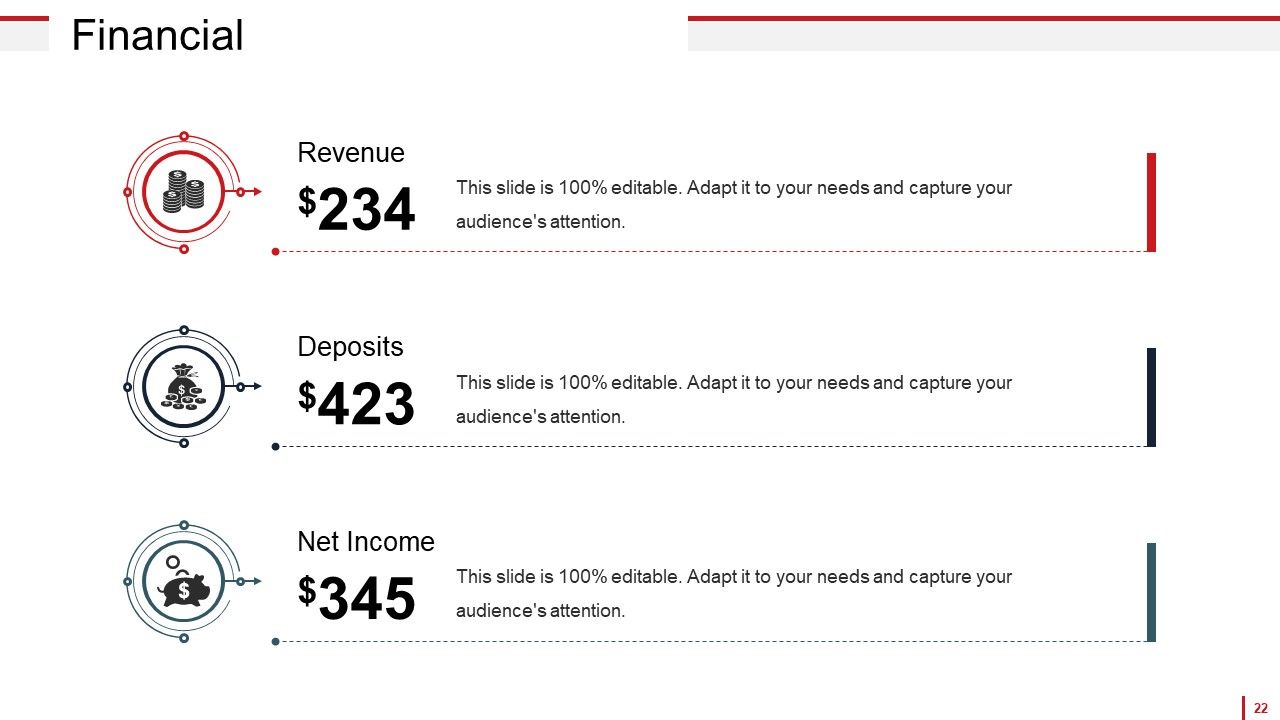
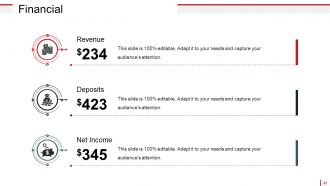
Slide 22: This is a Financial score slide. State financial aspects etc. here.
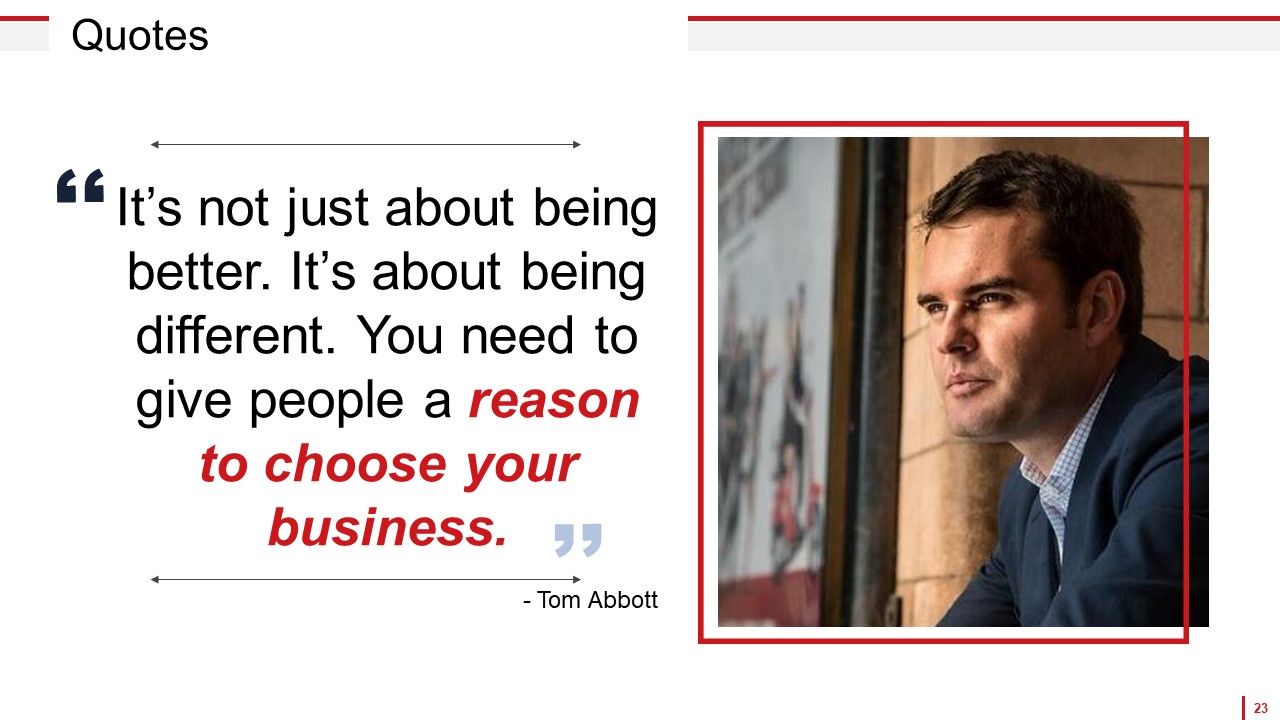
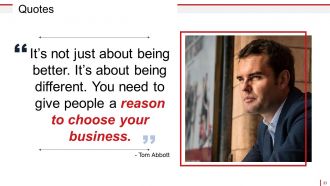
Slide 23: This is a Quotes slide to convey company messages, beliefs etc. You can change the slide contents as per need.
Slide 24: This is a Puzzle image slide to show information, specifications etc.
Slide 25: This is a Target image slide. State targets, etc. here.
Slide 26: This is a Mind map image slide to show information, specifications etc.
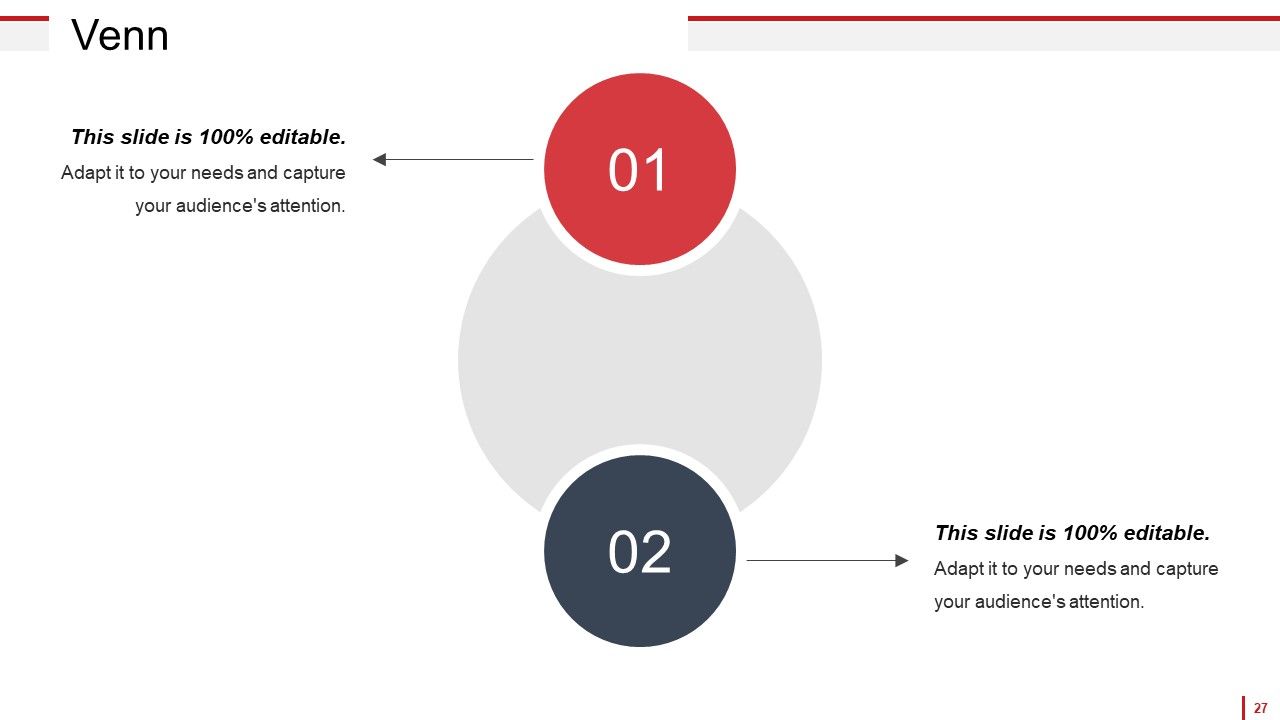
Slide 27: This is a Venn diagram image slide to show information, specifications etc.
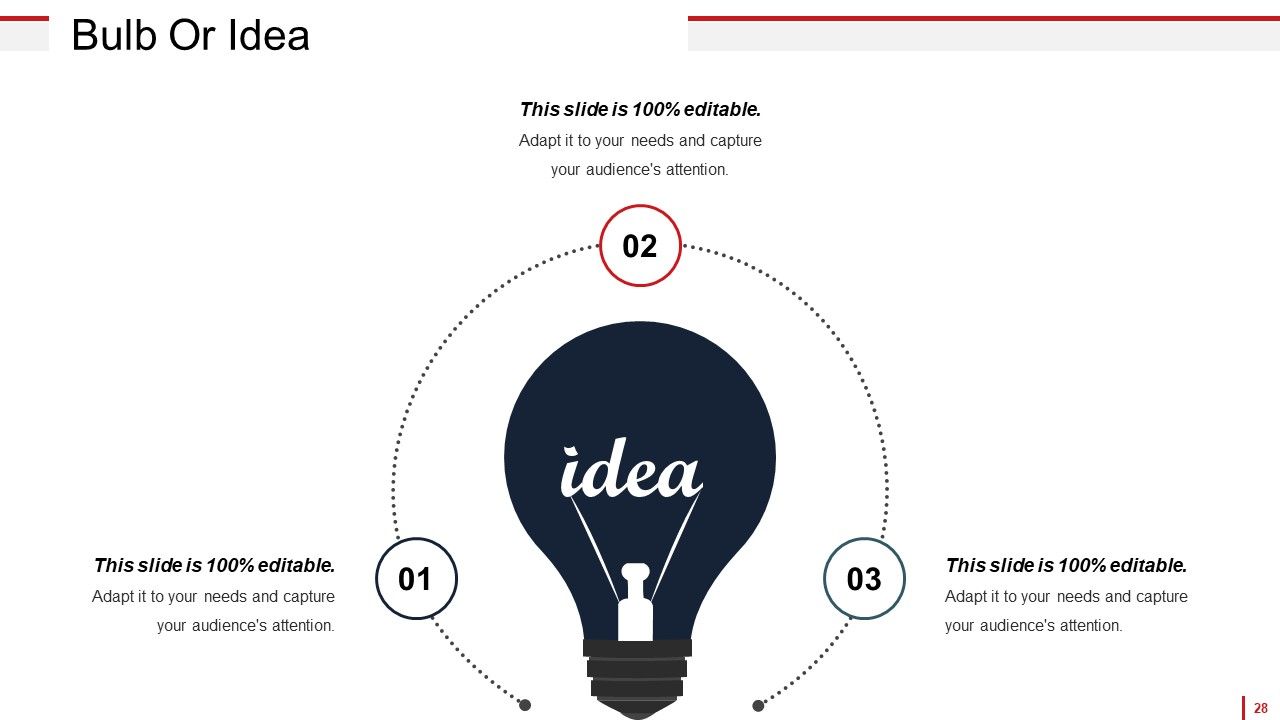
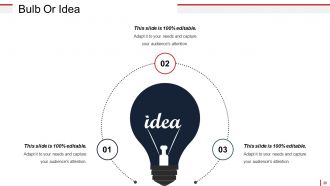
Slide 28: This is a Bulb or Idea image slide to show information, specifications, innovative aspects etc.
Slide 29: This is a Thank You slide with Address# street number, city, state, Contact Numbers, Email Address.
Customer Satisfaction And Feedback Powerpoint Presentation Slides with all 29 slides:
Lock your thoughts in our Customer Satisfaction And Feedback Powerpoint Presentation Slides. They will surely click with your audience.
-
Use of different colors is good. It's simple and attractive.
-
Easy to edit slides with easy to understand instructions.
