Dos And Donts Of Business Email Etiquette Training Ppt

Rating:
90%
Dos And Donts Of Business Email Etiquette Training Ppt
Slide 1 of 17
Favourites Favourites

Try Before you Buy Download Free Sample Product

Audience Impress Your
Audience
Editable 100%
Editable
Time Save Hours
of Time
The Biggest Sale is ending soon in
0
0
:
0
0
:
0
0
Rating:
90%
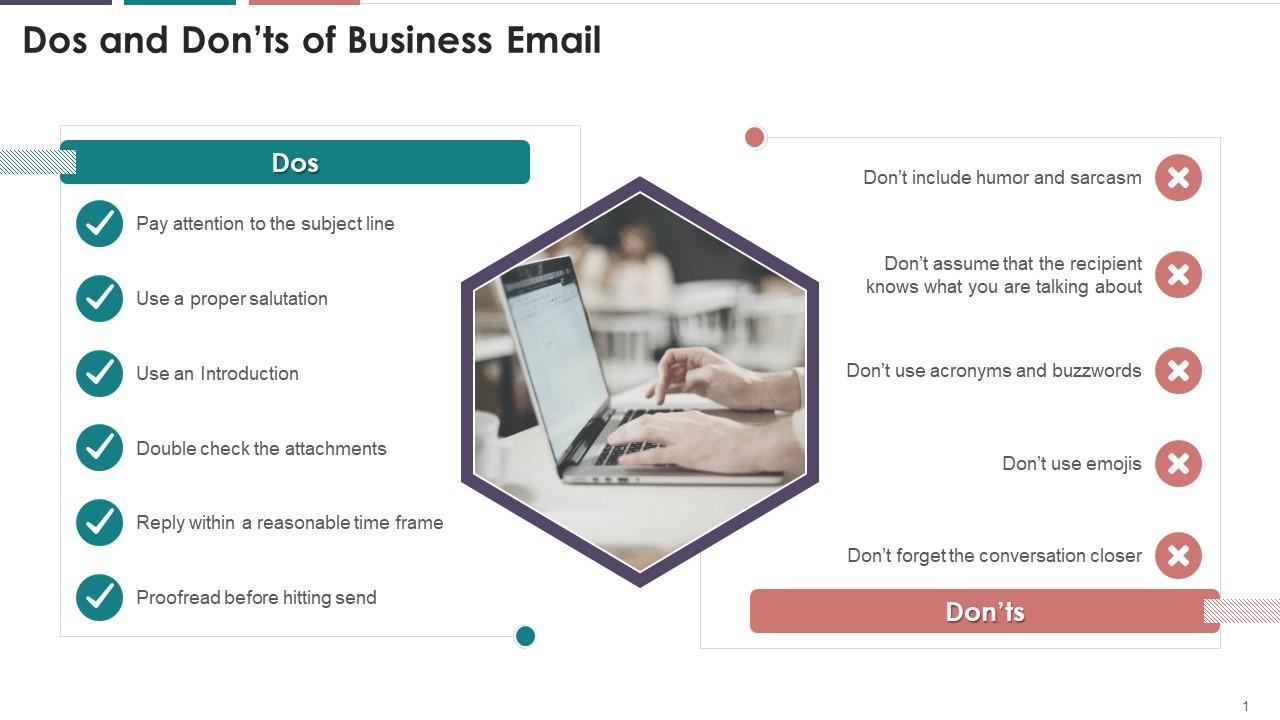
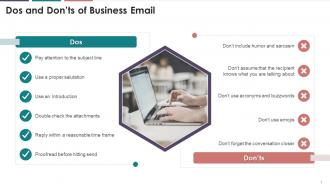
Presenting Dos and Donts of Business Email Etiquette. Our PowerPoint experts have included all the necessary templates, designs, icons, graphs, and other essential material. This deck is well crafted by extensive research. Slides consist of amazing visuals and appropriate content. These PPT slides can be instantly downloaded with just a click. Compatible with all screen types and monitors. Supports Google Slides. Premium Customer Support is available. Suitable for use by managers, employees, and organizations. These slides are easily customizable. You can edit the color, text, icon, and font size to suit your requirements.

FAQs for Dos And Donts Of Business Email

Look, business emails are pretty straightforward once you get the hang of it. Subject line should be specific - none of that vague "quick question" nonsense. Start with a real greeting, keep your message short and scannable because honestly, nobody has time for novels in their inbox. I used to write these epic paragraphs that people definitely skimmed right past. End with something like "Best regards" and don't forget your signature with contact info. Oh, and proofread before sending - typos just look lazy. The whole thing should be direct but polite, you know?

Honestly, the way you write emails can totally change how fast people get back to you. I learned this the hard way - when I'm stressed and dash off something like "I need you to send me those files," people take forever to respond. But flip it to "Could you help me out with those files when you get a sec?" and suddenly everyone's way more willing to help. It's weird how much of a difference small word changes make. Oh, and definitely read your emails out loud before hitting send - saves you from sounding like a robot half the time.

Your subject line is basically the headline of your email - if it's vague, people will just skip right over it. I used to write "Quick question" for everything and wondered why nobody responded lol. Be specific enough that someone could get the gist without even opening it. Include stuff like deadlines or what action you need from them. Honestly, it's also a lifesaver when you're trying to find that one email later. Nobody wants to scroll through 200 messages searching for "that thing about the meeting." Make it clear what's inside and how urgent it is. Your inbox will thank you.

So for formal business emails, go with "Dear" plus their title and last name - "Dear Mr. Johnson" or whatever. Don't know their title? Just use their full name. I honestly used to stress about this stuff way too much lol. Multiple people? "Dear Team" saves you from typing out everyone's names. Skip the "Hey" unless it's your coworkers - that casual stuff doesn't work with clients or new contacts. Oh, and if you're not sure how formal to be, just go more professional. You can always get more relaxed later once you've actually talked to them a few times.

For your email signature, definitely include the basics: full name, job title, company, phone, and email. Company website's good too, plus LinkedIn if it matters for your job. Don't go overboard with fonts or colors - nobody needs to see rainbow Comic Sans in a professional email. Four to six lines tops, otherwise it'll be longer than your actual message. Oh, and skip the motivational quotes unless you work somewhere super laid-back. One thing I learned - set up different signatures for new emails vs replies, since replies don't need all that contact stuff clogging up the thread.

Bullet points are a lifesaver for emails - people can actually scan through your stuff instead of reading every word. I always bold the important bits like deadlines because nobody has time to hunt for those buried in paragraphs. Also, don't be afraid of white space! Dense blocks of text make my eyes glaze over honestly. When I need things in order, I'll switch to numbered lists for steps or whatever. The real test? If someone can skim your email in like 10 seconds and get the gist, you're golden. I probably go overboard with formatting sometimes, but hey - nobody's ever complained about an email being too easy to read.

Okay, so first thing - lead with your main point right away. Don't make people hunt for it. Break stuff into bullet points when you're covering multiple things, and honestly? Keep paragraphs super short. Like 2-3 sentences tops. Here's what actually works: read your email out loud before hitting send. You'll immediately hear where you're rambling. Cut filler words like "just" and "perhaps" - they weaken everything. Oh, and always put your ask at the very end so it's obvious what you need from them. Trust me on this one.

Ugh, email and sensitive info is such a minefield. First thing - double-check who you're sending to because I've literally watched people CC competitors by mistake (nightmare fuel). Skip putting anything confidential in subject lines since those pop up in notifications. Honestly? If it's really sensitive stuff, just don't use regular email at all. Go with encrypted email or whatever secure platform your company uses. Sometimes picking up the phone is way smarter than leaving a digital trail. Trust me on this one.

Oh man, where do I start? The classic "Reply All" disaster gets everyone. Write clear subject lines or people will ignore your emails completely. Don't CC half the office unless they actually need to see it - honestly, most people's inboxes are already drowning. Skip the emojis with clients (learned that one the hard way). Also, mentioning attachments then forgetting them makes you look scattered. Emails always sound meaner than you think, so maybe read it once before sending? And don't write novels - nobody has time for that.

Honestly, just be friendly but not *too* friendly, you know? Start with "Hi [Name]" instead of diving right in. Skip the emojis and slang - save those for actual friends. Sign off with "Thanks" or "Best" (boring but safe). I always read mine out loud first because if it sounds awkward spoken, it'll read awkward too. Be specific about what you need instead of being all vague. Oh, and definitely proofread - typos make you look sloppy. The goal is sounding warm but still competent. Think "approachable colleague" not "your drinking buddy."

Oh definitely pay attention to cultural stuff when you're emailing internationally! Like, Germans and Japanese people expect way more formality than we do - what feels friendly to us can seem rude to them. Some cultures want all the polite greetings and formal language, others just want you to cut to the chase. I learned this the hard way once, actually. Don't forget about their holidays and customs too, not just time zones. My rule is always start more formal than you think you need to, then you can get more casual once you've worked with them a bit.

Wait about a week between each follow-up - trust me on this one. After your first email, give them 5-7 business days before trying again. People are honestly drowning in emails right now. Still nothing? Wait another week, then send something shorter and more direct. I'd cap it at three total attempts before either moving on or maybe trying to reach them a different way. You want to be persistent but not that person who becomes everyone's inbox nightmare, you know? Nobody wants to be *that* guy.

Ugh, email is the worst. First thing - actually use your email's basic stuff like folders and filters. I swear nobody does this but it's a game changer. Boomerang's pretty clutch for scheduling emails and reminders. If you're tracking responses, Mixmax works well (though honestly feels a bit stalker-ish sometimes). Shared inboxes through Gmail help if you're working with a team. Front's solid too but might be overkill. Here's the thing though - don't go crazy downloading everything. Pick like 2-3 tools max and actually stick with them. Otherwise you'll just create more chaos.

Here's what I've learned about making emails work for everyone: Start with subject lines that actually tell people what's inside - none of that vague "quick question" stuff. Skip the jargon too. I once sent an email saying "reply by EOD" and like half my coworkers had no clue what that meant, which was... embarrassing. Break things up with bullet points when you can. Choose fonts people can actually read without squinting. Oh, and if you're attaching files or adding images, just throw in a quick description of what they are. It's honestly not that hard once you get in the habit.

Honestly, just go with "Best" or "Best regards" for most emails - they work everywhere. "Sincerely" feels way too stiff unless you're emailing like, the CEO or something. People seriously overthink this stuff. If you're asking for help or saying thanks, just use "Thanks" - super simple. Oh, and pick one or two closings you actually like and stick with them. That way you're not sitting there for five minutes deciding how to end every single email. Don't forget your full name and contact info in the signature too.

Ratings and Reviews

90% of 100
Review Form
Write a review
Most Relevant Reviews
  1. 100%

    by Chauncey Ramos

    Making a presentation has never been this easy for me. Thank you SlideTeam for offering a splendid template library.
  2. 80%

    by Cleo Long

    These stunning templates can help you create a presentation like a pro. 

2 Item(s)

per page: