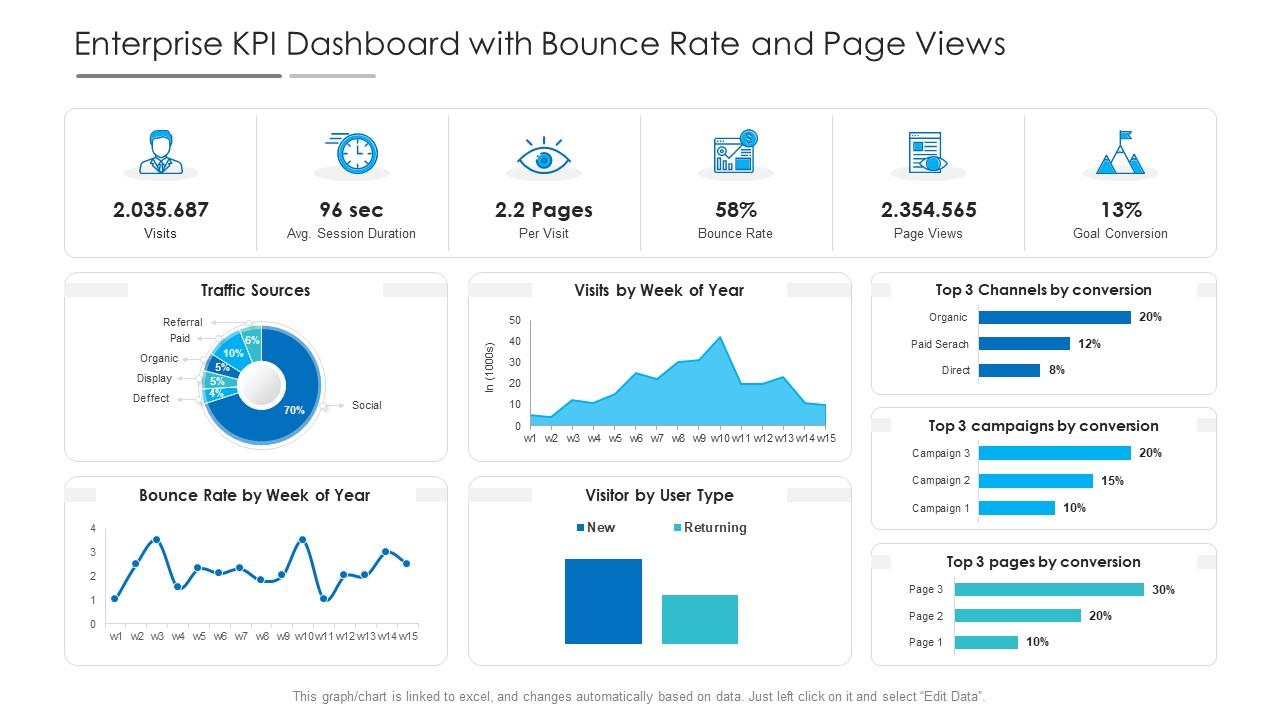
Enterprise kpi dashboard with bounce rate and page views powerpoint template
Try Before you Buy Download Free Sample Product
Audience
Editable
of Time
Our Enterprise KPI Dashboard With Bounce Rate And Page Views Powerpoint Template are topically designed to provide an attractive backdrop to any subject. Use them to look like a presentation pro.
People who downloaded this PowerPoint presentation also viewed the following :
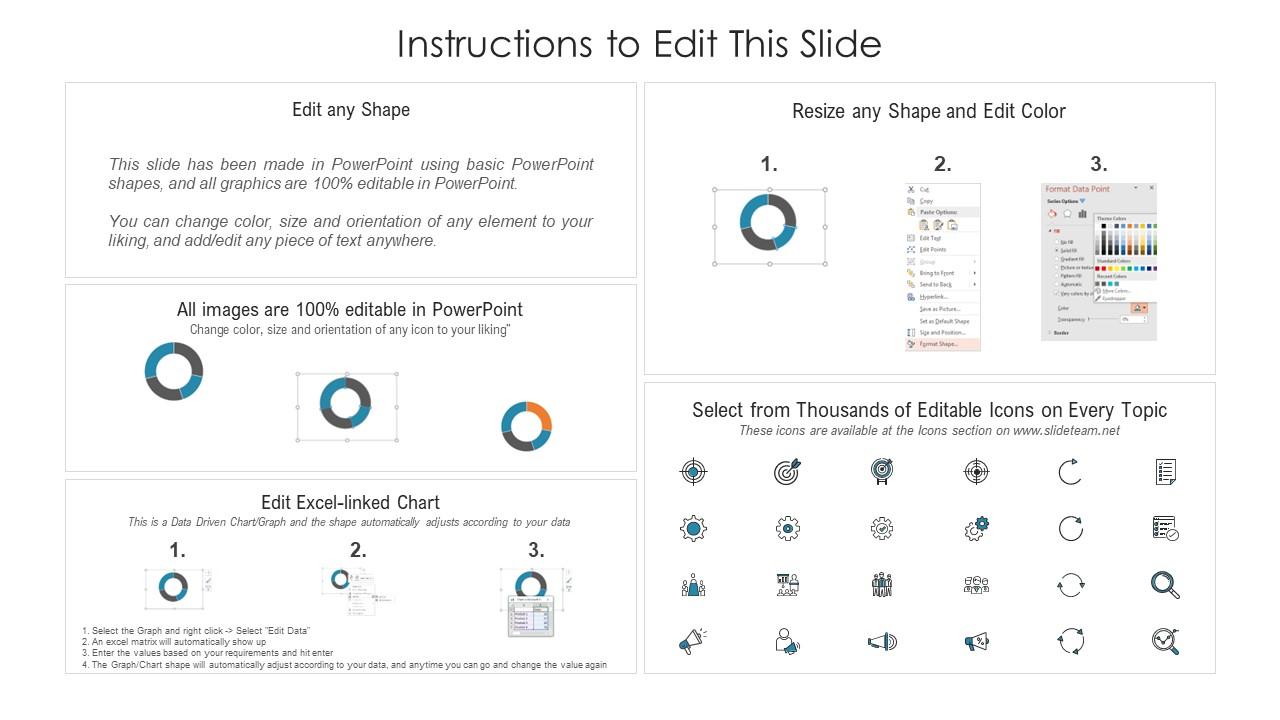
Enterprise kpi dashboard with bounce rate and page views powerpoint template with all 2 slides:
Use our Enterprise KPI Dashboard With Bounce Rate And Page Views Powerpoint Template to effectively help you save your valuable time. They are readymade to fit into any presentation structure.
FAQs for Enterprise kpi dashboard with bounce rate and page
So you'll want to focus on five main areas: financials (revenue, margins, costs), operations stuff (efficiency, productivity, quality), customer data (satisfaction, retention rates), employee metrics (turnover, engagement), and tracking your strategic goals. Real talk though - most dashboards I've seen are hot garbage because they try showing everything at once. Pick your top 10-15 KPIs that actually matter for decisions, then build around those. Make sure it's real-time or close to it, with good benchmarks and the ability to dig deeper when something looks off. Way better than cramming every possible metric in there.
Figure out what you're actually trying to achieve first, then pick metrics that match. Growth goals? Track revenue and new customers. Efficiency stuff? Focus on costs and productivity numbers. Don't fall into the trap of measuring everything - I learned that the hard way. For each potential metric, ask "so what?" If the number changed, would you actually do something different? Work backwards from your big annual goals and nail down maybe 5-7 key metrics max. Also worth chatting with your department heads since they know what numbers actually matter for their day-to-day decisions.
Honestly? Just pick Power BI, Tableau, or Looker Studio and move on. Power BI's great if you're already using Microsoft stuff - integrates like crazy with their ecosystem. Tableau's the visualization king but wow, expensive. Looker Studio works well for Google users on a budget. Here's the thing though - I've watched teams spend forever arguing over tools when they could've been building actual dashboards. Your data sources and budget matter more than the perfect platform. Also depends if your team wants simple drag-and-drop or needs heavy customization. But seriously, don't overthink it.
Honestly, it depends what you're tracking. Financial stuff like revenue? Daily updates are totally fine - those numbers don't swing around enough to matter hour by hour. But operational metrics are different. Website traffic, system performance, customer queues - that stuff needs real-time or at least hourly refreshes. I've watched so many teams build dashboards that update weekly and they're basically useless for making quick decisions. You want your refresh rate to match how fast your team actually needs to respond to changes. Otherwise you're just looking at expensive history reports.
Honestly, just stick to the 5-second rule - anyone should instantly get your main KPIs at a glance. I'd go with 3-5 key metrics tops on your main screen. Red/yellow/green color coding is your friend here. Put the critical stuff in the top-left since that's where people look first. I've seen so many dashboards that look like someone threw up rainbow charts everywhere. Total mess. Make sure your data refreshes in real-time (or close to it). Oh, and always show what time period you're tracking - people forget that one constantly. Test it with real users before you launch. They'll spot the dumb stuff you missed because you've been staring at it too long.
Dude, tell a story with your numbers instead of just dumping data on people. Lead with the punchline - "sales dropped 15% but here's the plot twist." I made this mistake SO many times early on, watching executives' eyes glaze over during my presentations. Visuals should show trends and comparisons, not boring static charts. Structure it like: what went down, why anyone should care, and your game plan. Oh and your dashboard layout? It better support your story, not work against it. Always wrap up with concrete next steps.
So basically, data storytelling takes your boring KPI dashboard and makes it actually mean something to people. Instead of just throwing numbers at everyone, you're connecting the dots and showing why stuff happened. Most executives honestly don't want to dig through spreadsheets - they just want the story. Figure out your main point first, then arrange everything to walk them through it step by step. Add context with trends and comparisons so the data makes sense. It's like being a translator between your analytics team and the business side.
Talk to your users first - find out what metrics actually matter for their day-to-day stuff. Simple beats flashy every time. Clear labels, consistent colors, don't try to squeeze everything onto one screen. Related KPIs should be grouped together, and your most critical data needs to pop visually. I swear, some dashboards I've seen look like someone threw up rainbow charts everywhere! Test with a few people before you go wide. Short sentences work. Keep that feedback loop going because you'll definitely need tweaks later.
Don't cram everything onto one screen - nobody wants to decode a data explosion. Vanity metrics are tempting but useless if they don't help you decide anything. Horizontal scrolling is basically torture for stakeholders, so avoid that mess. Your KPIs should connect to actual business goals, not just whatever's easiest to track. Stale data kills trust fast, so keep things updated. Honestly, I'd stick to 5-7 metrics tops. For each one, ask yourself "so what?" - if you can't answer that clearly, cut it. Work backwards from what decisions people need to make.
Honestly, real-time data is what makes dashboards actually worth having. Your KPIs update automatically, so you catch problems while you can still fix them - way better than finding out about revenue drops from last week's report. I mean, it's like checking your bank balance live instead of waiting for monthly statements, you know? Automated alerts are clutch for your most critical stuff. That way you'll spot operational issues or performance dips right when they happen. Makes the whole thing way more useful than just having pretty charts to stare at.
Honestly, start with NPS and churn rate - those two will tell you everything execs care about. NPS shows if customers actually like you, churn rate shows if they're bailing. CSAT is solid too for satisfaction tracking. Then layer in customer lifetime value and repeat purchases for the retention picture. Support ticket resolution time matters more than people think - slow responses tank satisfaction fast. Monthly active users and feature adoption give you the engagement side, though that's more nice-to-have data. If you're just getting started, don't overcomplicate it. Those first two metrics I mentioned? They'll cover 80% of what you need to know.
Start with industry reports and trade associations - they're goldmines for benchmarks. Benchmarking Alliance is solid too. Look for stuff like customer acquisition costs or revenue per employee in your sector. Fair warning: this feels like being a detective sometimes, but it's worth it. Build dashboard views that compare your numbers to industry averages. Company size makes a huge difference though, so don't compare a startup to Fortune 500 metrics. Set up alerts when you drift too far from benchmarks. That way you catch problems early instead of scrambling later.
So basically you want different dashboards for each team. Sales gets their conversion rates and pipeline stuff, IT sees uptime and security alerts. Finance doesn't give a damn about server response times, you know? Start by talking to a few people from each department - figure out what actually keeps them up at night. Most platforms have drag-and-drop widgets so department heads can customize their own view. Color-code everything based on what matters to each team. Critical thresholds should jump out immediately. User groups with preset permissions make this way easier to manage too.
So you can actually build predictive stuff right into your dashboard - pretty neat. Tools like Tableau and Power BI have ML features now that'll catch outliers in your KPIs or predict next quarter's numbers automatically. Best part? You don't need to be some data wizard anymore. The tools handle most of it. Set up alerts when the models spot weird patterns in your data. Honestly, I'd start with just one or two predictive metrics first. You can always add more once you see how it works.
Definitely start with role-based permissions - you don't want everyone seeing revenue numbers or whatever sensitive stuff you're tracking. MFA is a must for logins, obviously. Encrypt data both ways (in transit and at rest) because I've literally watched companies get wrecked skipping that basic step. Audit logs help you see who's been poking around your data. For really confidential metrics, consider masking them. Session timeouts are smart too - people walk away from their computers way too often. Honestly, just think of it like any other system with important business data and stack your security measures accordingly.
-
Top Quality presentations that are easily editable.
-
Top Quality presentations that are easily editable.
-
Content of slide is easy to understand and edit.
-
Unique and attractive product design.
-
Awesome presentation, really professional and easy to edit.
-
Topic best represented with attractive design.
-
Excellent products for quick understanding.
-
Enough space for editing and adding your own content.
-
Very unique and reliable designs.