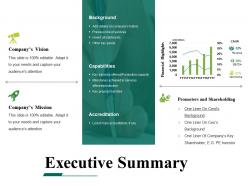
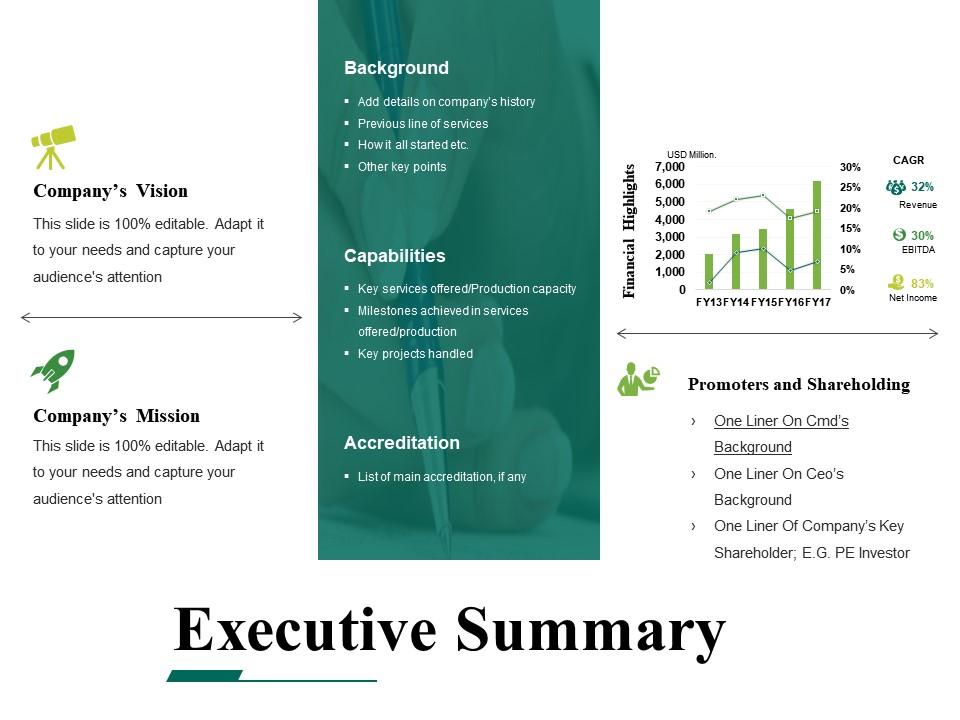
Executive summary powerpoint templates microsoft
Try Before you Buy Download Free Sample Product
Audience
Editable
of Time
Acquire a bigger dimension with our Executive Summary Powerpoint Templates Microsoft. Function effectively on a broader canvas.
People who downloaded this PowerPoint presentation also viewed the following :
Executive summary powerpoint templates microsoft with all 5 slides:
Adorn your ideas with our Executive Summary Powerpoint Templates Microsoft. They will act like a garland.
FAQs for Executive summary
Executive summary PowerPoint templates should include clear objectives, key findings, strategic recommendations, financial highlights, and implementation timelines. These elements work together by presenting complex information concisely, enabling stakeholders to grasp critical insights quickly, and facilitating faster decision-making, with many organizations finding that structured templates streamline executive communications and enhance strategic alignment.
Visual design enhances executive summary presentations by improving comprehension, retention, and engagement through strategic use of charts, infographics, consistent branding, and clear hierarchy. Well-designed templates with professional layouts, compelling data visualizations, and intuitive flow enable executives to communicate complex insights more effectively, ultimately delivering faster decision-making and stronger stakeholder buy-in across organizations.
Executive summary templates focus on high-level strategic insights, key findings, and decision-making information, while standard presentation templates accommodate detailed content, multiple topics, and comprehensive data presentation. These specialized templates streamline executive communication by emphasizing concise messaging, visual impact, and strategic outcomes, with many organizations finding that executive-focused formats deliver faster decision-making and enhanced stakeholder engagement.
Tailoring executive summary PowerPoint templates involves adjusting visual elements, language tone, key metrics, and content focus to match specific industry requirements and audience expectations. For example, financial services presentations emphasize regulatory compliance and risk metrics, while healthcare summaries prioritize patient outcomes and cost efficiency, ultimately ensuring your message resonates with stakeholders and delivers maximum strategic impact.
Common mistakes include overloading slides with excessive text, burying key insights in complex data, failing to align content with audience priorities, and neglecting a clear narrative flow. These pitfalls undermine presentation effectiveness by confusing stakeholders, diluting critical messages, and reducing executive engagement, with many organizations finding that streamlined, outcome-focused summaries deliver significantly better strategic alignment and decision-making outcomes.
Data visualization integrates into executive summary templates through strategic chart placement, color-coded metrics, interactive dashboards, simplified infographics, and visual KPI displays that highlight key findings immediately. These visual elements streamline complex data interpretation, enhance stakeholder engagement, and accelerate decision-making processes, with many executives finding that well-designed visualizations deliver faster comprehension and stronger strategic alignment across organizations.
Storytelling in executive summaries transforms data into compelling narratives that engage stakeholders, create emotional connections, and drive decision-making through clear problem-solution frameworks. Templates assist by providing structured story arcs, logical flow sequences, and visual elements that guide presenters through cohesive narratives, with many executives finding that well-designed templates streamline complex information while maintaining audience engagement and strategic focus.
Executive summary presentations should typically span 5-10 slides with high-level insights, key findings, and strategic recommendations rather than detailed analysis. The length depends on your audience and time constraints, with C-suite presentations favoring brevity while board meetings may accommodate more comprehensive overviews, ultimately delivering focused decision-making support that enables faster strategic responses.
**INPUT**: What color schemes or design elements work best in executive summary PowerPoint templates? **OUTPUT**: Effective executive summary templates utilize professional color schemes like navy and white, charcoal and blue, or muted earth tones, combined with clean typography, strategic white space, and consistent visual hierarchy. These design elements enhance readability and credibility while enabling executives to present complex data clearly, with many organizations finding that minimalist approaches deliver stronger audience engagement and more memorable presentations. [Word count: 57 words]
Templates facilitate collaboration by providing standardized frameworks, consistent formatting, shared terminology, unified design elements, and clear content sections that all team members can easily understand and contribute to. This structured approach enables teams to work simultaneously on different sections while maintaining coherence, reduces revision cycles through predetermined layouts, and ensures professional consistency, ultimately delivering faster completion times and higher-quality executive summaries across organizations.
Microsoft PowerPoint remains the primary choice for customizing executive summary templates, offering comprehensive editing capabilities, design tools, and seamless integration with business workflows. Google Slides provides excellent collaborative features for team-based customization, while Canva delivers user-friendly design options, with many organizations finding that PowerPoint's advanced formatting and animation features ultimately deliver the most professional presentations for executive audiences.
**INPUT**: How can you ensure that your executive summary remains concise while still covering key points? **OUTPUT**: Effective executive summaries prioritize critical information through bullet points, visual hierarchy, data visualization, and strategic white space management. These presentation techniques streamline complex information by highlighting key metrics, condensing paragraphs into impactful statements, and using charts to replace lengthy explanations, ultimately delivering clarity and engagement for executive audiences.
Pre-made templates offer significant time savings, professional design consistency, proven structural frameworks, and cost-effectiveness compared to custom design development. While creating from scratch allows complete customization, templates enable executives to focus on content strategy rather than design elements, ultimately delivering faster turnaround times and polished presentations that maintain corporate standards.
Incorporating multimedia enhances executive summary PowerPoint templates through interactive charts, embedded videos, clickable infographics, audio narrations, and dynamic animations that transform static data into engaging experiences. These elements streamline complex information delivery, improve audience retention, and enable executives to present compelling narratives, with many organizations finding that multimedia-rich summaries significantly boost stakeholder engagement and decision-making speed.
Executive summary templates should be updated quarterly to reflect evolving market conditions, emerging industry trends, and shifting stakeholder expectations. This regular refresh ensures presentations remain relevant and impactful, with many organizations finding that updated templates enhance credibility, improve audience engagement, and deliver more compelling strategic narratives in an increasingly dynamic business environment.
-
Awesome presentation, really professional and easy to edit.
-
Graphics are very appealing to eyes.