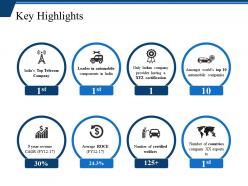
Key highlights ppt presentation
Try Before you Buy Download Free Sample Product
Audience
Editable
of Time
Our Key Highlights Ppt Presentation are custodians you can depend on. Confidently consign your thoughts to their care.
People who downloaded this PowerPoint presentation also viewed the following :
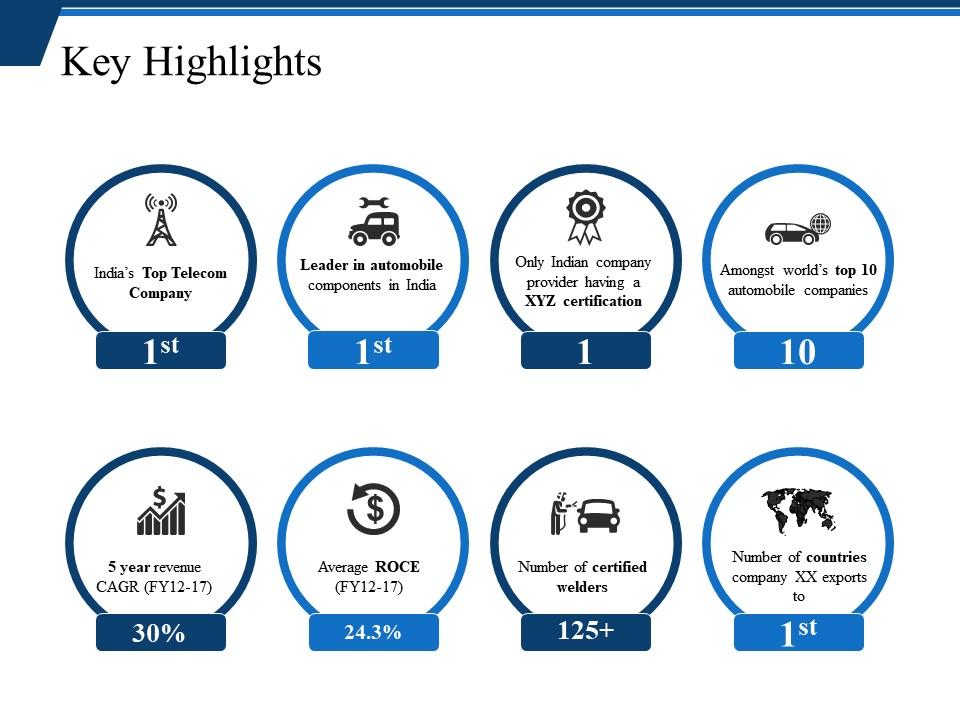
Key highlights ppt presentation with all 5 slides:
Improve awareness of hygiene with our Key Highlights Ppt Presentation. Get folks to adopt good individual habits.
FAQs for Key
Okay so the big three are contrast, white space, and visual hierarchy - nail those and you're golden. Make sure text actually shows up against your backgrounds (shocking how many people mess this up). Give everything room to breathe, nobody likes cramped slides. And use different font sizes so people know what to look at first. Stick to 2-3 fonts max and don't go crazy with colors. I swear, half the templates I see are so flashy they're basically useless. Start simple with a grid system - you'll thank yourself later when you're not rebuilding everything from scratch.
Swap out colors, fonts, and images based on who you're presenting to. Bright colors and clean layouts work great for education - throw in some friendly icons too. Corporate stuff? Stick with blues, grays, and professional photos. Font choice is honestly huge for how people perceive your content. Also adjust your language - ditch the jargon for students but use industry terms with corporate folks. I'd start with 2-3 base templates for your main audiences. Way easier than starting from scratch every time.
Honestly, color schemes can make or break your whole presentation. I'd stick with your company colors as a starting point if you have them. Then maybe add one accent color - but seriously, don't go overboard with like 6 different shades because it'll look amateur. Make sure there's good contrast between your text and background (learned this the hard way when half my audience couldn't read my slides). Two or three colors max is the sweet spot. Consistency throughout makes you look way more professional. Colors also set the mood, so pick ones that actually match what you're trying to say.
Throw in some live polls using Mentimeter or just ask people to raise hands at certain points. Makes such a huge difference! I'd space these out every 5-7 minutes or people zone out completely. Breakout discussions work too, or pop in a quick quiz when you hit important stuff. Honestly those death-by-PowerPoint sessions are brutal - we've all been there. Start small though, maybe 2-3 interactive moments in your next presentation. You'll see how much more people actually pay attention instead of checking their phones.
Honestly, bigger font is your friend - go with 14pt minimum and stick to basic stuff like Arial. Those gray-on-white color schemes might look fancy but they're terrible for actually reading. You want serious contrast between text and background. Break up wall-of-text slides with bullet points, number your slides, and throw in alt text for images. Oh and maybe send handouts ahead of time? Some people like following along on paper. Sans-serif fonts are way easier on the eyes than anything fancy.
Oh man, this is such a big deal! Colors alone can totally mess you up - red means luck in China but screams danger here. Germans actually want tons of detail on slides while we Americans are like "keep it simple." Right-to-left reading cultures flip your entire layout too. Honestly, even hands in photos can offend people in some places (wild, right?). Text expectations are crazy different everywhere. You'll definitely want to research your audience first, or just make separate versions for different regions. Way easier than accidentally insulting someone's culture!
Honestly, everyone's obsessed with minimalism right now - clean layouts with one killer font that does all the work. Dark mode is basically mandatory at this point (my retinas are grateful lol). Stock photos are so 2019; people want custom illustrations or actual data viz instead. Interactive stuff keeps audiences hooked way better than static slides - videos, clickable sections, whatever gets them involved. Colors are going two ways: either super minimal monochrome or these crazy vibrant combos that shouldn't work but totally do. My take? Don't try to chase every trend at once. Pick what fits your vibe and commit to it.
Okay so basically treat your deck like you're telling a story. Start with the problem, build up some tension with data or real scenarios, then boom - your solution becomes the hero moment. I always use actual customer examples instead of boring abstract stuff because people connect with characters, you know? Oh and here's something that works crazy well - end each section on a mini cliffhanger so they're dying to see what's next. Structure it like chapters instead of random bullet points. Try following someone's journey or transformation arc. Honestly, once you start thinking "story" instead of "presentation," your whole approach changes. You'll actually see people leaning in.
Honestly, the worst thing people do is cram way too much text on each slide. Nobody can read tiny fonts from the back! Also skip the crazy animations - they're just annoying tbh. I'd stick with maybe 2-3 colors tops and make sure your text actually stands out against the background. White space is your friend here. Cluttered slides hurt people's eyes. Oh and definitely test it on a big screen first - I learned that one the hard way when my "perfect" template looked terrible projected on the wall during my presentation.
Build your charts right into the template structure instead of randomly placing them everywhere. I always create specific spots for different types - full-width for timelines, sidebars for key metrics, split layouts when you're comparing stuff. Most presentations look like garbage because people just dump charts wherever. Keep your colors consistent with your brand and make fonts actually readable. Your data should tell a story that flows with everything else. Oh, and definitely include a template for those "big number" slides - you know, the single-stat ones? They're honestly pretty effective at grabbing people's attention when you need that impact moment.
Honestly, just start with Canva - their templates actually look good without much work. PowerPoint's what everyone ends up using anyway for compatibility, but ugh, the default designs are so bland. Google Slides works too if you're already in that ecosystem. Adobe InDesign is overkill unless you really need precise control over everything, and the learning curve is brutal. Oh, and Figma's becoming popular for presentations now, especially if you're doing other design stuff there already. I'd say Canva first for the quick wins, then PowerPoint when you need to share with your team.
Dude, typography can totally make or break your presentation. I made this mistake once during a big client pitch - used some fancy font that looked cool on my laptop but nobody could read it from their seats. Awkward. Go with simple stuff like Arial or Calibri. They're boring but they work. Keep it to maybe 2-3 font sizes max, and make sure there's good contrast with your background. Sans-serif is your friend here since it stays readable even from the back of the room. Honestly? Walk across the room and test your slides first. Your ideas might be genius, but if people can't read them, what's the point?
Put your best stuff right at the top - nobody wants to hunt for your main point. I'm a total stickler about the one-idea-per-slide rule because cramming just makes people's brains shut off. Use clear headers and keep your formatting consistent so they can actually follow along. Group similar stuff together and play with spacing or bullet points to guide where they look. Honestly, matching colors and fonts across slides makes a bigger difference than you'd think. Oh, and definitely walk through it once yourself - if you're confused about the flow, they'll be completely lost.
So first thing - grab all your brand stuff. Logo, colors, fonts, whatever makes your company look like... well, your company. Use those to build your template foundation. Set up consistent layouts for title slides, regular content, section breaks. The goal is making everything feel cohesive without being boring. Here's where people mess up though - they go crazy with animations and flashy effects. Don't do that. Keep it readable and clean. Also make sure your brand personality shows up in any sample text you include. Like if you're casual and fun, write placeholder text that way. Oh, and definitely create a quick brand guidelines doc so other people don't accidentally ruin your beautiful template later.
Looking at engagement first - how many questions come up, participation levels, that kind of stuff. Time savings is another big one. Compare how long it takes someone to build a presentation from your template versus doing everything from scratch. Honestly, a solid template can cut prep time in half, which is wild. Oh, and consistency across different presenters using the same template matters too. Are they hitting the main points the same way? You'll also want feedback from both sides - people presenting AND the audience. Don't go crazy though. Pick maybe 2-3 metrics to start or you'll drown in data.
-
Top Quality presentations that are easily editable.
-
Illustrative design with editable content. Exceptional value for money. Highly pleased with the product.