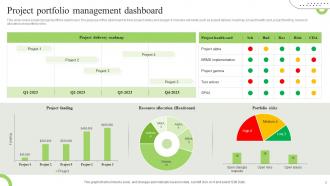
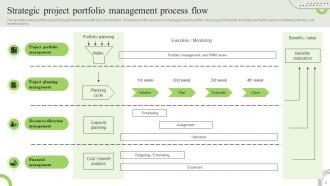
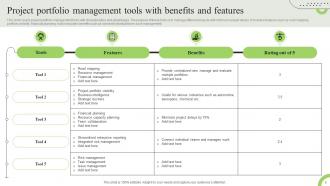
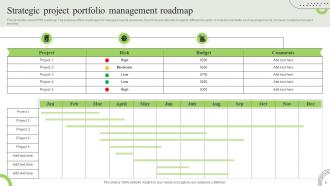
Portfolio project Powerpoint PPT Template Bundles
Try Before you Buy Download Free Sample Product
Audience
Editable
of Time
Our Portfolio project Powerpoint PPT Template Bundles are topically designed to provide an attractive backdrop to any subject. Use them to look like a presentation pro.
People who downloaded this PowerPoint presentation also viewed the following :
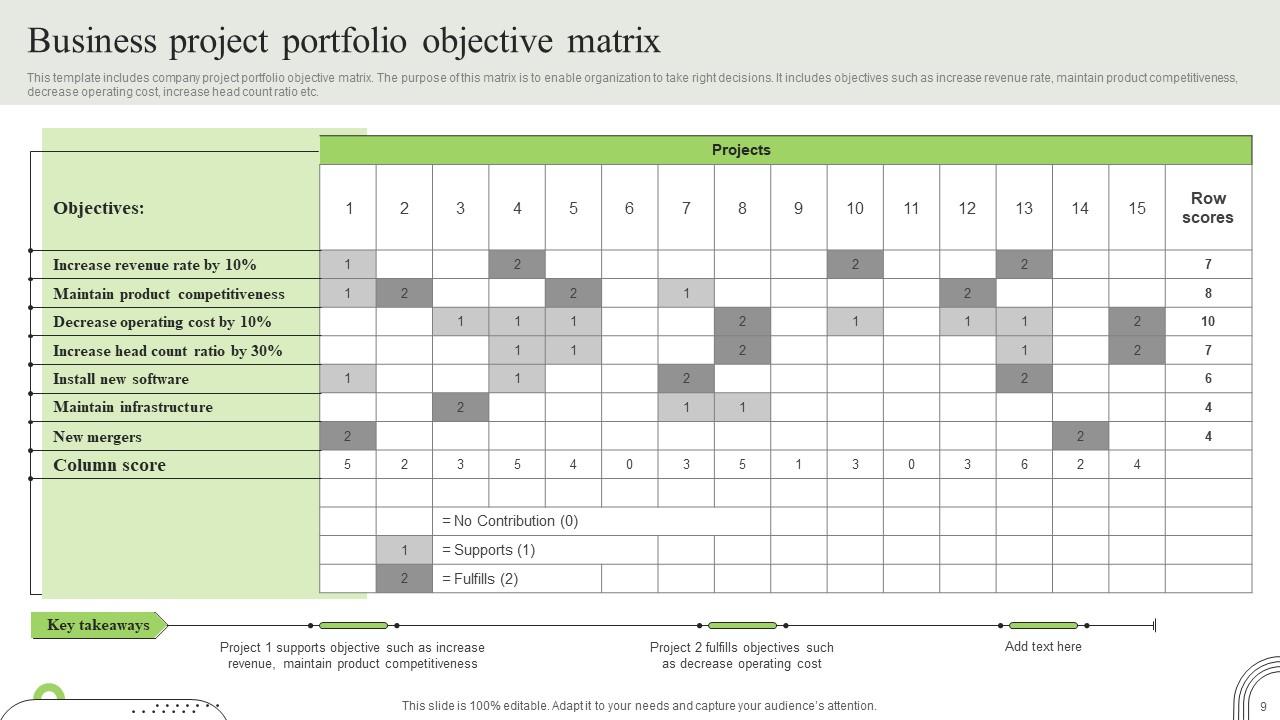
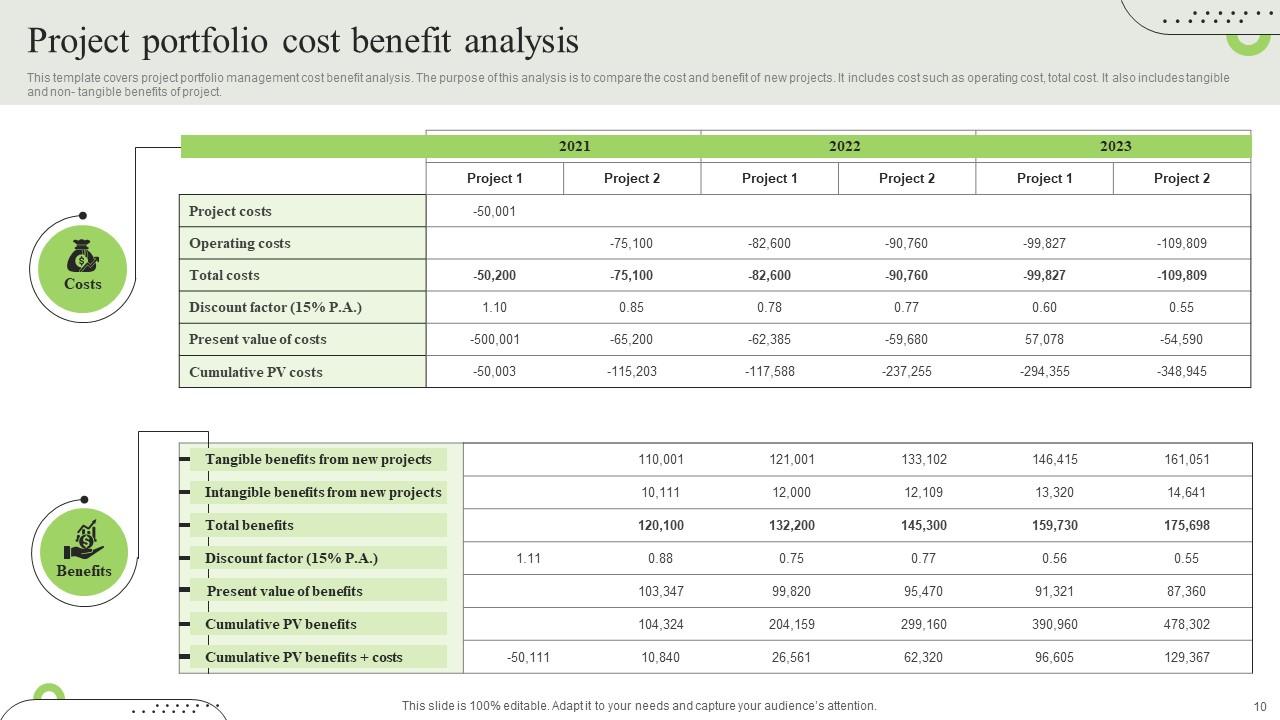
Portfolio project Powerpoint PPT Template Bundles with all 19 slides:
Use our Portfolio project Powerpoint PPT Template Bundles to effectively help you save your valuable time. They are readymade to fit into any presentation structure.
FAQs for Portfolio project Powerpoint
So you'll want to start with the basics - project overview, what problem you solved, your process, and any roadblocks you hit. Screenshots are clutch, honestly they make or break whether people actually look at your stuff. List your tech stack and if you worked with a team, clarify what YOU specifically did. Results with actual numbers are gold. Oh and definitely throw in GitHub links or live demos if you've got them. I usually just make one solid template then tweak it for different projects - way easier than starting from scratch every time. Don't forget lessons learned and what you'd do differently next time.
Templates are honestly game-changers for portfolios. They give you that structured flow - problem, process, outcomes - so people can actually follow your story instead of just seeing random projects thrown together. Think of it like having guardrails while you figure out storytelling. The cool thing is they make you dig into the "why" behind each project. How does this connect to that? What's my bigger narrative here? Your whole presentation gets way more compelling because viewers can see your growth over time. I'd start simple and tweak it as you go - worked great for me.
Honestly, less is more with portfolio layouts. Give your work breathing room with clean spacing and stick to maybe 2-3 fonts tops. I've seen so many "creative" templates that are just visual chaos - don't be that person. Your color scheme shouldn't fight with your actual projects for attention. Make the hierarchy super obvious: project name, what you did, results, then details. Short sentences work. Longer ones should actually flow naturally when you read them out loud. Oh, and definitely test your template with different project types first - you don't want it looking weird with certain work.
Oh totally, you definitely want something industry-specific. UX designers need those interactive prototypes and process breakdowns - nobody cares about your final design without seeing how you got there. For photography/graphic work, go minimal so your images actually pop. Developers? Their portfolios are basically fancy documentation sites with code samples and GitHub links, which honestly makes sense. Writers just need clean text layouts where people can scan your stuff easily. Don't just pick whatever template looks sleek - choose based on how people in your field actually evaluate work. That matters way more than aesthetics.
Honestly, your colors and fonts are what people notice first - way before they even look at your actual work. Pick a palette that matches your vibe and industry, but keep it simple. Two or three colors tops, maybe two font families. I cannot stress this enough: avoid Comic Sans at all costs (I've literally seen it destroy otherwise amazing portfolios). Your typography has to be readable across different screens, so test everything on your phone and laptop. The whole point is making your work shine, not having your design choices fight for attention. Oh, and use colors that actually complement what you're showcasing instead of overwhelming it.
Honestly, templates are a game-changer because nobody has to start from scratch every time. Your whole team stays on the same page with fonts and layouts, which makes collaboration so much smoother. No more awkward convos about whose design to use when you're combining decks. Stakeholders get used to your format too, so they can actually focus on what you're saying instead of hunting around for info. Oh, and definitely make like 2-3 different versions first - get everyone's feedback before you make it official. Trust me, it'll save you headaches later.
Dude, you NEED metrics in your portfolio - like seriously. Numbers show you actually think about impact, not just checking boxes. I've seen way too many portfolios that are basically "I built a thing, I built another thing" with zero proof anything mattered. Short sentences hit different. But then you want to flow into something like "increased user engagement by 25%" or "cut processing time by 3 hours weekly" - that stuff sticks with people. Makes your work feel real instead of just... existing? Always ask yourself what actually changed because of your project. That's the gold right there.

Start by making each project section work like a standalone block - that way it looks good whether someone's browsing your site or you're showing printed copies in an interview. Clean layouts are your friend here. Use readable fonts and high-contrast colors that won't make people squint. Oh, and make sure images scale properly (trust me on this one). Keep your descriptions short but meaty since you might need to walk through them live or let them do the talking online. The whole point? Build it once, then you can use it everywhere without wanting to tear your hair out reformatting everything.
Okay so start with a killer project overview - grab them right away. Break everything into clear sections that flow: problem → your approach → solution → results. I always front-load the coolest stuff because people's attention spans are brutal. Show your process with visuals, but don't forget to explain your thinking behind decisions. Metrics and outcomes are huge if you have them. Make it scannable with headers and bullets since people love jumping around. Oh, and definitely end with what you learned or what's next - shows you actually reflect on your work instead of just moving on to whatever.
Honestly, just set up placeholder sections with clear specs for file types and dimensions. Most platforms have drag-and-drop now, which is clutch. MP4s are your best bet for videos. I still screw up aspect ratios half the time though lol. Graphics need specific pixel sizes too - check your platform's guidelines first. Always add thumbnail images as backups in case videos crap out. Super annoying when that happens. Start small - test one video and one graphic to see how they look before you go crazy building everything out. Once you get the hang of it, it's actually pretty straightforward.
Honestly, I'd start with whatever feels most comfortable to you. Design tools like Figma or Adobe XD are great for mockups, then VS Code for actual coding. You'll need HTML/CSS basics, maybe some JavaScript for fancy stuff. GitHub Copilot has been super helpful lately - saves me tons of time on the coding side. But if you're not into coding (totally get it), Webflow or good WordPress themes can get you pretty far without the headache. Just pick one thing and get decent at it first. I made the mistake of trying to learn everything at once and it was... not fun.
Honestly, just sprinkle reflection prompts throughout your projects instead of dumping everything at the end. Ask yourself stuff like "what would I do differently?" after big milestones. Some people go wild with mood boards showing how their thinking evolved - which actually looks pretty cool. Make it feel natural though, not like you're checking boxes for school. Set up spots for peer feedback and mentor notes as you go. Oh, and don't forget self-reflection sections. Your portfolio should tell a growth story, not just show polished final work. Way more interesting that way.
Honestly, the worst thing you can do is make it super rigid - like, you'll want it to work for different types of projects. Keep sections simple, don't go overboard with complexity. Most people just leave empty sections which is useless tbh. Add placeholder text that actually shows what goes where. Technical requirements are huge - trust me, you'll hate yourself later if you skip documenting dependencies and setup stuff. Test it on a real project first. Make sure it scales from your random side projects to bigger team stuff. Short sentences work. Longer ones with natural flow are good too when they feel right.
Oh man, cultural stuff is huge for template design! Like, some cultures want everything super direct with bullet points, but others need way more context and relationship-building fluff. Colors are tricky too - red screams "danger" to us but means good luck in China (honestly blew my mind when I learned that). You've also gotta think about timelines differently. High-context cultures take forever because they want everyone on board, while low-context ones just want efficiency. My advice? Research their cultural norms first or you'll totally bomb it.
Everyone's going mobile-first now - your portfolio has to look perfect on phones or you're toast. Interactive stuff is huge too: animations, hover effects, videos embedded right in there. Dark mode is literally everywhere (kinda played out if you ask me but whatever). Static sites are dead, honestly. People want something that shows your personality, not just skills. Oh and there's way more industry-specific templates instead of boring generic ones. Plus tons of integration with GitHub, Notion, all that stuff. Bottom line: make it dynamic and engaging or people will bounce immediately.
-
The service is fast, and I could access any presentation after buying the subscription. I don’t think I’ll ever have to worry about a presentation in my life.
-
“You have the structure in place that are easy to explore new opportunities.I will be recommending your services to other people.”