Project Execution Plan Powerpoint PPT Template Bundles

Rating:
80%
Slide 1 of 31
Favourites Favourites

Try Before you Buy Download Free Sample Product

Audience Impress Your
Audience
Editable 100%
Editable
Time Save Hours
of Time
The Biggest Sale is ending soon in
0
0
:
0
0
:
0
0
Rating:
80%
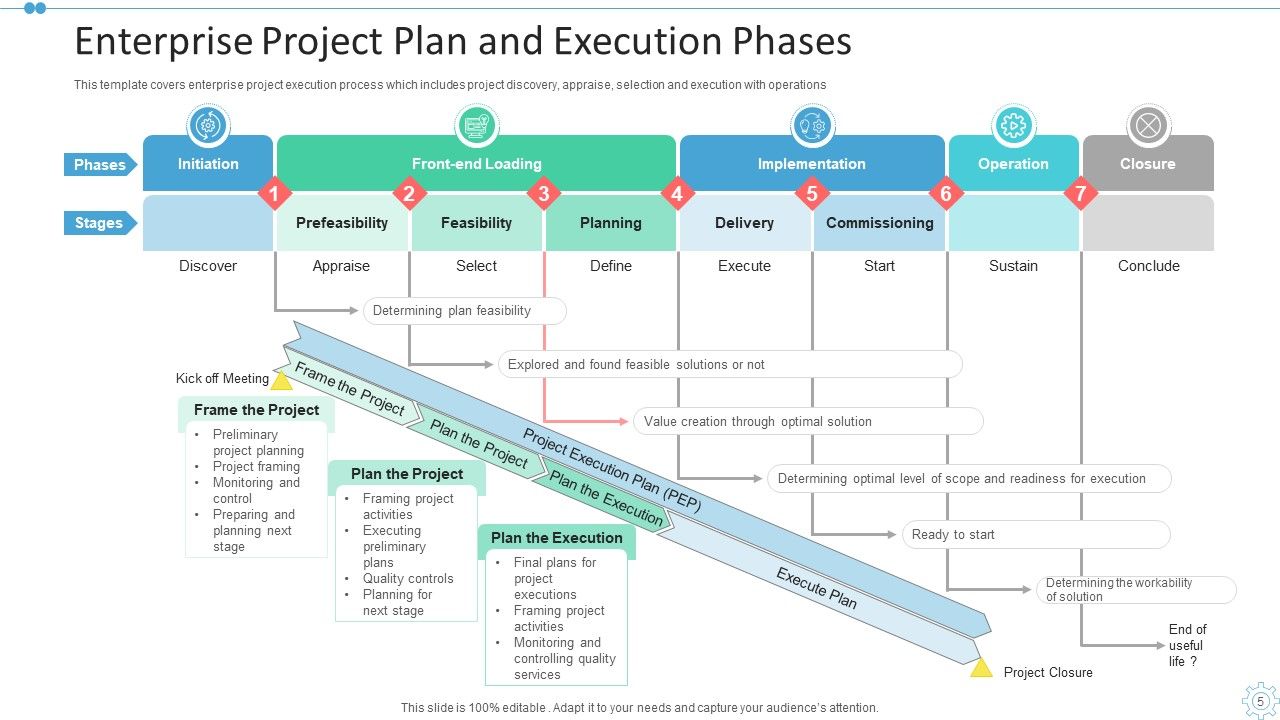
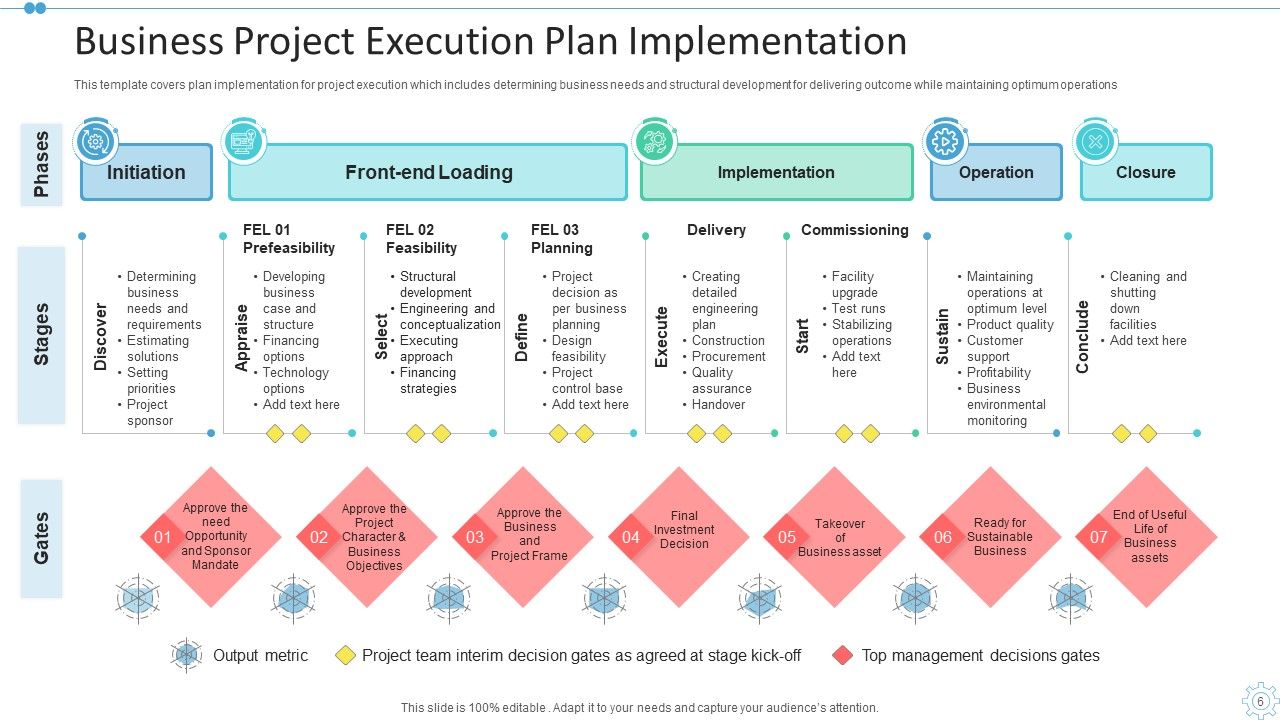
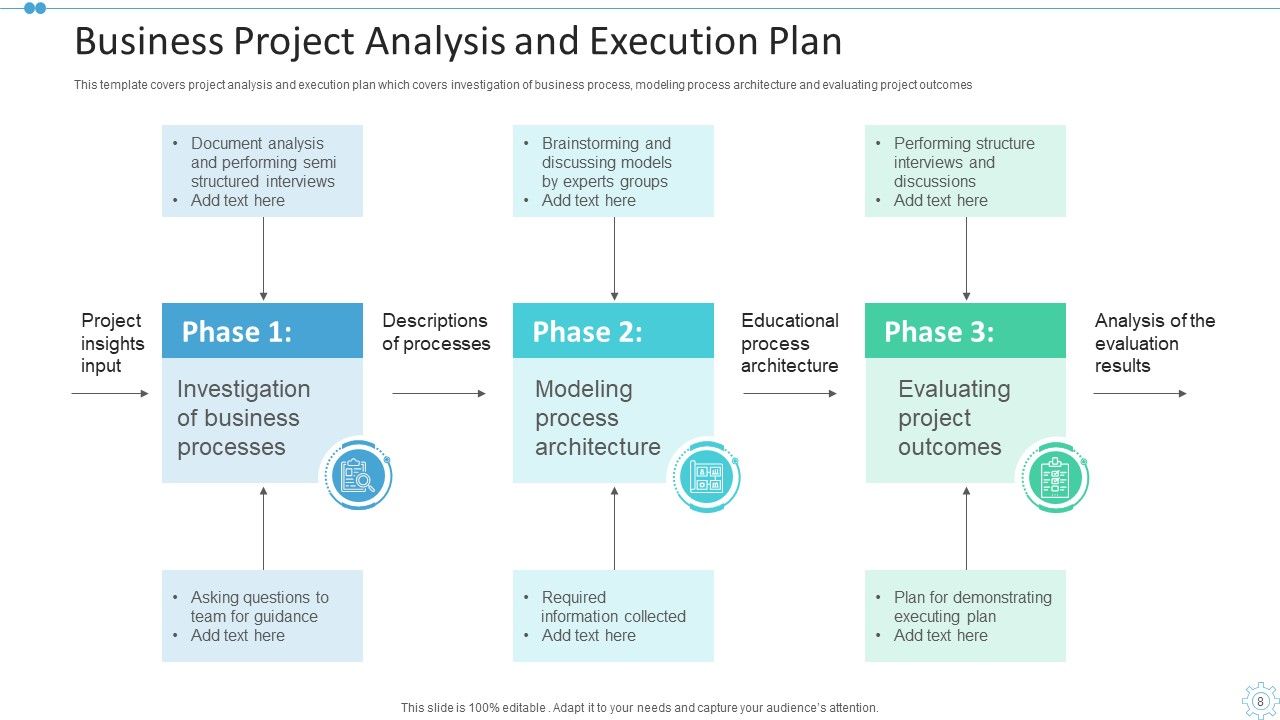
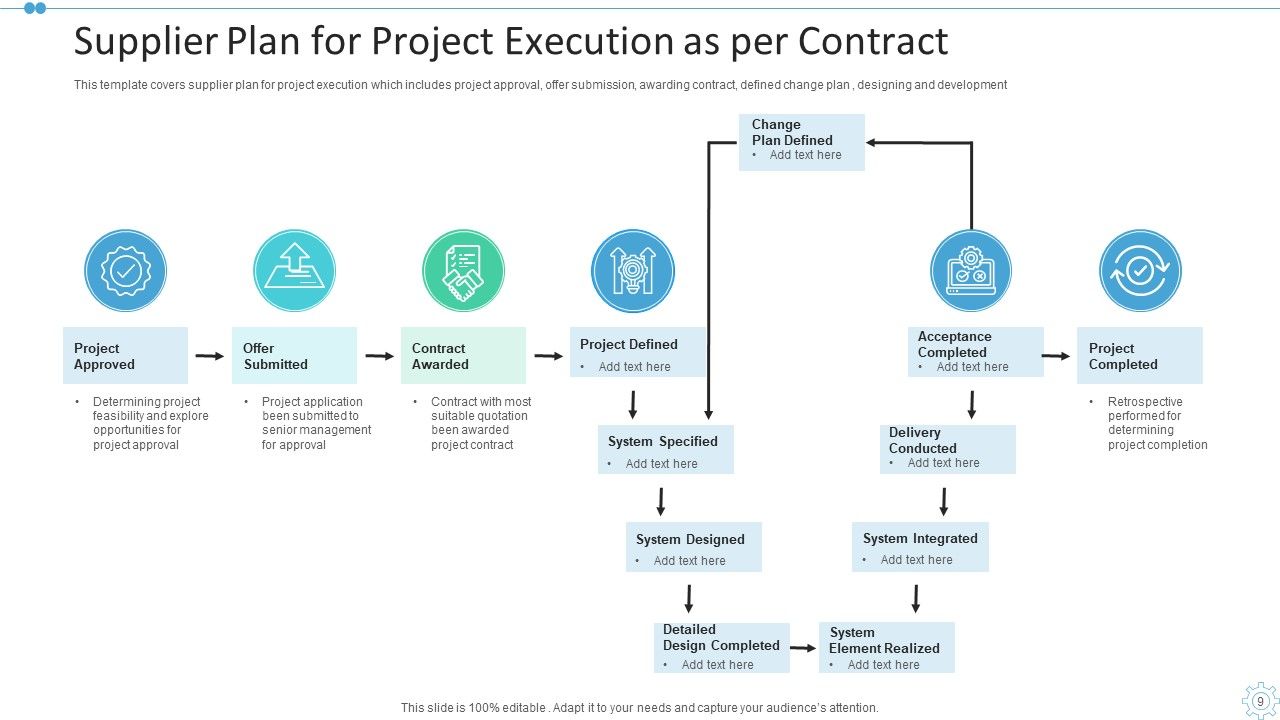
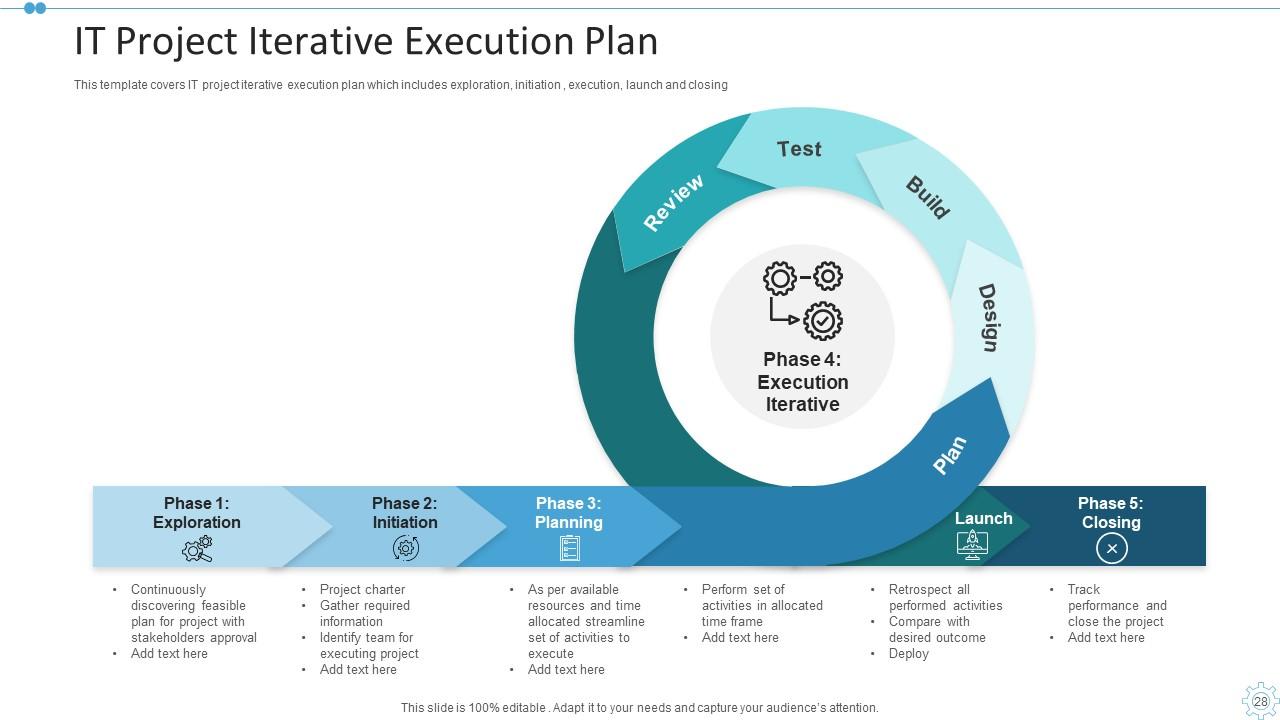
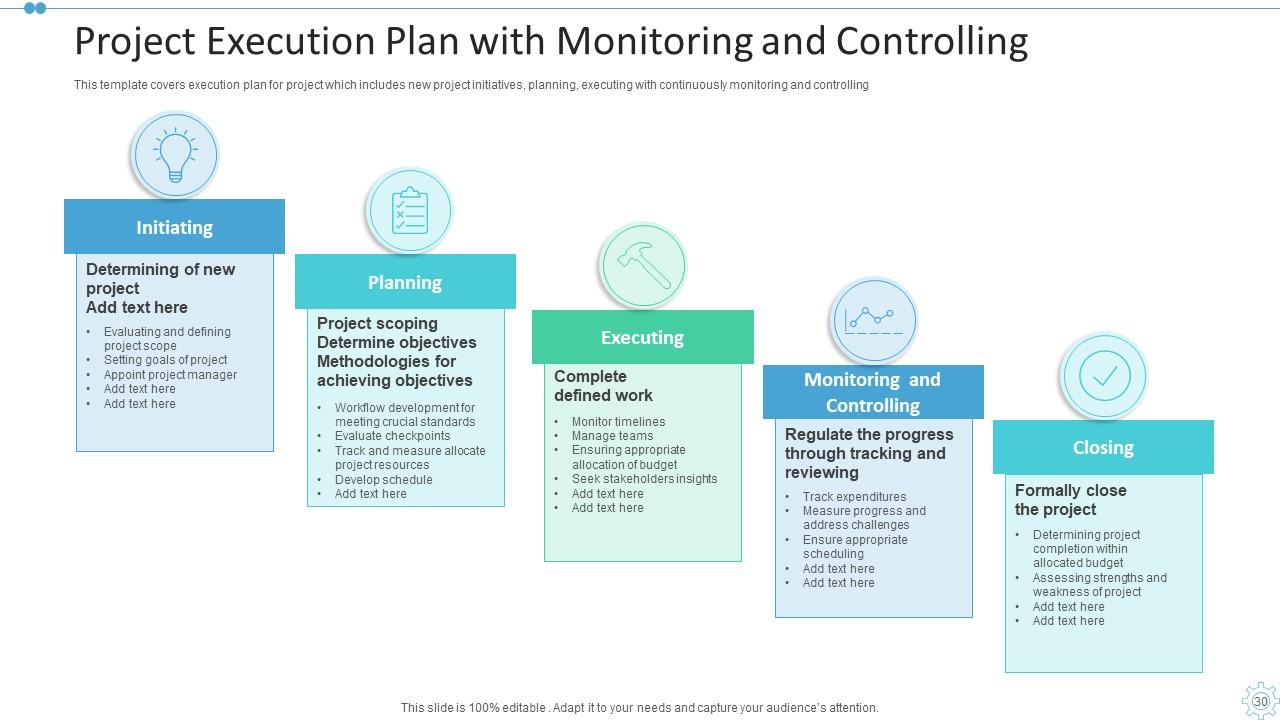
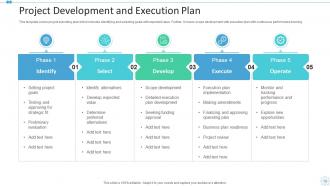
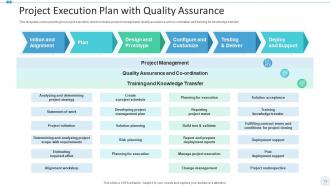
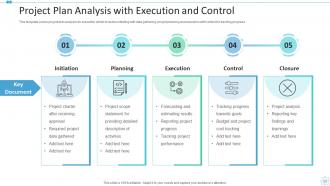
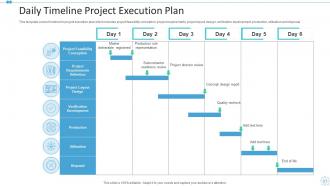
Introduce your topic and host expert discussion sessions with this Project Execution Plan Powerpoint PPT Template Bundles. This template is designed using high-quality visuals, images, graphics, etc, that can be used to showcase your expertise. Different topics can be tackled using the fifteen slides included in this template. You can present each topic on a different slide to help your audience interpret the information more effectively. Apart from this, this PPT slideshow is available in two screen sizes, standard and widescreen making its delivery more impactful. This will not only help in presenting a birds-eye view of the topic but also keep your audience engaged. Since this PPT slideshow utilizes well-researched content, it induces strategic thinking and helps you convey your message in the best possible manner. The biggest feature of this design is that it comes with a host of editable features like color, font, background, etc. So, grab it now to deliver a unique presentation every time.
FAQs for Project Execution Plan Powerpoint

Your PEP needs project scope, timeline with milestones, and resource allocation first. Then add risk management and clear roles for everyone. Communication protocols matter too - honestly, half the drama I've seen comes from people not knowing who to talk to about what. Budget breakdown is huge - projects die without this. Don't skip change management processes either. Oh, and monitoring procedures so you can track progress. Everything should connect logically so your team isn't confused. Grab a template if you're starting fresh, it'll save you tons of time.

So basically, your Project Management Plan is like the big picture blueprint - covers everything from kickoff to wrap-up, all the processes and timelines. Pretty massive document tbh. The Project Execution Plan? That's way more focused on actually doing the work. Your team uses it daily for resource stuff, task breakdowns, delivery details. Most people build the PEP after they get approval but before they start executing (makes sense timing-wise). I'd say start with your PMP as the foundation, then drill down into the nitty-gritty execution details your team needs.

So in a Project Execution Plan, you've got your project manager running the whole show. Team leads handle their own areas. Stakeholders give approvals and feedback - sometimes way too much feedback, honestly. Subject matter experts are there for the technical stuff. Don't forget about QA and risk management people too. The titles change depending on where you work, but those core functions are always there. Just make sure everyone knows who's doing what and who makes the final call. Trust me, unclear ownership when problems come up is the worst - kills everything.

Honestly, don't treat risk management like some separate thing you deal with later. Build it right into your PEP from the start - identify what could go wrong during planning, then give team members specific ways to handle those risks with actual deadlines. Weekly check-ins work well for most projects. The timeline thing is huge too - you've got to pad your schedule for the stuff that'll probably happen. I learned this the hard way on a project last year where we didn't plan for vendor delays. Make it part of your regular routine, not something you remember when things start going sideways.

Track 3-5 metrics that actually matter to your stakeholders - budget variance, schedule stuff, deliverable completion. Weekly check-ins work better than monthly deep dives, trust me on that. Dashboard reporting helps, but honestly? Just grabbing coffee with your team members reveals way more problems than spreadsheets ever will. Milestone reviews are obvious but necessary. Oh, and if it's a big complex project, earned value management isn't terrible once you get the hang of it. Don't drown yourself tracking everything - pick what counts and stick with it.

Dude, you can't skip the stakeholder stuff when putting together your project plan. Figure out who matters first. Then actually talk to them about scope, requirements, what success looks like - all that. I've watched so many projects crash because someone just guessed instead of asking. Their input affects everything from budget to what could go wrong. Don't just go through the motions either. Really listen to what they're saying and use their knowledge. Set up those workshops early. Trust me, it's way better than scrambling later when things fall apart.

First thing - map out your critical path and figure out exactly when you'll need specific people or equipment. Everyone always assumes their team will be available when needed (they won't be, trust me). Put your best people on the riskiest stuff and build in extra time for when resources clash. Track both people AND equipment in your plan - I learned this the hard way once. Always have backup options ready. Being realistic about what your team can actually handle is huge. Oh, and tell stakeholders about resource needs super early so they can't pull the whole "why didn't you tell us sooner" thing later.

Think of it as your team's go-to reference - no more "wait, whose job was that again?" moments. Everyone knows their role and when stuff's due. Regular check-ins keep people updated without those painful meetings where you realize half the team's been working on completely different things (been there). Communication gets so much smoother when there's actually a system in place. Oh, and make sure people can find the damn thing - sounds obvious but I've seen teams bury their plans in some random folder nobody checks. Put it front and center in your workspace.

Microsoft Project and Smartsheet are pretty solid if you need detailed scheduling stuff. For team collaboration, I'd go with Asana or Monday.com - way easier to get everyone on board. Primavera P6 is crazy powerful but honestly probably overkill unless you're managing massive projects. Don't sleep on Excel either - a good template can work surprisingly well when you're starting out. The real trick is finding something your team will actually stick with. I'd definitely test out some free trials first to see what feels right for your group size and how you guys work.

Build compliance checks right into your execution plan from the start. Don't assume everyone knows your org's standards - spell out the methodologies, approval processes, all that stuff directly in the document. I've watched so many projects crash and burn because people skipped this part! Map out which governance frameworks you need and where all your checkpoints go. Short answer: run compliance audits throughout execution, not just at the end. Oh, and treat it like a real deliverable instead of something you'll figure out later. Trust me on this one.

So QA in your project plan is basically making sure your deliverables don't suck when you hand them over. Set up your review cycles and testing stuff early - figure out who signs off on what at each stage. Honestly, it feels like busywork until it saves you from an angry client later. Map out quality checkpoints and acceptance criteria in your timeline from the start. Don't just tack it on at the end, that's how things go sideways. Oh, and plan for how you'll handle fixes when stuff inevitably breaks. Trust me on this one.

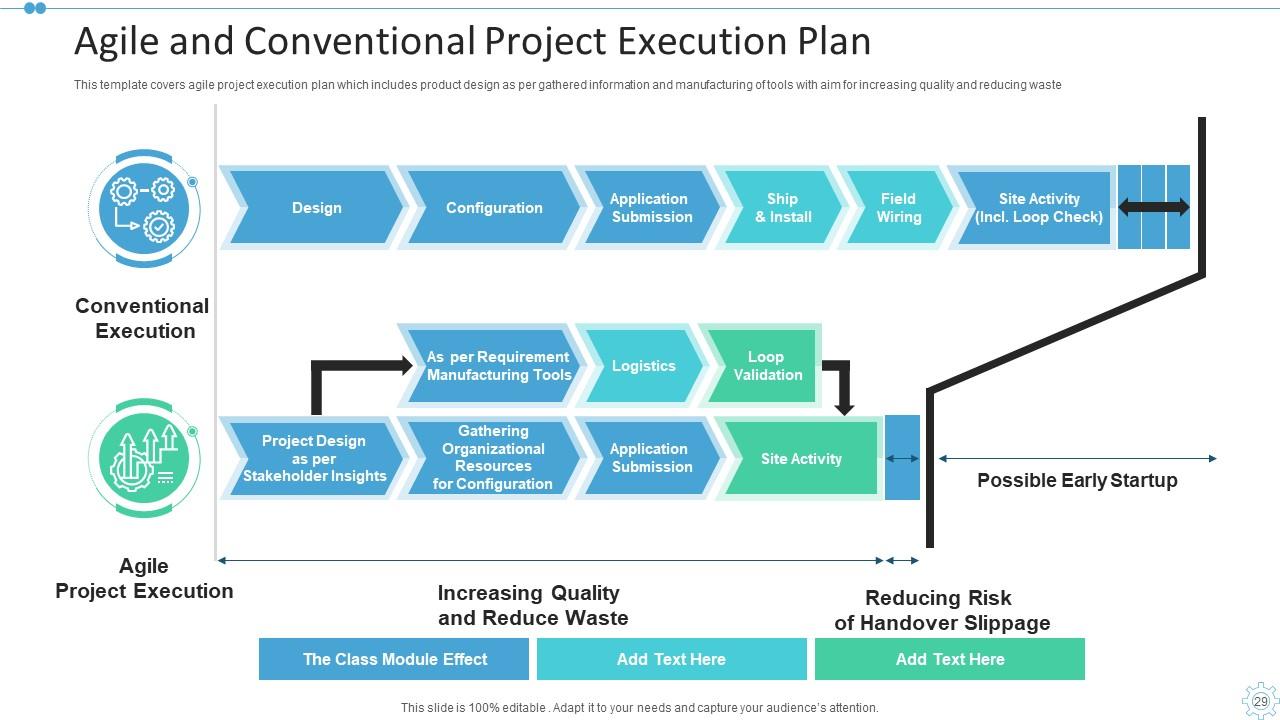
So the big thing is flexibility, right? Waterfall means you map out everything upfront - timelines, resources, all that detailed stuff. Agile's totally different though. You keep things lightweight and just adapt as you go with sprints and quick pivots. Honestly? I've watched teams mess this up by trying to shove waterfall docs into agile processes. Don't do that - it's such a headache. Just focus on your team setup and how you'll handle changes when they come up. The planning style should match whatever methodology you're using. Short version: detailed for waterfall, flexible for agile.

Track the obvious stuff first - schedule, budget, scope creep, quality metrics. Those'll tell you if you're on track. But honestly? Stakeholder happiness and how fast your team's moving matter just as much, sometimes more. I've seen projects with perfect numbers still crash and burn because people were miserable. Also watch resource utilization and how well you're handling risks. Set up some kind of weekly dashboard (doesn't have to be fancy) so you catch issues early instead of scrambling at the end when it's too late.

Definitely dig into your old project data - it's basically free intel. Check where timelines got screwed up before, which team setups actually worked, and what stopped those "wait, who's doing this?" disasters. Too many people just ignore all that good info and make the same dumb mistakes again. Grab your post-mortems and chat with leads from similar stuff. Look for patterns in what went right and what didn't. Then build those lessons straight into your risk planning, how you assign people, and milestone timing. Oh and start keeping a lessons learned doc if you're not already - trust me on this one.

Ugh, the biggest mistake is being way too vague about what you're actually doing and when. Get your key people involved early or you'll hate yourself later. Don't write a freaking novel - I've seen 50-page plans that nobody touches. Be honest about what resources you actually have (not what you wish you had) and build in extra time because something will go wrong. Always do a risk assessment! I know it's boring but skipping it is asking for trouble. Oh and start simple - grab a basic template and bounce it off your team first.

Ratings and Reviews

80% of 100
Review Form
Write a review
Most Relevant Reviews
  1. 80%

    by Liam Perez

    Topic best represented with attractive design.

1 Item

per page: