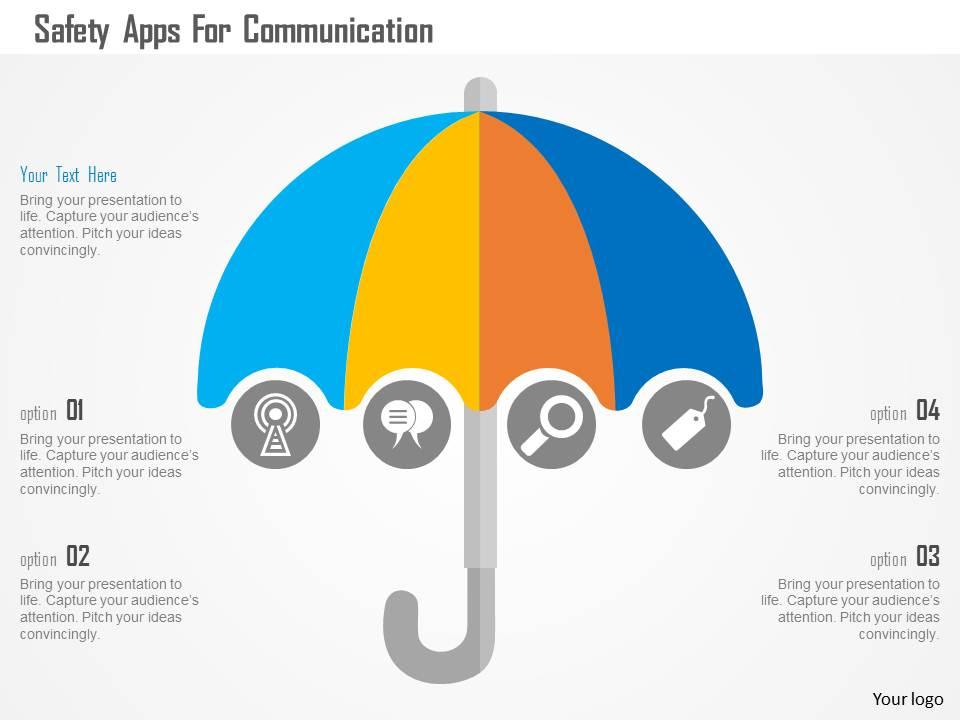
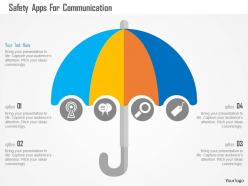
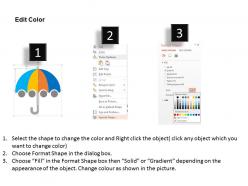
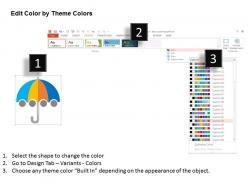
Safety apps for communication flat powerpoint design
Try Before you Buy Download Free Sample Product
Audience
Editable
of Time
Our Safety Apps For Communication Flat Powerpoint Design team will alert you about changing demands. Their eyes and ears are always open.
People who downloaded this PowerPoint presentation also viewed the following :
Safety apps for communication flat powerpoint design with all 5 slides:
Express your differences amicably with our Safety Apps For Communication Flat Powerpoint Design. Demonstrate that you have a backbone.
FAQs for Safety apps for communication
GPS tracking and one-touch SOS are absolute must-haves. Real-time location sharing lets your trusted people track you during sketchy situations. Audio/video recording is surprisingly useful – didn't think I'd ever need it until that one time. Check-in timers automatically alert contacts if you don't confirm you're okay within your set timeframe, which is honestly genius. Silent alarms that ping both emergency services and your network simultaneously are clutch. Oh, and make sure it works offline because cell service always craps out when you actually need it most.
So these apps can share your GPS location directly with 911 operators - pretty neat setup. They send your exact coordinates and info straight to emergency dispatch without you having to explain where you are. Some have actual partnerships with police departments too, which makes response way faster. Honestly, it beats trying to describe your location when you're panicked. The panic button connects you to real responders, not just friends or family. When you're shopping around, look for ones that mention 911 integration specifically. Makes a huge difference.
Honestly, user reviews are like your best friend when picking safety apps. Skip the generic "amazing!" comments and look for people who actually used the app during real emergencies. Did the panic button work? Location sharing glitch out? The 1-star reviews are pure gold - they'll tell you if the app crashes or kills your battery (major red flag). I always check both recent positive and negative reviews to see if there's a pattern. Like, if three people mention the same bug, probably worth avoiding. Takes maybe 5 minutes but could save you when it really matters.
Honestly, you should turn on location tracking for emergency stuff - it could save your life. When you call 911, they get your exact GPS coordinates even if you can't tell them where you are. Think car accident where you're knocked out or getting lost hiking. There are safety apps that'll share your location with family too, which is clutch when you're walking somewhere sketchy at night. Some even detect if you've been in a crash and call for help automatically. I know privacy concerns are real, but at least enable it for emergency apps. You'll thank yourself later if something goes wrong.
So most decent safety apps use end-to-end encryption and keep your stuff stored locally on your phone instead of some random server. Your location and emergency contacts stay encrypted that way. You can usually control what gets shared and with who - though honestly those privacy policies are such a pain to read through. The good apps use anonymous IDs when they can and automatically wipe your location history after a while. Just make sure to check their data policy before downloading anything. You don't want them selling your info to advertisers or whatever.
It's basically about what you're up against and how fast help can get to you. Urban apps deal with crime stuff, sketchy Ubers, that kind of thing - police are close by so response time isn't the issue. Rural ones? They're all about not dying alone in the wilderness when your phone has zero bars. GPS tracking and offline features are everything out there. City apps just assume you've got good signal and help's coming quick. Country versions have to work when you're literally in the middle of nowhere. I'd go rural if you hike a lot - they've gotten surprisingly good lately.
So basically when you report weird stuff happening, everyone nearby gets a heads up about it. Think of it like a neighborhood watch but way more efficient since it's always on. The app spots patterns too - like if there's always sketchy activity near that one intersection you walk past. Honestly, the check-in feature with your contacts is clutch for peace of mind. And if something goes wrong, you can blast an alert to other users around you. I'd definitely turn on location alerts first and add people who use your usual routes.
Honestly, AI's gonna be the game changer here - apps will start predicting sketchy situations before they even happen. Your smartwatch will know if you've taken a fall or something's wrong with your heart rate. 5G makes location sharing crazy accurate now too. The AR stuff for emergency navigation looks insane, though I haven't tried it yet. Plus these apps are starting to talk to everything - your car, smart lights, whatever. Oh and IoT integration means your whole house could basically become part of your safety net. Definitely look for apps focusing on predictive analytics though. That's where the cool tech is actually happening right now.
Oh man, culture totally changes how these apps work! Like in Asia, they're all about alerting your whole family when something happens, but Western ones just focus on you. Some include prayer notifications during emergencies which I never thought about before. Different regions use totally different colors, languages, emergency numbers - the works. Communication styles matter too. My cousin tried launching one in Japan without researching first and it flopped hard. If you're making one, definitely study how that culture actually communicates and what their social setup looks like.
So from what I've seen, women 18-35 are definitely the main users of safety apps - like the location sharing and emergency alert ones. College kids and young professionals in cities use them tons too. Then you've got parents in their 30s and 40s downloading the family tracking stuff. Makes sense right? These are the people who actually worry about safety on a daily basis. Oh and if you're working on anything in this space, I'd definitely start with these groups since they're basically driving all the growth. The data on this is pretty clear.
Honestly, people use safety apps mostly when they're walking alone at night or going somewhere totally new. The location sharing thing is clutch - your family can see where you are, which is nice. Dating apps too... meeting strangers and all that. I use mine during sketchy commutes sometimes. Oh, and obviously emergencies when you need help fast. The peace of mind is really the biggest thing though. Just make sure you actually set up your emergency contacts first and test that panic button before you're in some random situation needing it to work.
Oh dude, these safety apps are actually pretty cool now! They connect to your smartwatch and can detect weird stuff automatically - like if your heart rate goes crazy or you take a hard fall. The sensors are honestly way better than I expected. Your watch will ping your emergency contacts with your exact location without you touching anything. Most let you tap the side button a bunch of times for a sneaky SOS too. Just make sure whatever app you pick works with your current watch setup instead of forcing you to switch everything around.
Honestly, partner with schools and workplaces first - they're already doing safety stuff anyway. Demo the apps during their trainings. Social media helps too, but real testimonials work way better than fancy ads. Like when someone's actual neighbor says "this thing saved me," people listen. Don't expect folks to hunt down safety apps on their own though. Meet them where they are. Make your app store descriptions super obvious about what it does. Oh, and throw in download incentives during safety weeks - people love free stuff even if it's just a keychain or whatever.
So these apps basically customize features based on who's most at risk. Women get fake call options to bail from sketchy situations, period trackers with safety alerts, and automatic location sharing for rides. Elderly users? Totally different approach - fall detection, med reminders, giant buttons they can actually see. One-touch emergency contacts too since my mom still accidentally opens like 5 apps trying to make a call. Short sentences work better for older folks who might be panicking. Each group faces different dangers, so the apps adapt their tools accordingly. Pretty smart actually.
Honestly, don't put all your faith in safety apps - they're glitchy when you actually need them. GPS cuts out, servers crash, your phone dies at the worst possible moment. The whole Gabby Petito thing really drove that home for me. Always tell someone your exact plans beforehand. Keep physical maps as backup (I know, so old school but whatever). Test these apps in different spots before you actually rely on them. Have a second way to contact people if things go sideways. Downloading an app isn't some magic safety blanket - you need real backup plans.
-
Wonderful templates design to use in business meetings.
-
Editable templates with innovative design and color combination.