Winner business powerpoint templates and powerpoint backgrounds 0211

Rating:
80%
Winner business powerpoint templates and powerpoint backgrounds 0211
Slide 1 of 3
Favourites Favourites

Try Before you Buy Download Free Sample Product

Audience Impress Your
Audience
Editable 100%
Editable
Time Save Hours
of Time
The Biggest Sale is ending soon in
0
0
:
0
0
:
0
0
Rating:
80%
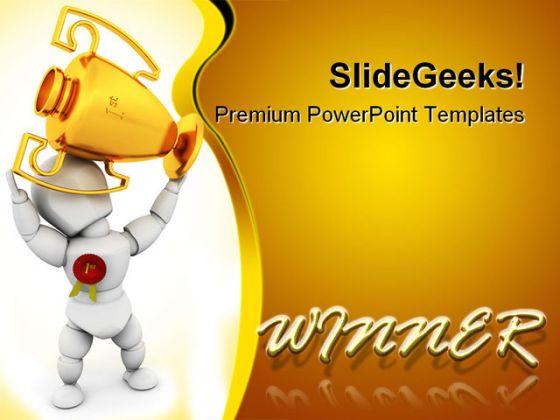
Microsoft PowerPoint Template and Background with 3D render of a person holding a first prize trophy

People who downloaded this PowerPoint presentation also viewed the following :

FAQs for Winner business powerpoint templates and

Winner business PowerPoint templates should include clean layouts with consistent branding, compelling visuals like charts and infographics, clear hierarchical typography, and strategic color schemes that reinforce brand identity. These elements work together by enhancing message clarity, maintaining audience engagement, and projecting professional credibility, with many successful organizations finding that well-designed templates ultimately streamline presentation development while delivering stronger business communications.

Color psychology in PowerPoint templates enhances audience engagement by leveraging emotional responses, improving information hierarchy, increasing visual appeal, and creating memorable brand associations. Strategic color choices like blue for trust in financial presentations or green for growth in sustainability topics help audiences process information more effectively, retain key messages longer, and maintain focus throughout presentations, ultimately delivering stronger communication outcomes and competitive advantage in business settings.

Professionally designed PowerPoint templates deliver superior visual consistency, time efficiency, design expertise, and brand credibility compared to creating presentations from scratch. These templates streamline presentation development by providing polished layouts, cohesive color schemes, and strategic visual hierarchies, with many organizations finding that professional templates enhance audience engagement while reducing preparation time significantly.

Businesses can customize PowerPoint templates by incorporating brand colors, logos, fonts, imagery, and messaging throughout slide layouts, master templates, and design elements. Through strategic template modification, organizations streamline presentation consistency, enhance professional credibility, and strengthen brand recognition across client meetings, internal communications, and stakeholder presentations, ultimately delivering cohesive brand experiences.

A business PowerPoint template should include versatile chart layouts, customizable infographic elements, data table formats, timeline designs, and comparison frameworks to handle diverse information types. These features enable seamless integration of financial metrics, project milestones, and strategic insights, with many organizations finding that flexible templates streamline presentation creation while maintaining professional consistency across departments.

Animations and transitions can enhance professionalism when used strategically and sparingly, helping guide audience attention, emphasize key points, and create smooth visual flow between concepts. However, excessive or flashy effects often detract from content credibility, with many successful organizations finding that subtle, purposeful animations—like gentle slide transitions or progressive data reveals—ultimately deliver greater audience engagement and message retention.

Typography in PowerPoint templates significantly influences brand perception by conveying professionalism, credibility, and brand personality through font choices, sizing, and hierarchy. Strategic typography enhances readability, reinforces brand identity, and creates emotional connections with audiences, with many organizations finding that consistent, well-chosen fonts across presentations strengthen brand recognition and ultimately deliver more impactful business communications.

Storytelling transforms business PowerPoint presentations by creating narrative flow, emotional connection, and memorable messaging that guides audiences through complex information logically. Through strategic template selection, presenters structure compelling narratives with clear problem-solution frameworks, data-driven insights, and actionable outcomes, ultimately delivering more persuasive presentations that drive decision-making and stakeholder engagement.

A business PowerPoint template facilitates collaboration by providing standardized formatting, consistent brand guidelines, shared design elements, and unified content structures that all team members can follow seamlessly. These templates streamline workflow coordination, reduce revision cycles, and enable multiple contributors to work simultaneously while maintaining professional consistency, ultimately delivering faster project completion and enhanced team productivity across departments.

Common pitfalls include choosing overly complex designs that distract from content, selecting templates with poor readability, using incompatible color schemes with brand guidelines, and picking layouts unsuitable for your audience or presentation type. These design missteps can undermine professional credibility and message clarity, with many organizations finding that strategic template selection enhances audience engagement while streamlining presentation development across teams.

Templates support effective data representation through pre-designed chart layouts, consistent color schemes, automated data integration features, and scalable formatting options that maintain visual clarity across different data sets. These built-in design elements streamline the creation process while ensuring professional presentation standards, with many organizations finding that standardized templates enhance data storytelling, reduce preparation time, and deliver more impactful business communications.

Businesses should consider design quality, customization options, licensing rights, brand consistency requirements, and professional presentation standards when choosing templates. While free templates offer cost savings, premium options typically deliver superior aesthetics, extensive customization capabilities, and commercial usage rights, with many organizations finding that investing in quality templates enhances credibility and competitive positioning.

Presentation design trends evolve through technological advances, changing workplace dynamics, and shifting audience expectations, with modern templates increasingly emphasizing minimalist aesthetics, interactive elements, data visualization capabilities, and mobile-responsive layouts. Businesses should prioritize templates featuring clean typography, dynamic infographics, and modular slide structures, with many organizations finding that strategic template selection significantly enhances audience engagement, streamlines content creation, and ultimately delivers more compelling presentations.

Consistent branding in PowerPoint templates significantly enhances brand recall by reinforcing visual identity through repeated exposure to logos, colors, typography, and design elements across presentations. This strategic approach creates stronger memory associations, with many organizations finding that audiences retain brand information 65% better when presentations maintain visual consistency, ultimately delivering improved brand recognition and competitive advantage in professional communications.

Templates can be optimized by using larger fonts, high-contrast colors, simplified layouts, and interactive elements that work across both formats. Strategic design choices like bold visuals, minimal text per slide, and consistent branding ensure clarity whether presenting to boardrooms or virtual audiences, while features like clickable navigation and embedded videos enhance engagement, ultimately delivering professional impact and seamless audience experiences regardless of presentation medium.

Ratings and Reviews

80% of 100
Write a review
Most Relevant Reviews
  1. 80%

    by Chas Kelly

    Very unique and reliable designs.
  2. 80%

    by Donovan Cunningham

    Topic best represented with attractive design.

2 Item(s)

per page: