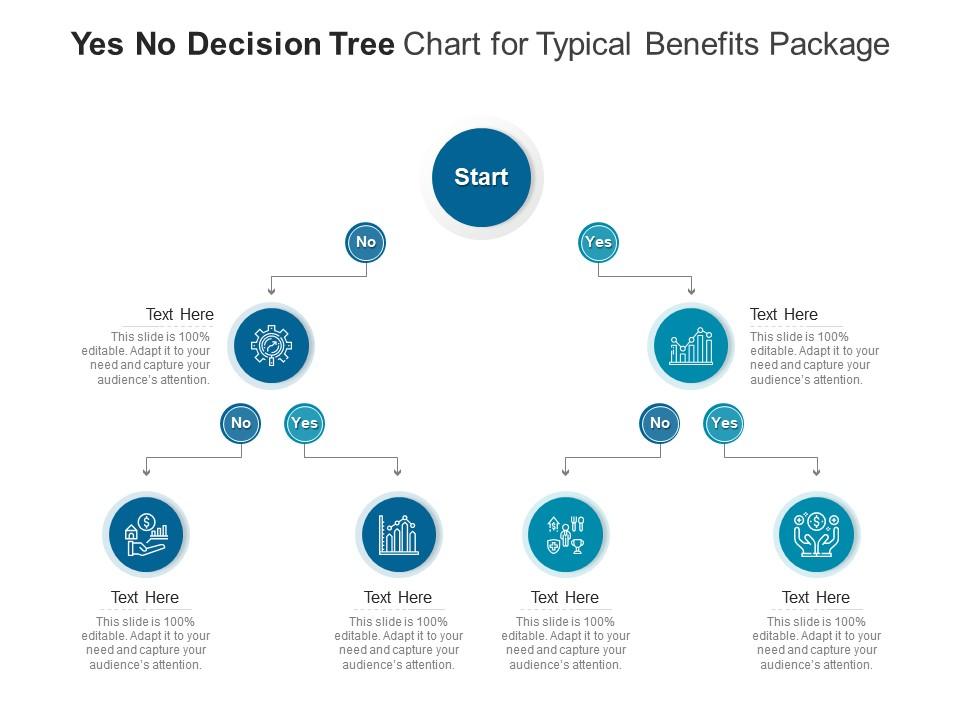
Yes no decision tree chart for typical benefits package infographic template

Rating:
90%
Yes no decision tree chart for typical benefits package infographic template
Slide 1 of 2

or

Favourites Favourites

Try Before you Buy Download Free Sample Product

Audience Impress Your
Audience
Editable 100%
Editable
Time Save Hours
of Time
The Biggest Sale is ending soon in
0
0
:
0
0
:
0
0
Rating:
90%
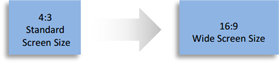
Deploy our Yes No Decision Tree Chart For Typical Benefits Package Infographic Template to present high quality presentations. It is designed in PowerPoint and is available for immediate download in standard and widescreen sizes. Not only this, but this layout is also 100 percent editable, giving you full control over its applications.

FAQs for Yes no decision tree chart for typical benefits

Okay so you'll need decision points for employee types - full-time vs part-time, salary levels, location stuff. Map out your benefit options at each branch: health insurance tiers, how much you match for retirement, PTO amounts. Honestly the cost calculations get super messy if you don't think them through early. Don't forget waiting periods and enrollment deadlines - plus those life events that let people change things mid-year. You're basically building every "if this happens, then this" scenario your HR folks deal with. I'd start with your current benefits list and work backwards. That way you'll catch all the decision points about who qualifies for what.

So basically, a decision tree saves your HR team from answering the same benefits questions over and over. Employees can follow the prompts to figure out which plan works for them - HMO vs PPO, what deductibles mean, all that stuff. It's honestly genius because people can use it whenever, even at 2am when they're suddenly panicking about healthcare choices (we've all been there). Your team gets to work on bigger picture stuff instead of explaining copays for the millionth time. Definitely set one up before open enrollment hits - your sanity will thank you.

Start by actually asking your employees what they want - seriously, so many companies just guess and waste money. Demographics matter too since a younger workforce values different stuff than older employees. Obviously you've got budget limits, but check what competitors offer so you're not losing people over basic benefits. Look at how much your current benefits get used - if nobody's touching that fancy wellness program, ditch it. The tax stuff and admin complexity can be a headache, but it's worth factoring in. Honestly, focus on benefits that either save you money long-term or keep your best people from jumping ship.

Make it visual - flowcharts beat boring policy docs every time. Host live Q&A sessions so people can actually ask questions, plus record some quick video walkthroughs they can watch later. Most folks won't touch a 20-page PDF anyway, let's be honest. Put an interactive version on your intranet where employees click through based on their actual situation. Follow up with emails hitting the key deadlines and decision points. I swear, if you make it simple enough, they'll stop calling HR for every little thing. The whole point is getting them to use the tool instead of bugging you constantly.

Honestly, you've gotta start with what your employees actually want before building any benefits plan. Surveys work great, but sometimes just chatting with people tells you more. I've seen companies totally miss the mark thinking everyone wants fancy perks when really they just wanted better health coverage. The feedback shows you which benefits to prioritize and how to weight everything in your decision process. Pet insurance is weirdly popular now too - who would've guessed that five years ago? Don't assume you know what matters to your team. Ask first, then build your framework around their answers.

Honestly, tech makes those decision trees so much better than boring static charts. You can build tools that automatically crunch the numbers and compare options side-by-side. Some even pull from your HR system to give personalized recommendations - pretty cool stuff. The chatbot-style ones I've seen are actually kind of addictive to use? Plus you get data on where people click most and where they're getting stuck, so you can fix problems fast. I'd start with just a simple online form though, then see what your team actually wants before going crazy with features.

Honestly, the biggest mistake is overcomplicating it from day one. Keep it to maybe 3-4 key decision points - any more and people's eyes will glaze over. Skip the corporate buzzwords too. I've seen decision trees that sound like legal documents, which defeats the whole point. Test it out with a few employees first because what clicks for you might totally confuse them. Oh, and don't try to cover every weird edge case right away - you'll drive yourself nuts. Start basic, see what actually comes up in real life, then add to it.

So basically you want to create different paths for different types of people. Start by figuring out your main employee groups - maybe 3 or 4 personas max. Young employees probably care more about professional development and flexible time off. Parents are gonna prioritize childcare stuff and solid health insurance. Then customize your actual questions too - like ask millennials about student loan help, ask Gen X about taking care of their aging parents. It's honestly kind of like those old choose-your-own-adventure books but way more practical. Each path should hit what actually matters to that person's situation, not just generic benefits everyone ignores.

Track completion rates and see where people bail out - that's your biggest clue if the flow sucks. Employee satisfaction scores matter too, obviously. Time spent navigating tells you if it's intuitive or confusing as hell. The metric I'd watch most? How many HR calls you get afterward. If that number drops, you're winning. Benefits utilization is the real test though - more people actually using their stuff means it's working. Oh, and check these monthly so you can catch problems fast. Nothing worse than realizing your fancy decision tree has been broken for six months.

Honestly? Twice a year minimum. I know that sounds like a lot, but the benefits world moves crazy fast these days. New regulations drop, employee expectations shift, market stuff changes - waiting a full year just puts you behind. Also check it whenever big company stuff happens. Mergers, major hiring sprees, budget changes, all that. I learned this the hard way at my last job actually. Set those calendar reminders now or you'll totally forget. Trust me, it's way better to treat this as something you update regularly instead of creating it once and hoping for the best.

So basically, you map out different employee types - caregivers, LGBTQ+ folks, people with disabilities - then trace through your benefits to see where things fall apart. It's pretty wild how much we assume everyone has the same needs. Short sentences work here. Walk through your current setup with these different scenarios and you'll spot the gaps fast. Maybe you're missing childcare help, or gender-affirming care coverage, or actually flexible PTO (not the fake kind). I did this at my last job and honestly? We were failing way more people than we thought.

Honestly, try making a decision tree for this stuff. Map out your main question first - like "do we need mental health benefits?" Then branch out with all the factors: budget, what employees actually want, what competitors are doing, etc. Way better than just winging it or chasing whatever's popular right now. The tree forces you to think through costs, tax implications, how hard it'll be to implement - all that boring but crucial stuff. Plus leadership loves seeing the logic laid out clearly. Shows employees you're not just throwing darts at a board when making these calls.

Definitely run this by legal first - ERISA compliance is no joke when it comes to fair administration. Don't create pathways that accidentally favor certain employee groups or the EEOC will be all over you. Your decision tree needs to factor in COBRA rights, FMLA stuff, plus whatever state laws apply to your people. Honestly, the documentation part is huge - you've got to show your decision points come from legit business reasons, not protected characteristics. Get HR and legal in the same room to review it together. Trust me on this one.

You'll get way better results when all your departments actually talk to each other about this stuff. HR knows what people say they want, but Finance can tell you what's realistic budget-wise. IT will save you from picking some terrible system everyone hates using. Operations sees which benefits actually help with turnover - they're dealing with people quitting daily, so they know what matters. Honestly, the best decision trees happen when you get everyone's input instead of just guessing. Set up a meeting with all the department heads first. Map out who's responsible for what parts. It's messier upfront but you'll avoid so many headaches later.

So here's the thing - pull your enrollment data and see what people actually picked vs what you thought they would. Trust me, leadership's assumptions are usually way off. You'll spot which demographics gravitate toward certain benefits, where folks get confused and bail out, plus which options everyone ignores. Short sentences work. The tracking part is gold because you get satisfaction scores and usage rates for each decision path. Then just cut the branches nobody uses and build out the ones that matter. Oh, and definitely map it against your current tree first - saves you from redoing everything later.

Ratings and Reviews

90% of 100
Review Form
Write a review
Most Relevant Reviews
  1. 80%

    by James Lewis

    Awesomely designed templates, Easy to understand.
  2. 100%

    by Dustin Perkins

    Best way of representation of the topic.
  3. 80%

    by Thomas Hill

    Best Representation of topics, really appreciable.
  4. 80%

    by Edgar George

    Perfect template with attractive color combination.
  5. 80%

    by Darrell Crawford

    Unique design & color.
  6. 100%

    by Dillon Payne

    Designs have enough space to add content.
  7. 100%

    by Doug Carroll

    Attractive design and informative presentation.
  8. 100%

    by Thomas Carter

    Qualitative and comprehensive slides.

8 Item(s)

per page: