





 0 Comment
 Customer Reviews

The backup's running. Has been for months. Someone set it up, ticked the box, and moved on.
Then a server goes down. Or ransomware hits. Or a junior admin deletes the wrong directory at 11:47 PM on a Friday. And suddenly the question isn't "do we have backups?"—it's "can we actually recover from this, and how fast?"
That's the gap most IT teams don't want to admit. The backup exists. The disaster recovery plan—the real one, with roles assigned, recovery time objectives defined, tested procedures, cloud failover configured—that part's usually a half-finished document somewhere in a shared drive nobody's opened since last year.
It's not laziness. It's that building a disaster recovery plan from scratch is genuinely hard. There are too many variables. Data center dependencies. Linux system configurations. Cloud backup tiers. Ransomware scenarios. Incremental backup schedules. Who even owns this? IT? Operations? The CISO?
So teams delay. They patch the backup script, call it done, and quietly hope nothing breaks badly enough to expose the gap.
The problem isn't knowledge—most IT leads know what a good disaster recovery plan looks like. The problem is the blank slide. The empty deck. The moment someone says "we need to present this to leadership by Thursday" and nobody knows where to start.
That's why these templates exist. Not because disaster recovery is new, but because structuring it clearly—for leadership, for compliance audits, for actual operational use—is its own skill. One that takes time most IT teams don't have.
SlideTeam's data backup and disaster recovery plan templates handle the structure so you don't have to. Pre-designed frameworks covering everything from business continuity planning to cloud backup services to recovery point objectives—ready to fill in, customize, and present.
Here are the templates that cover the ground.
Template 1: Disaster Recovery Plan IT Disaster Recovery Plan and Business Continuity Plan
Most teams treat disaster recovery and business continuity as the same thing. This PPT preset exists to make the distinction clear and actionable. This PowerPoint slide maps the overlap and divergence between both plans across five stages. IT managers and continuity planners reach for it when presenting governance structures to leadership. It works well for IT disaster recovery planning sessions where roles and boundaries need to be formally defined. The template is 100% editable and customizable.
[product_image id=464614]
Template 2: Data Backup and Disaster Recovery Plan PPT Slides
Structured data backup and disaster recovery planning demands visuals that match the weight of the topic. This complete deck delivers a content-ready framework for presenting your backup and recovery strategy end-to-end. Each slide drives clarity on data protection layers, recovery priorities, and business continuity milestones. Customizable color schemes let you align every layout instantly with your organization's branding. Use this deck to present IT disaster recovery plans to leadership, auditors, or cross-functional teams. Transform your recovery presentations with professional precision today. Download this dynamic template now and elevate your disaster recovery strategy.
[product_image id=1486121]
Template 3: Disaster Recovery Best Practices for Data Backup Security PPT Outline
Weak presentation structure can undermine even the strongest disaster recovery best practices. This complete deck gives you a persuasive, organized framework for communicating data backup security protocols. Each section translates technical safeguards into clear, audience-ready narratives for stakeholders and auditors. The layout empowers you to cover ransomware data recovery procedures, backup validation, and data loss prevention in sequence. Consistent slide architecture ensures your audience absorbs—not skips—critical security details. Transform your data backup security presentations today. Download this deck now and deliver your best practices with authority.
[product_image id=1847773]
Template 4: Designing a Concise and Persuasive Pitch PPT Mockup
Pitching a disaster recovery investment to leadership is rarely straightforward. This PPT preset helps practitioners structure a concise, persuasive case for IT resilience spending. It is built for IT leads and CISOs who need to present cloud backup services or offsite backup solutions without losing a boardroom audience. The slide keeps the argument tight — problem, impact, proposed action — without burying decision-makers in technical detail. Use it when budget approval or executive sign-off is the immediate goal. The template is 100% editable and customizable.
[product_image id=1660602]
Template 5: Disaster Recovery Planning and Backup Strategies PPT Guidelines
Good disaster recovery planning without a structured backup approach is only half a plan. This PPT preset helps IT leads present both together — backup policies alongside recovery procedures — in one cohesive narrative. Operations managers and continuity planners reach for this deck when formalizing incremental backup strategies or automated backup solutions for review. For teams building comprehensive data backup and disaster recovery plan frameworks, this slide brings both disciplines into alignment. The template is 100% editable and customizable.
[product_image id=1563322]
Template 6: Data Center Disaster Recovery Planning PPT Summary
Data center resilience needs more than a checklist—it needs a presentation that earns leadership trust. This deck delivers a structured, visually compelling framework for data center disaster recovery planning. Each slide empowers you to articulate risk exposure, recovery procedures, and infrastructure dependencies with precision. Customizable layouts let you tailor every section to your specific data center environment and stakeholder audience. Use this deck to present recovery readiness for compliance reviews, executive briefings, or DR audit cycles. Transform your data center recovery presentations today. Download this template now and communicate resilience with confidence.
[product_image id=1480211]
Template 7: Disaster Recovery and Data Backup in Cloud Computing PPT Structure
Cloud-based disaster recovery has its own logic, and this PPT preset is built around it. This PowerPoint slide is designed for IT architects and cloud operations leads who need to explain backup and recovery workflows within a cloud environment. It fits scenarios where hybrid cloud backup architecture or cloud backup services need to be presented to a mixed technical and non-technical audience. For teams referencing data disaster recovery plan frameworks, this deck adds the cloud-specific layer. The template is 100% editable and customizable.
[product_image id=1827995]
Template 8: Cloud Computing for Data Backup and Disaster Recovery Solutions PPT Guidelines
Cloud computing has changed how organizations think about backup storage solutions and recovery. This deck is built for cloud architects and IT continuity leads who need to present cloud-native disaster recovery options clearly. Use it when walking leadership through Disaster Recovery as a Service models or comparing cloud-first versus hybrid approaches. It suits boardroom conversations about recovery time objectives and offsite backup solutions equally well. For teams exploring data center disaster recovery plan templates, this PPT adds the cloud computing perspective. The template is 100% editable and customizable.
[product_image id=1709450]
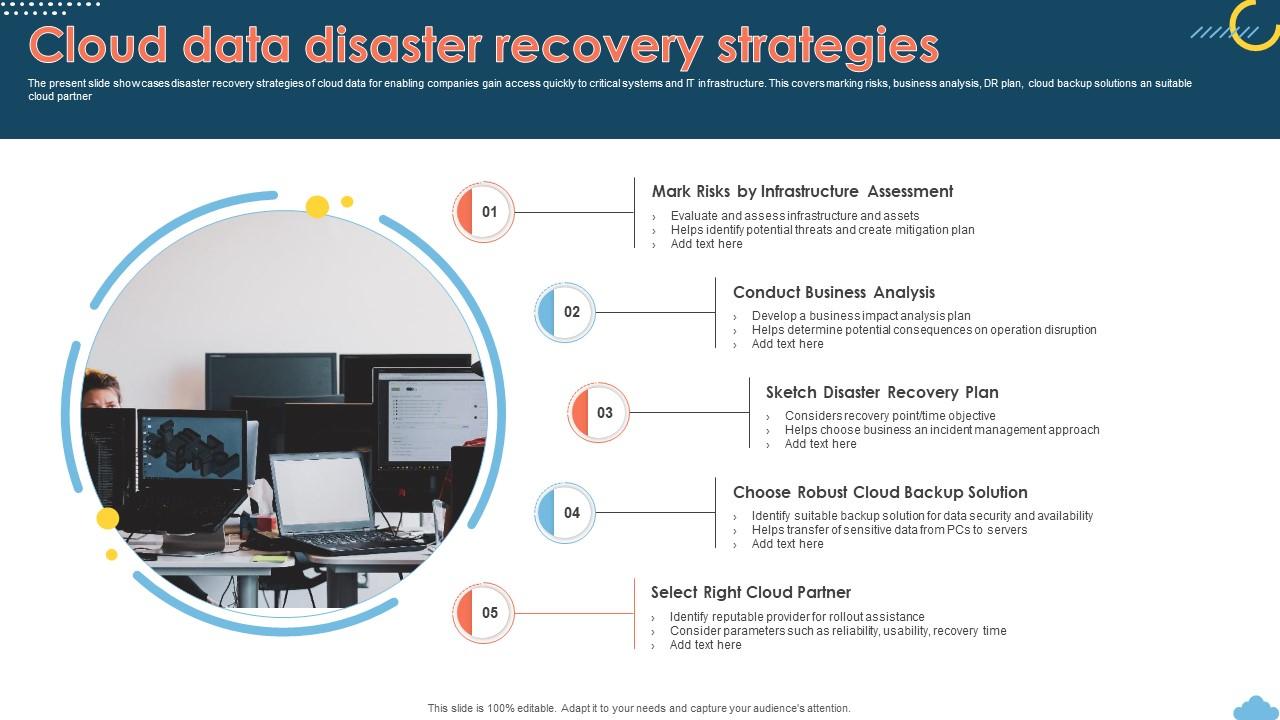
Template 9: Cloud Data Disaster Recovery Strategies
Recovery speed after a cloud outage depends on how well the strategy was mapped before the incident. This slide deck presents five key stages of cloud data disaster recovery strategy with clarity. It covers risk identification, business analysis, DR plan construction, cloud backup solutions selection, and partner evaluation. Each stage gives your audience a concrete action, not just a framework concept. Customizable icons and stage labels let you tailor the flow to your cloud environment instantly. Transform your cloud recovery planning presentations today. Download this dynamic template now and accelerate your disaster recovery readiness.
Download this PowerPoint Template
Template 10: Risk Mitigation in the Cloud Disaster Recovery and Backup Guide PPT Information
Risk mitigation in the cloud requires both a technical plan and a presentation that earns trust. This complete deck builds the case for structured cloud disaster recovery and backup governance with visual authority. Each slide empowers you to address risk tiers, backup validation cycles, and cloud-specific data loss prevention measures. Customizable layouts align seamlessly with your organization's risk management language and reporting standards. Use this deck for cloud security reviews, DR testing presentations, or executive risk briefings. Transform your cloud risk mitigation presentations today. Download this template now and present your recovery safeguards with confidence.
[product_image id=1436048]
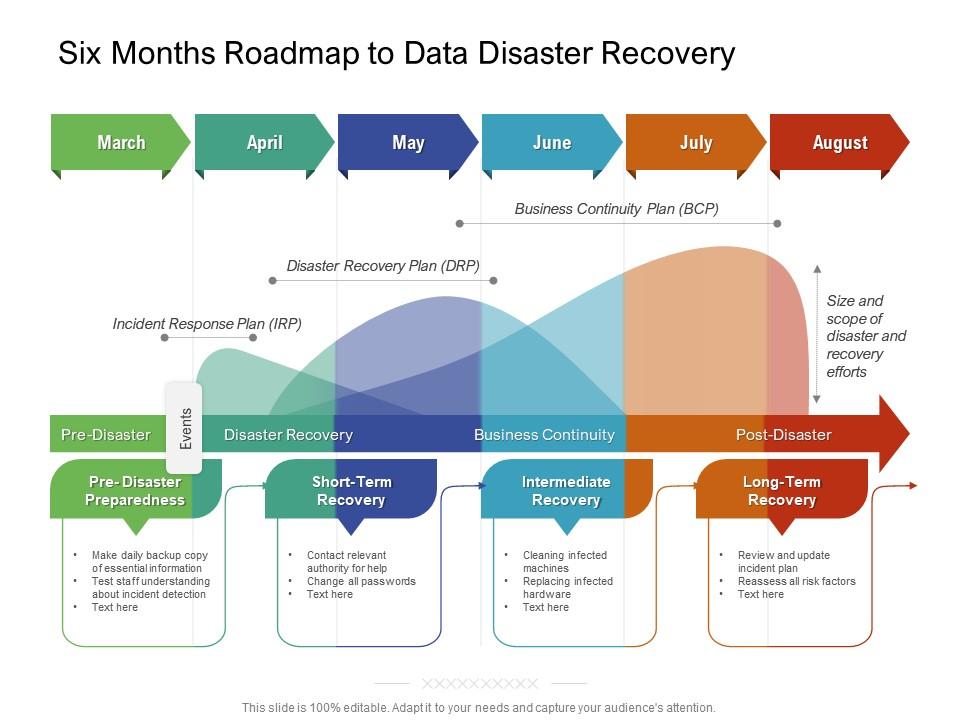
Template 11: Six Months Roadmap to Data Disaster Recovery
Disaster recovery rarely happens on a single day — it unfolds over months of structured effort. This slide maps a six-month roadmap for moving from vulnerability to recovery readiness in a clear, trackable format. IT program managers and continuity leads use it to show progress across planning, testing, and implementation phases. So yeah, it is practical for presenting automated backup solutions rollouts or network disaster recovery timelines to stakeholders. The template is 100% editable and customizable.
Download this PowerPoint Template
Template 12: Backup and Disaster Recovery for Linux Systems PPT Demonstration
Linux environments carry specific backup and recovery requirements that generic templates often miss entirely. This PPT preset is built for IT administrators and DevOps leads managing Linux-based infrastructure. It gives practitioners a structured way to present backup schedules, recovery procedures, and system-level dependencies for Linux systems. Use it when documenting full system backup policies or presenting Linux-specific disaster recovery plans to ops leadership. For teams looking to formalize Linux recovery frameworks alongside broader plans, explore must-have data center disaster recovery plan templates. The template is 100% editable and customizable.
[product_image id=1725729]
Template 13: Data Replication and Backup Disaster Recovery Plans PPT Mockup
Data replication and backup planning belong together in any serious disaster recovery presentation. This PPT preset helps IT architects and recovery planners present data replication solutions alongside backup schedules in a single coherent deck. It works well for enterprise backup solutions reviews, where both replication frequency and recovery point objectives need to be addressed. Btw, the visual design holds attention in boardroom settings without sacrificing technical depth. The template is 100% editable and customizable.
[product_image id=1850861]
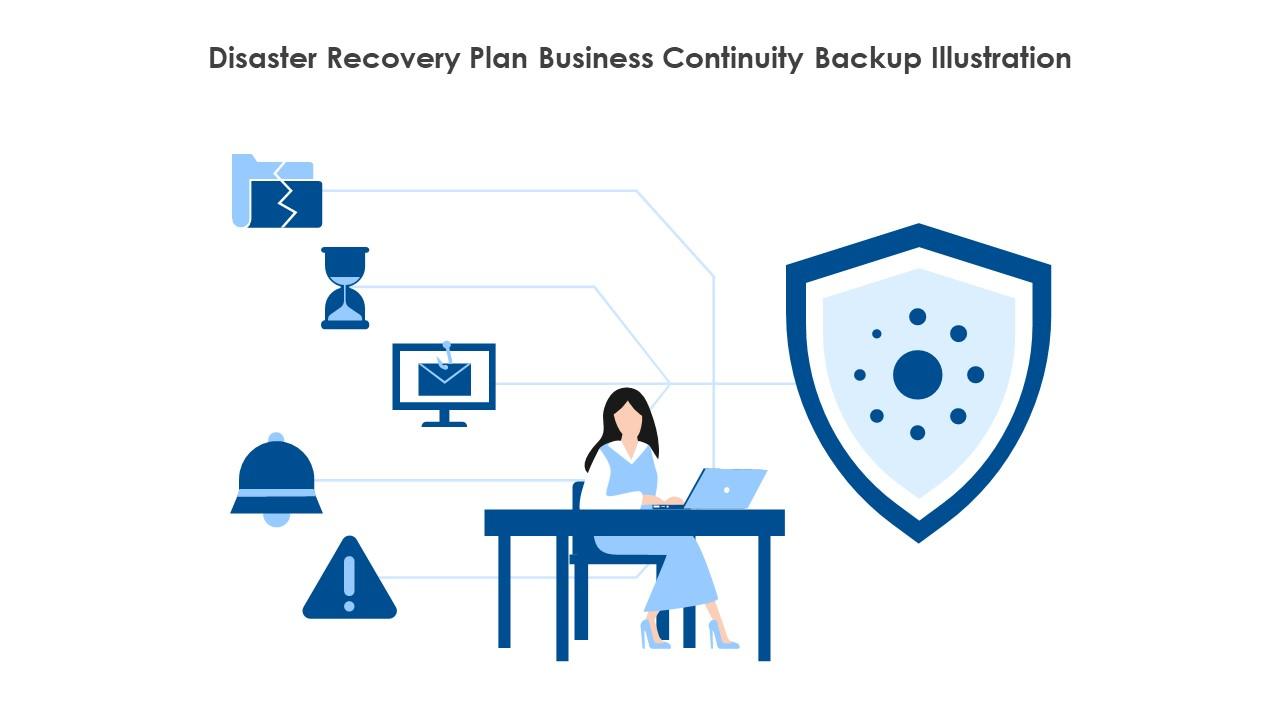
Template 14: Disaster Recovery Plan Business Continuity Backup Illustration
A single visual can anchor an entire disaster recovery discussion. This illustration PPT is built for practitioners who need a clean, memorable image to open or frame a business continuity presentation. The blue shield, green checkmark, cloud icon, and lightning bolt communicate protection, readiness, and risk in one glance. Use it as a slide opener for cybersecurity disaster recovery briefings or business continuity planning sessions. The template is 100% editable and customizable.
Download this PowerPoint Template
Template 15: Data Center Disaster Plan Disaster Recovery Implementation Plan
Data center disaster recovery has specific layers — clusters, databases, shared environments — that need their own planning slide. This PPT preset is built for data center managers and IT leads presenting a formal disaster recovery implementation plan. It addresses disaster recovery testing, facility intrusion scenarios, and data preparedness in a structured format. Use it when presenting DR readiness to compliance teams or infrastructure leadership. The template is 100% editable and customizable.

Download this PowerPoint Template
Template 16: Digitalization's Impact on Process and Change PPT Slides
Digitalization reshapes IT processes fast—and recovery planning must keep pace with every change. This deck empowers IT transformation leads to present how digital process shifts affect backup dependencies and system recovery priorities. Each slide drives clarity on change impact, helping audiences connect operational shifts to IT business continuity obligations. The flexible layout supports presentations for digital transformation reviews, IT governance sessions, or process change audits. Use this deck to show leadership how digitalization and disaster recovery planning intersect. Transform your digital process presentations today. Download this template now and connect change management to recovery readiness.
[product_image id=1847772]
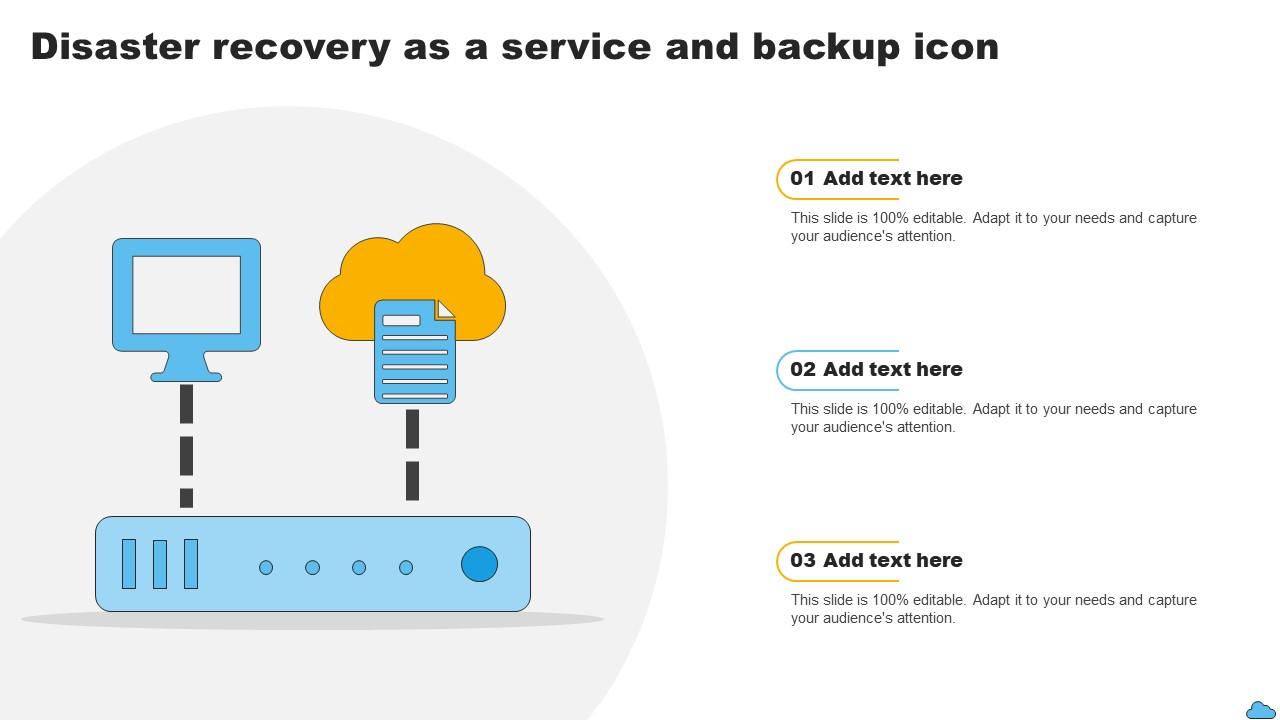
Template 17: Disaster Recovery as a Service and Backup Icon
Disaster Recovery as a Service is a real procurement category, and decision-makers need a concise visual to anchor it. This PPT preset presents three stages of DRaaS and backup icon concepts for IT leads and vendors making the case for managed recovery services. It suits internal briefings where teams are evaluating Disaster Recovery as a Service providers or clarifying service scope. For context, its clean icon-based design communicates quickly in time-pressured executive settings. The template is 100% editable and customizable.
Download this PowerPoint Template
Template 18: Disaster Recovery Best Practices for Data Backup Systems PPT Slides
Best practices for data backup systems are only useful if they can be communicated clearly to the right audience. This PPT preset gives IT security leads and backup administrators a structured deck for presenting data backup governance and recovery procedures. It covers backup validation, testing cycles, and system-level recovery standards without getting lost in technical jargon. Use it for quarterly IT security reviews or backup and recovery testing presentations to leadership. The template is 100% editable and customizable.
[product_image id=1628181]
Template 19: Cloud Backup Solutions for Secure Data Storage PPT Slides
Cloud backup is no longer optional for organizations serious about data protection. This PPT preset is built for IT leads and cloud architects presenting cloud backup solutions to decision-makers focused on secure data storage. It helps frame the conversation around storage tiers, access controls, and recovery readiness in a single structured deck. Use it when making the case for hybrid cloud backup or evaluating cloud backup services for enterprise adoption. The template is 100% editable and customizable.
[product_image id=1702971]
Template 20: Designing a Data Backup Schedule for Disaster Recovery PPT Information
Backup scheduling is where disaster recovery plans either hold or fall apart under pressure. This PPT preset helps IT administrators and recovery planners present a structured data backup schedule tied directly to recovery time objectives and recovery point objectives. It is built for teams formalizing incremental backup strategies or presenting automated backup solutions to operations leadership. To be clear, it works as well for initial planning sessions as it does for annual DR reviews. The template is 100% editable and customizable.
[product_image id=1660603]
Win Every DR Review with SlideTeam
SlideTeam's PowerPoint templates are the best in the industry for data backup and disaster recovery planning. These content-ready slides save hours of structuring time while delivering professional clarity on recovery objectives, backup schedules, and business continuity frameworks. Use these pre-designed PowerPoint slides to present DR strategies that earn executive confidence and pass compliance reviews. Deploy these templates today and turn your disaster recovery plan into a presentation that drives action.
FAQs on Data Backup and Disaster Recovery Plan
What is the difference between a data backup strategy and a full disaster recovery plan?
A data backup strategy covers how and when copies of data are made and stored. A disaster recovery plan covers how the entire business or IT environment gets restored after a failure. Backup is one input into recovery — not the whole plan. A full DR plan includes roles, recovery time targets, communication protocols, and tested restoration procedures, not just backup schedules.
How frequently should organizations perform full, incremental, and differential backups to minimize data loss?
Full backups weekly, incremental daily, and differential every two to three days is a common baseline. The right frequency depends on how much data loss the organization can tolerate — that's the Recovery Point Objective. High-value systems may need hourly incremental backups. Test restoration regularly; a backup you haven't tested is not a backup you can rely on.
What is Recovery Time Objective (RTO) and how does it influence disaster recovery planning?
Recovery Time Objective is the maximum acceptable time to restore a system after a failure. A four-hour RTO means the business can tolerate up to four hours of downtime. RTO directly determines infrastructure investment — shorter RTOs require faster failover systems, more redundancy, and higher costs. Set RTO by business impact: revenue loss, regulatory exposure, and operational dependency all factor in.
How does Recovery Point Objective (RPO) determine the acceptable amount of data loss in a disaster scenario?
Recovery Point Objective defines how much data loss is acceptable, measured in time. A one-hour RPO means backups must run at least every hour. Systems with a near-zero RPO require real-time data replication. RPO drives backup frequency decisions — the tighter the RPO, the more frequent and automated the backup solution must be.
What are the key components that must be included in a comprehensive disaster recovery plan?
A solid disaster recovery plan needs: a risk assessment, defined RTO and RPO for each critical system, assigned recovery roles, step-by-step restoration procedures, a communication plan, and a tested backup and failover process. Without regular DR testing, even a well-written plan fails under real conditions. Review and update the plan at least annually or after major infrastructure changes.
How does the 3-2-1 backup rule work and why is it considered an industry best practice?
Keep three copies of data, on two different storage types, with one copy offsite. The offsite copy protects against physical site failures — fire, flood, or ransomware that encrypts local backups. Cloud storage commonly serves as the offsite layer. The rule works because no single failure — hardware, location, or attack — can destroy all three copies simultaneously.
What role does cloud storage play in modern data backup and disaster recovery strategies?
Cloud storage provides offsite backup at scale without dedicated physical infrastructure. It supports automated backup solutions, near-instant replication, and Disaster Recovery as a Service models. Cloud backup shortens recovery times by making data accessible from anywhere after a site failure. Hybrid cloud backup — combining on-premise and cloud — gives organizations both speed and redundancy.
How should organizations prioritize which systems and data to recover first during a disaster?
Prioritize systems by business impact: revenue-generating applications, customer-facing services, and regulatory-critical data recover first. Use a tiered classification — Tier 1 for mission-critical, Tier 2 for important but not immediate, Tier 3 for non-critical. RTO and RPO targets should be set per tier before a disaster occurs, not during one. Document the priority order and test it in DR drills.


