


1114 cloud icon with internet options powerpoint template





Try Before you Buy Download Free Sample Product
 Impress Your
Audience
 100%
Editable
 Save Hours
of Time


Assessments will be deadly accurate with our 1114 Cloud Icon With Internet Options Powerpoint Template. You will get it on the button.
People who downloaded this PowerPoint presentation also viewed the following :
1114 cloud icon with internet options powerpoint template with all 5 slides:
Feed fascination with our 1114 Cloud Icon With Internet Options Powerpoint Template. They will feel enamored by your thoughts.


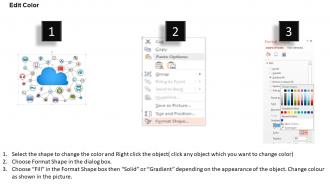
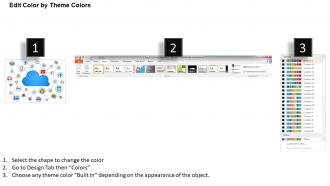
FAQs for 1114 cloud icon with internet
Look for cloud icon PowerPoint templates with scalable vector graphics, multiple design variations, customizable colors and sizes, and professional formatting that maintains clarity across devices. These features enable seamless integration with corporate branding, enhance visual consistency throughout presentations, and deliver polished, professional slides that effectively communicate cloud-based concepts to stakeholders and clients.
Cloud icons enhance business presentations by representing data storage, digital transformation, scalability, and remote accessibility concepts, while providing visual consistency and professional aesthetics. These versatile symbols work particularly well in IT strategy presentations, digital migration proposals, and SaaS platform demonstrations, ultimately helping audiences grasp complex cloud concepts quickly and reinforcing your organization's technological sophistication.
Cloud icon integration best practices include maintaining consistent sizing, using complementary color schemes, ensuring proper alignment with text and graphics, establishing visual hierarchy, and creating logical flow patterns. These design principles enhance presentation clarity by balancing visual weight, supporting narrative structure, and creating cohesive layouts, with many organizations finding that strategic icon placement significantly improves audience comprehension and engagement.
Cloud icon PowerPoint templates can significantly enhance audience engagement by creating visual clarity, improving content comprehension, and establishing professional credibility through consistent design elements. These templates streamline complex cloud computing concepts into digestible visual formats, enabling presenters to maintain audience attention while delivering technical information more effectively, ultimately fostering better understanding and interaction during presentations.
Industries with heavy digital transformation needs benefit most from cloud icon templates, including healthcare, financial services, technology, manufacturing, and education sectors. These templates enable IT departments, consultants, and executives to streamline complex cloud architecture presentations, enhance stakeholder communication, and demonstrate migration strategies more effectively, ultimately delivering clearer technical concepts and faster decision-making processes.
Color choices in cloud icon templates significantly influence audience perception by conveying trust, innovation, and reliability through strategic visual psychology. Blue tones suggest security and professionalism, making them ideal for enterprise presentations, while green implies sustainability and growth, with many organizations finding that consistent color schemes enhance brand recognition and audience engagement by up to 80%.
**INPUT**: Are there specific design trends in cloud icon PowerPoint templates for 2023? **OUTPUT**: Current cloud icon PowerPoint template trends include minimalist line art, gradient overlays, 3D isometric designs, animated transitions, and integrated data visualization elements. These modern approaches enhance professional presentations by streamlining complex cloud concepts, improving audience engagement through dynamic visuals, and delivering clearer communication of technical architectures, with many organizations finding these templates significantly boost presentation impact. [Word count: 56 words]
Cloud icons most effective for illustrating technological concepts include layered network clouds, data flow clouds with connecting arrows, hybrid cloud combinations, security-enhanced clouds with shield elements, and minimalist geometric cloud shapes. These designs enhance presentations by clearly conveying complex infrastructure concepts, enabling seamless audience understanding of cloud storage, connectivity, and scalability, while many organizations find that combining multiple icon styles delivers comprehensive visual storytelling.
You can customize cloud icon templates by modifying colors to match your brand palette, adjusting sizes and positioning for layout consistency, and incorporating your logo or brand elements seamlessly. Through PowerPoint's built-in editing tools, organizations enhance visual cohesion by replacing default fonts with brand typography, adding custom backgrounds, and maintaining consistent styling across presentations, ultimately delivering professional materials that reinforce brand recognition.
When selecting a cloud icon PowerPoint templates, consider compatibility with Microsoft PowerPoint versions (2016, 2019, 365), Google Slides, Apple Keynote, and both Windows and Mac operating systems. These templates should support various file formats like PPTX and PPT, while offering scalable vector graphics that maintain quality across different devices and screen resolutions, ultimately ensuring seamless presentation delivery.
Cloud icons help simplify complex data in presentations by providing visual metaphors that instantly communicate storage, accessibility, and connectivity concepts, replacing lengthy textual explanations with universally recognized symbols. These visual elements streamline audience comprehension by transforming abstract data processes into digestible graphics, with many presenters finding that cloud imagery effectively bridges technical complexity and business understanding, ultimately enhancing engagement and retention.
When using cloud icon templates, consider licensing terms, commercial usage rights, attribution requirements, and potential trademark conflicts with existing cloud service brands. Most professional template providers offer royalty-free licenses for business presentations, while free sources may require attribution or restrict commercial use, so reviewing specific licensing agreements ensures compliance and protects your organization from potential legal issues.
Free cloud icon PowerPoint templates are available through various platforms, including Microsoft Office's built-in template gallery, free design websites, and educational resources. While free options provide basic functionality and standard designs, premium templates from specialized providers like SlideTeam deliver more sophisticated graphics, customization options, and professional styling, ultimately enhancing presentation impact and visual credibility for business communications.
Cloud icons play a crucial role in simplifying complex cloud computing concepts by providing visual metaphors that represent data storage, accessibility, and remote processing in an instantly recognizable format. These visual elements help presenters communicate abstract technical concepts to stakeholders, with many organizations finding that cloud iconography bridges the gap between technical complexity and business understanding, ultimately enabling clearer decision-making around cloud adoption strategies.
You can download cloud icon PowerPoint templates from SlideTeam's extensive library, select your preferred design, and simply click the download button after purchase or subscription. Implementation involves opening the template in PowerPoint, customizing colors and text to match your brand guidelines, and replacing placeholder content with your specific cloud computing data, with many organizations finding that these professionally designed templates streamline presentation creation while enhancing visual impact.
-
Professional and unique presentations.
-
Excellent Designs.