


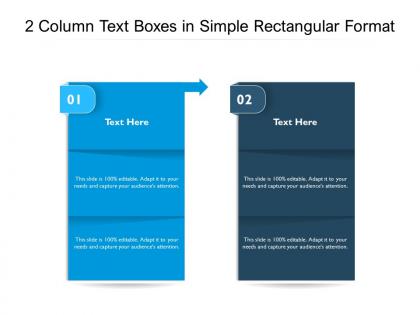
2 column text boxes in simple rectangular format




Try Before you Buy Download Free Sample Product
 Impress Your
Audience
 100%
Editable
 Save Hours
of Time


You have the diagnosis just right. Prescribe the process with our 2 Column Text Boxes In Simple Rectangular Format.
People who downloaded this PowerPoint presentation also viewed the following :
2 column text boxes in simple rectangular format with all 2 slides:
Our 2 Column Text Boxes In Simple Rectangular Format are built for speed. Hasten the undertanding of your thoughts.


FAQs for 2 column text boxes in
Two-column text boxes enhance readability, facilitate content comparison, maximize slide space utilization, create visual balance, and enable better information organization. These design elements streamline complex data presentation by allowing side-by-side comparisons, reducing cognitive load, and improving audience comprehension, with many presenters finding that structured layouts ultimately deliver more engaging presentations and clearer communication outcomes.
Two column text boxes improve information retention by reducing cognitive load, creating visual hierarchy, and enabling parallel comparisons between related concepts. This structured format helps audiences process complex information more efficiently, with many organizations finding that breaking dense content into digestible columns increases comprehension rates and engagement, ultimately delivering clearer communication and better learning outcomes.
Best practices for formatting text within 2 column text boxes include maintaining consistent spacing, using clear headings, aligning content logically, ensuring readable font sizes, and balancing information distribution between columns. These formatting approaches enhance readability by creating visual hierarchy, reducing cognitive load, and improving information flow, with many organizations finding that well-structured columns ultimately deliver better audience engagement and comprehension rates.
2 column text boxes are most effective in comparison presentations, training materials, policy documents, and strategic planning sessions where parallel information needs clear visual separation. These layouts work particularly well for before-and-after scenarios, pros-and-cons analyses, and feature comparisons, with many organizations finding that the structured format enhances audience comprehension and decision-making processes.
Strategic color schemes and design elements enhance 2-column text boxes by creating visual hierarchy, improving readability, and guiding reader attention through contrasting backgrounds, complementary typography, and purposeful spacing. These design choices streamline information processing, with many presentations finding that consistent color coding and balanced layouts ultimately deliver clearer communication and stronger audience engagement across corporate and educational settings.
Common mistakes include overcrowding columns with excessive text, using inconsistent fonts or formatting between columns, poor alignment that creates visual chaos, inadequate spacing that makes content hard to read, and failing to balance content length appropriately. These design flaws significantly reduce audience comprehension and engagement, with many presenters finding that streamlined, well-balanced columns enhance message clarity and professional credibility.
Two column text boxes facilitate better storytelling by creating visual contrast between concepts, enabling before-and-after narratives, and allowing sequential plot development across parallel themes. This strategic layout helps presenters in sectors like consulting and marketing deliver compelling case studies, compare competing strategies, and guide audiences through complex storylines, ultimately enhancing engagement and message retention.
**INPUT**: What tools or software are recommended for creating 2 column text boxes? **OUTPUT**: Recommended tools include Microsoft Word, Google Docs, Adobe InDesign, Canva, PowerPoint, and specialized layout software like QuarkXPress and Figma. These platforms streamline document creation by offering intuitive column formatting, professional templates, and seamless collaboration features, with many businesses finding that combining presentation software with design tools delivers enhanced visual communication and improved reader engagement across marketing materials. [Word count: 58 words]
Visuals alongside 2 column text boxes enhance audience engagement by creating visual hierarchy, improving information retention, and reducing cognitive load through balanced content distribution. This strategic combination enables presenters to highlight key data points, guide audience attention seamlessly, and deliver complex information more effectively, with many organizations finding that integrated visual-text layouts significantly increase presentation impact and audience comprehension rates.
Single column text boxes offer simpler navigation and easier mobile responsiveness, while 2 column text boxes enable efficient space utilization, faster content scanning, and comparative layouts. Many organizations find that single columns work better for forms and detailed reading, whereas 2 column designs enhance presentations and dashboards by streamlining information density, ultimately delivering improved user engagement and operational efficiency.
Effective balance in 2-column text box layouts involves aligning visual hierarchy, maintaining consistent spacing, using complementary font weights, and ensuring proportional text-to-visual ratios across both columns. Strategic placement of headers, bullet points, and supporting graphics creates visual flow that guides readers naturally from left to right, while consistent margins and white space deliver professional presentation and enhanced readability.
Two-column text boxes are particularly advantageous in healthcare for patient information displays, financial services for comparison charts, education for curriculum layouts, and legal documentation for contract reviews. These industries benefit significantly from side-by-side content presentation, enabling clearer data comparison, streamlined information processing, and enhanced decision-making capabilities, ultimately delivering improved user experiences and operational efficiency.
Two column text boxes convey contrasting ideas effectively by placing opposing concepts side-by-side for immediate visual comparison, enabling audiences to quickly grasp differences, similarities, and relationships between topics. This layout enhances comprehension by organizing information spatially, streamlining decision-making processes, and creating memorable presentations, with many organizations finding that structured comparisons ultimately deliver clearer communication and more persuasive business arguments.
Sans-serif fonts like Arial, Helvetica, and Calibri work best in 2-column text boxes, offering superior readability at smaller sizes, clean line spacing, and consistent character width. These typography choices enhance legibility by reducing visual clutter, maintaining clarity across different screen resolutions, and enabling faster scanning, with many designers finding that strategic font selection ultimately delivers better user engagement and professional presentation quality.
Background color significantly affects readability in 2-column text boxes through contrast ratios, visual hierarchy, and eye strain reduction. Light backgrounds with dark text generally deliver optimal readability, while high-contrast combinations enhance scanning efficiency and reduce cognitive load, with many designers finding that neutral backgrounds enable better content absorption and sustained reading across both columns.
No Reviews