

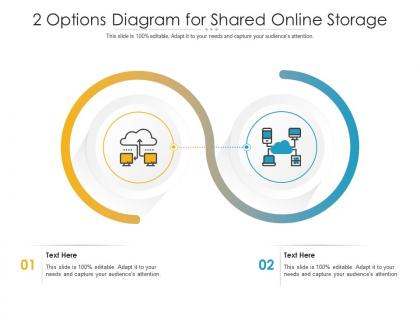
2 options diagram for shared online storage infographic template




Try Before you Buy Download Free Sample Product
 Impress Your
 Audience
 100%
100% Editable
 Save Hours
 of Time


Our 2 Options Diagram For Shared Online Storage Infographic Template are topically designed to provide an attractive backdrop to any subject. Use them to look like a presentation pro.
People who downloaded this PowerPoint presentation also viewed the following :
2 options diagram for shared online storage infographic template with all 2 slides:
Use our 2 Options Diagram For Shared Online Storage Infographic Template to effectively help you save your valuable time. They are readymade to fit into any presentation structure.
FAQs for 2 options diagram for shared online
Shared online storage delivers enhanced collaboration, cost reduction, scalability, accessibility, and automated backup capabilities for businesses. These solutions streamline operations by enabling real-time document sharing, eliminating hardware investments, and providing seamless remote access, with many organizations finding that cloud storage ultimately enhances productivity while significantly reducing IT infrastructure costs.
Shared online storage enhances collaboration by providing centralized file access, real-time document editing, version control, and seamless file sharing across devices and locations. Through cloud platforms, remote teams streamline project workflows, eliminate email attachments, and maintain consistent data synchronization, while enabling instant feedback loops and reducing communication delays, ultimately delivering faster project completion and improved team productivity.
Users should look for end-to-end encryption, multi-factor authentication, regular security audits, data backup redundancy, and compliance certifications like SOC 2 or ISO 27001. These measures work together to protect sensitive business data through encrypted transmission, secure access controls, and verified security standards, with many organizations finding that robust security features ultimately enhance client trust while enabling seamless collaboration.
Shared online storage improves file version control by automatically tracking document revisions, maintaining edit histories, and enabling real-time collaboration without duplicate files. Teams in marketing agencies, consulting firms, and software development companies streamline project workflows through centralized access, simultaneous editing capabilities, and automated backup systems, ultimately reducing confusion and accelerating project delivery timelines.
**INPUT**: What are the most popular shared online storage platforms currently available? **OUTPUT**: The most popular shared online storage platforms include Google Drive, Dropbox, Microsoft OneDrive, Amazon S3, and Box, each offering distinct collaboration features and integration capabilities. These platforms streamline file sharing, enhance team productivity, and enable seamless remote collaboration, with many organizations finding that strategic platform selection ultimately delivers improved operational efficiency and competitive advantage in increasingly distributed work environments. **Word count: 60 words**
Businesses optimize shared online storage by implementing tiered storage systems, regular data auditing, bandwidth management, and automated file compression. Through strategic folder organization and access controls, companies streamline workflows while reducing redundancy, with many retail and manufacturing organizations finding that optimized storage delivers faster collaboration, lower costs, and enhanced operational efficiency.
Shared online storage presents different cost implications across business scales, with small enterprises benefiting from low upfront costs and pay-as-you-scale models, while large enterprises face higher absolute costs but achieve better per-user economics through volume discounts. Small businesses typically spend $5-15 per user monthly, whereas enterprises negotiate custom pricing that delivers significant operational savings through reduced IT infrastructure, enhanced collaboration efficiency, and streamlined data management across departments.
Shared online storage integrates with productivity tools through APIs, plugins, and native connections that enable seamless file access across platforms like Microsoft Office, Google Workspace, and project management systems. These integrations streamline workflows by allowing real-time collaboration, automated syncing, and centralized document management, with many organizations finding that unified storage ecosystems enhance team productivity and eliminate version control issues.
Documents (PDFs, Word files), images (JPEG, PNG), videos (MP4, AVI), spreadsheets (Excel, CSV), and presentations (PowerPoint, Google Slides) represent the most commonly stored file types in online storage solutions. These formats enable seamless collaboration across organizations, with businesses in sectors like marketing, education, and consulting finding that centralized storage streamlines workflows, enhances team productivity, and delivers faster project completion.
User access management in shared online storage systems operates through role-based permissions, authentication protocols, multi-factor verification, admin controls, and activity monitoring. These systems enable organizations to streamline collaboration by assigning specific user roles, controlling file visibility, and tracking document interactions, while maintaining security compliance, ultimately delivering enhanced productivity and data protection across distributed teams.
Shared online storage significantly reduces data redundancy risks and enhances recovery capabilities by automatically creating multiple backup copies across distributed servers, enabling real-time synchronization, and providing version control features. Organizations in healthcare, finance, and manufacturing find that cloud-based storage systems deliver faster disaster recovery, minimize data loss incidents, and ensure business continuity with 99.9% uptime guarantees.
Different industries leverage shared online storage through sector-specific applications, with healthcare organizations storing patient records and medical imaging, financial institutions managing compliance documents and transaction data, and retail companies coordinating inventory management and customer analytics. These strategic implementations streamline operations, enhance collaboration across departments, and enable real-time data access, ultimately delivering improved efficiency and competitive advantage in increasingly digital business environments.
Organizations face challenges including data security concerns, user adoption resistance, integration complexities with existing systems, bandwidth limitations, and compliance requirements. While these obstacles initially seem daunting, many companies find that strategic planning, employee training, and phased implementation approaches ultimately deliver enhanced collaboration, reduced IT costs, and streamlined workflows across departments.
Organizations ensure compliance with data regulations in shared online storage through encryption protocols, access controls, audit trails, data residency management, and regular compliance monitoring. These security measures enable companies across healthcare, financial services, and government sectors to meet GDPR, HIPAA, and SOX requirements while maintaining operational efficiency, ultimately delivering secure collaboration and regulatory confidence.
Cloud computing serves as the foundational infrastructure enabling shared online storage evolution through scalable servers, distributed networks, advanced security protocols, and seamless accessibility across devices. This strategic combination revolutionizes how organizations manage data by reducing infrastructure costs, enhancing collaboration capabilities, and delivering real-time synchronization, with many enterprises finding that cloud-based storage solutions ultimately provide competitive advantages through improved operational efficiency and streamlined resource allocation.
-
Perfect template with attractive color combination.
-
Content of slide is easy to understand and edit.
-
Topic best represented with attractive design.
-
Appreciate the research and its presentable format.
-
Helpful product design for delivering presentation.