

3 layer cake graphics with icons




Try Before you Buy Download Free Sample Product
 Impress Your
 Audience
 100%
100% Editable
 Save Hours
 of Time


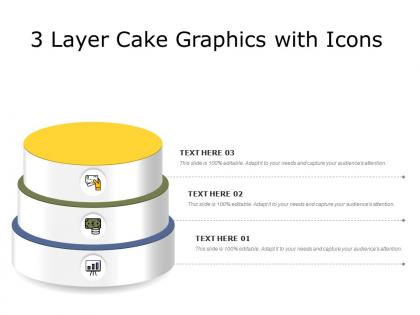
Our 3 Layer Cake Graphics With Icons are explicit and effective. They combine clarity and concise expression.
People who downloaded this PowerPoint presentation also viewed the following :
3 layer cake graphics with icons with all 2 slides:
Give your audience a fulfilling experience. They will find our 3 Layer Cake Graphics With Icons elevating.
FAQs for 3 layer cake
Layered graphics offer enhanced visual hierarchy, improved content organization, simplified complex information delivery, increased audience engagement, and greater design flexibility. These elements streamline presentation flow by separating key concepts, highlighting critical data points, and enabling progressive disclosure techniques, with many presenters finding that layered approaches significantly reduce cognitive overload while delivering clearer messaging and stronger audience retention.
Layered graphics enhance storytelling by creating visual depth, controlling information flow through progressive revelation, and establishing clear narrative hierarchies that guide audience attention. These elements enable presenters to build compelling storylines step-by-step, with many organizations finding that strategic layering significantly improves audience engagement and message retention across complex presentations.
Adobe Photoshop, Illustrator, GIMP, Canva Pro, and Figma are best suited for creating layered graphics, offering comprehensive editing capabilities and organizational features. These tools streamline complex design workflows by enabling non-destructive editing, precise element control, and seamless collaboration, with many design teams finding that layered approaches significantly enhance project efficiency and creative flexibility.
Different layers contribute to visual composition by establishing hierarchy, organizing information flow, separating content types, and guiding viewer attention through strategic depth and contrast. Through layered design approaches, organizations enhance data comprehension, streamline complex presentations, and deliver clearer messaging, with many businesses finding that strategic layering ultimately improves audience engagement and information retention.
Color theory guides layered graphics by establishing visual hierarchy, creating depth through warm and cool contrasts, ensuring accessibility, and maintaining brand consistency across elements. These principles help designers strategically separate information layers, with many marketing teams and digital agencies finding that proper color relationships enhance user comprehension, reduce cognitive load, and ultimately deliver more engaging presentations.
Layered graphics direct audience attention through strategic depth, contrast, color emphasis, selective transparency, and progressive disclosure techniques. By placing key elements on foreground layers with enhanced visual weight, presenters can guide viewer focus systematically, while background layers provide context without distraction, ultimately delivering clearer communication and more impactful presentations.
Common mistakes include overcomplicating designs with excessive layers, poor layer organization and naming conventions, ignoring visual hierarchy principles, inconsistent styling across elements, and neglecting file optimization for different output formats. These oversights often result in cluttered presentations, slower rendering times, and reduced audience comprehension, with many designers finding that streamlined layer management and strategic visual prioritization ultimately deliver cleaner aesthetics and more impactful communication outcomes.
Layered graphics control presentation pacing by revealing information progressively, allowing presenters to build complex concepts step-by-step while maintaining audience attention and comprehension. This strategic approach enables speakers to emphasize key points sequentially, prevent cognitive overload, and create natural pauses for discussion, ultimately delivering more engaging presentations with improved knowledge retention across diverse audiences.
When creating layered graphics for digital versus print presentations, designers must consider resolution requirements, color profiles, interactive capabilities, file optimization, and viewing conditions. Digital presentations enable animations, clickable elements, and RGB color spaces while requiring screen-optimized resolutions, whereas print demands higher DPI specifications, CMYK color conversion, and static visual hierarchies, with many designers finding that strategic layering enhances audience engagement across both mediums.
Animations can be effectively integrated into layered graphics by staggering entrance effects across different layers, using motion paths to create depth transitions, and applying opacity changes that reveal information progressively. Through strategic timing and sequencing, presentations in sectors like financial services and healthcare can transform complex data visualization into engaging narratives, ultimately delivering clearer communication and enhanced audience retention.
Best practices for organizing layers include using descriptive naming conventions, creating logical folder hierarchies, grouping related elements, maintaining consistent color-coding systems, and regularly cleaning up unused layers. These organizational methods streamline workflow by reducing search time, minimizing errors, and enabling faster revisions, with many design teams finding that structured layer management ultimately delivers improved collaboration and significantly faster project turnaround times.
Layered graphics simplify complex data by breaking information into digestible visual hierarchies, enabling progressive disclosure, and allowing viewers to focus on specific data segments without overwhelming detail. Through strategic layering, organizations can guide audience attention from high-level insights to granular details, ultimately enhancing comprehension and enabling faster, more informed decision-making across presentations.
Current trends shaping layered graphics include depth-based visual hierarchies, interactive overlay systems, data storytelling through progressive reveals, micro-animations between layers, and mobile-responsive stacking techniques. These approaches enhance audience engagement by creating dynamic, multi-dimensional presentations that streamline complex information delivery, with many organizations finding that layered designs significantly improve message retention and professional credibility.
Creating cohesive layered graphics requires consistent color palettes, typography, and visual hierarchy across all slides, while maintaining uniform spacing and alignment patterns. Strategic use of recurring design elements, complementary transparency levels, and coordinated visual themes enables presentations to flow seamlessly from slide to slide, with many organizations finding that this approach significantly enhances audience engagement and professional credibility.
Accessibility implications in layered graphics include ensuring sufficient color contrast, providing alternative text descriptions, maintaining readable typography across layers, and creating clear visual hierarchy for screen readers. These design considerations enhance user experiences for individuals with visual impairments, cognitive differences, and motor disabilities, while ultimately delivering broader audience reach and regulatory compliance, with many organizations finding that accessible design improves usability for all users.
No Reviews