

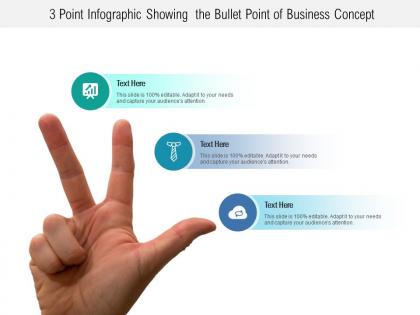
3 point infographic showing the bullet point of business concept




Try Before you Buy Download Free Sample Product
 Impress Your
 Audience
 100%
100% Editable
 Save Hours
 of Time


Figure out the actual facts with our 3 Point Infographic Showing The Bullet Point Of Business Concept. Help eradicate blind belief.
People who downloaded this PowerPoint presentation also viewed the following :
3 point infographic showing the bullet point of business concept with all 5 slides:
Cap your thoughts with our 3 Point Infographic Showing The Bullet Point Of Business Concept. Your team will salute your incisive plans..


FAQs for 3 point infographic showing the bullet point
For your business infographic, focus on these five things: problem statement, your solution, target market, revenue model, and competitive advantage. Definitely squeeze in some financials too if there's space - honestly, investors eat that stuff up even in visual form. Put your value proposition front and center since that's what grabs attention first. Each section should be short but punchy enough to tell your whole story quickly. Oh, and start with a template so everything looks cohesive, then tweak the content for your specific business and whoever you're pitching to. Makes the whole process way easier.
Colors totally change how people feel about your infographic. Blue works awesome for finance stuff - makes everything seem trustworthy. Green's perfect for growth topics, red grabs attention for urgent things. Orange is honestly my favorite for creative projects, though most people sleep on it. Your brain already connects colors to meanings, so why not use that? Different colors also help guide where people look first. I always mess around with a few color schemes before picking one. Sometimes the combo that looks weird at first actually works best. Test a couple and go with whatever feels right for your topic.
Ugh, the worst thing you can do is cram everything onto one graphic - like seriously, it's not a Wikipedia page! Pick ONE main point and stick with it. Don't make me squint at tiny text either. I've seen so many where people go nuts with random colors and fonts... looks like a rainbow exploded. Oh, and make sure there's a logical flow - people should know where to look first. Test it on someone who knows nothing about your business. If they're lost, you need to cut more stuff out.
Figure out who's gonna see this first - investors, customers, your team, whatever. Their background matters too since you'd explain stuff way differently to VCs than to regular people who don't know your space. I make a quick doc about what they actually care about and their main problems. Where they'll see it counts too - LinkedIn people scroll differently than folks at conferences, you know? Once you get that sorted, you can adjust your message and how complex to make it. Honestly, just show it to a couple people from that group before you're done. Saves headaches later.
Look, storytelling is what makes your infographic actually work instead of just being random pretty charts. Map out your story first - problem, solution, why people should care. That flow guides viewers through everything logically. Without it? You're basically throwing data at the wall and praying something sticks (hint: it won't). The narrative is what gets people to connect emotionally and remember your concept later. I always tell people to nail down that story arc before you even think about design elements. It's honestly the difference between something that converts and something that gets scrolled past.
You know how people's eyes glaze over when they see huge blocks of text? Visual stuff actually makes sense to our brains - charts, graphs, flowcharts that show how things connect. Pick the right type though. Bar charts work great for comparing things, pie charts for showing percentages (even though some data nerds hate them), flowcharts for processes. I always start with figuring out what story I'm trying to tell first. Then find visuals that back it up. Way more effective than hoping people will read through paragraphs of explanations they'll probably skip anyway.
Honestly, just stick to 2-3 fonts max or it'll look like a mess. I always use something clean like Helvetica for the main text - way easier to read when people are scrolling fast. Headers can be slightly fancier but don't go crazy with it. Your boss is probably gonna view this on their tiny phone screen anyway! Font size matters more than you think. Make sure there's good contrast too. Here's what I do: zoom out to 50% and see if you can still read everything. If yes, you're good to go.
Don't just stick your logo on there and call it a day. Your brand colors should be the main palette for everything - charts, backgrounds, icons, the works. Match your fonts to your brand guidelines too. The whole vibe should scream "you" whether it's playful or super professional. I always think the best test is when someone could literally cover up your logo and still know it's yours from the style alone. That's when you know you nailed it. Obviously include your logo somewhere, but make it feel natural. Consistency across all the visual elements is what really makes it work.
Canva's your best bet to start - crazy easy to use and they've got business templates for days. PowerPoint actually works too if you're already comfortable with it (yeah, I said it). Adobe Illustrator gives you way more control but honestly? The learning curve's brutal. Figma's solid if you're already messing around with it for other stuff. For anything with tons of data, Piktochart handles charts way better than the others. I'd just start with Canva's free version and see how it goes. You can always upgrade later if you need fancier stuff.
Honestly, think of it like this - you're turning your messy business idea into something an investor can actually understand in half a minute. People zone out during those boring presentations with endless bullet points, right? This cuts through all that noise. Your value prop goes in the middle, then you build everything else around it - revenue streams, key numbers, business model. Way better than rambling about random features when profit's what matters. They'll remember your pitch instead of forgetting it five minutes later. Plus it keeps YOU on track too, which is huge.
Definitely track views, shares, and how long people actually stay on the page - that stuff tells you if anyone's bothering to read it. Click-through rates matter too. But honestly? Those vanity metrics can fool you sometimes. What really counts is whether people are doing what you want them to do afterward. Did they sign up for your email list, download something, or move further down your sales process? UTM codes are your friend here - they'll show you which platforms actually send quality traffic versus just random clicks. Oh and definitely connect it back to real business results, not just the flashy engagement numbers that look good in reports.
Oh man, this stuff is trickier than you'd think! Colors are huge - red screams danger here but it's lucky in China. Reading patterns flip too - we go left to right, but Arabic folks scan the opposite way. Different cultures also have totally different comfort levels with charts and data visualization. I learned this the hard way on a project once. Your straightforward bar chart might be confusing as hell to someone from a different background. If you're designing for multiple regions, you'll probably need separate versions. One-size-fits-all rarely works with infographics.
Tech companies are obsessed with data viz and user journey maps - they eat that stuff up. Healthcare needs educational breakdowns of medical concepts or treatment timelines. Retail's all about colorful product comparisons and seasonal trends (basically anything that pops visually). Financial services should go with investment timeline graphics and simple charts that don't make people's heads spin. Manufacturing loves workflow stuff. Oh, and always figure out what's actually frustrating your audience first, then pick whatever format solves that problem cleanest. Makes the whole thing way more effective.
Honestly, just upload the infographic directly to each platform instead of sharing links - algorithms hate that stuff. On Instagram and LinkedIn, try breaking it into those carousel posts. Twitter's annoying because everything gets cropped, but you can thread the main points together. Facebook's actually not terrible for visual posts still, which is kinda surprising. Each platform works differently, so don't just copy-paste the same thing everywhere. Oh, and reply to comments fast after you post - that early engagement tricks the algorithm into showing your stuff to more people. Makes a huge difference.
Break that infographic into separate Instagram carousel slides - works perfectly. Each data point could become its own quick video too. I've noticed flowcharts make surprisingly good quizzes if you're feeling creative. Your key concepts would crush it as a blog series or email sequence. Oh, and don't sleep on turning sections into presentation slides for meetings. The visuals are already done, so they'll work great as website graphics. Honestly? Start with your strongest stats first - those usually perform best as standalone posts anyway.
No Reviews