

3d thinking man style 1 powerpoint presentation slides




Try Before you Buy Download Free Sample Product
 Impress Your
 Audience
 100%
100% Editable
 Save Hours
 of Time


Hit the box office with our 3d Thinking Man Style 1 Powerpoint Presentation Slides. Run laughing to the bank with your views.
People who downloaded this PowerPoint presentation also viewed the following :
3d thinking man style 1 powerpoint presentation slides with all 21 slides:
Our 3d Thinking Man Style 1 Powerpoint Presentation Slides brook no diffidence. They ensure a positive response.
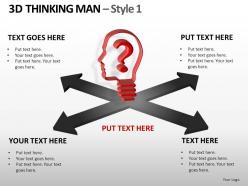
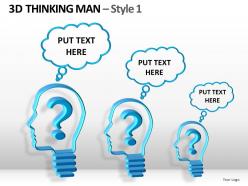
FAQs for 3d thinking man style 1
Make your 3D thinking guy the star - everything else should support him, not fight for attention. Lighting and shadows are crucial or he'll look weird and floaty (I've definitely been guilty of this before). Stick to a simple color scheme so he pops. Your text and other elements need to play nice with the figure, not compete. Layering adds nice depth if you do it right. Oh, and definitely check how it looks on different screens - 3D stuff can be super finicky depending on the display. Short sentences work. Longer ones with natural flow work too, just don't make everything sound robotic.
Your brain literally has to work harder when it sees 3D stuff, which keeps you hooked on the content. Flat slides get boring fast - like, painfully boring after a few minutes. Those 3D thinking figures and dimensional graphics make everything pop off the screen in a way that feels way more interactive than just another slideshow. I've noticed people actually lean forward when you throw in some depth. Even tiny stuff like 3D icons on your main points can totally transform how dynamic your presentation feels. It's weird how much difference a little visual depth makes, but it really does stick in people's minds better.
**Blender** is your best bet - totally free and way more capable than you'd think. PowerPoint actually has some solid built-in 3D models too, which honestly surprised me. **Cinema 4D** is great if you've got money to burn. YouTube has endless Blender tutorials for business stuff specifically. **SketchUp** works well for simpler designs, or go with **Maya** if you're feeling ambitious. Just create your model, export as PNG with transparency, then drag it right into PowerPoint. Easy enough. I'd definitely start with Blender though - the learning curve isn't as brutal as people make it sound.
Dude, color schemes can totally make or break those slides. Go for high contrast - dark blues with bright whites, or deep grays with some vibrant accents. That's what makes the 3D effect actually pop. Don't use busy patterns though, they'll compete with your thinking man figure. Stick to maybe 3-4 colors tops for that clean look. I'd start with whatever your company colors are and build from there. Trust me, your audience will appreciate not having their eyes assaulted. The dimensionality really shines when you keep things simple.
Honestly, skip the crazy spinning effects - your audience isn't there for a Disney ride. Simple 3D elements work way better anyway. Complex details? They'll look like blobs from the back row. I learned this the hard way once... those gorgeous gradients on my laptop turned into muddy garbage on the projector. Stick with clean colors that actually show up. Less animation is usually more impactful. Your ideas should be the star, not some flashy transition that makes people dizzy. Keep it readable and support your message instead of overwhelming it.
Okay so basically animations help people follow your ideas without getting lost in the weirdness of 3D space. You can drop info piece by piece instead of overwhelming everyone right away. Moving stuff just sticks in people's brains better - it's like our caveman ancestors or whatever. The depth naturally pulls eyes where you want them. Here's what works: use entrance effects to build up your main points and smooth out transitions. But seriously, don't get animation-crazy because I've sat through presentations where the spinning text made me dizzy. Keep it clean and purposeful.
Honestly, those 3D thinking figures just hit different than regular slides. You get actual depth with shadows and lighting that makes everything feel way more cinematic. There's something about that classic thinker pose - people immediately get that you're talking about problem-solving without needing another boring bullet list. Way more engaging, right? The key is being strategic about it though. Don't just throw them everywhere for decoration. Replace one static slide with a 3D figure and you'll see how it completely shifts the vibe. It's like... your presentation suddenly has personality instead of looking like everyone else's.
Don't let your fancy 3D stuff lock people out! Alt text is crucial for graphics, and watch those color contrasts - pretty gradients can be impossible to read. Text size matters too, especially when you're rotating things at weird angles. Oh and definitely test on different devices first because 3D effects look totally broken on some older laptops (learned that the hard way). Include a plain text summary of key visual info. Honestly? Just grab a coworker to review the whole thing for accessibility issues before you present.
Honestly, 3D stuff works great for data charts - like making bar graphs actually pop out at people. Org charts look way less boring when they have some depth instead of just flat boxes. Process flows are perfect too since you can make those workflow arrows look like they're floating. Product demos? Total game-changer. Basically anything with relationships or hierarchy benefits from the dimensional thing. Just don't go overboard trying to be flashy - the 3D should actually help people understand your point better. I'd start simple with basic effects first, then you can get all fancy later once you've figured out what works.
Consulting and training companies use those 3D thinking man slides constantly - they're perfect for showing problem-solving or strategic concepts. Tech startups are obsessed with them too (honestly, that little bronze guy is in like every pitch deck now). Academic presentations love them because audiences instantly get the "deep thinking" vibe without explanation. They work great for brainstorming sessions or when you need to show analysis. The education industry uses them a ton as well. Next time you're presenting anything about decision-making or those "lightbulb moment" concepts, throw one in there - it's weirdly effective.
Honestly, 3D graphics can make your presentation look way more polished if you use them right. They're great for data viz or showing complex processes - adds that visual depth that actually helps people understand stuff better. But please don't be that person with spinning cubes on every slide (you know the type). Use 3D where it makes sense, not just because you can. Your audience will think you know what you're doing if it feels intentional. Oh, and test everything on the actual projector first - I learned that the hard way when my fancy effects looked terrible on their ancient setup.
Don't pile text on top of your 3D guy - that's just asking for a cluttered mess. Put the text around him instead so they're not fighting each other. High contrast is your friend here, and stick with simple fonts since you've already got visual complexity happening. Short tangent: I always cringe when I see fancy fonts paired with 3D graphics. Anyway, make sure whatever text you write actually connects to the thinking pose. If he's contemplating something, your words should reflect that - pose questions or present problems he might be mulling over. Less text is definitely more with these designs.
Definitely get someone else to look at your slides before you present. Fresh eyes always catch weird stuff you totally missed - like when the 3D guy looks more constipated than thoughtful, you know? Have 2-3 people check if the colors work, if text placement makes sense, and whether everything actually looks professional. Some of those stock "thinking" poses are honestly pretty cringe. Ask specific questions too, not just "what do you think?" Try "does the main point stand out?" or "does this look polished enough for the client meeting?" Way better feedback that way.
Definitely set up practice sessions first so they can mess around with the 3D stuff before showtime. Nobody wants to watch someone struggle with transitions - it's awkward for everyone. Timing's huge here since 3D animations drag way longer than regular slides. I'd teach them that "thinking man" pose trick for natural pauses while the visuals do their thing. Oh, and make this your golden rule: always rehearse with the actual 3D slides, not just their notes. You can't wing it with this tech. Short practice sessions work better than one long cramming session too.
Honestly, just pick one color scheme and stick with it - same lighting, same textures, everything. Your 3D thinking man figures should all have that identical metallic look and pose style. I learned this the hard way after making a deck that looked like I'd raided five different design apps lol. Keep your spacing consistent too between the 3D stuff and your text. What I do now is make a quick style reference slide first with all my 3D settings, then I can just glance back at it while building the rest. Saves me from that "wait, what shadow depth was I using?" moment every time.
-
Informative design.
-
The content is very helpful from business point of view.