

4 rectangular blocks with icons




Try Before you Buy Download Free Sample Product
 Impress Your
 Audience
 100%
100% Editable
 Save Hours
 of Time


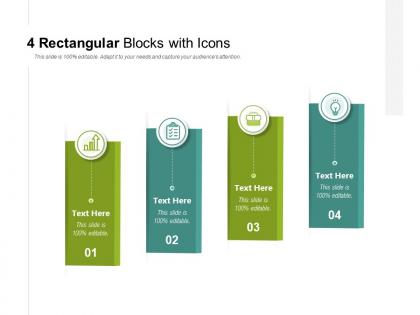
Address attempts at causing ire with our 4 Rectangular Blocks With Icons. Douse feelings of anger that emerge.
People who downloaded this PowerPoint presentation also viewed the following :
4 rectangular blocks with icons with all 5 slides:
Douse feelings of anger that emerge with our 4 Rectangular Blocks With Icons. Address attempts at causing ire.
FAQs for 4 rectangular
Block icons are simplified, geometric graphic elements featuring solid shapes, bold colors, and minimal detail, designed for maximum clarity and visual impact in presentations. Unlike traditional icons which often use intricate details, gradients, and complex imagery, block icons enhance readability through clean lines and consistent styling, making them particularly effective for professional presentations, digital displays, and corporate communications where audiences need to quickly grasp information.
Block icons enhance visual appeal by creating clean, structured layouts, establishing consistent design language, and improving content organization through recognizable visual elements. These geometric design elements streamline information hierarchy while adding professional polish, with many presenters finding that strategic icon placement significantly increases audience engagement and comprehension rates.
Block icons enhance presentation communication by providing instant visual recognition, reducing cognitive load, breaking up text-heavy content, and creating clear information hierarchy. These visual elements streamline complex concepts into digestible formats, with many presenters finding that audiences retain information more effectively when key points are reinforced through strategic iconography, ultimately delivering clearer messaging and enhanced engagement.
Best practices for incorporating block icons into slide designs include maintaining consistent sizing and spacing, using a unified color palette, ensuring visual hierarchy through strategic placement, and balancing icons with text content. These design principles enhance presentation clarity by creating visual cohesion, improving audience comprehension, and delivering professional aesthetics, with many presenters finding that well-integrated block icons significantly streamline complex information communication.
Color schemes and styles of block icons significantly influence audience perception by conveying brand personality, emotional tone, and professional credibility through visual consistency. Different color palettes evoke specific psychological responses, with corporate blues suggesting trustworthiness, vibrant colors indicating creativity, and minimalist styles projecting modern sophistication, ultimately enhancing user engagement and brand recognition across presentations.
Block icons can be universally adapted across different presentation themes through consistent sizing, strategic color coordination, and maintaining uniform spacing principles. Their geometric simplicity enables seamless integration with various design aesthetics, with many organizations finding that establishing standardized icon libraries ensures visual coherence while allowing thematic flexibility across corporate presentations, educational materials, and client-facing documents.
**INPUT**: What tools or software are recommended for creating custom block icons for presentations? **OUTPUT**: Recommended tools for creating custom block icons include Adobe Illustrator, Canva, Figma, PowerPoint's built-in design features, and specialized icon libraries like Flaticon. These platforms streamline icon creation by offering vector editing capabilities, template libraries, and scalable formats, with many presentation designers finding that combining multiple tools delivers consistent branding and enhanced visual communication across corporate presentations. [Word count: 58 words]
Block icons support accessibility by providing clear visual communication that transcends language barriers, simplifies complex information, and accommodates various learning styles and cognitive abilities. These design elements enhance comprehension for diverse audiences, including non-native speakers, individuals with dyslexia, and visual learners, while streamlining information processing and ultimately delivering more inclusive presentations that engage broader stakeholder groups effectively.
Block icons simplify complex information by transforming abstract concepts, data points, processes, and relationships into instantly recognizable visual elements that audiences can quickly understand and retain. In presentations across healthcare, finance, and technology sectors, these icons streamline communication by reducing cognitive load, enhancing visual hierarchy, and enabling faster comprehension, ultimately delivering clearer messaging and more engaging audience experiences.
Yes, copyright and licensing considerations include checking icon sources, understanding usage rights, commercial versus personal use restrictions, attribution requirements, and potential trademark conflicts. Many organizations find that using licensed icon libraries, royalty-free collections, or custom-designed block icons eliminates legal risks while ensuring professional presentations, ultimately delivering brand consistency and avoiding costly infringement issues.
Block icons enhance infographic storytelling by creating visual hierarchy, simplifying complex concepts, guiding reader flow, and establishing consistent design themes throughout the narrative. These versatile elements streamline information processing while maintaining audience engagement, with many designers finding that strategic icon placement significantly improves comprehension rates and delivers more memorable, impactful visual communications across diverse business presentations.
Popular block icon sets for business presentations include Feather, Heroicons, Phosphor, Lucide, and Material Design icons, offering clean geometric shapes and professional styling. These icon families streamline visual communication by providing consistent line weights, scalable formats, and comprehensive business categories, with many presentation designers finding that cohesive iconography enhances audience comprehension and delivers polished, professional aesthetics.
Cultural differences significantly impact block icon interpretation through varying color associations, symbolic meanings, directional reading patterns, and religious or historical contexts. For instance, while red signifies prosperity in Chinese presentations, it represents danger in Western contexts, and left-to-right versus right-to-left reading cultures interpret flow charts differently, with many global organizations finding that culturally-neutral icons enhance cross-border communication effectiveness.
Strategic placement of block icons significantly influences presentation flow by creating visual hierarchy, guiding audience attention, and establishing logical connections between concepts. When positioned effectively, these icons serve as navigation anchors and transition markers, helping presenters maintain audience engagement while reinforcing key messages, ultimately delivering smoother information transfer and enhanced comprehension throughout the presentation.
Current design trends influencing block icons include minimalist aesthetics, bold geometric shapes, gradient overlays, micro-interactions, and accessibility-focused color schemes. These evolving approaches enhance visual hierarchy, streamline complex information delivery, and create more engaging presentation experiences, with many organizations finding that modernized iconography significantly improves audience comprehension and retention rates.
No Reviews