

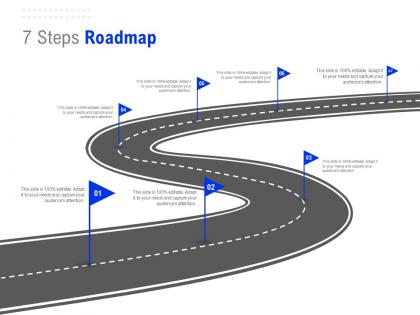
7 steps roadmap c1316 ppt powerpoint presentation infographic template elements




Try Before you Buy Download Free Sample Product
 Impress Your
 Audience
 100%
100% Editable
 Save Hours
 of Time


Generate the desired impetus with our 7 Steps Roadmap C1316 Ppt Powerpoint Presentation Infographic Template Elements. Boost the desire for faster growth.
People who downloaded this PowerPoint presentation also viewed the following :
7 steps roadmap c1316 ppt powerpoint presentation infographic template elements with all 2 slides:
Boost the desire for faster growth with our 7 Steps Roadmap C1316 Ppt Powerpoint Presentation Infographic Template Elements. It helps generate the desired impetus.
FAQs for 7 steps roadmap c1316 ppt powerpoint presentation
Honestly, the C1316 template is pretty solid. Clean look, bold fonts that make your stuff pop without being annoying. Layout options are super flexible too - works whether you're dumping tons of data or telling a story. I've used the color scheme for everything from boring quarterly stuff to client pitches and it always looks decent. Animation presets are actually smooth (hate when those look janky). Only thing is you might see it everywhere soon since it's getting popular, but whatever. Definitely worth trying if you want something that looks expensive but isn't too extra.
So the C1316 template actually works because it gives you three natural spots to get people talking instead of just lecturing at them. Built-in moments for questions or quick polls, which honestly saves you from that awkward "any questions?" silence. It's got visual cues too so you remember to look up from your notes and actually read the room. Oh, and there's these energy breaks every 8-10 minutes - sounds kinda gimmicky but it really does keep people from zoning out. Map your next presentation to it and I bet you'll see way more participation instead of everyone staring at their phones.
Okay so C1316 is perfect for stuff like product pages, case studies, service breakdowns - basically anything that needs to look super organized. The layout really shines with content that has clear sections and natural breaks. I've used it a ton and honestly love how it handles both heavy text and visual stuff without looking cluttered. Works great for marketing pages or educational content too. Oh and pro tip - outline your main points first before you start plugging things in. The template uses those section dividers really well, so you want content that flows naturally from one point to the next.
Yeah, the C1316 template has pretty good customization stuff. Colors, fonts, logos - you can swap all that out to match your branding. What I really like is how the layout sections are modular, so rearranging things is super easy. Way better than most templates honestly. There's also custom CSS if you want to get into deeper styling. Some of the advanced stuff might need HTML knowledge though - I always forget how annoying that can be. I'd probably start with the basic brand elements first, then mess with layout changes after.
So basically the C1316 template walks you through this whole story arc - problem, solution, results, next steps. Pretty clever setup honestly. You've got sections for context, then the challenge/conflict part, then how you solved it. Makes it way easier for people to follow along. Oh and the visual stuff is set up so you're not dumping everything on them at once, which is nice. My advice? Map out your main story points first before you dive into filling out the template. Trust me, it'll save you time later when you're not scrambling to figure out what comes next.
Honestly, C1316 is perfect if you're in tech, consulting, or finance - anywhere you're constantly dumping complex data on people. The layout actually makes sense, unlike most corporate templates that look like they're from 2003. Works great for SaaS companies, management consulting, investment banking, that whole world. Charts and graphs look clean without being sterile. Multi-layered stuff doesn't get messy either. I'd grab it and test with your heaviest presentation first - see how it handles whatever chaos you usually throw at stakeholders. Trust me, visual hierarchy matters way more than people think.
Yeah, C1316 works perfectly for both! I've used it tons of times. The text scales nicely whether you're projecting in person or doing a Zoom call. Honestly, it's probably my favorite template because it just... works everywhere? Quick tip though - definitely do a test run in presentation mode first. Sometimes what looks good in edit mode gets weird when you actually present. Oh, and for virtual meetings, maybe bump the font up a size. People on phones or tablets will thank you later. Trust me on that one!
Oh, C1316's kind of picky about colors honestly. Stick with grays, whites, navy as your main colors, then throw in one accent like teal or orange for pops of color. I learned this the hard way - it looks super weird when you go too colorful with that template. Font combo I'd do is something like Montserrat for headings, then Lato for body text. Just make sure there's good contrast between text and background so people can actually read it. Maybe test it on a couple slides first? That way you won't have to redo everything if it looks off.
Honestly, that C1316 template is actually pretty solid once you get the hang of it. Start with your learning objectives - make them measurable, not just fluffy goals. Then work backwards from there to plan your activities. The differentiation part used to annoy me but it's genuinely helpful for planning different ability levels upfront. Don't skip filling out the assessment rubrics early either - trust me on this one. Map everything to those criteria before you even step in the classroom. Takes some time initially but you'll have way better focus during lessons and built-in ways to track where kids are struggling.
Definitely go with the built-in media blocks instead of trying to embed things yourself. Just drag your images into those content zones and they'll resize automatically. Works really well with videos too - YouTube and Vimeo links paste right in and handle the responsive stuff for you. The gallery thing is actually pretty nice for multiple photos. Oh, and compress your images first because big files will make everything load super slow. I've noticed audio embeds are kinda weird on mobile though, so maybe skip those for now. Honestly, stick with images and video first since those just work better right out of the box.
Yeah, C1316's actually pretty solid for infographics. Has all the chart widgets and graph stuff built right in, so you can just drag and drop without opening other programs. Interactive charts, progress bars, data tables - they all update automatically when you change the data. Starting with their sample dashboard is smart, then you can steal those components for whatever you need. Oh, and the pre-made infographic sections are a lifesaver - just swap in your colors and you're good. Way better than building everything from nothing, trust me.
Yeah, I've seen some solid examples floating around different forums and case study sites. Microsoft's template showcase has good ones to start with. Then check out Behance for the more creative stuff - some people get really inventive with that template, honestly. C1316 seems to crush it for quarterly reviews, product launches, and investor decks since the data viz sections are so clean. PowerPoint community galleries have detailed breakdowns too, though you might have to dig a bit. Should give you plenty of ideas for whatever you're working on.
Dude, keep those slide transitions super simple - like basic fades or slides. Timing should be around 0.5-0.8 seconds so people don't get bored or distracted. I can't tell you how many presentations I've sat through where someone used those ridiculous spinning cube effects... just why? Your whole deck needs the same transition style throughout. The real game-changer though? Actually practicing with your clicker beforehand. You don't want to be fumbling around or leaving weird silent gaps. Trust me, rehearsing your timing makes everything flow way better.
Feedback from your C1316 presentations is pure gold - it shows you exactly what's working and what isn't. I always pay attention to where people ask the most questions or look confused. Those "aha moment" comments? They're the best indicator you're actually connecting. Track which slides consistently trip people up across different talks. That's how you improve the template itself, not just one-off presentations. Honestly, the patterns matter more than individual comments. Set up some kind of system to collect feedback after each one, then look for the recurring stuff that keeps popping up.
So for the C1316 template, definitely check out their documentation hub first - it's got step-by-step guides and optimization stuff. But honestly? The community forum is where the gold is. Users post actual customizations and workarounds that work way better than the official guides sometimes. Oh, and there's a template library with modules you can just drop in. Start with their quick-start guide, then hit up those community discussions. They'll have examples that actually match what you're trying to do. There are video tutorials too if you're into that.
No Reviews