

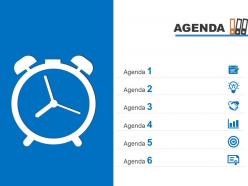
Agenda template slide with clock for time management powerpoint slide





Try Before you Buy Download Free Sample Product
 Impress Your
 Audience
 100%
100% Editable
 Save Hours
 of Time


In order to enhance efficiency and productivity by using an easy yet approachable mode of communication like PPT design, which supports in planning the agenda? Basic requirement of having a desired conscious control on activities and time, without compromising of efficiency, effectiveness and productivity, all that businessmen require is an agenda based template slide with a clock for time management sort PowerPoint slide. Because sometimes it becomes hard and messy to work on paper based planner, thus a pre designed PPT layout loaded with graphics not only adds life to your project but also gives it a very creative and professional touch, making it very easy to add, edit and replace the information or pictures. Understanding the relativity of time and not sacrificing on customer experience by the disruptions by the frequency ups and downs in business cycle- a good presentation slide with all the applicable facts briefly listed in it make the life all the more easy and manageable, thus saving a lot of your time and energy. Our Agenda Template Slide With Clock For Time Management Powerpoint Slide have the background on everything. You will find all applicable facts.
People who downloaded this PowerPoint presentation also viewed the following :
Agenda template slide with clock for time management powerpoint slide with all 4 slides:
Don't wait for a rainy day. Stock up on colorful Agenda Template Slide With Clock For Time Management Powerpoint Slide for your next presentation.
FAQs for Agenda template slide with clock for time
You'll want a clear title, numbered agenda items with time estimates, and who's presenting each part. Honestly, always add a Q&A section at the end - people are gonna have questions whether you plan for it or not. Make your agenda items specific, not just boring stuff like "project update." Nobody knows what that means. Keep it to one slide max. For longer meetings, throw in actual start/end times so people can see the roadmap. Oh, and it helps you stay on track too when things inevitably go off the rails.
Honestly, agenda templates are a game changer because nobody wants to sit there confused about where you're going with your presentation. When people can see the roadmap upfront, they actually listen better - I swear it's like magic. You can point back to it throughout your talk too, which keeps everyone on the same page. Oh, and here's a pro tip I learned the hard way: throw time estimates next to each section. Shows you're not gonna ramble forever and keeps you honest about pacing. Trust me, your audience will thank you for it.
Honestly, good typography makes all the difference here. Use different font weights so people can tell main topics from smaller details right away. Bullet points are your friend - way better than cramming everything into paragraphs. Leave tons of white space or it'll look messy. I'd stick with one accent color max, maybe two if you're feeling fancy. Oh, and definitely add time estimates next to each item! People love knowing how long they'll be stuck talking about budget reviews. The whole thing should be super scannable. Nobody wants to decode your agenda like it's a puzzle.
Look at successful presentations in your field first - steal their agenda structure, honestly. Tech presentations? Heavy on demos and technical stuff. Sales decks need ROI talk and clear next steps. Healthcare and finance folks obsess over compliance, so build in extra review time. Language matters too - say "implementation phases" instead of "rollout" for enterprise clients. It just sounds more serious. Basically match your flow and words to what your audience expects. I learned this the hard way after bombing a few presentations early on.
Honestly, color choice matters way more than people think for agenda slides. Blue's your safe bet - builds trust and looks professional. Green works great too, especially if you're talking about growth or new projects. I'd avoid red unless you want everyone feeling stressed out (learned that one the hard way). Yellow and orange are fun for creative sessions but maybe too casual for board meetings? Cooler colors like blues and greens just work better in most business situations. Really depends on your audience though - know what they're expecting.
Honestly, agenda templates are total lifesavers. When people start rambling, you can literally point and say "we're here right now" – gets everyone back on track fast. Your audience knows what's coming and roughly when, which keeps them way more engaged. For you, it's like having a roadmap so you don't panic if things run long. Build in some buffer time though (learned this the hard way). Otherwise you'll be rushing through Q&A at the end, which sucks for everyone. The pointing thing really does work – I was skeptical at first but it's surprisingly effective.
Oh man, the worst thing you can do is cram everything into tiny bullet points that no one can actually read. Use big fonts - like 18+ or people in the back will hate you. Be super specific too instead of writing vague stuff like "discuss project." What project? Which part? Also throw in time estimates for each thing, plus extra buffer time because meetings always go off track. I learned this the hard way lol. Short punchy items work way better than paragraphs of text. Run it by someone else first to make sure it's not confusing - you'd be surprised how often agendas make zero sense to anyone except the person who wrote them.
Icons are a game changer - try a lightbulb for brainstorming, clock for time-sensitive stuff. Color coding is where it's at though. Blue backgrounds for discussions, green for decisions, red for urgent things. Progress bars showing time for each section work great too. People can actually scan it quickly instead of reading everything. Oh, and don't go crazy with it right away. Just start with basic icons and colors first - I learned that the hard way when I made this super elaborate template that nobody could figure out. Keep it simple and build from there.
Honestly, digital templates are a game changer. You can edit stuff instantly when someone inevitably wants to add random agenda items (like that time our team spent 20 minutes debating the office thermostat settings). Everyone gets updates in real-time, so no more awkward "did you get the revised version?" moments. The best part? You can link directly to documents or even embed videos right in there. No more printing costs either. People can just pull it up on their phones during meetings - saves you from that one person who always "forgot their copy."
Think of it like a GPS for your talk - people need to know where they're going. I always put mine on slide 2 because it sets expectations upfront. Your audience can actually focus on what you're saying instead of trying to guess what's next. Makes transitions smoother too, which is honestly a lifesaver when you're up there presenting. Oh, and reference it between sections to keep everyone tracking with you. Even great content feels messy without structure. Trust me, I've sat through way too many presentations that just wandered around aimlessly.
Honestly, it depends who you're dealing with. Execs want the big picture stuff - outcomes and rough timing, nothing fancy. Technical teams? They need all the details about who's running what and exact discussion points. Client meetings are different though - skip the internal jargon (seriously, they don't care about our weird abbreviations) and focus on what's in it for them. Board meetings get the formal treatment, but team check-ins can be super casual with just bullet points. Some groups are obsessed with minute-by-minute schedules while others just want loose time blocks. Just think about what actually matters to your specific crowd first.
First thing - grab your brand colors, fonts, and logo and get those onto the template. I can't tell you how many people just... don't do this step lol. Your logo needs to go wherever it normally sits on company stuff. The whole layout should match your style guide too. If your company's vibe is minimal, keep the agenda super clean. Don't go crazy with design elements if that's not your brand. Honestly, the goal is just making it look obviously yours when people glance at it. Someone should immediately know it's from your organization.
Honestly, just go with PowerPoint or Google Slides - they've got loads of templates you can mess around with. Google Slides is clutch if your team needs to edit together since everyone can jump in at once. Canva's pretty sweet too, makes everything look way more professional even if you're not a design person. Though I always end up spending forever browsing their templates lol. Don't overthink it - grab a clean template with clear spots for timing and topics, then tweak it however you want. Way easier than starting from nothing.
Honestly, agenda templates are a game-changer because your audience can actually follow what you're saying instead of getting lost halfway through. People's brains work better when they know what's coming next - they can sort the info as you go rather than just scrambling to keep up. I always do the "okay we just wrapped point two, moving to three" thing to keep everyone on track. Oh, and definitely throw time estimates next to each item - people can pace themselves better that way. Trust me, this is especially clutch for longer meetings where everyone starts zoning out after like 20 minutes.
Honestly, there's so many cool ways to jazz up meeting agendas now. Clickable timestamps that link straight to your calendar are a game changer. I've been really into those progress bars that show how long each topic should take - keeps everyone on track. You can add live polls for quick feedback too. Oh, and collapsible sections are clutch when you've got a monster agenda that'll scare people off. Some tools even let attendees drop in questions beforehand, which is super helpful. The action item auto-sync to project management stuff is pretty neat too, though I forget to use it half the time. Start small though - maybe just pick one feature first.
-
Awesome use of colors and designs in product templates.
-
Enough space for editing and adding your own content.