

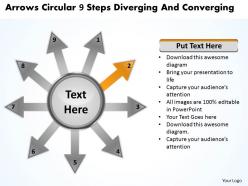
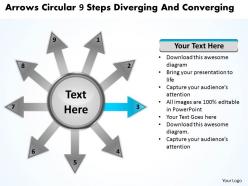
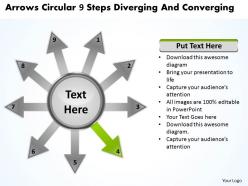
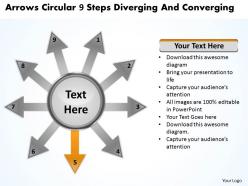
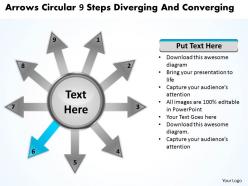
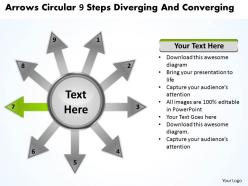
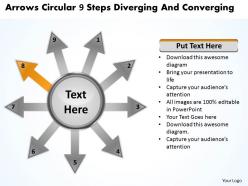
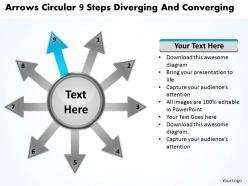
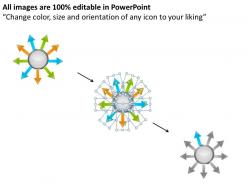
Arrows circular 9 steps diverging and converging processs powerpoint templates




Try Before you Buy Download Free Sample Product
 Impress Your
 Audience
 100%
100% Editable
 Save Hours
 of Time


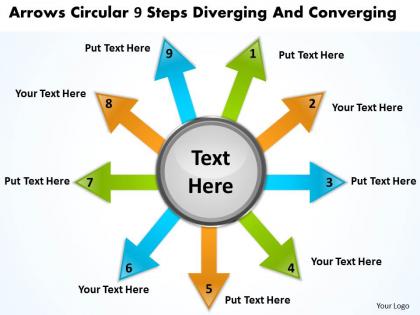
Even in your presentations you aim to look your best. You use arrows circular 9 steps diverging and converging Processs PowerPoint templates to keep your ideeas looking as good as they sound.
People who downloaded this PowerPoint presentation also viewed the following :
Arrows circular 9 steps diverging and converging processs powerpoint templates with all 15 slides:
Give your thoughts the cutting edge. Sharpen them with our arrows circular 9 steps diverging and converging Processs PowerPoint templates.
FAQs for Arrows circular 9 steps diverging and converging
Arrows circular 9 steps process PowerPoint templates enhance presentations by providing visual clarity, logical flow structure, professional aesthetics, audience engagement, and streamlined content organization. These templates enable presenters to communicate complex workflows, strategic processes, and sequential information more effectively, with many organizations finding that circular designs improve comprehension rates and retention while delivering polished, cohesive presentations.
Visual representation of processes enhances audience understanding by simplifying complex information, creating logical flow patterns, and engaging multiple learning styles simultaneously. Through circular process templates, presenters can demonstrate interconnected steps, highlight cyclical workflows, and maintain audience attention, with many organizations finding that visual learners retain 65% more information when concepts are presented graphically rather than through text alone.
Industries that benefit most from arrows circular 9 steps process PowerPoint templates include manufacturing, healthcare, consulting, project management, and financial services, where complex workflows require clear visualization. These templates streamline presentations by breaking down intricate processes into digestible segments, enabling teams to communicate operational procedures, quality control measures, and strategic implementations more effectively, ultimately enhancing stakeholder understanding and decision-making efficiency.
**INPUT**: Are there specific design principles to consider when creating or selecting arrows circular PowerPoint templates? **OUTPUT**: Key design principles include maintaining consistent arrow sizing, ensuring balanced spacing between elements, using cohesive color schemes, selecting readable fonts, and creating clear directional flow. These principles enhance visual clarity by eliminating cognitive overload, improving audience comprehension, and delivering professional presentations, with many organizations finding that well-designed circular templates significantly streamline complex process communication. *[Word count: 54 words]*
Arrows in circular formats visually demonstrate the ongoing, interconnected nature of cyclical processes by showing how each step flows seamlessly into the next, creating a continuous loop that emphasizes repetition and evolution. This approach proves particularly valuable for illustrating continuous improvement methodologies, quality management cycles, and strategic planning processes, with many organizations finding that circular arrow presentations help stakeholders better understand iterative workflows and sustainable business practices.
Customization options for arrows circular 9 steps process templates typically include color scheme modifications, font style and size adjustments, icon replacements, text content editing, and arrow style variations. These PowerPoint templates enable organizations to maintain brand consistency while streamlining complex process visualization, with many businesses finding that personalized circular diagrams enhance stakeholder comprehension and presentation impact.
Yes, color psychology in circular process templates significantly influences audience perception and engagement by triggering emotional responses, enhancing comprehension, and directing attention flow through each step. Strategic color choices, such as blue for trust-building financial processes or green for growth-oriented business strategies, help organizations create more persuasive presentations while improving information retention and decision-making outcomes.
Choose fonts that balance readability with visual hierarchy by selecting clean, sans-serif typefaces like Arial or Calibri, using 18-24pt for main content and 14-16pt for details. Strategic font sizing ensures each step remains legible while maintaining the circular flow's visual impact, with many presenters finding that consistent typography enhances audience comprehension and creates professional, streamlined presentations that effectively communicate complex processes.
Common mistakes include overcrowding slides with excessive text, using inconsistent formatting across steps, neglecting logical flow between processes, choosing poor color contrast, and failing to align content with audience needs. Many organizations find that maintaining visual hierarchy, ensuring each step contains focused messaging, and testing readability from audience perspective ultimately delivers clearer presentations and enhanced stakeholder engagement.
Animation enhances 9-step arrow processes by revealing steps sequentially, emphasizing transitions between phases, and maintaining audience focus through controlled information flow. These dynamic presentations enable presenters to build narrative tension, highlight critical decision points, and demonstrate process momentum, with many organizations finding that animated workflows increase audience retention and comprehension significantly.
These templates adapt seamlessly for virtual presentations through enlarged text for screen readability, simplified color schemes for video compression, and interactive elements like clickable steps or animated reveals. Virtual presenters can leverage the circular format to guide audience attention systematically, create breakout room discussions around specific steps, and use screen sharing tools to zoom into individual process segments, ultimately delivering more engaging and structured online experiences.
Visual elements like icons and images significantly enhance arrows circular templates by improving comprehension, retention, and audience engagement through immediate visual recognition and simplified complex information processing. These graphics transform abstract concepts into concrete representations, enabling viewers to quickly grasp multi-step processes while maintaining attention throughout presentations, ultimately delivering more impactful communication and faster decision-making in business environments.
Users consistently praise arrows circular 9 steps process templates for their intuitive navigation, clear visual hierarchy, and ability to simplify complex workflows into digestible segments. Organizations across consulting, project management, and training sectors find these templates particularly effective for stakeholder presentations, with many reporting improved audience engagement, faster decision-making processes, and enhanced comprehension of multi-phase initiatives.
Educators can implement arrows circular 9 steps process templates by creating lesson frameworks, curriculum mapping, project workflows, assessment cycles, and student learning progressions. These visual templates enhance classroom instruction by breaking complex topics into digestible sequential steps, facilitating better student comprehension and engagement, while enabling teachers to present interconnected concepts more effectively across subjects.
**INPUT**: What tools or software can be used to create custom arrows circular PowerPoint templates beyond what's provided? **OUTPUT**: Custom arrows circular templates can be created using PowerPoint's built-in SmartArt, Adobe Illustrator, Canva Pro, Lucidchart, and specialized design platforms like Figma. These tools enable organizations to develop branded, scalable process visualizations with precise formatting, custom color schemes, and enhanced visual elements, ultimately delivering more engaging presentations and stronger audience comprehension across departments. [Word count: 56 words]
-
Great experience, I would definitely use your services further.
-
Attractive design and informative presentation.