

Artificial intelligence powerpoint templates




Try Before you Buy Download Free Sample Product
 Impress Your
 Audience
 100%
100% Editable
 Save Hours
 of Time


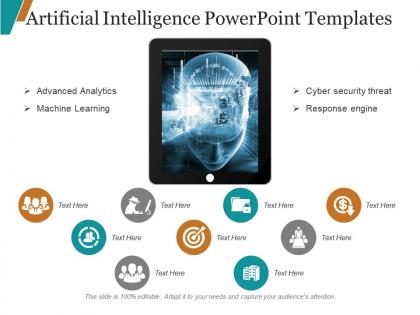
Our Artificial Intelligence Powerpoint Templates are topically designed to provide an attractive backdrop to any subject. Use them to look like a presentation pro.
People who downloaded this PowerPoint presentation also viewed the following :
Artificial intelligence powerpoint templates with all 5 slides:
Use our Artificial Intelligence Powerpoint Templates to effectively help you save your valuable time. They are readymade to fit into any presentation structure.

FAQs for Artificial
Key features include customizable data visualization charts, algorithm flowcharts, machine learning process diagrams, neural network illustrations, and AI timeline templates. These elements streamline complex concept presentation by offering pre-designed layouts, consistent visual branding, and scalable graphics, with many organizations finding that professional AI templates enhance stakeholder understanding while significantly reducing presentation development time.
AI enhances PowerPoint design through intelligent layout optimization, automated color scheme selection, smart content organization, real-time design suggestions, and template customization based on audience analysis. These technologies streamline presentation creation by reducing design time, ensuring visual consistency, and improving audience engagement, with many professionals finding that AI-powered tools ultimately deliver more polished presentations while minimizing creative bottlenecks.
Effective AI visualization techniques include process flow diagrams, layered network architectures, decision trees, data pipeline illustrations, and before-and-after comparison charts. These approaches streamline complex algorithms by breaking them into digestible visual components, using progressive disclosure methods, and incorporating real-world examples from sectors like healthcare diagnostics or financial fraud detection, ultimately delivering clearer stakeholder understanding.
Customizable templates support different audiences by allowing presenters to adjust technical depth, visual complexity, terminology, and focus areas to match stakeholder needs and expertise levels. These adaptable frameworks enable organizations to transform the same AI content for executives, technical teams, clients, and investors, while maintaining consistent messaging and professional appearance, ultimately streamlining communication across diverse business contexts.
AI-themed visuals enhance business presentations by demonstrating technological sophistication, improving audience engagement, and clearly communicating complex concepts through intuitive graphics. These templates help organizations showcase their innovation capabilities, streamline data visualization processes, and establish credibility in increasingly digital markets, with many companies finding that AI-focused presentations accelerate stakeholder buy-in and strategic decision-making.
AI tools improve collaboration on PowerPoint presentations by enabling real-time co-editing with intelligent suggestions, automated version control, and smart conflict resolution when multiple users edit simultaneously. Through machine learning algorithms, teams can leverage automated design consistency checks, content synchronization across devices, and intelligent commenting systems that prioritize feedback, ultimately streamlining workflow efficiency and reducing revision cycles significantly.
Color schemes in AI templates establish visual hierarchy, convey technological sophistication, and enhance data comprehension through strategic contrast and consistency. They create professional credibility while ensuring accessibility, with many organizations finding that cohesive color palettes in blues, teches, and neutrals significantly improve audience engagement and information retention during AI presentations.
AI templates assist in storytelling by providing structured narrative frameworks, visual hierarchies for complex concepts, data visualization components, and consistent design elements that guide audience comprehension. These templates enable presenters to craft compelling narratives through strategic information sequencing, visual metaphors for abstract AI concepts, and professional layouts that enhance credibility, ultimately delivering clearer communication and stronger stakeholder engagement across technical and business audiences.
Common pitfalls include over-relying on generic content without customization, neglecting brand consistency, using overly complex visuals that distract from key messages, and failing to verify accuracy of AI-generated data or statistics. These templates work best when organizations treat them as strategic starting points rather than final solutions, with many businesses finding that thoughtful customization and brand alignment ultimately delivers more impactful presentations and stronger audience engagement.
Font choice significantly impacts AI presentation readability through size consistency, contrast optimization, and visual hierarchy establishment, with sans-serif fonts like Arial or Calibri typically performing better than decorative alternatives. Strategic font selection enhances audience comprehension by reducing cognitive load, improving information processing speed, and ensuring technical concepts remain accessible, while inconsistent typography can distract from complex AI data and diminish professional credibility.
Essential elements for creating engaging AI infographics include clear data visualizations, intuitive iconography, strategic color coding, compelling statistics, and simplified technical concepts. These design components work together by making complex artificial intelligence topics accessible to broader audiences, enhancing comprehension through visual hierarchy, and ultimately delivering more impactful presentations that drive stakeholder understanding and strategic decision-making.
Data analytics can be integrated into AI presentation templates through interactive dashboards, real-time data visualization widgets, automated chart generation, predictive modeling displays, and embedded performance metrics. These features enable presenters to showcase live insights, demonstrate AI algorithms with actual data sets, and create dynamic presentations that update automatically, ultimately delivering more compelling and evidence-based presentations that enhance audience engagement.
Dynamic AI templates enable real-time data visualization, automated updates, interactive dashboards, seamless integration with analytics platforms, and instant stakeholder communication. These presentation tools streamline decision-making by transforming complex algorithms into digestible insights, reducing reporting time, and enhancing organizational transparency, with many financial services and healthcare institutions finding that dynamic templates ultimately deliver faster strategic responses and competitive advantage.
AI ethics templates enable clear communication through structured frameworks for bias assessment, transparency guidelines, accountability measures, and stakeholder impact analysis. These presentations help organizations address complex ethical considerations like algorithmic fairness and data privacy, with many companies finding that visual frameworks facilitate boardroom discussions and regulatory compliance conversations more effectively.
Current AI trends influencing PowerPoint template design include machine learning visualizations, neural network diagrams, chatbot interface mockups, predictive analytics dashboards, and automated decision-tree flowcharts. These design elements enable professionals to communicate complex AI concepts through clean infographics and data visualization frameworks, with many consulting firms and tech companies finding that modern AI-themed templates enhance client presentations while making sophisticated algorithms more accessible to stakeholders.
-
The Designed Graphic are very professional and classic.
-
Excellent Designs.
-
Amazing product with appealing content and design.
-
Very unique, user-friendly presentation interface.
-
Designs have enough space to add content.
-
Content of slide is easy to understand and edit.
-
Unique and attractive product design.
-
Graphics are very appealing to eyes.
-
Awesome use of colors and designs in product templates.
-
Good research work and creative work done on every template.
-
Page:
- You're currently reading page 1
- Page 2
-
