

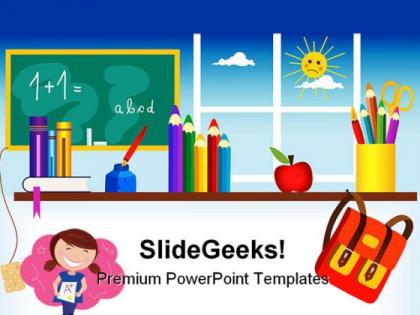
Back to school01 education powerpoint backgrounds and templates 1210




Try Before you Buy Download Free Sample Product
 Impress Your
 Audience
 100%
100% Editable
 Save Hours
 of Time


You've got an important presentation. Make sure it looks perfect with streamlined Back To School01 Education PowerPoint Backgrounds And Templates 1210 design.
People who downloaded this PowerPoint presentation also viewed the following :
Back to school01 education powerpoint backgrounds and templates 1210 with all 3 slides:
Our Back To School01 Education PowerPoint Backgrounds And Templates 1210 let you sleep in peace. They make your dreams come true.
FAQs for Back to school01 education powerpoint backgrounds
Back-to-school presentation templates should include classroom expectations and rules, curriculum overview and learning objectives, communication protocols with parents, assessment methods and grading policies, and interactive elements for student engagement. These components streamline the academic year setup by establishing clear frameworks, enhancing parent-teacher collaboration, and creating structured learning environments, with many educators finding that comprehensive templates significantly reduce preparation time while delivering more professional and organized classroom introductions.
Presentation templates enhance student engagement by providing visually appealing, structured formats that capture attention, encourage participation, and simplify complex information delivery. These tools enable educators to create interactive lessons with multimedia elements, consistent branding, and professional layouts, while students benefit from clearer content organization and improved comprehension, ultimately fostering more dynamic classroom experiences.
Popular back-to-school presentation design trends include minimalist layouts with bold typography, vibrant color palettes featuring sunset oranges and deep blues, hand-drawn illustrations, geometric patterns, and interactive elements. These contemporary designs enhance student engagement through visual storytelling, streamlined information hierarchy, and mobile-responsive formats, with many educational institutions finding that modern aesthetics significantly improve presentation effectiveness and audience retention.
Educators can customize back-to-school templates by integrating subject-specific content, curriculum standards, learning objectives, assessment criteria, and visual elements that reflect their teaching methodology. Through strategic modifications to layouts, color schemes, and interactive components, teachers streamline lesson planning, enhance student engagement, and create cohesive educational materials, ultimately delivering more personalized learning experiences.
Effective back-to-school visuals for young students include colorful infographics, animated characters, interactive timelines, bright icons, and illustrated scenarios depicting classroom activities. These visual elements enhance engagement by simplifying complex information, maintaining attention through vibrant designs, and creating memorable connections to academic concepts, ultimately delivering improved comprehension and sustained student interest throughout presentations.
Templates streamline new subject introductions by providing structured frameworks for lesson planning, visual concept mapping, curriculum organization, and student assessment tracking. These educational tools enable teachers to present complex topics systematically while maintaining consistency across classrooms, ultimately delivering clearer learning pathways and enhanced student comprehension during critical back-to-school transitions.
Back-to-school presentation templates for parents should maintain a welcoming, informative tone that balances professionalism with warmth and accessibility. The approach should be reassuring yet comprehensive, addressing parental concerns while highlighting educational opportunities, safety protocols, and communication channels, ultimately building confidence in the school's commitment to student success and fostering collaborative parent-school partnerships.
Infographics transform complex school policies into digestible visual formats through charts, icons, flowcharts, and timelines, making information accessible to parents, students, and staff. These visual tools streamline policy communication by highlighting key points, simplifying procedures, and creating memorable references, ultimately enhancing understanding and compliance across the school community.
Interactive back-to-school presentation tools include Prezi, Nearpod, Pear Deck, Flipgrid, and Kahoot, along with comprehensive slide templates from platforms like SlideTeam. These technologies enhance student engagement by incorporating real-time polling, collaborative activities, and multimedia elements, with many educators finding that interactive presentations significantly improve classroom participation and learning retention rates.
Teachers can incorporate technology seamlessly by utilizing interactive presentation templates with embedded videos, clickable navigation, and multimedia elements that engage students while maintaining pedagogical focus. These digital templates enable educators to blend traditional teaching methods with modern tools like virtual whiteboards, student polling features, and collaborative spaces, ultimately delivering more dynamic classroom experiences while streamlining lesson preparation and enhancing student participation.
Common mistakes include overcrowding slides with excessive text, using inappropriate color schemes that distract from educational content, neglecting to customize templates for specific grade levels, failing to maintain consistent formatting throughout presentations, and choosing templates with distracting animations or graphics. These oversights can diminish student engagement and comprehension, with many educators finding that simple, well-structured templates with clear visual hierarchy and age-appropriate design elements ultimately deliver better learning outcomes and classroom focus.
Presentation templates help build positive classroom environments by establishing clear expectations, introducing engaging icebreakers, showcasing classroom rules visually, and creating welcoming atmospheres through consistent design elements. These structured tools enable teachers to deliver organized first-day presentations, facilitate student introductions seamlessly, and communicate learning objectives effectively, ultimately fostering connection and reducing anxiety while establishing productive educational foundations from the outset.
Essential features include clear navigation structures, interactive elements for student engagement, customizable sections for academic programs and campus resources, visual timelines for important dates, and contact information layouts. These templates streamline orientation planning by incorporating school branding, accommodation space for multimedia content, and flexible formatting, with many educational institutions finding that well-designed presentations significantly enhance new student experiences and reduce administrative workload.
Templates can be adapted for virtual classrooms through interactive elements, multimedia integration, screen-sharing optimization, and digital collaboration features that enhance remote engagement. These adaptations streamline lesson delivery by incorporating breakout room activities, real-time polling, and cloud-based assignment tracking, with many educational institutions finding that strategic template customization ultimately delivers improved student participation and learning outcomes in increasingly digital environments.
Creative back-to-school night template applications include interactive timeline presentations showcasing yearly curriculum milestones, collaborative classroom maps highlighting learning stations, student progress portfolio displays, parent resource hubs with clickable information sections, and virtual classroom tours with embedded multimedia content. These approaches transform traditional presentations by encouraging parent participation, streamlining information delivery, and creating memorable experiences that enhance parent-teacher communication while building stronger school community connections.
-
Enough space for editing and adding your own content.
-
Awesomely designed templates, Easy to understand.