





 0 Comment
 Customer Reviews

The meeting's already scheduled. Someone pulled the numbers.
Now comes the part nobody quite prepares for: sitting in a room with assessment data on the screen and being expected to say something useful. Not just "the scores went down" or "we need to do better." Something that connects what happened to what happens next.
That gap—between data and decision—is where most review processes quietly fall apart. Not because the data is bad. It usually isn't. But because reading numbers is one skill and building an action plan from them is a completely different one. And most people in those rooms weren't trained for the second part.
There's also the format problem. The spreadsheet makes sense to whoever built it. The principal, the department head, the program manager—they've been living in this data for weeks. But the moment it goes up on a projector, it stops making sense to everyone else. And the action plan that follows gets built on a shared misunderstanding.
What makes it worse is the pressure to look decisive. You can't say "we're not sure yet." You can't present a slide that says "we'll figure it out." So people fill the space with plans that sound structured but aren't tied to anything specific. Goals without owners. Interventions without timelines. Continuous improvement language that means nothing.
That's not a character flaw. It's a structural problem. The presentation itself is missing the scaffolding—a clear way to show what the data says, what it means, and what specifically should happen next.
Templates for review assessment data and action plans exist because this problem is common. Every school, district, program office, and operations team eventually hits this same wall: data on one side, next steps on the other, and no clear bridge between them.
SlideTeam's pre-designed templates are built for exactly this moment. They give you the structure to present assessment findings clearly, connect them to concrete action steps, and walk any room through the logic without losing anyone. Ready-made frameworks that handle the awkward part—so you can focus on the conversation that actually matters.
Here are the templates worth using.
Template 1: Review Assessment Data and Action Plan Templates PPT Sample
Solid data review work loses impact when the presentation structure fails the audience. This PPT preset is built for teams that need to present review assessment data and action plan findings clearly, without building from scratch. Program managers and school improvement leads reach for this deck when aligning stakeholders around performance assessment tools and next steps. It covers the full arc—from data summary to action plan development—in one coherent flow. The template is 100% editable and customizable.
[product_image id=1486089]
Template 2: Developing Action Plans from Performance Review Results PPT Demonstration
Performance reviews generate findings; the harder work is turning those findings into plans people will actually follow. This PPT template is designed for HR leads and department managers who need to present action plan development clearly after a formal review cycle. It supports data-driven decision making by giving each finding a visible path to an assigned next step. The structure keeps accountability visible and the narrative tight. The template is 100% editable and customizable.
[product_image id=1696449]
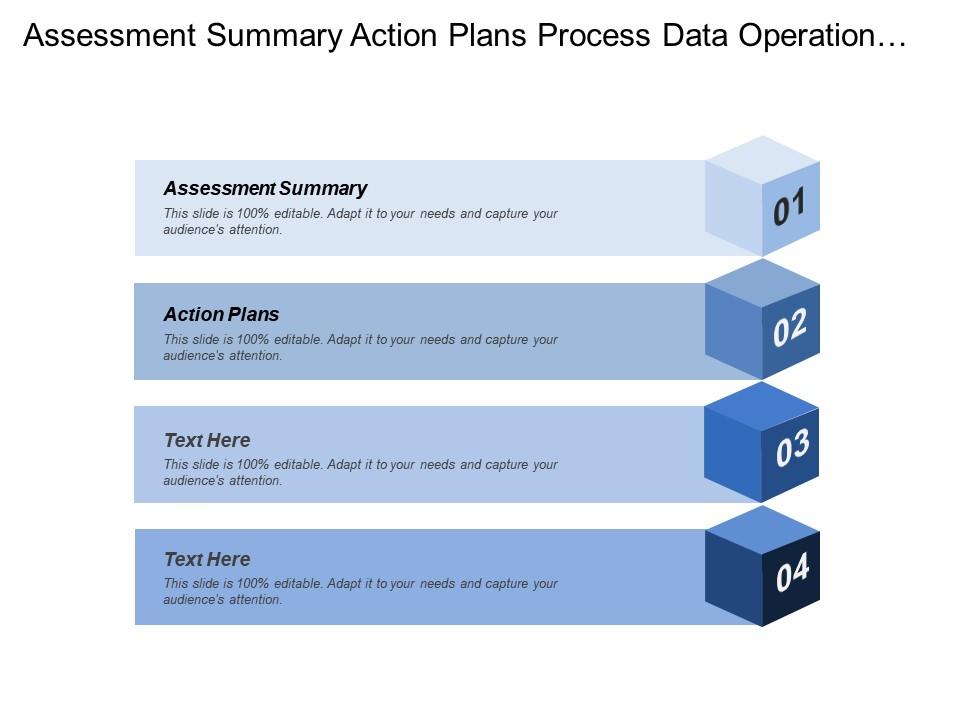
Template 3: Assessment Summary Action Plans Process Data Operational Goals
Operational goals often drift when assessment summaries stay disconnected from process data. This PowerPoint slide brings those four elements—assessment summary, action plans, process data, and operational goals—into a single visual frame. It's the kind of PPT that operations leads and academic coordinators use when presenting continuous improvement plan progress to leadership. Connecting process data to goals in one slide removes ambiguity fast. The template is 100% editable and customizable.
Download this PowerPoint Template
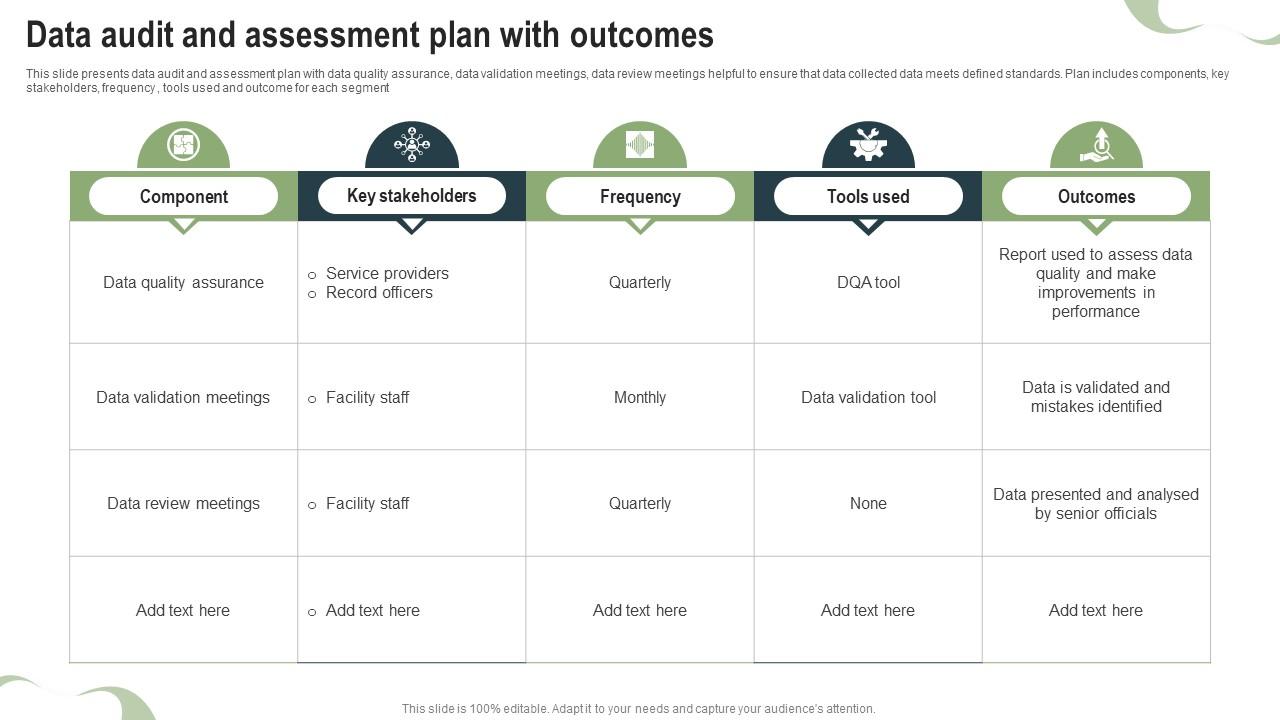
Template 4: Data Audit and Assessment Plan with Outcomes
Data quality problems rarely surface until a review meeting exposes them. This PPT template helps data stewards and compliance leads present a structured audit and assessment plan—covering components, key stakeholders, frequency, tools used, and outcomes in one readable layout. It's built for data review process conversations where accountability for quality assurance needs to be clearly assigned. For context, the outcomes column alone saves significant back-and-forth in follow-up meetings. The template is 100% editable and customizable.
Download this PowerPoint Template
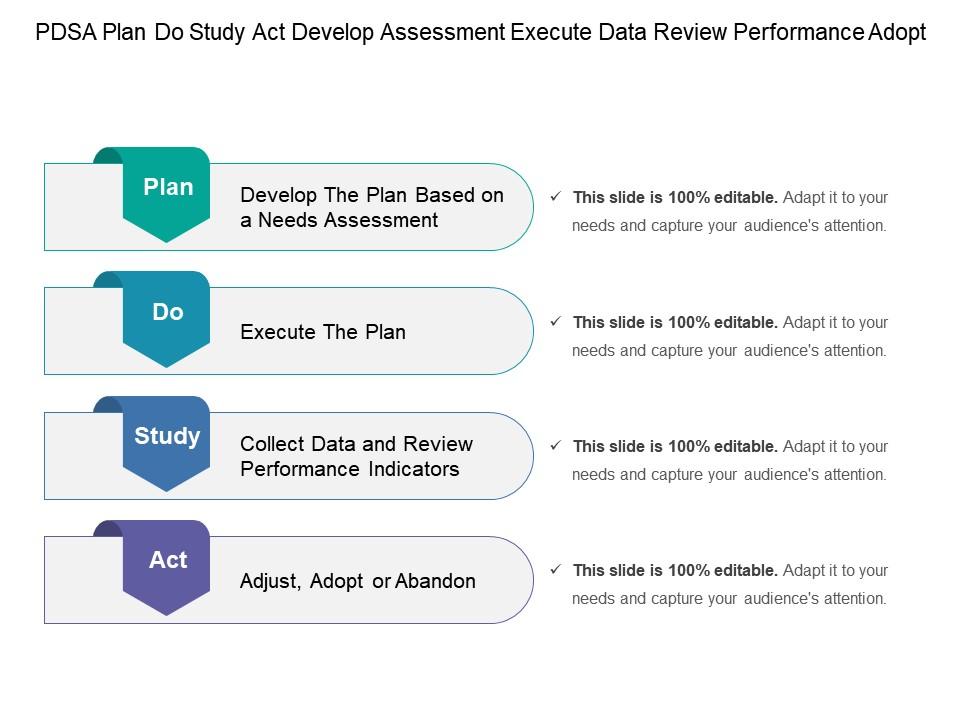
Template 5: Pdsa Plan Do Study Act Develop Assessment Execute Data Review Performance Adopt
The PDSA cycle is a practical loop—plan, do, study, act—but it only works when each stage is clearly communicated. This PowerPoint slide is built for quality leads and program coordinators who present iterative performance data review cycles to mixed audiences. It maps the four stages visually so teams can see where they are in the improvement loop at any given time. The deck suits instructional action plan conversations in both educational and operational settings. The template is 100% editable and customizable.
Download this PowerPoint Template
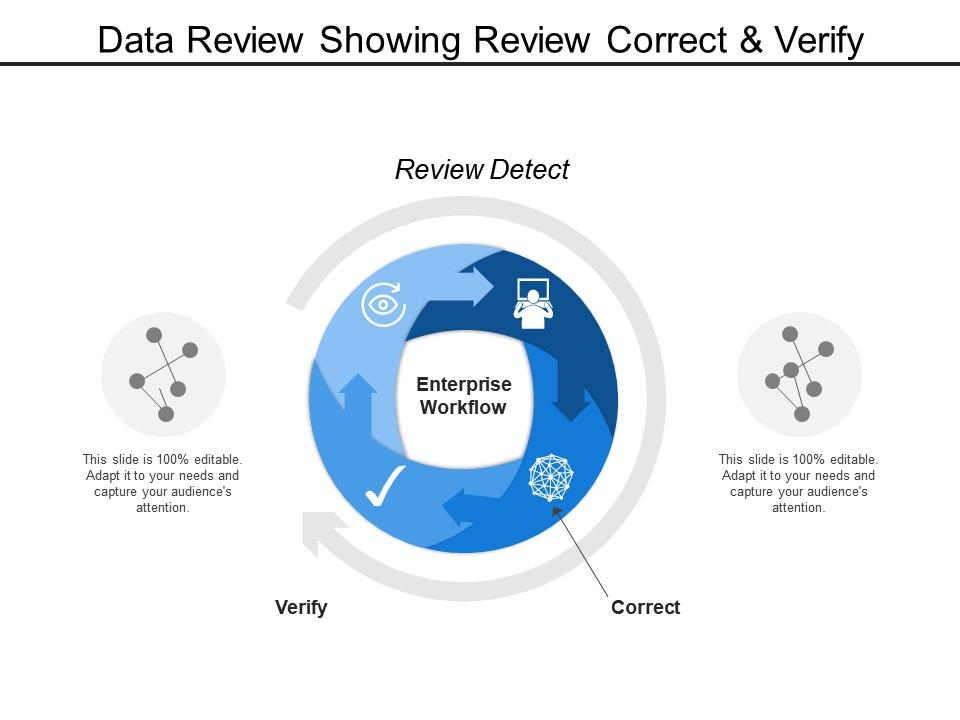
Template 6: Data Review Showing Review Correct and Verify
Reviewing data well means more than reading it—it means knowing what to correct and what to verify. This PPT deck walks through a four-stage data review process: review, correct, and verify, giving analysts and team leads a clear visual framework for presenting data integrity work. It's a practical tool for benchmark assessment review sessions where accuracy and sequence both matter. The slide keeps the process visible so no step gets skipped. The template is 100% editable and customizable.
Download this PowerPoint Template
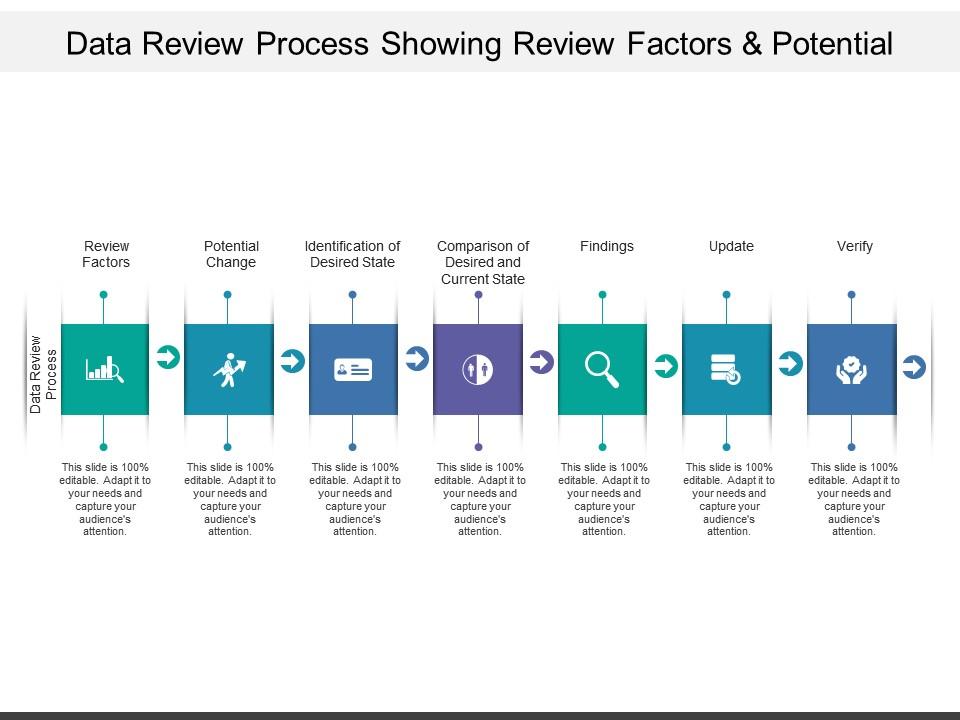
Template 7: Data Review Process Showing Review Factors and Potential
Seven distinct review factors rarely fit on one slide without losing the audience. This template integrates a seven-stage data review process—covering review factors and potential outcomes—into a layout that keeps every element readable. Use case anchors include strategic data evaluation sessions, performance data review meetings, and assessment and evaluation framework presentations. Each stage connects logically to the next, so the review narrative holds together for any stakeholder group. Transform your data review presentations today. Download this dynamic template now and unlock sharper assessment outcomes.
Download this PowerPoint Template
Template 8: Data Review Showing Review Tools Setup and Data Interpretation
A five-stage review needs clear visual separation between setup and interpretation. This template maps review tools setup through to data interpretation across five structured steps, giving analysts and instructional leaders a logical presentation arc. It drives clarity in data analysis sessions where audiences need to see both the methodology and the findings in one place. Progress monitoring tools and review sequencing become immediately legible in this layout. Transform your data interpretation presentations today. Download this dynamic template now and unlock precision in your assessment reviews.

Download this PowerPoint Template
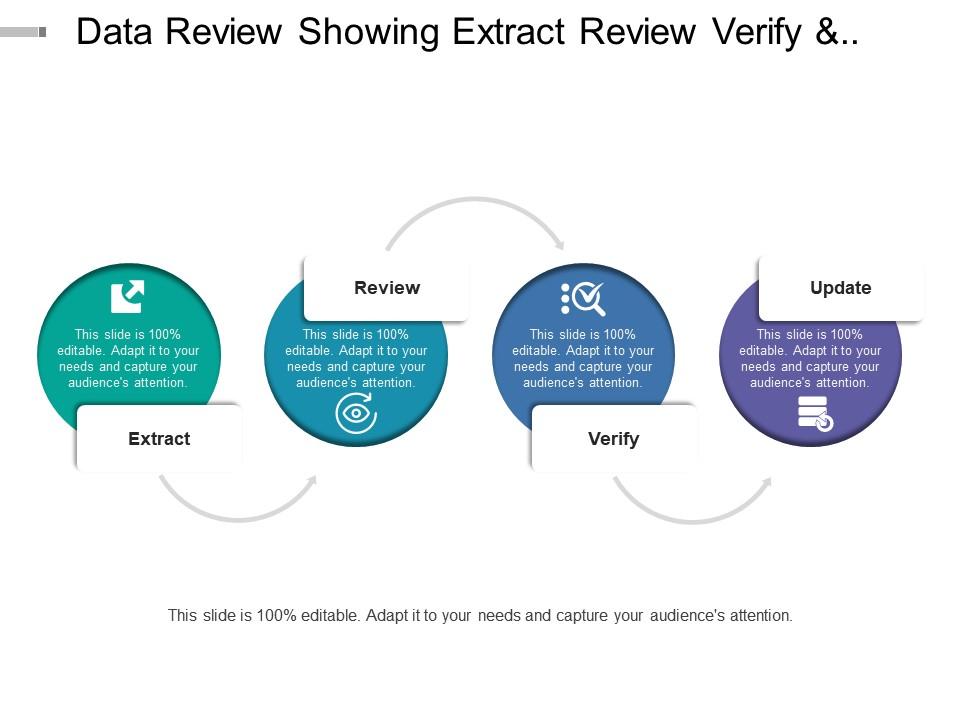
Template 9: Data Review Showing Extract Review Verify and Update
Extract, review, verify, update—four steps that define a sound data cycle, but easy to present badly. This PPT slide gives data teams a clean four-stage visual for presenting their review and validation process to leadership or auditors. It fits naturally into assessment results analysis discussions and formative assessment data review sessions. The structure makes the sequence visible, so stakeholders can track where data has been and where it's going. The template is 100% editable and customizable.
Download this PowerPoint Template
Template 10: Data Review Showing Data Identification and Review Analysis
Identifying the right data before analyzing it is a step most review frameworks skip. This PowerPoint slide covers both data identification and review analysis in a four-stage layout that practitioners in academic data analysis and school improvement planning will recognize immediately. It's designed for teams that need to show how they selected and reviewed their data, not just what the data says. Showing the identification logic builds trust in the findings that follow. The template is 100% editable and customizable.

Download this PowerPoint Template
Elevate Every Assessment Review with SlideTeam
SlideTeam's PowerPoint templates are the best in the industry for turning review assessment data and action plan work into clear, compelling presentations. These content-ready slides save hours of formatting time while ensuring your findings connect directly to actionable next steps. Use these ready-made frameworks to present performance data, communicate improvement priorities, and align stakeholders around concrete goals. Deploy these PowerPoint slides to drive data-informed decisions and measurable outcomes across your team.
FAQs on Review Assessment Data and Action Plan
What are the most effective frameworks for categorizing assessment data before developing an action plan?
Three frameworks work consistently: the four-quadrant urgency-impact matrix, standards-based categorization (sorting data against defined benchmarks), and root-cause clustering. Start by separating outcome data from process data. Then group findings by whether they point to a people gap, a resource gap, or a system gap. Each category needs a different type of action plan response. Keep the categories few and clear—too many categories produce too many plans, and nothing gets done.
How can educators distinguish between actionable assessment insights and statistical noise in student performance data?
Look at three things: sample size, consistency across time points, and whether the pattern appears in multiple data sources. A single dip in one assessment is usually noise. A pattern across two or more data points, confirmed by a second measure—attendance, formative checks, classroom observation—is actionable. If only one metric shows the problem, wait for corroboration before building a response plan around it.
What role does formative assessment data play in shaping mid-cycle action plans compared to summative data?
Formative data is current; summative data is historical. Mid-cycle action plans should run on formative data because it reflects what is happening now and allows course correction before the cycle closes. Summative data is better for planning the next cycle—not fixing the current one. Use formative assessment data to adjust instruction or support week-to-week. Use summative results to set goals and allocate resources for the period ahead.
How should organizations prioritize which data gaps to address first when building a responsive action plan?
Prioritize by two factors: how much the gap affects a stated goal, and how quickly it can be closed. A gap that is large but slow to fix should not block faster, high-impact wins. Map each gap against your current capacity—budget, staff, time. Address the gaps where you have both the resources and the authority to act immediately. Gaps requiring external resources go into a separate planning queue.
What are the key differences between reviewing assessment data for individual improvement versus systemic organizational change?
Individual improvement plans focus on a specific person's skill or behavior gap and assign direct support—coaching, additional practice, check-ins. Systemic change targets patterns across many people, which means the root cause usually sits in a process, policy, or resource allocation. Individual plans move faster. Systemic plans require broader buy-in and longer timelines. Confusing the two leads to under-supporting individuals or under-scaling solutions that need wider reach.
How can data visualization techniques enhance the clarity and impact of assessment reviews during stakeholder presentations?
Use visuals to show comparison, not decoration. Bar charts work for before-and-after performance. Heat maps show where gaps concentrate across subgroups or time periods. A simple quadrant plot separates high-impact findings from low-impact ones at a glance. The goal is to let the data shape the conversation without the presenter having to explain every number. Fewer chart types, used consistently, build faster comprehension in any room.
What metrics should be tracked to determine whether an action plan developed from assessment data is achieving its intended outcomes?
Track four metrics: completion rate of planned actions, change in the specific indicator the plan was built to move, time-to-implementation for each action item, and stakeholder adherence. If actions are completed but the target metric does not move, the plan addressed the wrong root cause. Review these four metrics at a fixed mid-point—not only at the end—so corrections can be made while the plan is still active.
How do you avoid confirmation bias when interpreting assessment data to inform corrective strategies?
Build the interpretation process before looking at the results. Agree in advance on what a meaningful change looks like and what data sources will count as evidence. Then review data in a group—different roles see different things. If everyone in the room agrees immediately, that is a signal to slow down and look harder. Assigning someone to argue the opposite interpretation of the findings is a practical and underused check.


