

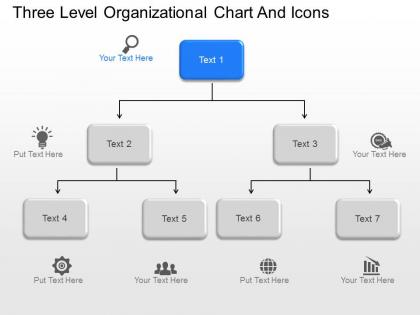
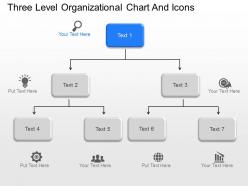
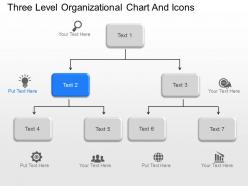
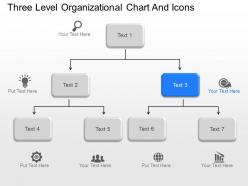
Bo three level organizational chart and icons powerpoint template




Try Before you Buy Download Free Sample Product
 Impress Your
 Audience
 100%
100% Editable
 Save Hours
 of Time


You can safely bank on our bo Three Level Organizational Chart And Icons Powerpoint Template. They will provide a growth factor to your valuable thoughts.
People who downloaded this PowerPoint presentation also viewed the following :
Bo three level organizational chart and icons powerpoint template with all 10 slides:
Our bo Three Level Organizational Chart And Icons Powerpoint Template discourage haste. Your every effort will be beneficial.
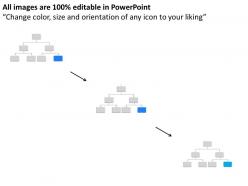
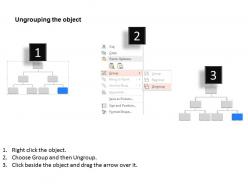
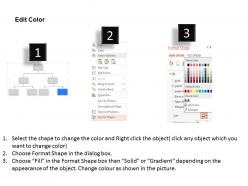
FAQs for Bo three level organizational chart and
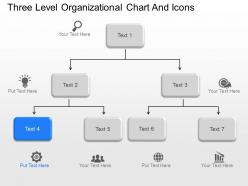
Bo three-level organizational charts enhance presentation clarity by displaying hierarchical relationships, reporting structures, decision-making pathways, role definitions, and departmental connections in a visually streamlined format. These templates enable presenters to communicate complex organizational dynamics more effectively, facilitate stakeholder understanding during restructuring discussions, and deliver professional-grade visual storytelling that strengthens strategic planning presentations and organizational communication initiatives.
Icons enhance the visual appeal of a Bo three-level organizational chart by replacing text-heavy descriptions with intuitive visual symbols, creating immediate recognition of roles, departments, and functions while reducing cognitive load. These visual elements streamline information processing, improve memorability, and deliver professional aesthetics, with many organizations finding that icon-integrated charts facilitate faster comprehension and more engaging stakeholder presentations.
Organizations with clear hierarchical structures benefit most from three-level charts, including mid-sized corporations, regional offices, government agencies, healthcare systems, and educational institutions. These templates streamline communication flows, clarify reporting relationships, and enhance operational efficiency by providing visual transparency across executive, management, and operational levels, ultimately delivering better coordination and accountability throughout the organization.
A Bo three-level organizational chart template should include clear hierarchical positioning, defined reporting relationships, role titles with responsibilities, contact information, and visual consistency through standardized formatting. These elements streamline communication pathways, enhance operational transparency, and facilitate strategic decision-making, with many organizations finding that well-structured charts ultimately deliver improved accountability and faster organizational alignment.
Customizing PowerPoint templates involves modifying colors, fonts, logos, and visual elements through the Design and Master Slide views to align with brand guidelines. Organizations can replace placeholder content with company-specific information, adjust layout structures, and incorporate branded color schemes, with many businesses finding that consistent template customization across presentations enhances professional credibility and reinforces brand recognition.
Common mistakes include overcrowding with excessive text, using inconsistent formatting across hierarchy levels, unclear reporting relationships, and outdated employee information. Organizations should maintain visual clarity through proper spacing, standardize fonts and colors throughout all three levels, clearly define role boundaries and responsibilities, while regularly updating the chart to reflect current staffing, ultimately ensuring effective communication and organizational transparency.
The layout of a Bo organizational chart significantly influences audience comprehension by presenting clear hierarchical relationships, logical information flow, and visual clarity that enables viewers to quickly understand reporting structures, decision-making pathways, and departmental connections. Strategic positioning of roles, consistent spacing, and intuitive design elements help audiences process complex organizational information more effectively, ultimately delivering enhanced communication outcomes and ensuring stakeholders grasp institutional frameworks with greater speed and accuracy.
**INPUT**: Are there best practices for integrating icons with organizational charts in PowerPoint? **OUTPUT**: Best practices include using consistent icon styles and sizes, selecting icons that clearly represent roles or departments, maintaining adequate white space, and ensuring color schemes align with corporate branding. These approaches enhance visual hierarchy, improve comprehension across teams, and create professional presentations that effectively communicate organizational structure, with many companies finding that well-integrated icons significantly streamline stakeholder understanding. [Word count: 58 words]
Users should look for customizable hierarchy levels, editable text boxes, scalable vector icons, consistent color schemes, and drag-and-drop functionality in organizational chart templates. These features streamline chart creation by enabling quick personnel updates, maintaining visual consistency, and supporting organizational growth, with many HR departments and project managers finding that well-designed templates significantly reduce presentation preparation time while enhancing professional communication.
Color theory significantly impacts Bo three-level organizational charts by enhancing visual hierarchy, improving information retention, and facilitating quick comprehension through strategic use of contrast, complementary palettes, and psychological associations. Through deliberate color choices, organizations can guide viewer attention to key leadership positions, distinguish departmental functions, and create intuitive navigation paths, with many companies finding that well-designed color schemes reduce interpretation time and enhance professional presentations.
Vertical layouts work best for traditional hierarchical structures with clear reporting lines, while horizontal layouts excel for flat organizations, cross-functional teams, or when emphasizing collaboration over authority. Many modern companies find that horizontal charts streamline communication flow visualization and enhance team connectivity, particularly in matrix organizations, project-based structures, and agile environments where lateral relationships drive operational efficiency.
Hierarchy and clarity in three-level organizational charts establish clear reporting structures, define decision-making authority, streamline communication flows, and eliminate role confusion across organizations. These structured frameworks enable companies, especially growing businesses and complex institutions, to enhance operational efficiency, accelerate strategic implementation, and improve accountability, with many organizations finding that well-defined hierarchies ultimately deliver faster decision-making and better resource allocation.
Icons that work best for organizational roles include people silhouettes, geometric shapes, professional symbols, industry-specific graphics, and hierarchical indicators like crowns or briefcases. These visual elements enhance clarity by distinguishing leadership levels, departmental functions, and specialized positions, while maintaining consistent styling and color schemes that reinforce organizational structure, ultimately delivering improved comprehension and professional presentation across all stakeholder communications.
Digital templates have revolutionized organizational chart creation by offering pre-designed layouts, automated formatting, real-time collaboration features, and seamless integration with HR systems. These tools streamline the design process, enable instant updates across multiple stakeholders, and deliver professional visualizations that enhance organizational transparency, ultimately helping businesses maintain accurate hierarchical representations while reducing administrative overhead and improving strategic communication.
**INPUT**: What tips can you provide for animating a three-level organizational chart in PowerPoint? **OUTPUT**: Effective organizational chart animation includes using entrance effects like "Fade" or "Fly In" with sequential timing, animating by hierarchy levels rather than individual boxes, and applying consistent directional flows from top management downward. These techniques enhance audience engagement by revealing reporting structures progressively, enabling clearer communication of organizational changes, and ultimately delivering more impactful presentations that maintain viewer attention throughout complex structural explanations.
-
Easy to edit slides with easy to understand instructions.
-
Use of icon with content is very relateable, informative and appealing.