

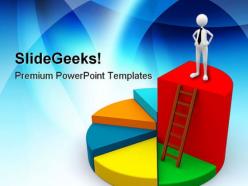
Pie chart concept01 business powerpoint templates and powerpoint backgrounds 0311





Try Before you Buy Download Free Sample Product
 Impress Your
 Audience
 100%
100% Editable
 Save Hours
 of Time


Using sound and animation to create lively presentations is easier said than done. So the big wigs are making use of our professionally created Pie Chart Concept01 Business PowerPoint Templates And PowerPoint Backgrounds 0311 to ease the pain.
People who downloaded this PowerPoint presentation also viewed the following :
Pie chart concept01 business powerpoint templates and powerpoint backgrounds 0311 with all 3 slides:
Throw caution to the winds with your views. Take your chances with our Pie Chart Concept01 Business PowerPoint Templates And PowerPoint Backgrounds 0311.

FAQs for Pie chart concept01 business powerpoint templates and
Pie chart templates deliver visual clarity, time efficiency, professional consistency, enhanced audience engagement, and simplified data interpretation. These design tools streamline presentation creation by providing pre-formatted layouts, standardized color schemes, and scalable graphics, with many organizations finding that template-based charts reduce preparation time while improving comprehension and decision-making outcomes.
Pie chart templates enhance data visualization by providing professionally designed layouts, consistent color schemes, standardized formatting, and clear labeling systems that streamline complex data presentation. These templates enable organizations to create compelling visual narratives that boost audience comprehension, facilitate faster decision-making, and deliver memorable presentations, with many businesses finding that standardized templates significantly improve stakeholder engagement and communication effectiveness.
Pie chart templates work best for categorical data showing parts of a whole, including budget allocations, market share distributions, demographic breakdowns, survey response percentages, and resource utilization across departments. These visualizations excel in business presentations where stakeholders need to quickly grasp proportional relationships, with many organizations finding that pie charts effectively communicate financial distributions and operational metrics to executives and clients.
Pie chart templates excel at showing part-to-whole relationships and percentage breakdowns, while bar charts better display comparisons and line charts reveal trends over time. Different chart types serve distinct analytical purposes, with pie charts being particularly effective for budget allocations, market share analysis, and demographic breakdowns, ultimately enabling clearer stakeholder communication when proportional data matters most.
When customizing pie chart templates, key design elements include color schemes that ensure clear segment differentiation, appropriate font sizes for labels and legends, strategic use of white space, and consistent visual hierarchy throughout the presentation. These elements work together by enhancing readability, maintaining brand consistency, and ensuring data accessibility, with many organizations finding that thoughtful customization significantly improves audience comprehension and professional credibility.
Color psychology enhances pie chart templates by using warm colors like red and orange for urgent data, cool blues and greens for stable metrics, and high-contrast combinations for emphasis. Strategic color choices improve comprehension, guide audience attention to key segments, and evoke appropriate emotional responses, with many organizations finding that thoughtful color application increases data retention and decision-making effectiveness.
Common pie chart mistakes include using too many segments, unclear labeling, inappropriate data types, poor color choices, and missing percentage values. These errors compromise data clarity and audience comprehension, with many organizations finding that limiting segments to five or fewer, ensuring clear labels, and using contrasting colors ultimately delivers more effective presentations and better stakeholder understanding.
Pie chart templates can be adapted for different industries through customized color schemes, sector-specific labels, and relevant data categories that align with industry standards and audience expectations. Financial services might use templates for portfolio allocation, healthcare organizations for patient demographics or treatment outcomes, and retail companies for sales distribution across product lines, with each adaptation enhancing data clarity and professional presentation.
PowerPoint, Excel, Google Slides, Canva, and Tableau offer robust pie chart editing capabilities, with each delivering specific advantages for different user needs. These platforms streamline chart customization through drag-and-drop interfaces, real-time collaboration features, and professional formatting options, with many organizations finding that PowerPoint and specialized template providers like SlideTeam enhance presentation quality while minimizing design time.
Interactive pie chart templates incorporate clickable segments, hover effects, drill-down capabilities, animated transitions, and real-time data connections. These features enable presenters to engage audiences dynamically, reveal detailed breakdowns on demand, and customize views based on audience questions, while organizations across sectors like retail and healthcare find that interactive visualizations significantly enhance stakeholder understanding and decision-making processes.
Labels and legends in pie chart templates serve as essential navigational elements that identify data segments, display values or percentages, and provide context for audience interpretation. Strategic optimization involves positioning labels clearly without overcrowding, using consistent color coding between chart segments and legend items, ensuring readable font sizes, and placing legends appropriately to maintain visual balance, ultimately delivering enhanced comprehension and professional presentation quality across business communications.
Cultural differences significantly affect pie chart interpretation through varying reading patterns, color associations, numerical formats, and visual processing preferences. While Western audiences typically read clockwise from 12 o'clock, other cultures may process information differently, with color meanings varying dramatically across regions, ultimately requiring culturally-adapted templates to ensure accurate data communication and avoid misinterpretation in global business presentations.
**INPUT**: What trends are emerging in the design of pie chart templates in 2023? **OUTPUT**: Emerging pie chart design trends include interactive elements, 3D visualizations, customizable color schemes, mobile-responsive layouts, and AI-powered data integration capabilities. These design innovations enhance user engagement by streamlining data interpretation, enabling real-time updates, and delivering more intuitive visual experiences, with many organizations finding that modern templates significantly improve presentation impact and audience comprehension across diverse business contexts. [Word count: 58 words]
Pie chart templates enhance infographics by visualizing market share comparisons, budget allocations, survey results, demographic breakdowns, and resource distribution across digital marketing materials, annual reports, and social media content. These versatile templates streamline data storytelling for websites, brochures, and dashboards, with many organizations finding that well-designed pie charts significantly improve audience engagement and data comprehension.
Pie chart templates in educational settings enhance visual learning, streamline lesson preparation, improve student engagement, ensure data accuracy, and promote consistent formatting across presentations. These tools enable educators to transform complex statistical concepts into digestible visual content, while students in subjects like mathematics, science, and social studies find that interactive chart creation reinforces analytical skills and data interpretation abilities.
-
Easy to edit slides with easy to understand instructions.
-
Easy to edit slides with easy to understand instructions.