

Business impact analysis input and output




Try Before you Buy Download Free Sample Product
 Impress Your
 Audience
 100%
100% Editable
 Save Hours
 of Time


Showcase the business processes and its operations by using Business Impact Analysis Input And Output. You can highlight the numerous steps of disaster recovery like electronic vaulting, transaction integrity, business-integrated solution, no off-site data, and point-in-time copies with the help of this business analytics presentation template. Take the assistance of our business continuity planning PowerPoint graphic to create a plan for resuming operations after a disaster, to identify the impactful events that continue the operations, and to publicize the commitment of the organization. Use business process PPT visual to plan, prepare, and communicate to avoid any kind of difficulties that occurs while executing a product. Employ the business impact analysis PPT slideshow to generate a management report that helps to monitor the recovery strategies. Included here are various high-quality icons with which you can make your presentation visually appealing and engaging. Therefore, gather the relevant data that helps to recover from the damaged operations by downloading our ready-to-use business continuity management PPT theme.
People who downloaded this PowerPoint presentation also viewed the following :
Content of this Powerpoint Presentation
Description:
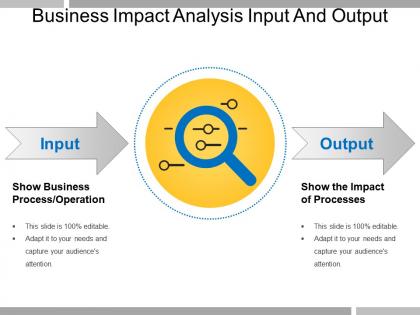
This image presents a slide from a presentation focused on "Business Impact Analysis Input And Output." The main title is bold and centered at the top, immediately informing viewers of the slide's topic. It highlights the concept of inputs and outputs within the context of business impact analysis.
"Input," there's an arrow pointing towards a central icon that combines a magnifying glass with various business-related symbols, suggesting a close examination of business processes and operations. Below the arrow, the text instructs the audience to "Show Business Process/Operation." This indicates to the presenter that the input side of the diagram should detail the specific business processes being analyzed for their impact.
"Output" is accompanied by an arrow pointing away from the central icon. The text below this arrow instructs the presenter to "Show the Impact of Processes," guiding them to demonstrate the results or consequences of inputs on business operations.
Use Cases:
Here are seven industries where this slide can be used, along with its potential uses, presenters, and audiences:
1. Manufacturing:
Use: Identifying the efficiency of production inputs and outputs.
Presenter: Operations Manager
Audience: Plant Managers and Operational Staff
2. Financial Services:
Use: Analyzing the impact of investment strategies.
Presenter: Financial Analyst
Audience: Investors and Financial Advisors
3. Information Technology:
Use: Mapping out the input of technical requirements and the output of system performance.
Presenter: IT Project Manager
Audience: Developers and Key Stakeholders
4. Healthcare:
Use: Assessing the input of patient care procedures and the output of health outcomes.
Presenter: Healthcare Administrator
Audience: Medical Staff and Healthcare Policy Makers
5. Retail:
Use: Evaluating the input of sales strategies and the output in terms of customer purchases and satisfaction.
Presenter: Retail Operations Director
Audience: Store Managers and Marketing Teams
6. Education:
Use: Demonstrating the input of educational techniques and the output in student learning and success rates.
Presenter: Education Consultant
Audience: Teachers and Educational Administrators
7. Energy:
Use: Showing the input of resource extraction processes and the output of energy production.
Presenter: Energy Analyst
Audience: Policy Makers and Sustainability Managers
Business impact analysis input and output with all 5 slides:
Be an ideal brand ambassador with our Business Impact Analysis Input And Output. Extol the benefits of the goods you endorse.

-
Excellent design and quick turnaround.
-
Best Representation of topics, really appreciable.