

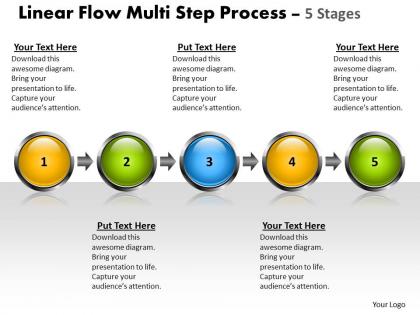
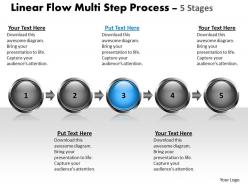
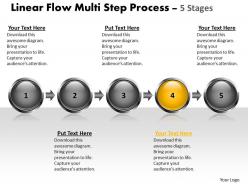
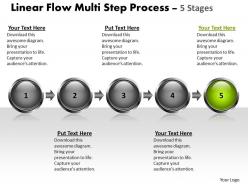
Business powerpoint templates linear flow multi step process 5 state diagram ppt sales slides




Try Before you Buy Download Free Sample Product
 Impress Your
 Audience
 100%
100% Editable
 Save Hours
 of Time


Thousands of presentations will be ignored this year. Yours won't be forgotten thanks to engaging Business PowerPoint Templates linear flow multi step process 5 state diagram ppt Sales Slides design.
People who downloaded this PowerPoint presentation also viewed the following :
Business powerpoint templates linear flow multi step process 5 state diagram ppt sales slides with all 10 slides:
Our thousands of Business PowerPoint Templates linear flow multi step process 5 state diagram ppt Sales Slides are not only through our hard work but also through customer feedback. We value the satisfaction of our customers that's why we take every suggestion seriously.

FAQs for Business powerpoint templates linear flow multi step process 5 state diagram
Effective business PowerPoint templates include consistent branding elements, professional color schemes, readable typography, strategic white space, and flexible layout options. These design components streamline presentation creation by ensuring visual coherence, enhancing audience engagement, and maintaining corporate identity across all slides, with many organizations finding that well-structured templates significantly reduce preparation time while delivering more polished, professional communications.
Using a cohesive color scheme enhances business presentations by creating visual consistency, reinforcing brand identity, improving audience comprehension, and establishing professional credibility. This strategic approach streamlines information processing while strengthening brand recognition, with many organizations finding that consistent color usage across presentations delivers more memorable messaging, enhanced audience engagement, and ultimately stronger business communication outcomes.
Start-ups benefit most from investor pitch decks, business plan templates, and growth strategy presentations that emphasize potential and vision. Established companies require comprehensive quarterly reports, market analysis templates, and strategic planning decks that showcase stability, performance metrics, and operational excellence, with many organizations finding that template choice significantly impacts stakeholder perception and credibility.
Visuals in PowerPoint templates significantly enhance audience retention by simplifying complex information, creating emotional connections, and improving memory recall through visual-verbal processing. Through strategic use of charts, infographics, and imagery, presentations deliver faster comprehension, increased engagement, and stronger message retention, with many organizations finding that well-designed visual templates ultimately boost audience understanding and decision-making outcomes.
Presentations can be tailored to specific industries by selecting templates with relevant color schemes, industry-specific imagery, appropriate data visualization formats, and sector-focused layouts that resonate with target audiences. These specialized templates streamline content creation for sectors like healthcare, finance, and technology, while incorporating industry terminology and visual elements, ultimately delivering more engaging presentations and enhanced professional credibility.
Pre-designed business PowerPoint templates offer significant time savings, professional design consistency, cost-effectiveness, brand alignment capabilities, and access to expert layouts that enhance visual communication. These templates streamline presentation development by eliminating design guesswork, ensuring polished aesthetics, and enabling teams to focus on content rather than formatting, with many organizations finding that template usage accelerates project timelines while maintaining high-quality visual standards.
Template designs for formal business meetings emphasize conservative color schemes, structured layouts, and professional typography, while casual pitch templates incorporate vibrant colors, creative layouts, and dynamic visual elements. Formal templates prioritize data visualization and hierarchical information flow for boardrooms and client presentations, whereas casual designs focus on storytelling and engagement for startups and creative pitches, ultimately enabling presenters to match their visual communication with audience expectations.
When selecting templates for investor presentations, consider visual professionalism, data visualization capabilities, storytelling flow, brand alignment, and readability across devices. Financial services and tech startups increasingly prioritize templates that streamline complex information through clear charts, executive summaries, and compelling narratives, ultimately delivering credible presentations that enhance investor confidence and strategic positioning.
Business PowerPoint templates aid storytelling by providing structured narrative frameworks, consistent visual hierarchies, and strategic slide progressions that guide audience attention through key plot points. These templates enhance story flow through coordinated design elements, logical content sequences, and visual cues, with many organizations finding that well-designed templates significantly improve message retention and audience engagement.
Typography significantly impacts business PowerPoint template effectiveness by enhancing readability, establishing visual hierarchy, reinforcing brand identity, and guiding audience attention through strategic font choices and sizing. Well-executed typography streamlines information processing, ensures professional credibility, and delivers clearer communication outcomes, with many organizations finding that consistent typographic standards across presentations ultimately strengthen their corporate messaging and audience engagement.
Interactive elements can be integrated through clickable navigation buttons, hyperlinked content sections, embedded polls, animated transitions, and dynamic charts within template frameworks. These features enable presenters to create engaging experiences by allowing audience participation, seamless topic jumping, and real-time feedback collection, ultimately transforming static presentations into dynamic business communication tools that enhance audience retention and decision-making processes.
Common mistakes include overcrowding slides with excessive text, using mismatched fonts and colors that disrupt visual consistency, selecting templates inappropriate for their audience or industry, and failing to customize placeholder content meaningfully. These errors often result from rushing the design process, with many organizations finding that investing time in proper template customization and content planning ultimately delivers more compelling presentations and stronger audience engagement.
Templates facilitate brand consistency by embedding standardized logos, color schemes, fonts, layouts, and design elements that automatically apply across all presentations. Through pre-designed slide formats, organizations ensure uniform messaging, visual identity, and professional appearance, while reducing design time and maintaining corporate standards, ultimately delivering cohesive brand experiences across teams and departments.
When choosing customizable business PowerPoint templates, look for professional design layouts, brand customization options, comprehensive slide varieties, easy editing capabilities, and consistent visual elements. These features enable organizations to maintain brand consistency, streamline presentation creation, and deliver polished communications across departments, with many companies finding that well-designed templates significantly reduce preparation time while enhancing professional credibility.
Templates help present data effectively by providing structured layouts, clear visual hierarchies, consistent formatting standards, strategic white space usage, and pre-designed chart configurations that guide audience attention. Through organized content flow and balanced design elements, presenters can highlight key insights while maintaining visual clarity, with many organizations finding that well-designed templates significantly enhance data comprehension and audience engagement rates.
-
Unique research projects to present in meeting.
-
Awesome presentation, really professional and easy to edit.