

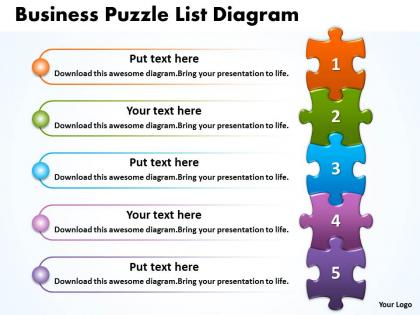
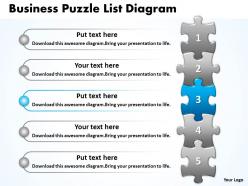
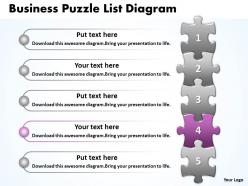
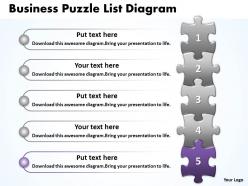
Business puzzle list diagarm powerpoint templates 0812




Try Before you Buy Download Free Sample Product
 Impress Your
 Audience
 100%
100% Editable
 Save Hours
 of Time


Your recent experiment has proved successful. Our Business Puzzle List Diagarm Powerpoint templates 0812 willhelp demonstrate the process.
People who downloaded this PowerPoint presentation also viewed the following :
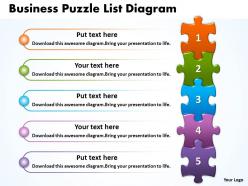
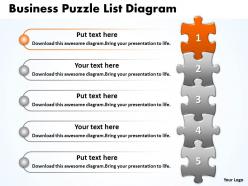
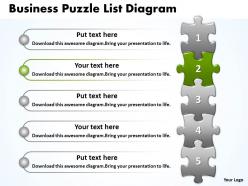
Business puzzle list diagarm powerpoint templates 0812 with all 10 slides:
Our Business Puzzle List Diagarm Powerpoint templates 0812 are a bag of tricks. They will conjure up whatever effect you desire.

FAQs for Business puzzle list diagarm
Key elements include interconnected puzzle pieces representing departments or processes, clear labels identifying each component, visual connectors showing dependencies, color coding for categorization, and directional arrows indicating workflow or hierarchy. These elements work together by creating intuitive visual narratives that simplify complex organizational structures, with many consulting firms and project managers finding that well-designed puzzle diagrams enhance stakeholder understanding and facilitate strategic decision-making across diverse business environments.
Business puzzle diagrams help identify strategic gaps by visually mapping each component of a company's strategy, making missing or disconnected elements immediately apparent through empty puzzle pieces or misaligned connections. This visualization technique enables leadership teams to systematically assess whether critical areas like market positioning, resource allocation, or competitive advantages are properly integrated, ultimately delivering clearer strategic alignment and more comprehensive planning across all business functions.
Business scenarios involving interconnected components, strategic alignment, and systematic problem-solving are best represented using puzzle diagram templates, including organizational restructuring, process optimization, team collaboration frameworks, and strategic planning initiatives. These templates excel in visualizing how departments integrate, showing dependency relationships in project management, and illustrating stakeholder alignment, with many organizations finding that puzzle metaphors effectively communicate complex business transformations and collaborative solutions.
Customizable business puzzle diagram templates enhance stakeholder engagement by creating visual storytelling, interactive problem-solving scenarios, and clear connection mapping between complex business components. These templates enable presenters to build narratives piece-by-piece, allowing audiences to follow strategic thinking processes while encouraging participation, with many organizations finding that puzzle-based visuals increase retention and facilitate collaborative decision-making discussions.
PowerPoint, Visio, Lucidchart, Draw.io, and Canva excel at creating business puzzle diagrams, each offering unique strengths in design flexibility, collaboration features, and template libraries. These platforms streamline diagram creation by providing drag-and-drop functionality, customizable puzzle pieces, and professional formatting options, with many organizations finding that PowerPoint delivers the best balance of accessibility and presentation integration for strategic business communications.
Color schemes and design choices significantly impact business puzzle diagram effectiveness by enhancing readability, guiding audience attention, and reinforcing brand consistency. Strategic color combinations help differentiate puzzle pieces representing departments, processes, or strategies, while consistent typography and visual hierarchy streamline comprehension, with many organizations finding that well-designed templates improve stakeholder engagement and decision-making speed.
Common mistakes include overcrowding diagrams with excessive text, using inconsistent visual elements, creating unclear piece connections, neglecting logical flow sequences, and choosing inappropriate color schemes. These design flaws significantly undermine diagram effectiveness by confusing audiences, reducing comprehension rates, and diluting key messaging, with many organizations finding that simplified, strategically designed puzzle templates deliver clearer stakeholder communication and enhanced presentation outcomes.
Business puzzle diagrams achieve maximum impact when strategically positioned as central frameworks that connect multiple presentation sections, with each puzzle piece representing key topics explored in subsequent slides. By introducing the complete puzzle early, then revealing individual pieces throughout the presentation, organizations create cohesive storytelling that enhances audience engagement and information retention, ultimately delivering clearer strategic communication.
Business puzzle diagrams have proven effective in strategic planning across various sectors, with companies like Microsoft using them for product roadmap integration, hospitals employing them for patient care pathway coordination, and manufacturing firms applying them to supply chain optimization. These visual frameworks enable organizations to identify missing strategic pieces, align cross-functional teams more effectively, and communicate complex interdependencies clearly, ultimately delivering enhanced decision-making and improved operational alignment.
Incorporating business puzzle diagrams improves team collaboration by creating visual frameworks where each team member contributes interconnected pieces, encouraging systematic thinking, and ensuring comprehensive coverage of complex topics. These templates enable teams to organize diverse perspectives cohesively, identify knowledge gaps more effectively, and build consensus around strategic solutions, ultimately delivering more structured brainstorming outcomes and enhanced collective problem-solving capabilities.
Digital templates offer superior scalability, professional consistency, rapid editing capabilities, seamless integration with presentation software, and enhanced collaboration features compared to hand-drawn alternatives. These advantages streamline workflow efficiency by eliminating recreation time, ensuring brand alignment across teams, and enabling real-time updates during stakeholder meetings, with many organizations finding that digital solutions ultimately deliver faster presentation development and more polished client interactions.
Business puzzle diagrams facilitate better decision-making by transforming complex data into intuitive visual representations, revealing patterns, relationships, and gaps that traditional spreadsheets often obscure. Through these visual frameworks, organizations streamline analysis processes, enhance stakeholder comprehension, and accelerate consensus-building during strategic planning sessions, ultimately delivering faster decision cycles and improved operational outcomes across departments.
Narrative elements transform business puzzle diagrams from static visuals into compelling stories by providing context, sequence, and purpose that guide audience interpretation. Through storytelling frameworks, captions, and progressive reveals, organizations enhance comprehension, retention, and engagement, with many finding that narrative-driven presentations deliver clearer strategic communication and stronger stakeholder buy-in across complex business concepts.
Businesses should prioritize customizable piece shapes, scalable layouts, professional color schemes, editable text fields, and compatibility with presentation software when selecting puzzle diagram templates. These features streamline complex concept visualization by enabling brand alignment, seamless integration with existing workflows, and clear stakeholder communication, ultimately delivering enhanced presentation impact and strategic messaging effectiveness.
Team member feedback enhances business puzzle diagrams by identifying unclear connections, suggesting visual improvements, and highlighting missing information that affects comprehension. Through collaborative input, organizations streamline diagram complexity, improve color coding and labeling systems, and ensure diagrams effectively communicate strategic relationships, with many teams finding that iterative feedback cycles ultimately deliver more intuitive presentations and stronger stakeholder engagement.
-
Awesome use of colors and designs in product templates.
-
Unique research projects to present in meeting.