

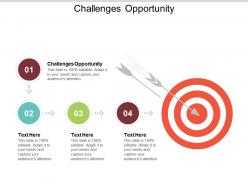
Challenges opportunity ppt powerpoint presentation file smartart cpb





Try Before you Buy Download Free Sample Product
 Impress Your
 Audience
 100%
100% Editable
 Save Hours
 of Time


Don't waste effort with our Challenges Opportunity Ppt Powerpoint Presentation File Smartart Cpb. You will never act in haste.
People who downloaded this PowerPoint presentation also viewed the following :
Challenges opportunity ppt powerpoint presentation file smartart cpb with all 5 slides:
Give a dashing display with our Challenges Opportunity Ppt Powerpoint Presentation File Smartart Cpb. Enchant the audience with absolute brilliance.

FAQs for Challenges opportunity ppt powerpoint presentation
Time's always the killer - they drop impossible deadlines on you then you're stuck figuring out what you're even trying to say. PowerPoint fights back when you're already stressed (why is formatting so awful?). Most people fall into that bullet point death trap too. I swear every presentation looks the same - just walls of text nobody wants to read. Oh, and cramming way too much info instead of picking what actually matters. Here's what works: figure out your main point first, like really nail it down. Then everything else gets way easier. Technical stuff will still be annoying but at least you'll know where you're headed.
Honestly, just practice out loud a ton - even if it's just you and your bathroom mirror lol. I used to get so nervous I'd literally forget how to breathe properly. Breathing exercises help before you start. Show up early so you can get used to the room. Here's the thing though - focus on what you're actually saying instead of obsessing over how you look. People want you to do well! If you screw something up, just own it quickly and keep going. Nobody notices small stuff anyway. Oh and try recording yourself this week if you can. You'll catch all those "ums" and weird pauses you don't realize you're doing.
Honestly, audience engagement makes or breaks your whole presentation. Without it, people just zone out and scroll their phones - you know how it is. When they're actually listening and reacting, that's when your message sticks. Plus you can read the room better. Someone looks confused? Slow down. They're nodding? Keep going with that point. The trick is making it interactive - throw in questions, maybe a quick poll if you're feeling fancy. Oh, and pause sometimes! Dead silence feels awkward but it works. Don't just lecture at them the entire time.
Oh man, culture stuff can make or break your presentation! Americans want you to get straight to the point - no fluff. But in Japan? You need way more formal structure and can't be too direct. Germans are all about the data (like, ALL the data), while other cultures want stories and connection first. Your eye contact and jokes might land totally wrong too, which I learned the hard way once. Quick tip: look up their communication style before you go. Saves you from bombing spectacularly.
Honestly, the hardest part is dealing with teams who think their current way is perfect. Getting everyone on board feels impossible sometimes. Different departments use different software, skill levels are all over the place, and don't even get me started on the "but we'll lose our creativity!" complaints. Rolling out new standards becomes this whole production. I'd say pick one team that's actually excited about it and start there - way less headache. Keep your templates simple so people don't feel boxed in. Focus on what they'll gain instead of what they can't do anymore.
Honestly, I always use Google Slides or PowerPoint Online since they work on any device if your laptop decides to die mid-presentation. Save everything twice - cloud AND local because you never know. Interactive stuff like Mentimeter keeps people busy clicking around even when things go sideways (and honestly, audiences eat that stuff up). Test everything beforehand and bring like three different adapters. Conference rooms are basically tech graveyards. Oh, and download an offline backup of your slides. Keep your phone's hotspot ready too - I've saved so many presentations that way when the wifi craps out.
Honestly, the biggest thing is chunking it down so people don't get overwhelmed. I learned this the hard way after watching too many eyes glaze over in meetings. Use analogies they'll actually get, and visuals are a lifesaver - charts, sketches, whatever works. Always lead with the big picture first. Then you can dig into details. I do this weird thing where I pretend I'm explaining it to my nephew who's in middle school. Works every time. Skip all the fancy terminology - just talk normal. Oh, and check in with people constantly to make sure they're still with you.
Ugh, bad time management totally screws up presentations! You either rush through everything important or go way over time. I've seen people completely skip their best points because they panicked about the clock. Your audience gets confused when you're flying through slides, and honestly? It's painful to watch someone stumble through their conclusion because they ran out of time. The worst part is forgetting those little details that actually make your argument make sense. Practice with a timer - seriously, do it multiple times. Oh, and always leave some wiggle room for questions or when the projector inevitably acts up.
Honestly? People just stop listening and start reading your slides instead. You become this weird background narrator while everyone's squinting at walls of text. I've seen it happen so many times - the presenter might as well leave the room. Also, what if your tech craps out? You're screwed if you can't deliver without slides. Keep things visual and minimal. Your slides should back up what you're saying, not BE what you're saying. Practice like the projector's gonna die because it probably will.
Definitely get feedback while the presentation's still fresh - either shoot out a quick survey or just ask people directly afterward. I know it's awkward asking "what sucked?" but that's honestly where you'll learn the most. Don't just go with generic "how'd I do?" Ask about specific stuff like whether you talked too fast or if your slides made sense. Oh, and here's the thing - don't try fixing everything at once or you'll go crazy. Pick maybe two main issues people mentioned and work on those for next time. People actually love it when you circle back and tell them what you changed based on their suggestions.
Oh man, remote presenting is brutal compared to in-person stuff. Your internet will definitely crash right when you hit your main point - Murphy's law or whatever. Audio gets weird, screen sharing breaks. But honestly the worst part is you have zero clue what people are doing. They could be scrolling Instagram, making lunch, completely zoned out. You can't see faces or body language so you're just talking into the void hoping something sticks. I always throw in polls or breakout rooms now to keep people awake. And yeah, have backup slides ready because tech will betray you.
Oh man, webinars are SO much harder than live events - you're literally talking to a black screen! With virtual stuff, you've gotta hit people with your best points right away since they'll zone out. I do polls every 5-7 minutes or people start checking their phones. Live events are way more forgiving though. You can actually see faces, move around, and if something's not landing you just pivot. The energy feeds itself, you know? But honestly, both need interaction - just different types. Virtual needs planned engagement while in-person lets you go with the flow more.
Okay so first off, don't cherry-pick your data - be upfront about where it comes from and what the limitations are. Your charts shouldn't have wonky scales or missing context that'll confuse people. Sample sizes and confidence intervals matter too, even if they're boring to mention. Oh and think about who could get hurt by how you frame things, especially with sensitive stuff. I swear bad chart design tricks people way more than you'd think! The whole point is helping people actually understand what's going on, not just proving you're right.
Know your audience first - do some homework on who'll be there. Avoid jargon and those weird sports analogies that always fall flat (seriously, not everyone watches football). Use examples from different backgrounds and make sure your slides actually show diverse people. Don't assume everyone shares the same experiences or cultural references. Oh, and test your content with a mixed group beforehand - they'll catch stuff you totally missed. Inclusive language isn't just being PC, it actually makes your message land better with more people.
Honestly, you need three main things: adaptability, self-reflection, and curiosity. Tech failures used to stress me out so much, but now when my slides crash I actually connect better with people - weird how that works. Stay calm when stuff goes sideways and pivot quickly. The real growth happens after though. Take time to reflect on what went wrong and why. Don't just feel defeated - ask yourself what you can learn from it. Oh, and start a simple journal after each presentation. Sounds dorky but it helps you track patterns and actually improve instead of making the same mistakes.
No Reviews