

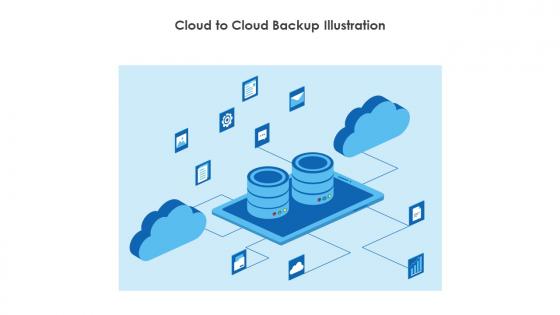
Cloud To Cloud Backup Illustration




Try Before you Buy Download Free Sample Product
 Impress Your
 Audience
 100%
100% Editable
 Save Hours
 of Time


Use this Cloud to cloud backup illustration and create amazing PowerPoint presentations or graphics with ease. This downloaded file is available in all the editable formats such as EPS, PNG and Powerpoint pptx.
People who downloaded this PowerPoint presentation also viewed the following :
Cloud To Cloud Backup Illustration with all 9 slides:
Use our Cloud To Cloud Backup Illustration to effectively help you save your valuable time. They are readymade to fit into any presentation structure.








FAQs for Cloud To
Honestly, the automatic backup thing is huge - no more forgetting to save stuff. Plus you can grab your files from literally anywhere, which is clutch. Way cheaper than dealing with your own servers too (nobody wants that headache). You get solid security and disaster recovery without paying enterprise prices. If ransomware hits or something crazy happens like flooding, you're covered. Though I'd probably figure out what data matters most first, then find something that matches how fast you need things back up. Makes the whole process less overwhelming.
So basically cloud backup puts your stuff on remote servers instead of your own hard drives or whatever. You can grab your files from anywhere with wifi, which is pretty sweet when you're traveling. Physical backups are kinda limiting - drives die, you lose them, they get outdated. Plus cloud services handle all the boring maintenance stuff automatically. No more swapping out dead drives or running out of space. Honestly though, I'd test out a cloud service while keeping your current setup running. That way you can see if it actually works for how you do things.
Security's your top priority - make sure they've got solid encryption and whatever compliance stuff your industry requires. Pricing can get sneaky with data retention, so watch that closely. Upload speeds matter, but honestly recovery time is what'll save your butt when things go sideways. We had a server die last year and waiting 6 hours for our backup was brutal. Their uptime history and support quality are worth researching too. Oh, and definitely test them out small first - don't just trust their marketing promises before signing anything big.
Honestly, the biggest myth is that cloud backup just works perfectly on its own. You've still gotta set up encryption and test your restores - learned that one the hard way. Pricing's all over the place too, depends on your storage needs and how much you're pulling files down. Here's what caught me off guard: having everything "in the cloud" sounds amazing until you're trying to restore 500GB over your home wifi. Takes forever. Also, don't assume the security settings are bulletproof by default. Test it like you would any backup system, because finding out it's broken when you actually need it? Yeah, that sucks.
Yeah, so cloud backup services encrypt your stuff both when it's uploading and when it's just sitting on their servers. They use AES-256 encryption - that's the military-grade stuff. AWS, Google, Microsoft all have decent security certifications. Some let you handle your own encryption keys, but honestly most people don't want that headache. Others just do everything for you automatically. Oh, and if you're dealing with really sensitive data, look for zero-knowledge encryption. That means even the company can't peek at your files, which is pretty cool.
So basically compliance rules control how your backup provider deals with your data. GDPR, HIPAA, SOX - depends what industry you're in, but honestly the whole thing's a nightmare to navigate. Your provider needs encryption, audit trails, data residency stuff. The main thing? Ask them straight up what certifications they have and get it in writing. I learned this the hard way once - never just assume they're compliant. You don't want to be the one explaining to auditors why your data ended up who knows where.
RTO is how fast you need your data back after something goes wrong. Tight deadlines mean expensive stuff - real-time replication, hot standby systems. More time? You can use cheaper cloud storage that takes longer to restore. Here's the thing though - faster recovery always costs more, and honestly, most companies underestimate what they actually need. Figure out what an hour of downtime actually costs your business first. That number will shock you, but it'll help you decide if you need the fancy fast option or if you can live with waiting a bit longer.
Documents, photos, and videos are the big ones - stuff you'd actually cry over losing. Most businesses obsess over their databases and customer files since losing that means losing money. I always tell people to start with photos first, honestly. Music libraries and contacts matter too, though everyone waits until their phone dies to think about it. System settings get backed up a lot because nobody wants to reconfigure everything from scratch. Oh, and email! Don't forget email - I learned that one the hard way.
Honestly, cloud backup is like having insurance for your files - you'll thank yourself later when something goes wrong. Your data gets stored in different locations, so if your office floods or some hacker locks everything up, you can still access your stuff from anywhere. The geographic separation thing is clutch because one disaster can't take out everything at once. Oh, and definitely test your restores every now and then. I learned this the hard way when a client's "backup" turned out to be corrupted. Nothing worse than thinking you're covered when you're actually screwed.
Honestly, it's not too bad cost-wise. Monthly fees are usually $5-50 depending on how much stuff you're backing up. Migration might cost extra if you need help moving everything, but most services walk you through it now. The cool thing is you don't have to deal with buying backup drives that inevitably die at the worst possible moment (learned that one the hard way). No maintenance headaches either. I'd grab quotes from like 2-3 companies and maybe test one out first before committing.
Honestly, it's way simpler than you'd think. Most cloud backup services just drop right into what you're already using - they've got plugins for VMware, Active Directory, all that stuff. You install these tiny agents on your systems and they handle everything automatically. The tricky part is picking one that doesn't fight with your current authentication setup (learned that the hard way). I'd start by listing out what you're backing up now locally, then find a cloud provider that matches those workflows. APIs handle most of the heavy lifting these days.
Set up automated schedules first - don't trust yourself to remember. The 3-2-1 rule is clutch: three copies, two storage types, one offsite. Test your restores regularly because I've seen people discover their backups were corrupted when it was way too late. Encrypt everything in transit and at rest. Monitor those backup jobs and set alerts for failures. Multiple versions are your friend too. Oh, and audit what you're actually backing up - you might be missing critical stuff or paying to backup random junk you don't need. Honestly, most people skip the testing part but that's where you'll get burned.
Set up checksums and hash verification - most cloud providers have integrity checks built in, but I don't fully trust those. Run restore tests regularly where you actually download backups to make sure they work. Turn on versioning too so you can roll back corrupted files. Oh, and encrypt everything before uploading for extra security. I do monthly audits where I randomly check a bunch of files. Sounds paranoid but you'd be surprised how often backups silently break. Better safe than sorry when it's your important stuff.
Dude, the backup world's getting crazy with AI automation - algorithms actually predict what you need backed up and when. Kinda wild honestly. Multi-cloud setups are everywhere now since nobody wants to get stuck with one vendor. Also, ransomware protection isn't optional anymore - immutable backups and zero-trust stuff are basically required. Oh, and continuous real-time backup is killing those old midnight scheduled runs (thank god). You should probably check if your current setup has any of this AI automation stuff because it'll save you tons of manual work. Edge computing integration's big too but that's more niche depending on your situation.
Honestly, the main thing that bugs me is vendor lock-in - you get stuck with whatever they decide to charge you later. Internet goes down? You're screwed until it's back up. Privacy's another issue, though most big companies are decent about security these days. Oh, and if their servers crash right when you desperately need something... yeah, that's happened to people I know. My advice? Don't rely on just one backup method. Keep some stuff stored locally too, or spread important files across different services. Cloud's convenient but it shouldn't be your only safety net.
-
Fantastic collection. Loved how we can personalize these templates as per the requirements.
-
A beautiful, professional design paired with high-quality images and content that is sure to impress. It is a must-use PPT template in my opinion.