

Interactive buyer persona powerpoint presentation slides





Try Before you Buy Download Free Sample Product
 Impress Your
Audience
 100%
Editable
 Save Hours
of Time


Develop your ideal customer profile with our content ready Interactive Buyer Persona PowerPoint Presentation Slides. Customers' personas are the core of your marketing strategy, so create a meaningful connection with prospects and customers using the persona survey presentation deck. The ready to use presentation deck contains PPT slides such as buyer persona details, values & goals, challenges, sources & influences, buyers’ journey and many more. Simplify your work with these pre-designed customer persona PPT visuals. Using graphical representations can create a better impact on your viewers. Showcase components of buyer’s journey loyalty conversion, awareness and buyer stages using this professionally designed persona survey PowerPoint template. Gain insights on how your primary clients think, act, respond and behave with the help of high-quality marketing personas PPT graphics. You can also use this easy-to-use customer profile PPT slides to attract and target ideal customers. Therefore, download high-quality buyer personas PPT graphics to create an engaging business presentation. Get equipped to endure the contest with our Interactive Buyer Persona Powerpoint Presentation Slides. Gird yourself up for the long haul.
People who downloaded this PowerPoint presentation also viewed the following :
Content of this Powerpoint Presentation
Slide 1: This slide introduces Interactive Buyer Persona. State Your Company Name and begin.
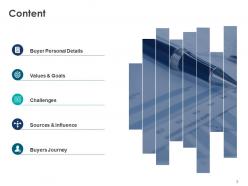
Slide 2: This slide shows Content of the presentation.
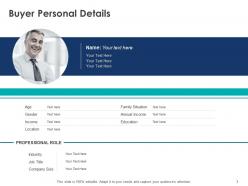
Slide 3: This slide presents Buyer Personal Details with age, gender, roles, education, income etc.
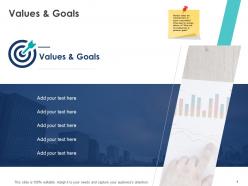
Slide 4: This slide displays Values & Goals with related imagery and text boxes.
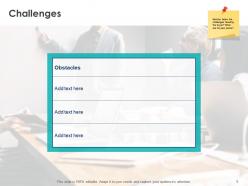
Slide 5: This slide represents Challenges. Show the challenges faced by the buyer.
Slide 6: This slide showcases Sources & Influence including- Blogs/Websites, Magazines, Books, Thought Leaders, Conferences.
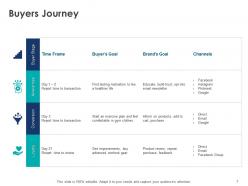
Slide 7: This slide shows Buyers Journey with categories as- Buyer Stage, Awareness, Conversion, Loyalty.
Slide 8: This slide displays icons for Interactive Buyer Persona.
Slide 9: This slide is titled as Additional Slides for moving forward.
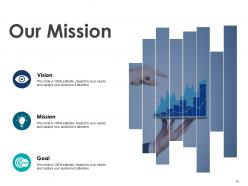
Slide 10: This is Our Mission slide with related imagery and text.
Slide 11: This is Our Team slide with names and designation.
Slide 12: This is About Us slide to show company specifications etc.
Slide 13: This is a Financial slide. Show your finance related stuff here.
Slide 14: This is a Quotes slide to convey message, beliefs etc.
Slide 15: This is a Timeline slide to show information related with time period.
Slide 16: This is Our Goal slide. Show your firm's goals here.
Slide 17: This is an Idea or Bulb slide to state a new idea or highlight information, specifications etc.
Slide 18: This is a Thank you slide with address, contact numbers and email address.
Interactive buyer persona powerpoint presentation slides with all 18 slides:
Use our Interactive Buyer Persona Powerpoint Presentation Slides to effectively help you save your valuable time. They are readymade to fit into any presentation structure.





FAQs for Interactive buyer persona
Interactive buyer persona slides should include demographic details, behavioral patterns, pain points, goals, preferred communication channels, and decision-making factors. These elements work together by enabling sales teams to tailor messaging, customize product presentations, and address specific concerns during client interactions, with many organizations finding that comprehensive persona data significantly enhances conversion rates and customer engagement.
Interactive elements enhance audience engagement in buyer persona presentations by enabling real-time participation, personalized content exploration, and dynamic data visualization that transforms static demographics into compelling narratives. These features allow presenters to conduct live polls, showcase clickable persona journeys, and facilitate audience-driven discussions, with marketing teams and sales organizations finding that interactive presentations increase retention rates and foster deeper strategic alignment around customer insights.
**INPUT**: What tools are most effective for creating interactive buyer persona slides? **OUTPUT**: Effective tools for creating interactive buyer persona slides include PowerPoint with advanced animations, Prezi for dynamic presentations, Canva for design flexibility, Adobe Creative Suite, and specialized platforms like Mentimeter. These tools enhance stakeholder engagement by enabling clickable elements, embedded videos, and real-time polling, with many marketing teams finding that interactive personas deliver deeper audience insights and improved campaign alignment.
Interactive buyer persona slides enhance content delivery through clickable elements, dynamic data visualizations, multimedia integration, and personalized pathways that allow viewers to explore specific demographic segments. While traditional slides present static information linearly, interactive versions enable sales teams, marketing departments, and product managers to dive deeper into customer insights, adjust persona parameters in real-time, and ultimately deliver more engaging, memorable presentations that drive strategic decision-making.
Best practices for visualizing demographic data include using clean charts, color-coded segments, comparative infographics, progressive disclosure techniques, and interactive filtering options. These approaches enhance comprehension by presenting complex audience insights through intuitive visual hierarchies, enabling marketing teams, sales organizations, and product managers to quickly identify target segment characteristics, ultimately delivering more focused campaigns and strategic customer engagement across diverse market verticals.
Storytelling techniques enhance interactive buyer persona slides by incorporating narrative arcs, emotional journeys, and scenario-based pathways that users can navigate through clickable elements. Interactive features like progressive disclosure, branching storylines, and multimedia testimonials allow viewers to experience the persona's challenges and motivations firsthand, ultimately delivering deeper empathy and more actionable marketing insights.
Audience feedback enables organizations to identify gaps, validate assumptions, and enhance accuracy in buyer persona presentations through direct insights from sales teams, marketing professionals, and stakeholders. This iterative refinement process streamlines targeting strategies, improves campaign effectiveness, and delivers more precise customer segmentation, with many companies finding that feedback-driven personas ultimately generate higher conversion rates and stronger market positioning.
Interactivity enables dynamic visualization of customer pain points through clickable scenarios, hover-over insights, animated customer journeys, and real-time data integration that brings static personas to life. These interactive elements help stakeholders experience customer frustrations firsthand, with many marketing teams finding that interactive demonstrations generate deeper empathy, more strategic discussions, and ultimately stronger customer-centric solutions than traditional static presentations.
Key metrics include engagement rates, time spent per slide, click-through rates, conversion from presentation to next steps, and audience feedback scores. These interactive elements enable presenters to track which persona characteristics resonate most with stakeholders, while measuring behavioral data like interaction patterns and content preferences, ultimately delivering deeper audience insights and more targeted marketing strategies.
Organizations can ensure accurate buyer persona representation by incorporating comprehensive demographic data, behavioral insights, pain points, and purchasing motivations directly into their slides, while validating this information through customer surveys, sales team feedback, and market research. These interactive presentations deliver greater authenticity when they include real customer quotes, specific use cases from different industries, and data-driven insights, ultimately enabling more targeted marketing strategies and improved customer engagement across all touchpoints.
Common mistakes include overwhelming slides with excessive information, using generic stock photos instead of realistic representations, neglecting mobile responsiveness, and creating poor navigation flows between interactive elements. These design pitfalls significantly reduce user engagement and comprehension, with many marketing teams finding that streamlined, visually coherent personas with intuitive interactive features deliver stronger stakeholder buy-in and more actionable customer insights.
Maintaining balance involves strategic content hierarchy, progressive disclosure techniques, and visual breathing space that guides audience attention without overwhelming them. Interactive elements like expandable sections, hover details, and layered information allow viewers to control their engagement depth, while clean design principles ensure key persona insights remain accessible and actionable for sales teams.
Interactive buyer persona slides can be used in team training through role-playing exercises, scenario-based discussions, clickable customer journey mapping, and collaborative persona development workshops. These interactive elements enable sales, marketing, and customer service teams to deeply understand target audiences through hands-on engagement, ultimately delivering more personalized customer interactions and improved conversion rates across departments.
Case studies can be integrated through clickable customer journey maps, embedded video testimonials, expandable success story sections, and interactive before-and-after scenarios that demonstrate real outcomes. These elements enable presenters to showcase authentic experiences from specific industries like healthcare or retail, while audiences can explore relevant examples at their own pace, ultimately delivering more credible and engaging persona presentations.
Interactive buyer persona slides are incorporating augmented reality visualization, dynamic data integration from CRM systems, collaborative editing features, and AI-powered persona generation based on real customer analytics. These innovations enable marketing teams to create more engaging stakeholder presentations, facilitate real-time persona updates, and deliver deeper audience insights, with many organizations finding that interactive elements significantly enhance strategic alignment and campaign effectiveness.
-
The content is very helpful from business point of view.
-
Enough space for editing and adding your own content.
-
Excellent design and quick turnaround.