

Consolidate icon showing three to one vertical arrow




Try Before you Buy Download Free Sample Product
 Impress Your
 Audience
 100%
100% Editable
 Save Hours
 of Time


Counter efforts to dishearten folk with our Consolidate Icon Showing Three To One Vertical Arrow. Deter any demoralizing elements.
People who downloaded this PowerPoint presentation also viewed the following :
Content of this Powerpoint Presentation
Description:
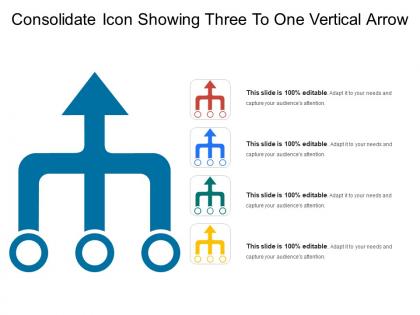
The image depicts a PowerPoint slide with a large, central graphic of a consolidation icon. This icon represents three horizontal lines leading into a single upward-pointing arrow, symbolizing the convergence or merging of three separate elements or paths into one focused direction. The design is clean and modern, with a bold blue color for the main icon. Variations of the same icon in different colors are presented on the right side as smaller thumbnails, indicating customization options. The slide also reiterates that it is fully editable, allowing users to adapt the graphic to their presentation needs.
Use cases:
The consolidation icon can be applied in various industries to represent merging processes, integration strategies, or the unification of ideas or systems:
1. Finance:
Use: Illustrating merger and acquisition strategies.
Presenter: Financial Analyst
Audience: Investors, Company Executives
2. Information Technology:
Use: Demonstrating system integration.
Presenter: IT Project Manager
Audience: Technical Teams, Stakeholders
3. Healthcare:
Use: Presenting consolidation of healthcare services or facilities.
Presenter: Healthcare Administrator
Audience: Hospital Staff, Health System Board Members
4. Telecommunications:
Use: Explaining the amalgamation of networks or services.
Presenter: Network Engineer
Audience: Management, Regulatory Bodies
5. Retail:
Use: Discussing centralization of retail operations.
Presenter: Operations Manager
Audience: Retail Managers, Department Heads
6. Supply Chain Management:
Use: Outlining the integration of supply chain activities.
Presenter: Supply Chain Director
Audience: Logistics Personnel, Partners
7. Education:
Use: Merging educational programs or departments.
Presenter: Dean or Academic Director
Audience: Faculty, Administrative Staff
Consolidate icon showing three to one vertical arrow with all 5 slides:
Get hatred to go away with our Consolidate Icon Showing Three To One Vertical Arrow. Give friendship a chance to grow.
FAQs for Consolidate icon showing three to
A consolidate icon serves to visually represent the merging, combining, or integration of multiple elements into a unified whole within presentations. It enhances audience comprehension by clearly signaling when disparate data, processes, or concepts are being brought together, with many organizations finding that strategic use of consolidation visuals streamlines complex information delivery and ultimately improves stakeholder understanding.
A consolidate icon helps summarize complex data by providing visual shortcuts for grouping, merging, and aggregating information from multiple sources into digestible formats. Through strategic visual cues, organizations streamline data interpretation, enhance dashboard clarity, and accelerate decision-making processes, with many financial services and analytics teams finding that consolidated visual elements ultimately deliver faster insights and improved operational efficiency.
Key design elements for an effective consolidate icon include simplified geometric shapes, directional arrows or convergence lines, consistent visual hierarchy, intuitive symbolism, and scalable proportions that remain clear at various sizes. These elements work together by creating immediate visual recognition, maintaining brand consistency across platforms, and ensuring accessibility for diverse users, with many organizations finding that well-designed consolidate icons significantly enhance user interface navigation and operational efficiency.
A consolidate icon proves most beneficial when presenting merger activities, financial data aggregation, organizational restructuring, or multi-departmental reporting scenarios. These visual elements enhance audience comprehension during complex business presentations by simplifying data integration concepts, streamlining workflow explanations, and reinforcing strategic consolidation messages, ultimately delivering clearer communication and stronger stakeholder engagement.
A consolidate icon improves audience engagement by creating visual clarity, reducing cognitive load, and guiding attention to key information or actions. Through strategic placement and recognizable design, presentations become more interactive and memorable, with many organizations finding that consolidated visual elements streamline complex data, enhance comprehension, and ultimately deliver stronger audience retention and participation rates.
Visual cues for consolidate icons include directional arrows converging toward a center point, multiple elements merging into a single unified shape, layered geometric forms, gradient transitions, and subtle motion indicators. These design elements enhance recognition by clearly depicting the merging process, with many software applications and business platforms finding that combining arrows with container symbols delivers immediate user comprehension and streamlined navigation experiences.
Color psychology significantly influences consolidate icon perception by conveying trust through blues, stability through greens, and urgency through reds, while warmer tones suggest accessibility and cooler tones imply professionalism. Strategic color choices enhance user comprehension and engagement across digital platforms, with many financial services and data management companies finding that thoughtfully selected palettes increase click-through rates and user confidence.
Common mistakes include overcomplicating the design with unnecessary details, using inconsistent visual metaphors that confuse users, poor contrast ratios that reduce visibility, and ignoring scalability requirements across different display sizes. These design pitfalls can significantly impact user experience in enterprise software, financial dashboards, and data management platforms, ultimately reducing operational efficiency and user adoption rates.
Icons, including consolidate icons, support storytelling by serving as visual anchors that guide audience attention, simplify complex concepts, and create emotional connections throughout narratives. These visual elements enhance comprehension by providing instant recognition of key themes, enabling presenters to maintain engagement while streamlining information flow, ultimately delivering more memorable and impactful storytelling experiences.
Best practices for integrating consolidate icons within different slide layouts include maintaining consistent sizing, strategic placement near related content, using cohesive color schemes that align with your brand palette, ensuring adequate white space for visual breathing room, and creating logical information hierarchies. These design principles work together by enhancing comprehension, reducing cognitive load, and establishing professional visual consistency, with many organizations finding that standardized icon integration significantly improves audience engagement and message clarity across presentations.
A consolidate icon helps align messaging across slides by serving as a consistent visual anchor that reinforces key themes like integration, unification, and strategic alignment throughout presentations. This visual consistency enables presenters to seamlessly connect disparate concepts, maintain audience focus on central consolidation strategies, and deliver cohesive narratives that enhance comprehension while strengthening overall message retention.
**INPUT**: What software tools are recommended for designing custom consolidate icons? **OUTPUT**: Recommended software tools include Adobe Illustrator, Sketch, Figma, Canva Pro, and Iconjar, each offering vector-based design capabilities and scalability options. These platforms streamline icon creation by providing template libraries, collaboration features, and export flexibility, with many design teams finding that vector-based tools like Illustrator and Figma deliver the precision and consistency needed for professional consolidate icons across multiple applications. [Word count: 60]
A consolidate icon can be utilized in interactive presentations to merge separate data sets, combine multiple slides into summary views, and streamline complex information hierarchies. Through clickable consolidation features, presenters enable audiences to toggle between detailed breakdowns and unified overviews, ultimately delivering more engaging experiences and clearer strategic insights.
Branding plays a crucial role in consolidate icon design by ensuring visual consistency, reinforcing corporate identity, and maintaining professional credibility across presentations. Through strategic use of brand colors, typography styles, and design elements, organizations enhance recognition, streamline visual communication, and deliver cohesive messaging, with many companies finding that branded icons significantly strengthen audience engagement and corporate perception.
Incorporating a consolidate icon enhances presentation professionalism by creating visual consistency, improving information hierarchy, and signaling strategic thinking through streamlined content organization. This approach helps audiences quickly grasp complex data relationships while demonstrating the presenter's attention to detail, ultimately delivering clearer communication and stronger credibility in business settings.
-
Easily Understandable slides.
-
Unique research projects to present in meeting.