

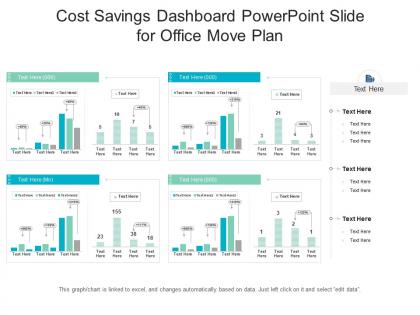
Cost savings dashboard powerpoint slide for office move plan




Try Before you Buy Download Free Sample Product
 Impress Your
 Audience
 100%
100% Editable
 Save Hours
 of Time


This is a Cost Savings Dashboard Powerpoint Slide For Office Move Plan featuring in-built editable components to add your personal touches. Tailor this template as per your liking and display it on a widescreen or standard screen, the choice is yours.
People who downloaded this PowerPoint presentation also viewed the following :
Cost savings dashboard powerpoint slide for office move plan with all 2 slides:
Use our Cost Savings Dashboard Powerpoint Slide For Office Move Plan to effectively help you save your valuable time. They are readymade to fit into any presentation structure.
FAQs for Cost savings dashboard powerpoint slide for
Focus on three main things: total savings, savings as a percentage of your budget, and how cost per unit changes over time. Break down your biggest cost drivers by category too - honestly, that's where executives get most excited because they can actually see what's happening. Year-over-year comparisons are clutch. Add a forecast if your data's solid enough. The whole thing should tell a story about where money's going and where you're crushing it. Oh, and throw in some department-specific stuff based on what your leadership actually obsesses over.
Dude, trust me on this - charts and graphs will save your sanity. Nobody wants to stare at endless spreadsheet rows trying to find patterns. Heat maps instantly show you where problems are lurking, while trend lines reveal what's actually working over time. I'd start simple with bar charts for your biggest savings wins, then add some drill-down stuff so people can dig deeper if they want. Progress bars are clutch for showing goals too. The whole point is making data digestible so stakeholders don't zone out during presentations. Visual storytelling beats number dumps every single time.
Your dashboard can show all kinds of savings wins - vendor negotiations, automation stuff, energy improvements, supply chain tweaks. I've seen dashboards tracking everything from cheaper software deals to downsizing office space (which honestly everyone's doing now). Show both the obvious money savings like lower contract costs and the softer wins too - time efficiencies that let your team focus on bigger projects. Track actual dollar amounts and timelines for each thing. That way leadership can actually see what's making a real difference instead of just guessing.
Daily or weekly is your sweet spot for cost dashboards. Daily's better if you're tracking stuff that moves around a lot - cloud costs, operational expenses, that kind of thing. Weekly works fine for the more predictable metrics. I've honestly watched too many teams do monthly updates and then wonder why nobody looks at their dashboard anymore. Stale data kills trust fast. Pick whatever frequency your data can actually handle consistently - there's nothing worse than a dashboard that randomly breaks. Start weekly and see how it goes. You can always bump it up to daily later if people want more detail.
Real-time data lets you catch problems as they're happening instead of finding out weeks later when you're screwed. Budget overruns? You'll see them immediately. Weird spending patterns? Boom, right there on your screen. I actually love watching those savings numbers tick up in real time - maybe that makes me a data nerd, whatever. Without live feeds, you're basically looking at ancient history instead of making actual decisions. Connect your messiest cost centers first since that's where real-time monitoring pays off the most.
Track your investment costs against actual savings over time - that's basically ROI measurement. Compare what you spent before vs now, then factor in what the initiative cost you. Monthly or quarterly snapshots work way better than daily updates (too much noise honestly). Break it down by categories like labor savings, material costs, process improvements so you can actually see what's working. Oh and definitely start with just 3-4 key metrics. Your team needs to get comfortable with the basics first. You can always add more complicated stuff later once everyone's on board.
Oh man, don't make the same mistake I did - tracking literally everything. You'll drown in data and never actually use half of it. Get everyone to agree on what "savings" means first, because trust me, accounting will have a totally different definition than operations. Also your data better be clean or you're screwed from day one. The worst part? Executives love throwing numbers around in meetings without any context, which gets weird fast. Honestly just pick like 3-5 metrics that matter, nail down those definitions early, and always explain the story behind your numbers.
Make it super relevant to what they actually do every day - customize views so each person sees metrics that matter to their specific role. Train people properly because they won't touch stuff they don't get. Honestly, if your dashboard is slow or looks terrible, you've already lost half the battle. Set up alerts that ping them when something big changes instead of hoping they'll remember to check. Oh and definitely tie everything back to their actual KPIs. People need to see how it helps them make better decisions, not just pretty charts that don't mean anything to their work.
Honestly, just go with whatever your company already pays for - saves you the headache of getting new software approved. Power BI works great if you're already using Microsoft stuff. Tableau's solid but kinda expensive for basic cost tracking (though the charts look pretty). Excel still works fine for most finance dashboards - pivot tables are your friend there. Some people swear by Qlik Sense or Google Data Studio too, depends on what else you're running. Start simple and see what you actually need before going crazy with features. You can always switch later once you know what's missing.
Honestly, these dashboards are kind of a game-changer for spotting where your money's going. You get real-time views of which suppliers actually deliver value and what categories are tanking. I got weirdly obsessed with ours once we set it up – there's something satisfying about catching spending issues before they blow up. Set alerts on your biggest categories first, trust me on that. You can track contract compliance, benchmark against industry standards, and actually negotiate based on data instead of guessing. Way better than flying blind with procurement decisions.
Look, benchmarking is basically your sanity check. Without it, you're just guessing whether that $50K you saved is actually good or pretty pathetic. Industry standards and peer data show you what's realistic to aim for - maybe you should be hitting $500K instead. Historical performance helps too, though sometimes those numbers are sketchy depending on how they tracked stuff before. You need at least 2-3 solid comparison sources before building your dashboard. Short version: benchmarks tell you where the real opportunities are hiding and whether you're crushing it or just treading water.
So I'd throw up some quick surveys and maybe add one of those simple thumbs up/down widgets directly in your dashboard - they're surprisingly effective, even if they look basic. Usage analytics will show you where people actually spend their time versus where they bail out. Monthly chats with your heavy users are gold though, they'll catch weird bugs way before anyone else does. The trick is making feedback super low-effort to give, otherwise people just won't bother. Then actually fix the stuff they complain about fast, or they'll stop telling you things.
Oh man, compliance stuff is such a pain but you gotta cover your bases. Loop in legal and compliance teams right away - trust me on this one, way easier than fixing things later. SOX rules if you're public, GDPR for any EU data, plus whatever industry regs apply to you guys. Access controls are huge too. Can't have random people seeing detailed financial breakdowns. Anonymize vendor info and stick to your data governance policies. Internal audit requirements are probably lurking somewhere too, so check on those. It's annoying but better safe than sorry with this stuff.
Pick metrics that hit both your wallet and your green goals at once. Energy savings are perfect for this - less power = lower bills + smaller carbon footprint. Same with going digital instead of printing everything (seriously, we still print way too much stuff). Track things like fuel costs from better logistics routes or how new equipment cuts your utility bills. The trick is finding those sweet spots where being eco-friendly actually saves you money. Start with maybe three areas where this overlap is obvious. Makes those boring budget meetings actually worth sitting through!
Skip the generic examples and use your actual company data - people pay attention when they recognize the numbers. Small groups work way better than huge sessions where half the room zones out. Honestly, most training I've sat through just dumps every feature on you at once, which is brutal. Pick the 3-4 things they'll actually use daily and focus there. Give them real scenarios to mess around with during training. Oh, and don't forget follow-ups! People come back with way better questions once they've been using it for a few weeks and hit their first roadblocks.
-
Good research work and creative work done on every template.
-
Amazing product with appealing content and design.
-
Unique design & color.
-
Topic best represented with attractive design.
-
Best way of representation of the topic.