

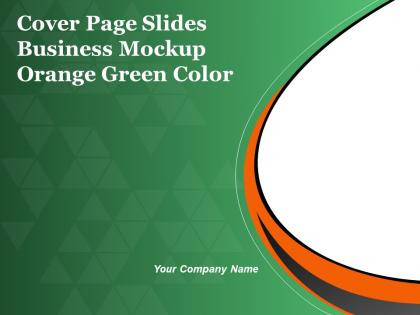
Cover page slides business mockup orange green color




Try Before you Buy Download Free Sample Product
 Impress Your
 Audience
 100%
100% Editable
 Save Hours
 of Time


Broaden your approach with our Cover Page Slides Business Mockup Orange Green Color. Give your thoughts an extra dimension.
People who downloaded this PowerPoint presentation also viewed the following :
Cover page slides business mockup orange green color with all 5 slides:
You are bound to get the deal with our Cover Page Slides Business Mockup Orange Green Color. They ensure you have it in the bag.
FAQs for Cover page slides business mockup
Effective business presentation mockups should include compelling visual hierarchy, clear data visualizations, consistent branding elements, strategic white space, and audience-focused content flow. These design components work together by enhancing readability, reinforcing brand identity, and guiding viewer attention, with many organizations finding that well-structured mockups significantly improve stakeholder engagement and decision-making outcomes.
Color schemes significantly influence perception by conveying brand identity, establishing emotional tone, enhancing readability, and creating visual hierarchy within business presentation mockups. Strategic color choices enable presenters to build trust through professional palettes, guide audience attention to key messages, and reinforce corporate branding, with many organizations finding that cohesive color strategies ultimately deliver stronger audience engagement and more memorable presentations.
Typography significantly influences presentation mockup readability through strategic font selection, consistent hierarchy, appropriate sizing, and optimal spacing that guides audience attention naturally. Professional typography choices, such as clean sans-serif fonts for headers and readable body text, enhance credibility while ensuring content accessibility across different viewing distances, ultimately delivering polished presentations that communicate expertise and maintain audience engagement throughout business communications.
Incorporating data visualization enhances business presentation mockups by transforming complex information into digestible charts, graphs, infographics, and interactive dashboards that audiences can quickly understand. These visual elements streamline communication, increase engagement, and improve decision-making speed, with many organizations finding that well-designed mockups featuring strategic data visualization ultimately deliver more persuasive presentations and stronger stakeholder buy-in.
Best practices for designing business presentation mockups for remote presentations include optimizing visual hierarchy with larger fonts, using high-contrast colors for screen clarity, incorporating interactive elements like polls or Q&A segments, and designing slides with minimal text density. These approaches enhance audience engagement by ensuring readability across various devices, maintaining attention through dynamic content, and facilitating seamless virtual collaboration, ultimately delivering more impactful remote communication experiences.
Templates streamline business presentation mockup creation by providing pre-designed layouts, consistent formatting structures, established color schemes, and professional typography frameworks. These standardized elements enable teams to focus on content development rather than design decisions, significantly reducing production time while maintaining visual consistency across departments, ultimately delivering faster turnaround times and enhanced brand coherence.
When selecting images for business presentation mockups, key considerations include relevance to your content, professional quality, brand alignment, audience appropriateness, and visual consistency across slides. These elements work together by enhancing credibility, supporting your message clarity, and maintaining viewer engagement, with many successful presentations finding that strategic image selection significantly improves audience retention and overall presentation effectiveness.
Peer feedback enhances business presentation mockups by identifying unclear messaging, suggesting visual improvements, and highlighting audience engagement gaps that creators often miss. Colleagues from different departments provide diverse perspectives on content flow, design elements, and strategic alignment, ultimately delivering more compelling presentations that resonate with stakeholders and drive better business outcomes.
Common mistakes include overcrowding slides with excessive text, using inconsistent fonts and colors, neglecting white space, choosing low-resolution images, and creating unrealistic layouts that don't translate to actual presentations. These design pitfalls undermine professional credibility by creating cluttered, hard-to-read mockups, with many businesses finding that clean, consistent templates ultimately deliver better stakeholder engagement and more effective communication outcomes.
Storytelling techniques can be integrated through narrative arcs, character-driven scenarios, emotional hooks, visual metaphors, and sequential slide progressions that mirror story structure. These approaches enhance audience engagement by transforming data presentations into compelling journeys, with many organizations finding that narrative-driven mockups increase retention, improve stakeholder buy-in, and deliver more persuasive business outcomes.
**INPUT**: What software tools are recommended for creating high-quality business presentation mockups? **OUTPUT**: Recommended software tools include Adobe Photoshop, Sketch, Figma, Canva Pro, and PowerPoint with advanced design features for professional mockup creation. These platforms streamline mockup development by offering customizable templates, realistic device frames, and collaborative editing capabilities, with many marketing teams and design agencies finding that strategic mockup integration enhances client presentations and accelerates project approval processes. **Word count: 58 words**
Business presentation mockups can be tailored by adjusting content depth, visual emphasis, data presentation style, and messaging focus to match specific stakeholder priorities and expertise levels. Through strategic customization, organizations enhance board presentations for executives, technical demonstrations for engineers, and financial overviews for investors, while maintaining consistent branding, ultimately delivering more compelling and targeted communications.
Animations and transitions enhance business presentation mockups by highlighting key data points, guiding audience attention through complex workflows, creating smooth section transitions, and demonstrating product features or process steps in action. These dynamic elements help presenters tell compelling stories with their data, maintain audience engagement during lengthy presentations, and showcase interactive capabilities, ultimately delivering more memorable and persuasive business communications.
Mockups facilitate collaboration by providing visual references for feedback, enabling iterative design improvements, and establishing clear expectations before final development. Through shared mockup platforms, teams can streamline communication, reduce revision cycles, and align stakeholders on presentation structure and content, with many organizations finding that early visualization significantly accelerates project timelines and enhances creative input.
Interactive elements in business presentation mockups include clickable prototypes, hover effects, animated transitions, embedded videos, and dynamic data visualizations. These features enhance stakeholder engagement by providing realistic user experiences, streamline feedback collection through direct interaction, and accelerate approval processes, with many organizations finding that interactive mockups reduce revision cycles and deliver more compelling, persuasive presentations.
-
Use of icon with content is very relateable, informative and appealing.
-
Editable templates with innovative design and color combination.