

CRM Implementation Process Powerpoint Presentation Slides




Try Before you Buy Download Free Sample Product
 Impress Your
 Audience
 100%
100% Editable
 Save Hours
 of Time


CRM implementation is deploying CRM software so a business can manage present and future customer interactions. Successful CRM deployment may assist firms in analyzing client interactions, tracking leads effectively, and streamlining operations. Check out our efficiently designed PowerPoint presentation introducing CRM Implementation Process. It covers CRM system planning, including business goals and implementation. It also includes strategies organizations can use while implementing new CRM software. This PPT covers the detailed CRM implementation process, including analyzing business processes, mapping sales and marketing processes with the CRM system, and identifying key players. It also covers a detailed section of CRM and system deployment with significant steps such as setting up organization details, customizing the account and setting up basic modules, CRM access, etc. This complete deck also covers a section for analyzing system implementation training, cost, and time followed by a post-implementation impact analysis. Download our 100 percent editable and customizable template, which is also compatible with Google slides.
People who downloaded this PowerPoint presentation also viewed the following :
Content of this Powerpoint Presentation
Slide 1: This slide introduces CRM Implementation Process. State Your Company Name and begin.
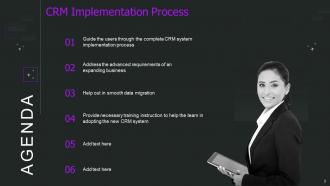
Slide 2: This slide states Agenda of the presentation.
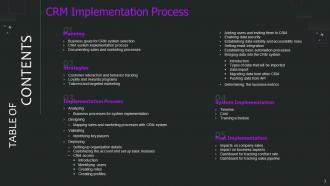
Slide 3: This slide presents Table of Content for the presentation.
Slide 4: This slide highlights title for topics that are to be covered next in the template.
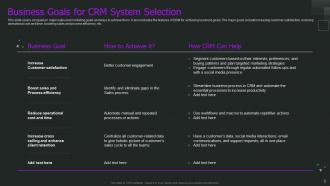
Slide 5: This slide shows Business Goals for CRM System Selection.
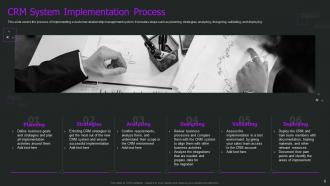
Slide 6: This slide presents CRM System Implementation Process.
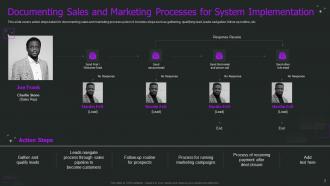
Slide 7: This slide displays Documenting Sales and Marketing Processes for System Implementation.
Slide 8: This slide highlights title for topics that are to be covered next in the template.
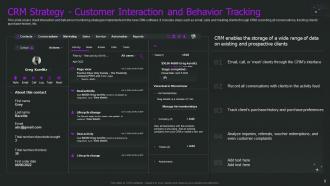
Slide 9: This slide covers client interaction and behaviour monitoring strategies.
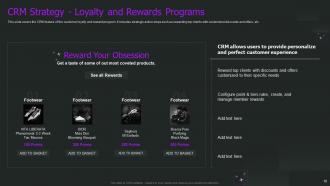
Slide 10: This slide represents CRM feature of the customer loyalty and reward program.
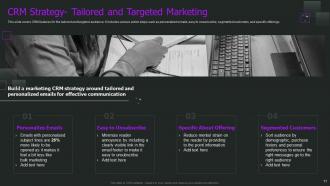
Slide 11: This slide showcases CRM features for the tailored and targeted audience.
Slide 12: This slide highlights title for topics that are to be covered next in the template.
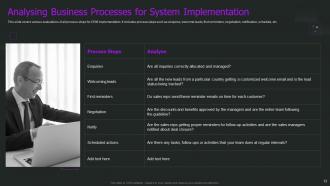
Slide 13: This slide shows various evaluations of all process steps for CRM implementation.
Slide 14: This slide highlights title for topics that are to be covered next in the template.
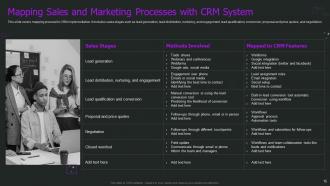
Slide 15: This slide presents Mapping Sales and Marketing Processes with CRM System.
Slide 16: This slide highlights title for topics that are to be covered next in the template.
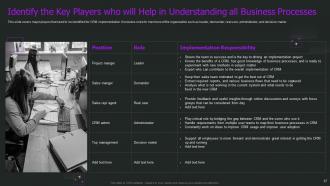
Slide 17: This slide covers major players that need to be identified for CRM implementation.
Slide 18: This slide highlights title for topics that are to be covered next in the template.
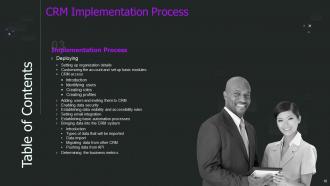
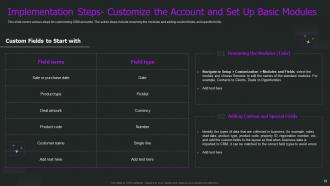
Slide 19: This slide displays various steps for customizing CRM accounts.
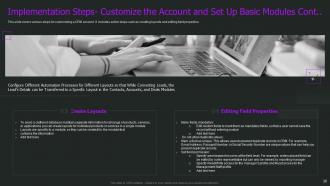
Slide 20: This is another slide continuing steps for customizing a CRM account.
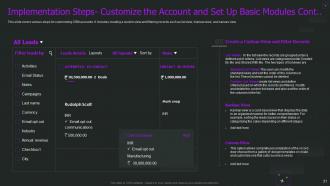
Slide 21: This is another slide continuing steps for customizing a CRM account.
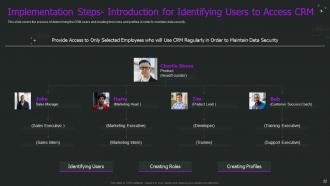
Slide 22: This slide covers the process of determining the CRM users and creating their roles and profiles.
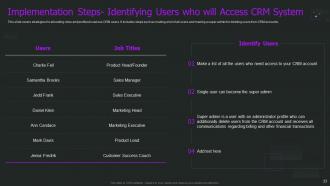
Slide 23: This slide represents strategies for allocating roles and profiles to various CRM users.
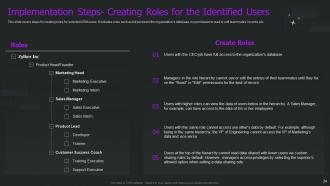
Slide 24: This slide showcases steps for creating roles for selected CRM users.
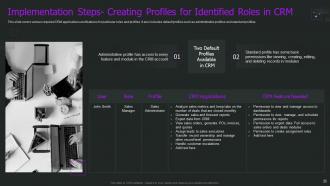
Slide 25: This slide covers various required CRM applications and features for particular roles and profiles.
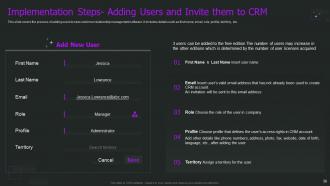
Slide 26: This slide shows process of adding users to new customer relationship management software.
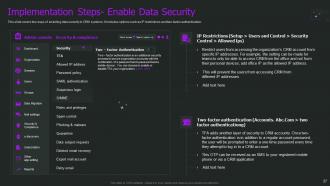
Slide 27: This slide presents two ways of enabling data security in CRM systems.
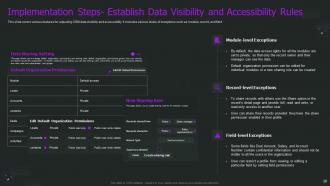
Slide 28: This slide displays various features for adjusting CRM data visibility and accessibility.
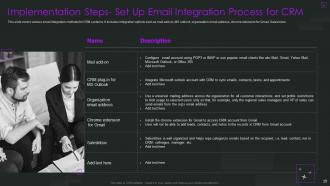
Slide 29: This slide represents various email integration methods for CRM systems.
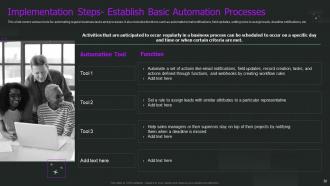
Slide 30: This slide showcases various tools for automating regular business tasks and processes.
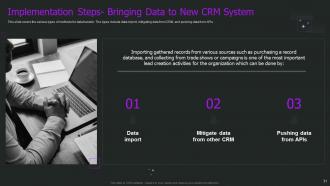
Slide 31: This slide covers the various types of methods for data transfer.
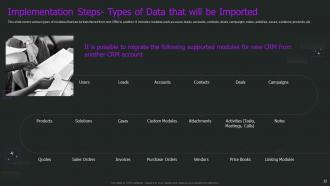
Slide 32: This slide shows types of modules that can be transferred from one CRM to another.
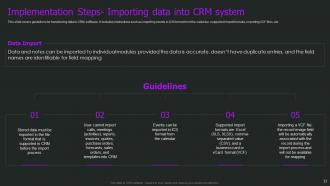
Slide 33: This slide presents guidelines for transferring data to CRM software.
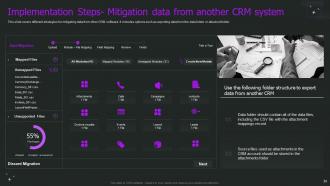
Slide 34: This slide displays different strategies for mitigating data from other CRM software.
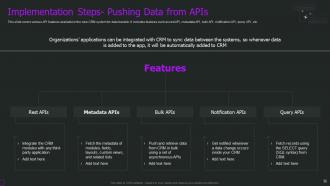
Slide 35: This slide represents various API features available in the new CRM system for data transfer.
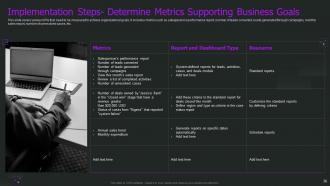
Slide 36: This slide showcases various KPIs that need to be measured to achieve organizational goals.
Slide 37: This slide highlights title for topics that are to be covered next in the template.
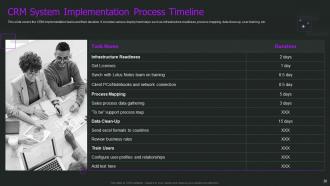
Slide 38: This slide shows CRM System Implementation Process Timeline.
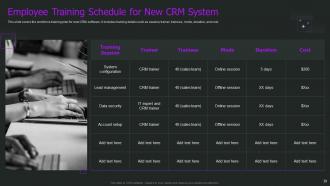
Slide 39: This slide presents Employee Training Schedule for New CRM System.
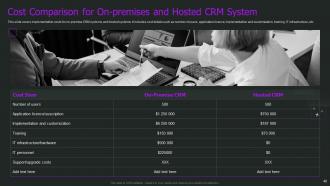
Slide 40: This slide displays Cost Comparison for On-premises and Hosted CRM System.
Slide 41: This slide highlights title for topics that are to be covered next in the template.
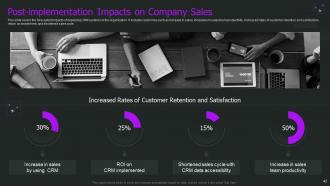
Slide 42: This slide represents Post-implementation Impacts on Company Sales.
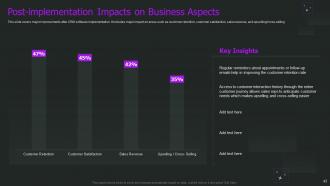
Slide 43: This slide showcases Post-implementation Impacts on Business Aspects.
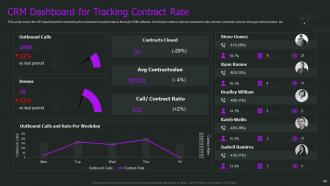
Slide 44: This slide shows CRM Dashboard for Tracking Contract Rate.
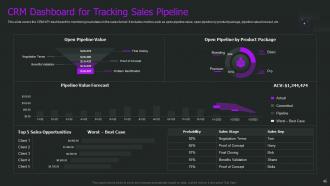
Slide 45: This slide presents CRM Dashboard for Tracking Sales Pipeline.
Slide 46: This slide displays Icons for CRM Implementation Process.
Slide 47: This slide is titled as Additional Slides for moving forward.
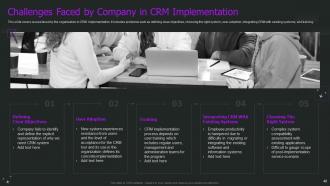
Slide 48: This slide shows Challenges Faced by Company in CRM Implementation.
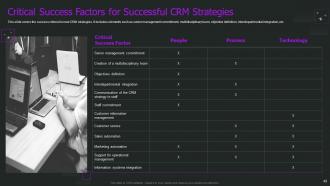
Slide 49: This slide presents Critical Success Factors for Successful CRM Strategies.
Slide 50: This is About Us slide to show company specifications etc.
Slide 51: This is Our Team slide with names and designation.
Slide 52: This is Our Mission slide with related imagery and text.
Slide 53: This slide shows Post It Notes. Post your important notes here.
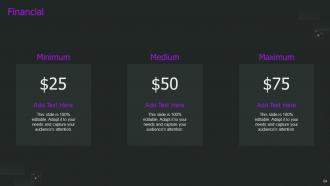
Slide 54: This is a Financial slide. Show your finance related stuff here.
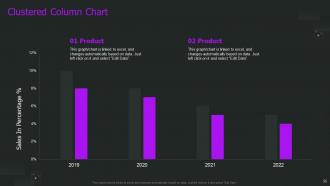
Slide 55: This slide provides Clustered Column chart with two products comparison.
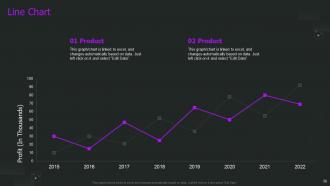
Slide 56: This slide describes Line chart with two products comparison.
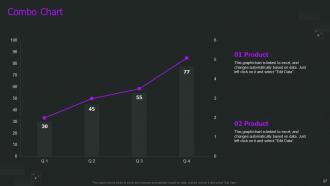
Slide 57: This slide displays Combo chart with two products comparison.
Slide 58: This slide shows SWOT describing- Strength, Weakness, Opportunity, and Threat.
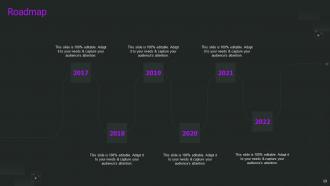
Slide 59: This slide presents Roadmap with additional textboxes.
Slide 60: This is a Thank You slide with address, contact numbers and email address.
CRM Implementation Process Powerpoint Presentation Slides with all 65 slides:
Use our CRM Implementation Process Powerpoint Presentation Slides to effectively help you save your valuable time. They are readymade to fit into any presentation structure.








FAQs for CRM Implementation Process
So you've got six main phases: planning, data migration, configuration, testing, training, and go-live. First, map out your current processes and figure out what you actually want this thing to do. Data migration comes next - fair warning, your existing customer data will be a hot mess. Way messier than you think. Configure everything to match how your team works, then test the hell out of it. Don't skip training either. Here's the thing though - seriously don't rush the testing phase. Trust me, fixing stuff after you've already launched is like trying to change a tire while driving.
Honestly, you've got to look at three things before diving in. First - where's all your customer data right now? Scattered across random spreadsheets and emails, probably. Map that mess out first. Your team's attitude matters way more than you'd think though. Are they actually wanting this change, or will they fight you every step? Survey them, don't just assume. Also check if your current email and accounting stuff can even integrate with a new CRM. Leadership always wants to jump in fast, but I've seen so many rollouts fail because nobody asked the people actually using it daily what they needed.
Ugh, brace yourself for data migration nightmares and your team basically hating you at first. People HATE learning new systems - like, I get it, change sucks. Your data's gonna be messier than you think when you try moving it over. Budget's definitely going over because someone always wants "just one tiny addition" that costs a fortune. Oh, and timelines? Forget about it. Train people early though, that helps. Clean up your data beforehand too - saves so much pain later. Most important thing is nailing down exactly what you want upfront so stakeholders can't keep adding stuff.
Don't just tell people about the CRM - actually get them involved. Figure out what's personally in it for each person. How will this make their day easier or help them crush their targets? I always run discovery sessions first (takes forever but whatever). Listen to what's bugging them. Then pitch the CRM as fixing those exact problems they complained about. Not just another fancy tool they don't need. Let them weigh in on which vendor to pick and how to set it up. They'll actually care about it if they feel like it's partly their idea, you know?
Honestly, just focus on what you actually need first - map out which processes are driving you crazy right now. Budget's obviously huge, but don't forget those sneaky monthly fees add up. I'd definitely have your team try a few demos before committing to anything. Scalability matters if you're planning to grow (though who knows these days lol). Oh and check if it plays nice with whatever software you're already using - email, accounting, all that stuff. Trust me, integration headaches are the worst. Short version: test everything first, your team will thank you later.
Dude, data migration will absolutely make or break your CRM project. All your customer info is moving from the old system to the new one - if it goes sideways, you're looking at months of fixing duplicates and missing records. Plus your team will be pissed when they can't find anything. Here's the kicker though: garbage data in equals garbage data out, even with the fanciest new CRM. Oh, and budget way more time than you think you'll need. Clean everything up first or you'll hate yourself later.
Honestly, user training can make or break your whole CRM thing. I've watched companies dump serious money into these systems only to have their teams completely ignore them or find weird workarounds that miss the point entirely. Don't just do some one-off training session and call it done. Start simple, then gradually teach them more advanced stuff. Oh, and definitely find those tech-savvy people on your team early - they'll become your go-to trainers for everyone else. Without proper training, you're basically paying for expensive digital paperwork that nobody wants to touch.
Honestly, start with automated checks for duplicates and required fields - saves so much time later. Train your team on data entry standards from day one, then have someone check quality weekly (don't skip this part). I'd run a full audit in your first month to catch problems early. Monthly clean-up sessions are clutch for fixing inconsistencies. Oh, and make sure data formats stay consistent - sounds boring but it'll prevent chaos down the road. Being proactive beats scrambling to fix messed up data later, trust me on that one.
Okay so first thing - map out what data you've got flowing where before you change anything. Trust me on this one. Hit your critical stuff first (accounting, email platforms, that kind of thing). APIs work great when they exist, but if not, middleware or something like Zapier can save your butt. Always test in sandbox mode because nobody wants to explain to their boss why the live system just died. Oh, and get someone technical involved if you're not - either on your team or hire someone. Don't try connecting everything at once or you'll go insane.
Figure out what's actually driving you crazy about your current setup first - maybe it's leads slipping through cracks or spending forever on manual stuff. Turn those frustrations into real numbers you can track. Like "cut our response time in half" or whatever makes sense for you. Definitely loop in the people who'll actually use this thing daily - they spot problems you might miss. Oh, and don't get distracted by shiny features that look cool but won't solve your real issues. Get everyone on board with the plan upfront. Trust me, it's way easier than trying to explain later why you picked what you picked.
Track login frequency and whether people actually use the main features - I've seen too many companies buy expensive CRMs that just sit there collecting dust. Data entry completion rates matter too. Business-wise, watch your lead conversion rates, sales cycle times, and customer retention. Revenue per customer is huge. Pipeline visibility and forecast accuracy will show you if reps are really managing their deals properly. Pull these numbers monthly right after you go live so you can fix problems fast. The adoption stuff is honestly just as critical as the revenue metrics.
Get those feedback loops going right after launch - monthly surveys, user interviews, maybe a Slack channel where people can complain (and oh boy, will they ever). Acting on the feedback matters way more than just collecting it though. I'd do quarterly reviews to spot the biggest pain points, then fix stuff based on what'll have the most impact. Your power users are gold for this - they'll give you crazy detailed feedback. Also, circle back and tell people what you're actually changing because of their input. People love knowing they were heard.
Honestly, just stay on top of three main things and you'll be fine. Clean up your data every few months - duplicates and old info will mess everything up if you let it pile up. Monthly training sessions keep everyone sharp on new features. Oh, and don't skip those software updates or your integrations get wonky. The real game-changer though? Actually ask your team what sucks about the system. I'd do monthly meetings where people can complain - I mean, give feedback - then fix the annoying stuff. Most companies set up these fancy CRMs then wonder why nobody uses them properly.
Honestly? Start by getting the doubters involved right from the beginning - like, actually ask for their input when you're planning this thing. People hate having changes just dumped on them. I'd run a small test with whoever's already excited about it first, then use those wins to convince everyone else. The key is showing them what's in it for THEM personally - how will this make their job suck less, you know? Don't just brush off their complaints either. Half the time they're actually right about potential problems. Oh, and skip the big announcement approach - that never works.
Honestly, three things will save you a ton of headaches. Clean up your data monthly - get rid of duplicates and fill in missing info. Most teams barely scratch the surface of what their CRM can actually do, so keep training people on new features. Also stay on top of updates and security stuff. I learned this the hard way, but you can't just set it up once and walk away. It's like... a plant that needs watering? Anyway, do quarterly check-ins to make sure everything's still working smoothly. Your CRM is only gonna be as useful as the data you're feeding it.
-
The designs by SlideTeam are honestly the best I have seen so far. Will be definitely coming back for more.
-
The design is very attractive, informative, and eye-catching, with bold colors that stand out against all the basic presentation templates.