

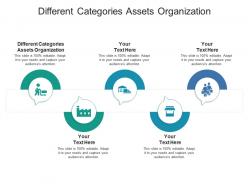
Different categories assets organization ppt powerpoint presentation infographics display cpb





Try Before you Buy Download Free Sample Product
 Impress Your
 Audience
 100%
100% Editable
 Save Hours
 of Time


Our Different Categories Assets Organization Ppt Powerpoint Presentation Infographics Display Cpb are topically designed to provide an attractive backdrop to any subject. Use them to look like a presentation pro.
People who downloaded this PowerPoint presentation also viewed the following :
Different categories assets organization ppt powerpoint presentation infographics display cpb with all 2 slides:
Use our Different Categories Assets Organization Ppt Powerpoint Presentation Infographics Display Cpb to effectively help you save your valuable time. They are readymade to fit into any presentation structure.
FAQs for Different categories assets organization ppt powerpoint presentation
Honestly, just focus on three things: consistency, hierarchy, and making stuff actually findable. Clear naming that your whole team gets, logical folders, and don't bury important assets where nobody can locate them. Version control will save your sanity - trust me on this one. I've seen too many people grab the wrong logo and have to redo everything. Put your daily-use stuff front and center. Archive the old junk so it's not in your way. Oh, and definitely audit what you've got first - you'll probably find some real gems you forgot about! Build around how your team actually functions, not some perfect system that looks good on paper.
Honestly, it's a lifesaver for all that manual file organizing you're probably drowning in. The AI tagging is pretty solid - searches through everything by date, project, even image colors. But the bulk operations are where it really shines. Instead of renaming files one by one like some kind of digital peasant, you can update hundreds at once. Your team gets proper access controls too, so people stop bugging you about where files are. I'd dump your messiest folder in there first and just watch the magic happen. The time you'll save is actually ridiculous.
Okay so metadata is basically what saves you from drowning in your own files later. Tag everything with project names, dates, file types, usage rights - whatever actually matters for how you work. It's like labeling storage boxes, but digital and way less annoying. Honestly, most people just dump files in folders and pray they'll remember where stuff is (spoiler: they won't). The trick is staying consistent with your tagging system right from the start. Keep it simple though - you don't need to overthink it, just build the habit and stick with it.
Organize by how people actually search, not by file type or department. So instead of random folders, use categories like "brand assets" or "marketing materials" - then add subcategories that match your workflow. Tag everything with keywords and stick to consistent naming. I've watched too many teams create systems where nobody can find anything because the folders made sense to like one person, maybe. When someone needs a logo, they think "brand stuff," not "graphics folder." Test it with a few coworkers first though - you'll catch the weird gaps before everyone gets frustrated.
Start with your project name first, then what kind of file it is, then version number. Something like "ProjectX_Logo_v3" works great. Don't use spaces or weird characters - trust me, they'll mess you up later when different programs can't read them properly. I learned this the hard way! Keep names short but clear enough that you know what you're looking at. Get your whole team using the same system from day one, otherwise you'll have files named everything from "logo_FINAL" to "the_actual_final_logo_for_real_this_time.png" scattered everywhere. Consistency saves your sanity.
Honestly, just treat your assets like code and throw them in Git repos. Sounds crazy but it actually works really well. Set up clear folder structures and naming conventions so nobody's hunting around for files. Use branches for different project phases, tag your major releases, and actually write decent commit messages when you update stuff. Git LFS is your friend for large files - regular Git chokes on big images. Oh, and make sure everyone on your team knows the workflow. Nothing worse than spending 20 minutes looking for the latest logo version. Start with one project folder first, then expand once you get the hang of it.
Honestly, start with shared folders that have naming conventions everyone can actually follow - that's half the battle right there. Figma or Google Drive work great for real-time collaboration and commenting. Version control saves your sanity, so do consistent file names with dates or v1, v2, etc. The tricky part? Getting people to actually stick with whatever system you pick. I'd assign different team members as "owners" for specific asset types - keeps things from turning into a mess. Also, regular team check-ins help catch problems before they spiral. Oh, and definitely map out your current workflow first. You'll spot the biggest pain points way easier that way.
Honestly, the worst thing you can do is go crazy with subfolders within subfolders. I used to do this - created these elaborate systems I'd totally ignore after like three days. Stick to maybe 4-5 broad categories: Photos, Documents, Work stuff, whatever makes sense for you. Also please don't leave files named "New Folder" everywhere (we've all been there). Use tags too, not just folders. Pick one naming system and actually follow it. Oh, and do a quick cleanup of your current disaster first - it'll make the whole process way less overwhelming when you're starting fresh.
Dude, cloud storage will totally change how you handle your files. No more digging around your desktop like "where the hell did I put that logo?" Your whole team can grab stuff from anywhere, and the search actually works. Real-time syncing means nobody's working on old versions anymore - honestly such a relief. You can set up automated folders and tagging that actually scales as you grow. Oh, and definitely nail down your naming system before moving everything over. Otherwise you'll just recreate the same mess in the cloud.
Start with role-based access - only give people what they need for their actual job. Regular audits are huge too, you'd be shocked how many random people still have access to old sensitive files. Encrypt the confidential stuff, both stored and when it's moving around. Oh and boring but necessary - good naming conventions and folder organization prevents so much accidental exposure. Version control helps you track changes and fix screwups. Honestly the access controls will give you the biggest bang for your buck security-wise, so tackle that first.
Dude, visual organization is a total game changer. Color code your stuff - like blue for templates, green for images, whatever works. Icons and thumbnails are clutch too because your brain picks up on visual cues way faster than reading file names. I used to waste so much time digging through folders until I started this. Think of it like having labeled drawers instead of just dumping everything in a pile. Short sentences work. But honestly, even adding one visual system will make things flow so much better. Try it for a week and you'll see what I mean.
Physical stuff needs location hierarchies - warehouses, shelves, zones. You're basically asking "where is it?" Digital assets? Totally different game. They're organized by metadata, access permissions, file types, version control. Once you set up physical organization it's pretty rigid (trust me, reorganizing a warehouse sucks). But digital structures? You can flip everything around instantly with tags and folders. I'd say start by figuring out if you're solving for findability or actual physical accessibility. That'll guide your whole approach from there.
Definitely start with how long it takes your team to find stuff - that's what drives everyone crazy day-to-day. Track which assets actually get used vs. the ones just taking up space. Storage costs can get out of hand fast if you're not watching. Quick user surveys help too, plus keeping an eye on version control screw-ups (nothing worse than someone using the wrong file). Oh, and if you're in a regulated industry, compliance audit results matter. Asset utilization rates tell you a lot about whether your system's actually working. Time-to-find is probably your best starting point though.
Look, just ask your users what's driving them crazy. Track their searches vs what they actually find - that gap tells you everything. When someone asks "where's the updated logo?" for the third time, you know your folders are too deep or weirdly named. Survey the team about their biggest headaches first. Then make small changes and see if people can actually find stuff faster. Honestly, users come up with the most obvious fixes that you'd never think of. Oh, and don't reorganize everything at once - you'll just create new chaos.
So the AI tagging stuff is honestly pretty wild right now - it'll sort through your assets way faster than you ever could manually. Yeah, it screws up sometimes but it's getting weirdly accurate at spotting content and suggesting tags. Cloud systems are solid too since your whole team can access everything from wherever. Oh, and those API integrations? Total lifesaver. You can hook your asset library straight into design tools or your CMS. I'd mess around with AI features in whatever system you're already using - even just for the initial cleanup, it's worth it.
-
Understandable and informative presentation.
-
Graphics are very appealing to eyes.
-
Content of slide is easy to understand and edit.
-
Visually stunning presentation, love the content.