


Digital Services Playbook For Technological Advancement Powerpoint Presentation Slides





Try Before you Buy Download Free Sample Product
 Impress Your
 Audience
 100%
100% Editable
 Save Hours
 of Time


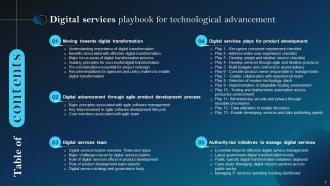
The Digital Services Playbook for Technological Advancement is an all-encompassing guide for policy makers and companies who are embarking on a digital transformation journey. It emphasizes the importance of digital transformation and its associated benefits, along with the major focus areas of the process. The digital services presentation also provides guiding principles for successful digital transformation and pre considerations that are essential for project redesign. The agile product development process is then explored, covering the principles associated with agile software management, key steps involved in the agile software development lifecycle, and the core members associated with an agile team. Furthermore, the digital transformation deck outlines digital services plays for product development, including developing services through agile and iterative practices, selecting a modern technology stack, and administering security and privacy through reusable procedures. At last, the playbook concludes with a section on managing IT services spending tracking dashboard. Get access now to this comprehensive guide that will help you successfully navigate the digital transformation journey.
People who downloaded this PowerPoint presentation also viewed the following :
Content of this Powerpoint Presentation
Slide 1: This slide introduces Digital Services Playbook for Technological Advancement. Commence by stating Your Company Name.
Slide 2: This slide depicts the Agenda of the presentation.
Slide 3: This slide incorporates the Table of contents.
Slide 4: This slide highlights the Title for the Topics to be covered next.
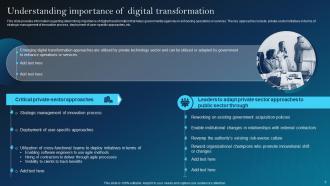
Slide 5: This slide focuses on Understanding importance of digital transformation.
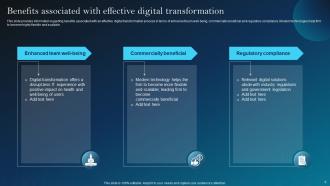
Slide 6: This slide exhibits the Benefits associated with effective digital transformation.
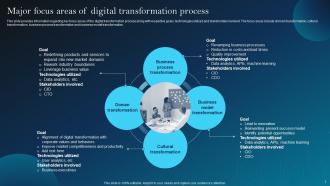
Slide 7: This slide showcases the Major focus areas of digital transformation process.
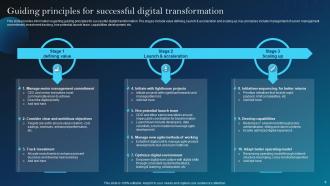
Slide 8: This slide deals with the Guiding principles for successful digital transformation.
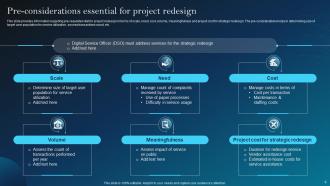
Slide 9: This slide highlights the Pre-considerations essential for project redesign.
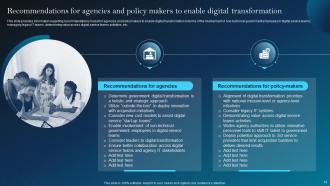
Slide 10: This slide portrays the Recommendations for agencies and policy makers to enable digital transformation.
Slide 11: This slide indicates the Heading for the Contents to be discussed next.
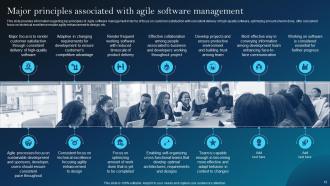
Slide 12: This slide provides information regarding key principles of Agile software management.
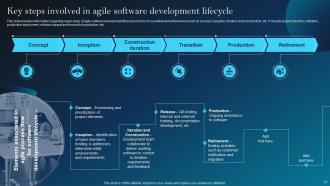
Slide 13: This slide provides information about the Key steps involved in agile software development lifecycle.
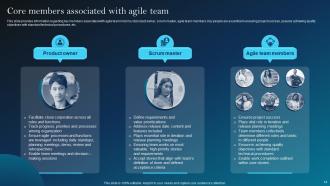
Slide 14: This slide shows the Core members associated with agile team.
Slide 15: This slide presents the Title for the Ideas to be covered in the next template.
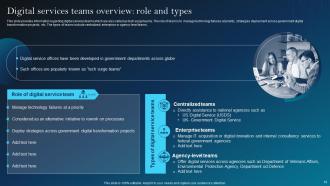
Slide 16: This slide provides information regarding digital services teams which are also called as tech surge teams.
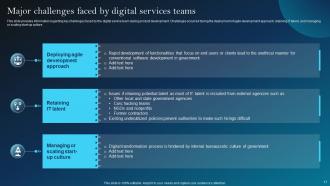
Slide 17: This slide exhibits the Major challenges faced by digital services teams.
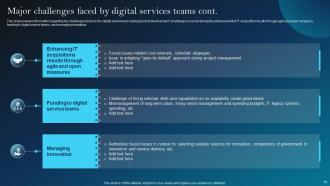
Slide 18: This slide continues the Major challenges faced by digital services teams.
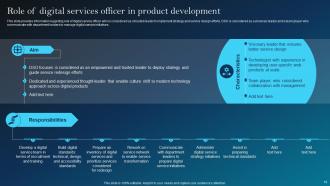
Slide 19: This slide highlights the Role of digital services officer in product development.
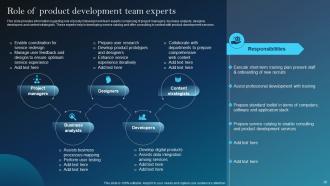
Slide 20: This slide portrays the Role of product development team experts.
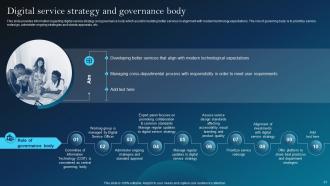
Slide 21: This slide talks about the Digital service strategy and governance body.
Slide 22: This slide includes the Heading for the Ideas to be discussed further.
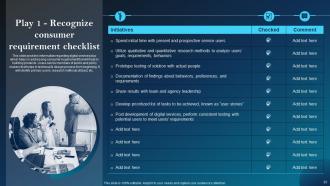
Slide 23: This slide deals with addressing consumer requirement that will help in building products.
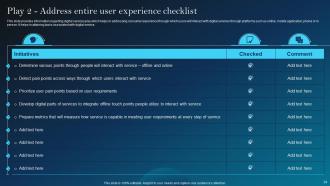
Slide 24: This slide focuses on addressing consumer experience.
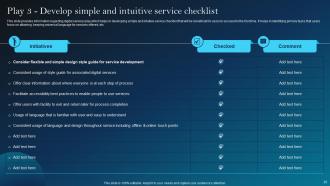
Slide 25: This slide highlights developing simple and intuitive service checklist.
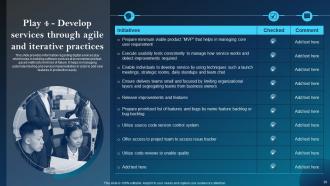
Slide 26: This slide presents building software services at incremental and fast-paced method to limit risk of failure.
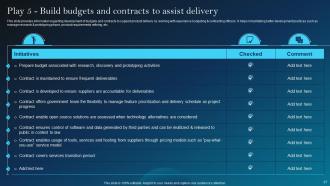
Slide 27: This slide shows development of budgets and contracts to support product delivery.
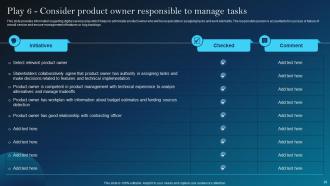
Slide 28: This slide portrays digital services play to administer product owner responsible in assigning tasks and work elements.
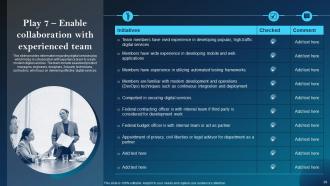
Slide 29: This slide reveals digital services play which helps in collaboration with experience team to create modern digital services.
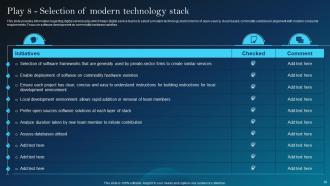
Slide 30: This slide presents digital services play which helps digital service teams to select a modern technology stack.
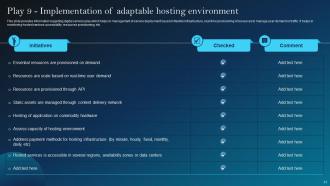
Slide 31: This slide depicts Play 9-Implementation of adaptable hosting environment.
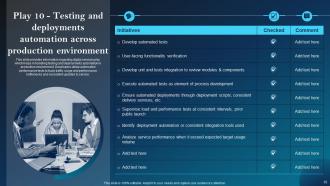
Slide 32: This slide represents Play 10-Testing and deployments.
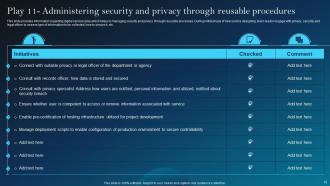
Slide 33: This slide shows digital services play which helps in managing security and privacy through reusable processes.
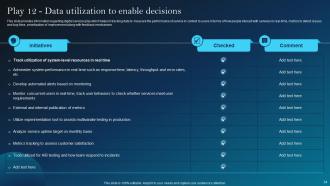
Slide 34: This slide presents the digital services play which helps in tracking data.
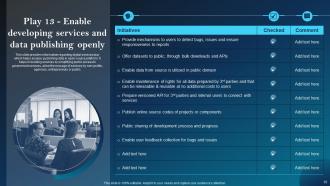
Slide 35: This slide focuses on Play 13-Enable developing services and data publishing openly.
Slide 36: This slide displays the Title for the Contents to be discussed next.
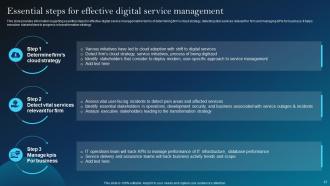
Slide 37: This slide states the Essential steps for effective digital service management.
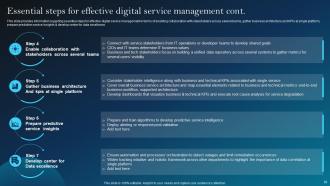
Slide 38: This slide continues the essential steps for effective digital service management.
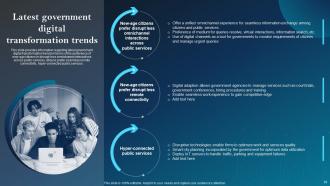
Slide 39: This slide talks about the Latest government digital transformation trends.
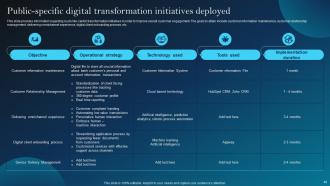
Slide 40: This slide provides information regarding customer-centric transformation initiatives.
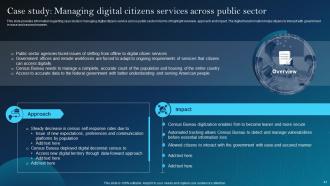
Slide 41: This slide shows the case study in managing digital citizens service across public sector.
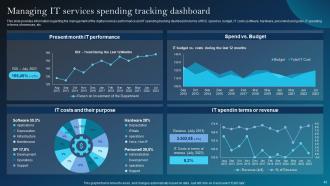
Slide 42: This slide focuses on Managing IT services spending tracking dashboard.
Slide 43: This is the Icons slide containing all the Icons used in the plan.
Slide 44: This slide is used for depicting some Additional information.
Slide 45: This is the 30-60-90 days plan slide for effective planning.
Slide 46: This is Our mission slide. State your company's Vision, Mission, and Goal here.
Slide 47: This slide contains the Post it notes for reminders and deadlines.
Slide 48: This is the Venn diagram slide.
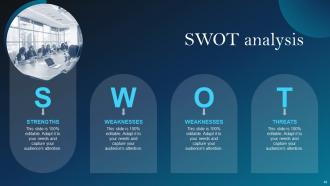
Slide 49: This slide presents the SWOT analysis.
Slide 50: This is Our team slide. State your team-related information here.
Slide 51: This is the Idea generation slide for encouraging fresh ideas.
Slide 52: This is the Puzzle slide with related imagery.
Slide 53: This is Our target slide for showcasing the organization's targets.
Slide 54: This is the Thank You slide for acknowledgement.
Digital Services Playbook For Technological Advancement Powerpoint Presentation Slides with all 59 slides:
Use our Digital Services Playbook For Technological Advancement Powerpoint Presentation Slides to effectively help you save your valuable time. They are readymade to fit into any presentation structure.
















FAQs for Digital Services Playbook For Technological Advancement
So the Digital Services Playbook has 13 principles for building government tech that doesn't suck. Most important ones: figure out what users actually need, look at the whole experience (not just the website part), and keep things simple. Build with agile methods, structure your budgets right, put one person in charge and make them own it. Get experienced teams involved too. There's other stuff about picking good tech and using data to make decisions - honestly these are way more practical than most government guidelines. I'd read through all 13 first, they're actually useful for once.
So the Playbook actually makes you do real user research before building anything - like, you can't skip that step. Talk to actual people first, test stuff with them, then change things based on what they tell you. Way better than the usual government approach tbh. You'll need researchers and designers involved from the start, not added later when everything's already broken. Plain language is huge too, plus making sure everything's accessible. Oh and you have to keep measuring if users are actually happy with what you built. Start by figuring out who your users really are and what's driving them crazy right now.
Honestly, Agile and the Digital Services Playbook go hand in hand - like, the playbook basically assumes you're already working that way. You'll be doing sprints, getting user feedback constantly, and testing everything as you build it. Most gov teams totally bomb this initially (I've seen it so many times). But here's the thing - forget the big waterfall launch. Start with tiny iterations, test with actual users from day one, and don't be scared to change direction when the data tells you to. My advice? Just set up your first sprint and dive in.
So the playbook actually makes accessibility a big deal from the start - not just something you slap on at the end. They want you including disabled users in your research phase, which honestly makes so much sense but tons of teams skip it. Throughout design and dev, you're supposed to hit Section 508 and WCAG standards, but they push you to go further and test with people who actually use screen readers and stuff. I got a bit sidetracked reading about assistive tech earlier - fascinating stuff. Bottom line: bake it in from day one instead of scrambling during QA.
So the Playbook says get your stakeholders involved right from the start - day one, basically. Map out who matters first. Then set up regular check-ins and feedback sessions throughout everything, not just when stuff hits the fan. Be upfront about your timelines and what you can actually pull off. Honestly, the transparency thing saves so much headache later. They're big on mixing up how you engage people too - surveys, workshops, interviews, whatever works better than those soul-crushing status meetings we all hate. Just make it ongoing, you know? Don't treat it like some box to check when you need sign-offs.
So the playbook focuses on user satisfaction and task completion rates - that's your bread and butter. Track how easily people finish what they came to do, plus conversion rates for key services. Getting user feedback through surveys helps too. Honestly, time-to-completion matters more than people think - government sites are already painful enough without slow processes. Don't forget the technical stuff either: page load times, uptime, mobile performance. I'd start small though. Pick your top 3-5 user journeys and set up analytics for those specific paths. Way easier than trying to track everything at once.
Honestly, the biggest pain is gonna be your team fighting the change. People get stuck in their ways, you know? They're used to building whatever the higher-ups ask for instead of what users actually want. Money's always tight too - new tools and training add up fast. Plus those ancient legacy systems will make your life hell at every turn. My advice? Pick one small project first to show it actually works. Way easier than trying to flip everything at once and having everyone revolt on you.
So basically you need to set up analytics from day one and actually use them. The playbook is all about measuring everything - user research, behavior patterns, performance after launch. Figure out what metrics actually tell you if users are succeeding (not just vanity numbers). Build dashboards your team will check regularly, not some fancy thing that sits there collecting dust. Think "measure twice, cut once" but for apps. Oh and make data part of your normal routine from the start - way easier than trying to bolt it on later when you're scrambling to understand why something isn't working.
So basically the Playbook trains your team to always be tweaking and improving stuff. Instead of guessing what users want, you're constantly shipping things, watching how people actually use them, and adjusting from there. Honestly, the "ship early and often" mentality is a game-changer once you get used to it. You'll start doing user research and retrospectives without even thinking about it - it just becomes how you work. Pick whatever play fixes your biggest headache right now and try it for one sprint. Don't overthink it.
Honestly, focus on what users actually need instead of just cool tech features. Show them real numbers - how much time you'll save or costs you'll cut. Don't go big right away though. Start with a small pilot project first because leadership won't throw money at some massive overhaul without proof it works. Frame everything around problems they already lose sleep over, not "we need shinier tools." Oh and definitely include ongoing costs in your pitch, not just the upfront build. That's where people usually get burned later.
Dude, the whole point is mixing your teams from the start - no more throwing stuff over the wall between departments. Get your designers, devs, product people, and business experts actually working together instead of that old-school handoff mess. Honestly, I've seen too many projects die because requirements got completely butchered in translation. Your non-tech people need to sit in on sprint reviews and user research sessions - like, actually watch the work happen rather than just reading boring status updates. Makes such a difference when everyone's speaking the same language about what users need vs what's technically possible.
Build personas from real data, not wild guesses. Do actual user interviews and surveys - those made-up "Sarah loves yoga" personas are useless anyway. What you want is genuine user goals and frustrations. Make them specific enough to guide design choices but not so narrow they only represent like three people. Context matters too - how are users actually interacting with your service? I always tell people to test early. Your personas will change as you collect more data, and honestly that's a good thing since you're learning what users really need.
Honestly, I'd just do a quick gap analysis first - see how your current stuff stacks up against their main principles like user-centered design and agile development. Most places are already doing bits of this, just not in any organized way. Don't try to fix everything at once though, that's a recipe for chaos. Pick maybe 2-3 things that hit your biggest headaches or line up with projects you've got coming up anyway. Pilot those first. The playbook's really more of a framework to make your existing work stronger, not tear it all down. Start small, see what actually moves the needle, then expand from there.
So feedback is what actually makes the whole iterative thing work. You're constantly pulling in thoughts from users, your team, stakeholders - whoever - to figure out what to build next. It's not just nice-to-have info, it literally decides your priorities and saves you when stuff isn't landing. Basically your BS detector for all those assumptions we make (and we definitely all make them). The playbook wants you setting up multiple feedback loops during development, not waiting till the end. User interviews, analytics, quick team check-ins - whatever works. Start early though, that's key.
So basically the Digital Services Playbook wants you to think about cybersecurity from the very beginning, not just slap it on at the end. Run security assessments early in the process. Build it into your user research and design choices right away. Continuous monitoring throughout development is key too. You'll want secure coding practices the whole time - honestly, this should be obvious but apparently it's not. Plan for regular updates and have your incident response ready to go. My old boss learned this the hard way. Start talking security in that first planning meeting, seriously.
-
A perfect platform for all your presentation needs. Unlimited products at an affordable price.
-
Easily Understandable slides.