


End to end qa and testing in devops it powerpoint presentation slides





Try Before you Buy Download Free Sample Product
 Impress Your
 Audience
 100%
100% Editable
 Save Hours
 of Time


Testing and QA are essential parts of the software development process, but they can often be a challenge to integrate into a DevOps workflow. In this post, we'll explore how to incorporate testing and QA throughout the entire software development process, from idea to production. We'll also look at some common challenges and solutions for integrating testing into your DevOps workflow. If you are looking for more insights about end to end qa and testing in devops, SlideTeam’s devops powerpoint presentations can provide you with deep understandings. These presentations are packed with information and visuals that will help you see how the different parts of the process work together. Download our devOps powerpoint presentations now so that you can learn from some of the top experts in the field.
People who downloaded this PowerPoint presentation also viewed the following :
Content of this Powerpoint Presentation
Slide 1: This slide introduces End to End QA and Testing in DevOps (IT). State Your Company Name and begin.
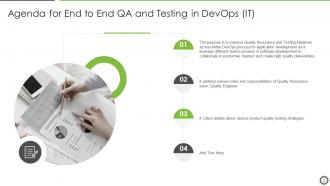
Slide 2: This slide presents Agenda for End to End QA and Testing in DevOps (IT).
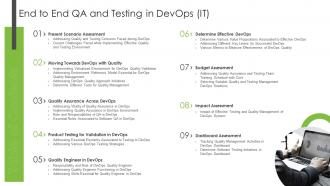
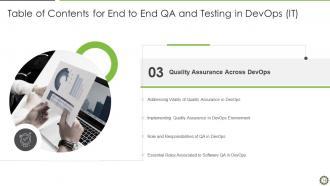
Slide 3: This slide shows Table of Content for the presentation.
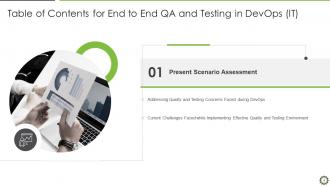
Slide 4: This slide shows title for topics that are to be covered next in the template.
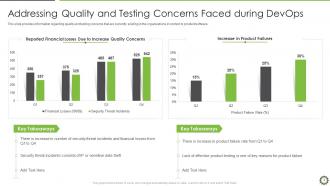
Slide 5: This slide displays Addressing Quality and Testing Concerns Faced during DevOps.
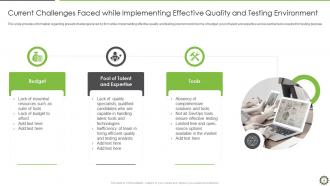
Slide 6: This slide shows Current Challenges Faced while Implementing Effective Quality and Testing Environment.
Slide 7: This slide shows Table of Contents for End to End QA and Testing in DevOps (IT).
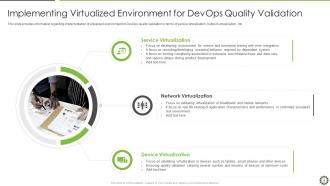
Slide 8: This slide presents Implementing Virtualized Environment for DevOps Quality Validation.
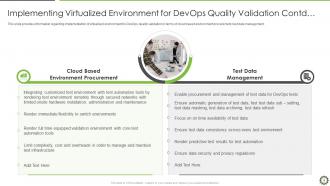
Slide 9: This is another slide continuing Implementing Virtualized Environment for DevOps Quality Validation.
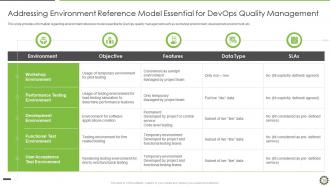
Slide 10: This slide displays Addressing Environment Reference Model Essential for DevOps Quality Management.
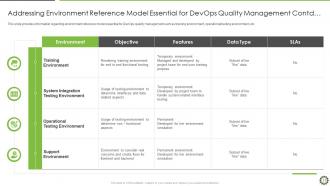
Slide 11: This is another slide continuing Addressing Environment Reference Model Essential for DevOps Quality Management.
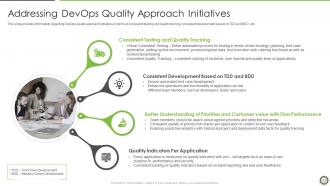
Slide 12: This slide shows DevOps quality approach initiatives in terms of consistent testing and quality tracking.
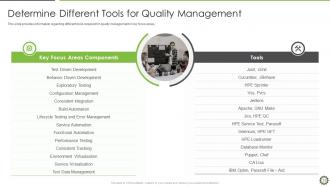
Slide 13: This slide presents information regarding different tools required for quality management in key focus areas.
Slide 14: This slide shows Table of Contents for End to End QA and Testing in DevOps (IT).
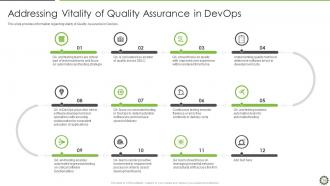
Slide 15: This slide displays information regarding vitality of Quality Assurance in DevOps.
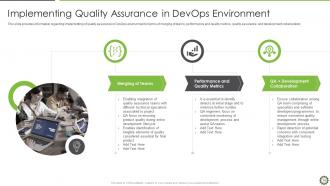
Slide 16: This slide provides information regarding implementing of quality assurance in DevOps environment in terms of merging of teams.
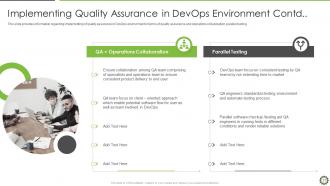
Slide 17: This is another slide continuing Implementing Quality Assurance in DevOps Environment.
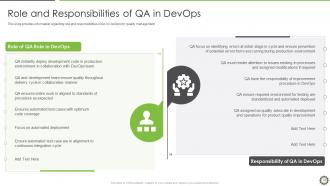
Slide 18: This slide presents information regarding role and responsibilities of QA in DevOps for quality management.
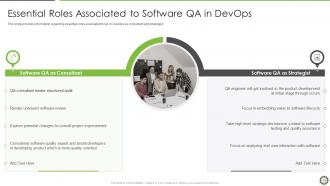
Slide 19: This slide provides information regarding essential roles associated to QA in DevOps as consultant and strategist.
Slide 20: This slide displays Table of Contents for End to End QA and Testing in DevOps (IT).
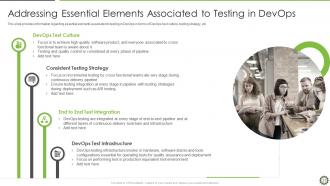
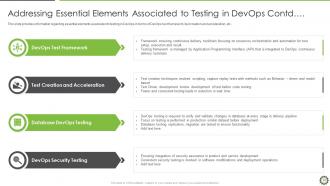
Slide 21: This slide shows Addressing Essential Elements Associated to Testing in DevOps.
Slide 22: This is another slide continuing Addressing Essential Elements Associated to Testing in DevOps.
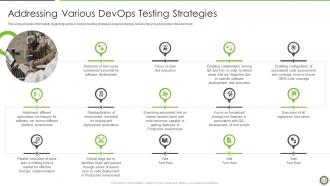
Slide 23: This slide presents DevOps testing strategies required during DevOps lifecycle and product development.
Slide 24: This slide displays Table of Contents for End to End QA and Testing in DevOps (IT).
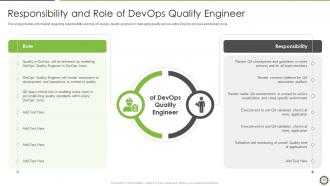
Slide 25: This slide displays responsibility and role of DevOps quality engineer in managing quality across entire DevOps process.
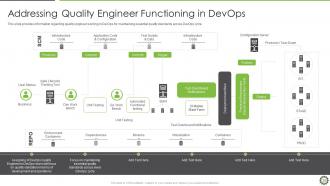
Slide 26: This slide shows quality engineer working in DevOps for maintaining essential quality standards across DevOps cycle.
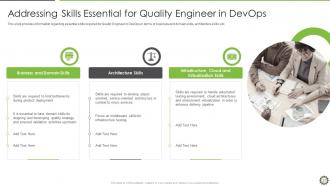
Slide 27: This slide shows essential skills required for Quality Engineer in DevOps in terms of business and domain skills.
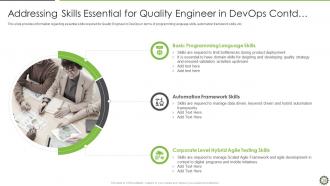
Slide 28: This slide presents essential skills required for Quality Engineer in DevOps in terms of programming language skills, automation framework skills, etc.
Slide 29: This slide displays Table of Contents for End to End QA and Testing in DevOps (IT).
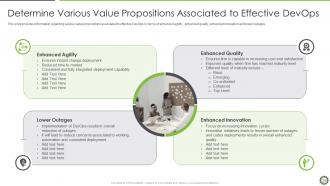
Slide 30: This slide displays various value propositions associated to effective DevOps in terms of enhanced agility , enhanced quality, etc.
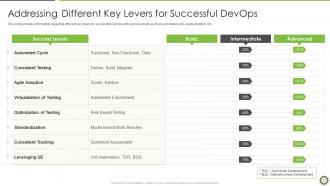
Slide 31: This slide shows different key levers for successful DevOps with success levers such as automated cycle, agile adoption, etc.
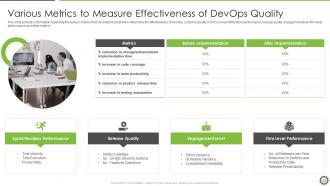
Slide 32: This slide shows various metrics that considered essential in determine the effectiveness of DevOps systems Quality.
Slide 33: This slide displays Table of Contents for End to End QA and Testing in DevOps (IT).
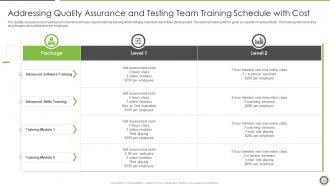
Slide 34: This slide shows Addressing Quality Assurance and Testing Team Training Schedule with Cost
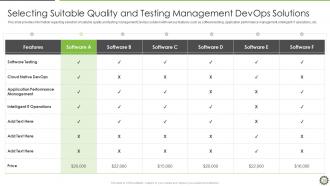
Slide 35: This slide displays Selecting Suitable Quality and Testing Management DevOps Solutions.
Slide 36: This slide displays Table of Contents for End to End QA and Testing in DevOps (IT).
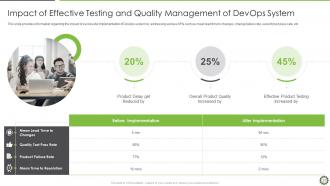
Slide 37: This slide shows Impact of Effective Testing and Quality Management of DevOps System.
Slide 38: This slide displays Table of Contents for End to End QA and Testing in DevOps (IT).
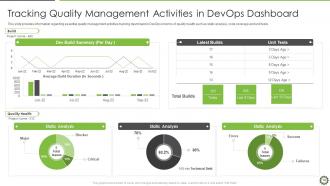
Slide 39: This slide shows Tracking Quality Management Activities in DevOps Dashboard.
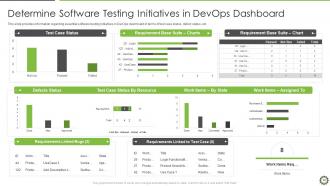
Slide 40: This slide displays Determine Software Testing Initiatives in DevOps Dashboard.
Slide 41: This slide shows Icons for End to End QA and Testing in DevOps (IT).
Slide 42: This slide is titled as Additional Slides for moving forward.
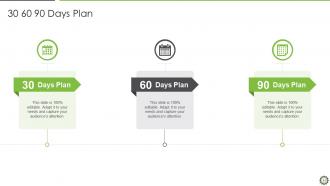
Slide 43: This slide provides 30 60 90 Days Plan with text boxes.
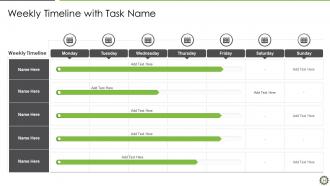
Slide 44: This slide displays Weekly Timeline with Task Name.
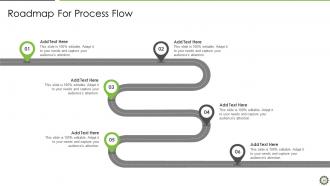
Slide 45: This slide represents Roadmap For Process Flow.
Slide 46: This slide shows Post It Notes. Post your important notes here.
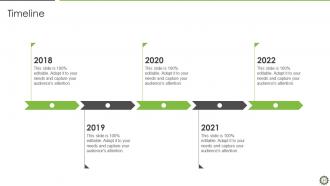
Slide 47: This is a Timeline slide. Show data related to time intervals here.
Slide 48: This is Our Goal slide. State your firm's goals here.
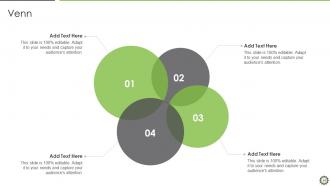
Slide 49: This slide depicts Venn diagram with text boxes.
Slide 50: This is a Thank You slide with address, contact numbers and email address.
End to end qa and testing in devops it powerpoint presentation slides with all 55 slides:
Use our End To End QA And Testing In DevOps IT Powerpoint Presentation Slides to effectively help you save your valuable time. They are readymade to fit into any presentation structure.








FAQs for End to end qa and testing in devops it
So instead of waiting till the very end to test everything, you're basically testing constantly as code gets pushed through. Way better than the old days when you'd get some "finished" build and find out it's broken - such a pain. Now your tests run automatically with every commit. Unit tests, integration stuff, full user flows. Everything's connected. Feedback happens in minutes, not weeks. Honestly game-changing for catching issues early. I'd start with your most critical user paths first - automate those and you'll feel way more confident about releases. The rest can follow once you get the hang of it.
So here's the thing - automated testing catches bugs super early, which means you're not panicking before deployments anymore. What used to take days of manual testing now runs in minutes. Pretty wild honestly. Your CI/CD pipeline handles all the validation automatically - code changes, regression tests, performance stuff. No babysitting required. This lets you ship smaller updates more often instead of those terrifying massive releases that keep everyone up at night. Oh, and definitely start with your most critical user flows first. Don't try to automate everything at once or you'll go crazy.
So CI is like having an automatic safety net that runs your end-to-end tests whenever code gets merged. It catches those nasty integration bugs before they make it to production. Honestly, it's saved my ass from so many late-night panic calls. You'll want to run your E2E tests in a staging environment that's basically identical to prod - that way you actually know if everything works together. Oh and definitely set it up to block deployments when tests fail. Yeah, it's annoying when you can't deploy, but way better than dealing with angry users later.
Honestly, don't get caught up in vanity metrics. Deployment success rate matters way more than code coverage (learned that the hard way). Track how long it takes from commit to production, plus your recovery time when stuff breaks. Test pass rates are solid too. The real tell? Look at defects that slip into production and what customers actually report. I used to think 90% code coverage meant we were golden - total myth. Speed's great but not if you're constantly firefighting. Start simple with maybe 3-4 key metrics, then add more as you figure out what actually moves the needle.
Honestly, just get your QA people in those dev sprints from the beginning instead of waiting till the end. Daily standups work way better when both teams are actually talking about blockers together. Same tools for everyone too - repos, pipelines, dashboards, all that stuff. I know this sounds cheesy, but some of our best breakthroughs happened during random coffee conversations. You'll want clear handoff rules though. Developers need to write testable code from the start, not just wing it. Oh, and definitely pilot this with just one team first - way easier to troubleshoot when things go sideways.
BDD totally changes the game for e2e testing. You write scenarios in plain English - "Given a user is logged in, When they add items to cart, Then they see the total" instead of weird technical jargon. Product managers can actually read them! When something breaks, you immediately know what business feature failed rather than hunting through code for clues. Your tests become living docs that don't go stale. Honestly, it cuts down on so many pointless meetings about "what does this test actually do?" Start with your most critical user flows first - that's where you'll see the biggest impact.
Oh man, the flaky tests will drive you insane - they pass locally then randomly break in your pipeline. Staging never matches production either, which is honestly just how it goes I guess. Test data gets completely messy when everyone's deploying at once. E2E tests slow everything down since they take forever to run. Plus you get all these timing issues and network problems making results super unreliable. Microservice dependencies? Total coordination nightmare. Do yourself a favor and containerize your test environments ASAP. Better test data strategies will save you so much pain down the road.
Honestly, test environment management can make or break your QA process. You want environments that actually match production - otherwise you'll get those annoying "works on my machine" bugs that slip through. The tricky part? Keeping everything consistent and making sure teams don't mess with each other's work. I'd start by automating the setup and teardown process, then figure out your data strategy. Oh, and if you're sharing environments, definitely set up some kind of booking system - trust me on that one. Document what's broken first though, that'll show you where to focus your energy.
Honestly, start with Cypress for web testing - it's way less painful than Selenium. You'll also need CI/CD stuff like Jenkins or GitHub Actions to run tests automatically when you push code. Docker keeps your test environments from being a mess across different machines. For production monitoring, Datadog catches the weird stuff that slips through testing. Oh, and if you're doing containers at scale, Kubernetes helps but that's probably overkill at first. Don't try to set up everything at once though - pick one tool per category and actually get it working before moving on.
Treat your e2e tests like living docs that change with your code. Monthly or quarterly reviews work well - audit which scenarios still matter and ditch the ones testing dead features. I've watched teams waste time running tests for stuff they killed ages ago, which is honestly painful to see. Connect test cases directly to user stories so when requirements shift, you know what needs fixing. Your team should update tests whenever they ship features or tweak workflows. Don't make it an afterthought - build test maintenance right into your definition of done.
Yeah, microservices definitely complicate your end-to-end testing - suddenly you're juggling all these separate services that have to communicate correctly. Testing one big monolithic app was honestly way simpler. Now you've got distributed components everywhere, which means more stuff can break. You'll probably need contract testing between services, plus better test data management. Service virtualization helps with dependencies too. Oh, and monitoring becomes crucial because when something fails (it will), you need to actually pinpoint which service screwed up. Start with a good testing pyramid approach though - that'll save you headaches later.
Just build it straight into your pipeline, honestly. After each deploy to staging, run automated load tests with JMeter or k6 - whatever works for your stack. Hit your APIs and main user flows with realistic traffic. I've seen this catch so many weird bottlenecks that would've been embarrassing in prod. Track response times, throughput, all that stuff as part of your normal tests. Don't treat performance testing like some afterthought you tack on later. Set baseline metrics first, then fail any builds that don't hit your SLAs. Makes it way less stressful than scrambling to fix perf issues right before launch.
Okay so first thing - keep your test data completely separate from production stuff. I learned this the hard way lol. Database snapshots are your friend here, or just use containers so you can reset everything clean between test runs. Trust me, it'll save you hours of "why is this suddenly broken" debugging sessions. Version control that test data with your code too. Don't let different test suites share the same datasets - they'll mess with each other. Write some automated scripts to seed exactly what each test needs. And obviously never let those E2E tests touch production data, even by accident.
Okay so first thing - set up automated tracking for your test results, bugs, and deployment stuff. That's your baseline data. Then talk to people regularly! Do retrospectives with devs, QA, and ops teams about what's actually annoying them day-to-day. I'd probably do this weekly or every two weeks max. Build some dashboards so everyone can see the trends (makes it way easier to spot problems). The tricky part is responding fast when something's broken in your process. Honestly, collecting feedback automatically is half the battle - then you can actually fix things before they become huge headaches.
So basically you're running those big comprehensive tests way earlier instead of saving them for the end. Catches all those nasty integration bugs when they're actually fixable, not when you're panicking before launch. Yeah, more setup work upfront - kinda annoying honestly - but you'll be so glad you did it. Your whole deployment process gets way more solid. I'd start with your most critical user flows and automate those first. Then just build out from there as you get the hang of it. Trust me, being able to deploy without holding your breath is worth it.
-
Designs have enough space to add content.
-
Great designs, Easily Editable.