

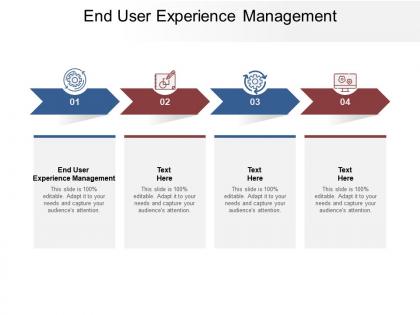
End user experience management ppt powerpoint presentation ideas cpb




Try Before you Buy Download Free Sample Product
 Impress Your
 Audience
 100%
100% Editable
 Save Hours
 of Time


Our End User Experience Management Ppt Powerpoint Presentation Ideas Cpb are explicit and effective. They combine clarity and concise expression.
People who downloaded this PowerPoint presentation also viewed the following :
End user experience management ppt powerpoint presentation ideas cpb with all 2 slides:
Give your audience a fulfilling experience. They will find our End User Experience Management Ppt Powerpoint Presentation Ideas Cpb elevating.
FAQs for End user experience management ppt powerpoint
So EUXM breaks down into four main things you gotta watch. Performance monitoring shows how fast your apps actually load for users. Availability tracking catches outages early - though honestly, users will still find ways to complain. User behavior analytics is huge because people never use your stuff the way you expect them to. Then proactive alerting pulls it all together so you can jump on problems fast. The real trick is seeing what users actually experience, not just what your backend thinks is happening. Way more useful than staring at server stats all day.
So first things first - get your baseline metrics before changing anything. Track task completion rates, how long stuff takes users, error rates, the usual suspects. User satisfaction surveys help too. Heat maps are honestly amazing for seeing where people actually click vs where you think they will. But real talk? Just talking to users beats all the fancy analytics. Like, actually hop on calls with them. Set up some kind of dashboard so you can spot when things go sideways quickly. Oh and session recordings - those things will show you users doing the weirdest stuff you'd never expect. Mix the hard numbers with actual conversations and you'll figure out what's working pretty fast.
Honestly, user feedback is huge for managing end user experience. Your monitoring tools won't catch everything - like when an interface is just weird to navigate or a workflow feels awkward. Users will straight up tell you about the stuff that never shows up in dashboards. They also explain which problems actually matter vs. the ones you can ignore for now. I've watched teams get completely caught off guard by issues their fancy metrics totally missed. The trick is asking for feedback regularly and then - this is key - actually doing something with it instead of just hoarding responses in a spreadsheet somewhere.
Your monitoring data is basically a goldmine for UX decisions - seriously, you're already collecting everything you need. Map out user journeys first, then spot the pain points where people are struggling. Apply usability basics when fixing things, but here's the key part: always A/B test your changes. Keep interfaces consistent and don't make users think too hard (cognitive overload kills conversion). Oh, and actually close the loop - track whether your UX tweaks improved satisfaction scores and performance. Most people skip that last step but it's crucial.
Honestly, start with Dynatrace, New Relic, or AppDynamics for the heavy lifting - they're solid for comprehensive monitoring. Then grab Hotjar or FullStory for session replays (warning: you'll get weirdly hooked watching people click around your site). Google Analytics is boring but you still need it. Mobile? Firebase Analytics and Mixpanel are your friends. Don't try to implement everything at once though. Pick one APM tool and one replay solution first. You can always add more specialized stuff later once you figure out what gaps you actually have.
Honestly, data analytics is a game-changer because you're working with real user behavior instead of just guessing. You can catch performance issues before users start complaining about them. Plus you'll see exactly where people are dropping off in your workflows - which features are causing problems, that sort of thing. The cool part is when you connect user satisfaction scores with your technical metrics. Those vague "it's slow" complaints suddenly click into place! Oh, and you'll notice patterns like mobile users having way more trouble than desktop ones. Set up automated alerts on your dashboards so you're fixing stuff proactively instead of always reacting to fires.
Honestly, you've gotta connect your EUXM stuff directly to what execs actually give a damn about - revenue, keeping customers around, that kind of thing. Don't just say "user satisfaction is up 15%" or whatever. Show them how better UX cut support tickets by 30% or boosted customer lifetime value. I've watched teams get so much more buy-in this way, it's kinda wild. Your EUXM targets should tie back to quarterly goals too. Then keep reporting on how those user experience wins are actually moving business numbers. Basically translate the techy metrics into money language they understand.
Data silos are gonna be your biggest headache - everyone's using different tools and measuring different things. Good luck getting a clear picture of user experience when marketing tracks one thing and product tracks something else entirely. Leadership will drag their feet on UX investments too, especially when you can't show immediate ROI. Oh, and prioritizing fixes? Nightmare when user complaints are flying at you from all directions. Honestly though, just pick one metric everyone can actually agree on first. Start there, get some quick wins, then expand once you've got something concrete to wave around.
Dude, cultural differences are wild when it comes to user experience. What makes total sense in the US might completely baffle someone in Japan. Different regions have totally different expectations for design, navigation, even how error messages should sound. Translation is huge obviously, but I've seen some truly cringe mistranslations that missed the cultural mark entirely. Time zones matter too - your peak usage hours vary by continent. Plus different devices rule different markets, and don't get me started on privacy expectations. My advice? Segment your UX data by region first and hunt for patterns in how people actually behave and rate their experience.
You'll definitely want to watch response time and availability - those are the big ones that actually matter to users. Error rates too, obviously, since broken stuff makes everyone mad. User effort scores are solid if you can get people to fill them out (good luck with that lol). I'd throw in some satisfaction surveys and maybe Net Promoter Score for the overall vibe check. Honestly though? Start with response time and availability first. They're way easier to track and you'll see pretty fast when users start complaining about slowness or outages.
Think of it like your favorite coffee shop where they know your order - that's what good personalization does. You're showing users stuff that actually matters to them instead of generic crap everyone sees. Different dashboards for different roles, workflows that skip irrelevant steps, recommendations based on what they actually do. Honestly, it's such a game changer for keeping people engaged. Users stick around way longer when they're not wading through features they'll never touch. I'd start small though - just track how people use your main features and customize those first. The barista thing sounds cheesy but it really works!
Oh man, remote work totally screwed up IT support. Now instead of one controlled office setup, you're dealing with everyone's random home wifi and whatever laptop they dug out of storage. Can't just walk over to fix things anymore either - honestly the worst part. Users are terrible at explaining problems over Slack too. You need solid remote monitoring tools that actually catch issues before people start complaining. Good endpoint monitoring is clutch, plus clear escalation processes. Otherwise simple fixes turn into day-long productivity disasters when someone's trying to work from their couch.
Honestly, AI's been pretty solid for catching performance issues before they blow up - it spots patterns in your system data that signal trouble ahead. You can also set it up to personalize user experiences on the fly and handle basic support stuff automatically. The predictive side is where it really shines though, since you're actually preventing fires instead of just putting them out. Oh, and it'll optimize your load balancing without you having to babysit it constantly. I'd say start with something simple like incident prediction or a basic chatbot. Don't try to do everything at once - that's how projects die.
Honestly, you need both tech people and folks who actually get users. APM tools like Dynatrace or New Relic are essential - get your team certified on whatever you're using. Basic scripting helps too for synthetic monitoring. But here's what most teams miss: your analysts can't just stare at dashboards all day. They need to think like real users would. UX training is surprisingly helpful here, even if it seems random. Oh, and definitely do incident response training since your team will probably catch problems first. The psychology stuff matters way more than people think.
Look, EUXM is basically about fixing what pisses off your users before they bail on you. You know how you immediately delete apps that are slow or crash constantly? Same thing happens to your customers. Companies that actually monitor their user experience see 20-30% better retention - which honestly makes sense when you think about it. People stick with stuff that just works. They'll even tell their friends about it. My advice? Figure out what's driving people crazy first. Don't try to fix everything at once. Start with the biggest pain points and work from there. It's way more effective than guessing what might be wrong.
No Reviews