

Evaluation Criteria Example Ppt Powerpoint Presentation Infographics Graphics Design Cpb




Try Before you Buy Download Free Sample Product
 Impress Your
 Audience
 100%
100% Editable
 Save Hours
 of Time


Our Evaluation Criteria Example Ppt Powerpoint Presentation Infographics Graphics Design Cpb are topically designed to provide an attractive backdrop to any subject. Use them to look like a presentation pro.
People who downloaded this PowerPoint presentation also viewed the following :
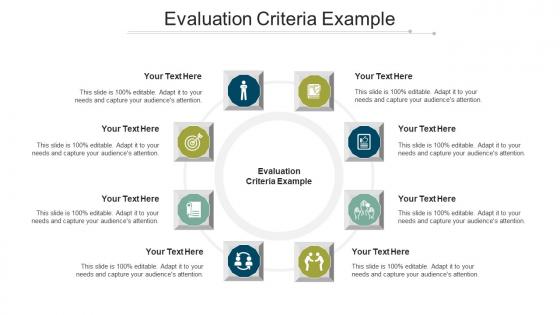
Evaluation Criteria Example Ppt Powerpoint Presentation Infographics Graphics Design Cpb with all 6 slides:
Use our Evaluation Criteria Example Ppt Powerpoint Presentation Infographics Graphics Design Cpb to effectively help you save your valuable time. They are readymade to fit into any presentation structure.





FAQs for Evaluation Criteria Example Ppt Powerpoint Presentation Infographics
Honestly, just focus on whether the design actually helps your content shine - those flashy animations are cool until you're trying to show serious data and everyone's distracted. Make sure there's clear visual hierarchy so people know what's important. Think about your audience too (boardroom presentation hits way different than a casual Zoom call). Oh, and definitely test readability from far away or on smaller screens - learned that one the hard way. My take? Find like 2-3 templates that work well and just rotate those instead of spending forever hunting for the "perfect" one each time.
Honestly, good visual design is everything when it comes to keeping people engaged. Clean layouts and readable fonts mean your audience can actually focus on what you're saying instead of trying to decode messy slides. I've been in so many presentations where bad design just killed the whole thing - people start scrolling their phones immediately. Plus, polished visuals make you look way more credible. People trust you more when your stuff looks intentional. My advice? Go simple with high contrast and maybe 2-3 colors tops. Don't overthink it.
Honestly, template organization makes or breaks whether people can actually follow your presentation. Poor structure is like trying to navigate without street signs - your audience just gets lost. I always map out my main points first, then find templates that match that flow. Good ones guide people through info step by step with clear sections and consistent spacing. The hierarchy matters too - bullet points, visual cues, all that stuff helps break down complex topics. Short version: if your template has logical flow, people know where they are and what's next. Otherwise... good luck keeping their attention.
Look, I can't stress this enough - flexible templates are pure gold. You'll save yourself hours by not rebuilding the same basic structure every single time. What you want is something modular where you can swap sections around easily. I've watched so many people waste entire afternoons recreating formats they already had (drives me nuts honestly). The beauty is you get to focus on your actual content instead of messing with layouts. Find one with customizable pieces that work across different projects. Trust me, once you have a solid adaptable template, you'll use it for years.
Look for something super flexible that works across different industries while keeping it professional. Customizable colors are huge, plus you need multiple layouts - some data-heavy, others more visual. Don't get stuck with those cheesy tech icons when you're pitching healthcare clients (been there!). Make sure it has different chart options and space for logos. You want various slide formats too - title, content, closing slides. Honestly, modular templates are your friend since you can mix and match sections. That way you're not forcing the same structure on every industry when they all care about totally different things.
Brand consistency is huge when picking templates - honestly, it's probably top 3 things to check. Make sure the colors, fonts, and logo spots actually match your company's look. I've watched perfectly good templates get tossed because they just felt wrong for the brand, even though the layout was solid. You don't want people thinking your company can't get its act together, you know? Oh, and definitely run it past whoever handles your brand stuff first - or at least compare it to your style guide before you commit.
Honestly, good templates are such a game-changer because you're not stuck figuring out where buttons are or how to make things look decent. Instead of wrestling with design stuff, you can actually focus on what you're trying to say. The whole point is spending less time on formatting, right? When templates are intuitive, you'll probably customize them properly instead of just dumping text everywhere and calling it done. Oh, and definitely look for ones with drag-and-drop features - makes life so much easier. Clear navigation and obvious editing spots are key too.
Honestly, you want templates that play nice with whatever software you're using. I learned this the hard way when I spent hours fixing broken formatting in Sketch after grabbing something that was clearly only tested in Figma. Super frustrating. Compatible templates just work better - no weird glitches when you switch between programs, your team can actually collaborate without headaches. Test it in your actual setup first though, don't trust that it'll magically work everywhere. Oh and if it works across multiple platforms, that usually means the creator knew what they were doing.
Honestly, just watch your audience during the presentation - are they engaged or scrolling their phones? That tells you everything. Quick polls help too, see if they actually got your main points. Ask someone afterward if the slides were easy to read (bad fonts kill presentations). Timing's crucial - if you're always running over, your template sucks. Oh and here's something people forget: check if they remember key stuff a week later. That's when you know if it really worked. I'd start with audience engagement and comprehension, those matter most.
Oh man, accessibility gets forgotten SO much but it's super important when you're picking templates. You'll want to test screen reader compatibility, keyboard navigation, color contrast - all that stuff. Alt text for images too. Most teams skip this and then scramble later when someone complains. Run tools like WAVE or axe while you're still evaluating, not after you've already chosen something. Also check that fonts aren't tiny and buttons are labeled properly. I learned this the hard way on a project last year - such a pain to fix afterwards.
Check if the template has unique visual hierarchy and color schemes that actually stand out. Most templates are super generic these days - same boring layouts everywhere. Look at typography and spacing to see if it creates its own identity instead of looking like every other business presentation. Interactive elements can be cool but sometimes they're just unnecessary flashy stuff. Compare it against 3-4 popular templates to spot real differences. Honestly, anything that breaks away from standard PowerPoint conventions will feel refreshing. The iconography matters too - does it look fresh or like clip art from 2015?
Oh totally - feedback from your audience is like gold for improving templates. They'll straight up tell you what's confusing or hard to read. I always do a quick survey after presentations, even just 2 minutes. Sometimes one person's comment about font size or slide flow completely changes how I design things. You do have to watch out though - don't redesign everything based on one cranky person's opinion. Look for patterns across multiple people. It's honestly made my templates so much better once I started actually listening to what people said instead of just assuming I knew what worked.
Honestly, go for templates with smart automation stuff - auto-resizing, colors that change with your content, maybe some AI layout help. Interactive elements are kind of essential now (static slides just look dated). You'll want good collaboration features and real-time editing too. Oh, and make sure it works on different devices - I learned that the hard way presenting from my phone once. Built-in accessibility checkers are clutch. Data viz integration is nice if you use lots of charts. Just test a couple with your actual content first before you pick one.
Honestly, customization is probably the biggest thing to look at when you're evaluating templates. Can you actually change the colors and fonts to match what you want? Some templates look amazing but then you're totally stuck with their exact layout forever. Super frustrating. Look for ones where you can modify the main stuff without needing to code everything from scratch. I learned this the hard way with a template that had this weird purple header I couldn't change - ended up ditching it after like two weeks. The more flexible it is, the better you'll rate it. You don't want to outgrow it in six months.
Honestly, go for the clean minimal stuff - bold fonts, lots of white space. Dark mode is pretty much essential now since we're all staring at screens constantly. Mobile-friendly is obvious but worth double-checking since people view presentations on their phones way more than they used to. Interactive elements and smooth animations make everything feel more polished. Gradients are having a moment, and custom colors beat generic templates every time. Busy backgrounds look cheap tbh. Pick something that feels current but won't scream "2024" in a year. Test it with real content first - templates can be deceiving when they're empty.
-
Very well designed and informative templates.
-
Very unique and reliable designs.