

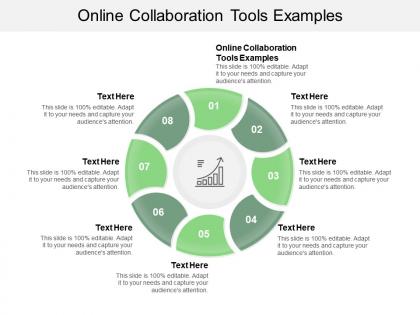
Online collaboration tools examples ppt powerpoint presentation infographics inspiration cpb




Try Before you Buy Download Free Sample Product
 Impress Your
 Audience
 100%
100% Editable
 Save Hours
 of Time


Everyone is guaranteed every facility with our Online Collaboration Tools Examples Ppt Powerpoint Presentation Infographics Inspiration Cpb. It discourages any discrimination.
People who downloaded this PowerPoint presentation also viewed the following :
Online collaboration tools examples ppt powerpoint presentation infographics inspiration cpb with all 2 slides:
Identify discrimination with our Online Collaboration Tools Examples Ppt Powerpoint Presentation Infographics Inspiration Cpb. Ensure everyone is assured equal access.
FAQs for Online collaboration tools examples ppt powerpoint presentation
Effective online collaboration tools should include real-time document editing, video conferencing capabilities, project management dashboards, file sharing systems, and integrated communication channels. These features streamline workflows by centralizing team interactions, automating task tracking, and enabling seamless remote coordination, with many organizations finding that comprehensive platforms ultimately deliver enhanced productivity and reduced operational overhead.
Online collaboration tools enhance team productivity by streamlining communication, centralizing project management, enabling real-time document sharing, and facilitating seamless remote coordination across different time zones. These platforms deliver significant operational efficiency through instant messaging, video conferencing, and collaborative workspaces, with many organizations finding that integrated solutions reduce project timelines while improving team alignment and accountability.
Online collaboration tools serve as the digital backbone of remote work by enabling seamless communication, file sharing, project management, and real-time coordination across distributed teams. These platforms streamline workflows by centralizing documents, facilitating video conferences, and tracking project progress, with many organizations finding that strategic tool integration enhances productivity while reducing operational costs and geographic barriers.
Presentation templates can be integrated within online collaboration platforms through cloud-based template libraries, real-time co-editing features, version control systems, and automated formatting tools. These integrations streamline workflow efficiency by enabling teams to access standardized designs, collaborate simultaneously on presentations, and maintain brand consistency across departments, with many organizations finding that integrated platforms reduce project completion times while enhancing professional output quality.
Essential security measures include multi-factor authentication, end-to-end encryption, regular access audits, data backup protocols, and user permission controls. These safeguards streamline secure teamwork by protecting sensitive information, preventing unauthorized access, and ensuring compliance standards, with many organizations finding that robust security frameworks ultimately enhance both productivity and client trust in increasingly remote work environments.
Different industries leverage online collaboration tools by integrating real-time communication, task tracking, and resource sharing into their project workflows. Healthcare organizations use these platforms for patient care coordination, while manufacturing companies streamline supply chain management and financial services enhance client project delivery, ultimately reducing project timelines and improving cross-functional team efficiency.
Online collaboration tools in large teams present challenges including communication overload, version control conflicts, security vulnerabilities, integration complexities, and coordination difficulties across time zones. While these obstacles can initially reduce productivity, many organizations find that establishing clear protocols, implementing robust training programs, and selecting scalable platforms ultimately delivers streamlined workflows and enhanced team efficiency.
Users can ensure online collaboration tools foster creativity and innovation by implementing diverse brainstorming features, encouraging cross-functional team participation, utilizing visual collaboration boards, and establishing dedicated spaces for experimental ideas. These approaches enable organizations to break down silos, streamline creative processes, and capture spontaneous insights, with many companies finding that structured digital environments ultimately enhance idea generation and accelerate innovation cycles.
Online collaboration tools significantly enhance team dynamics by facilitating real-time communication, transparent project tracking, and seamless knowledge sharing across distributed teams. While these platforms streamline workflows and increase productivity, they also present challenges in building personal connections, with many organizations finding that strategic combination of digital collaboration and intentional relationship-building activities ultimately delivers stronger team cohesion and improved performance outcomes.
Online collaboration tools enhance knowledge sharing through centralized document repositories, real-time editing capabilities, searchable conversation histories, and integrated wikis or knowledge bases. These platforms enable organizations to capture institutional knowledge systematically, prevent information silos, and maintain accessible records of decisions and discussions, with many companies finding that collaborative environments significantly reduce knowledge loss during employee transitions while accelerating onboarding processes.
Best practices for training teams on online collaboration tools include hands-on workshops, role-specific tutorials, gradual feature rollouts, peer mentoring systems, and regular feedback sessions. These approaches streamline adoption by addressing individual learning styles, reducing resistance through practical application, and ensuring sustained engagement, with many organizations finding that structured training programs significantly enhance productivity, minimize workflow disruptions, and deliver measurable improvements in team coordination.
Choosing the right online collaboration tool requires evaluating your team's workflow requirements, communication preferences, integration needs with existing systems, budget constraints, and scalability goals. Organizations should assess features like real-time editing, video conferencing capabilities, project management functions, and security protocols, with many companies finding that tools aligning with their specific industry demands, whether healthcare, education, or remote consulting, ultimately deliver enhanced productivity and streamlined operations.
Emerging trends include AI-powered meeting assistants, immersive virtual reality workspaces, real-time collaborative analytics, advanced security protocols, and seamless integration across platforms. These technologies streamline remote workflows by enhancing productivity, reducing meeting fatigue, and enabling more intuitive collaboration, with organizations increasingly finding that strategic adoption delivers competitive advantage and improved team efficiency.
Online collaboration tools facilitate feedback and iteration by enabling real-time commenting, version control, simultaneous editing, and integrated review workflows directly within presentation platforms. These capabilities streamline the revision process by allowing team members to provide instant feedback, track changes automatically, and collaborate seamlessly across locations, ultimately delivering faster project completion and more polished final presentations.
Popular online collaboration tools include Microsoft Teams, Slack, Zoom, Google Workspace, Asana, Trello, and Notion, each offering distinct strengths in communication, project management, and document sharing. While Teams excels in enterprise integration and Slack dominates team messaging, tools like Asana streamline project workflows and Google Workspace delivers seamless document collaboration, with many organizations finding that strategic combinations of these platforms enhance productivity and enable more efficient remote teamwork.
No Reviews