

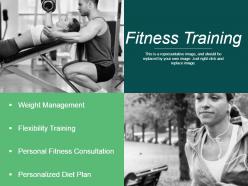
Fitness training ppt background designs





Try Before you Buy Download Free Sample Product
 Impress Your
 Audience
 100%
100% Editable
 Save Hours
 of Time


Convince them they deserve you with our Fitness Training Ppt Background Designs. They will believe you are the best choice.
People who downloaded this PowerPoint presentation also viewed the following :
Fitness training ppt background designs with all 5 slides:
Stir it up with our Fitness Training Ppt Background Designs. Keep your audience in an ebullient mood.
FAQs for Fitness training
Effective fitness training PowerPoint backgrounds should include motivational imagery like athletic silhouettes or gym equipment, energetic color schemes with blues and oranges, clean typography for readability, and subtle textures that don't overwhelm content. These design elements work together by enhancing visual engagement, maintaining professional credibility, and supporting content clarity, with many fitness professionals finding that well-designed backgrounds significantly improve audience retention and training program effectiveness.
Color psychology enhances fitness training presentations by using energizing reds and oranges to motivate action, calming blues to build trust during educational segments, and vibrant greens to represent growth and health goals. These strategic color combinations create emotional connections with audiences, improve information retention, and reinforce key messaging, with many fitness professionals finding that warm accent colors against neutral backgrounds ultimately deliver more engaging and persuasive training experiences.
Popular fitness training PPT background themes include motivational workout imagery, clean minimalist designs, energetic color schemes with blues and oranges, athletic equipment visuals, and nature-inspired outdoor settings. These themes resonate by creating psychological engagement, building credibility through professional aesthetics, and reinforcing brand identity, with many fitness professionals finding that consistent visual branding ultimately enhances audience retention and program participation rates.
Typography significantly influences fitness training presentations by affecting comprehension, engagement, and professional credibility through font selection, size consistency, and contrast optimization. Bold, clean fonts like Arial or Montserrat enhance readability during fast-paced sessions, while strategic font hierarchies guide attention to key workout instructions and safety guidelines, ultimately delivering clearer communication and more effective training outcomes.
Effective fitness training PPT background elements include dynamic geometric shapes, bold color gradients, motion lines, silhouettes of people exercising, and high-contrast typography overlays. These design components work together by creating visual movement, reinforcing brand energy, and maintaining readability across slides, with many fitness professionals finding that strategic combinations of these elements enhance audience engagement and convey the motivational intensity essential for successful training presentations.
A minimalist design approach benefits fitness training presentations by reducing visual clutter, enhancing focus on key messages, and creating professional credibility that resonates with diverse audiences. This streamlined aesthetic enables trainers to emphasize essential content like exercise techniques and wellness principles more effectively, while maintaining audience engagement throughout longer sessions, ultimately delivering clearer communication and stronger retention of fitness concepts.
Infographics can be integrated into fitness training PPT backgrounds through data visualization charts showing workout progress, anatomical diagrams illustrating muscle groups, step-by-step exercise sequences, and nutritional information displays. These visual elements enhance audience comprehension by transforming complex fitness data into digestible formats, while enabling trainers and fitness professionals to deliver more engaging presentations that ultimately improve client understanding and workout adherence.
**INPUT**: What are some key considerations for ensuring that your fitness training presentation is accessible to all audiences? **OUTPUT**: Key accessibility considerations include high-contrast colors, readable fonts, alternative text for images, captioning for videos, and clear visual hierarchy throughout your presentation. These design elements enhance comprehension by accommodating visual impairments, hearing difficulties, and diverse learning preferences, with many fitness professionals finding that accessible presentations ultimately deliver broader audience engagement and improved training outcomes.
Motion graphics enhance fitness training presentations by incorporating subtle animations like breathing rhythms, gentle pulse effects, and smooth transitions that mirror exercise flow. These dynamic elements should complement content through synchronized timing with workout phases, soft color gradients that energize without overwhelming, and minimalist movements, ultimately delivering enhanced engagement while maintaining focus on training objectives and instructional clarity.
Imagery establishes the motivational atmosphere by incorporating dynamic action shots, vibrant energy colors, and inspiring transformation visuals that resonate with fitness goals and aspirations. These visual elements enhance audience engagement by creating emotional connections, reinforcing key messages about health and wellness, and ultimately delivering more impactful presentations that drive participant motivation and commitment.
Presenters maintain brand consistency by incorporating their logo, signature colors, typography, and visual style throughout fitness training backgrounds, ensuring cohesive messaging across all slides. Strategic placement of brand elements, consistent color schemes, and standardized imagery help fitness professionals deliver polished presentations that reinforce their identity, ultimately building stronger client recognition and trust.
Common mistakes include using overly busy patterns that distract from content, choosing low-contrast color combinations that reduce text readability, incorporating irrelevant imagery that doesn't support fitness messaging, and selecting backgrounds that don't scale well across different devices. These design missteps can significantly undermine presentation effectiveness, with many fitness professionals finding that clean, high-contrast designs with subtle athletic elements deliver better audience engagement and message retention.
Interactive elements in fitness training PPT backgrounds include clickable workout demos, embedded timer widgets, progress tracking bars, gamified challenge buttons, and animated exercise counters. These features transform passive presentations into engaging experiences by enabling real-time participation, allowing audiences to track personal metrics, and creating competitive environments that motivate action, ultimately delivering higher engagement rates and improved fitness outcomes.
For fitness training PPT backgrounds, use images with a minimum resolution of 1920x1080 pixels (Full HD) or higher, maintaining 300 DPI for print presentations and 72-96 DPI for digital displays. These specifications ensure crisp, professional visuals that enhance engagement during training sessions, with many fitness organizations finding that high-resolution backgrounds improve participant focus and brand credibility across various presentation platforms.
Audience feedback enables continuous improvement of fitness training presentations through post-session surveys, real-time polling during presentations, visual engagement tracking, and focus group discussions with participants. These insights help trainers identify which design elements enhance comprehension, motivation levels, and information retention, with many fitness professionals finding that data-driven design adjustments significantly improve client engagement and training outcomes.
-
Easily Understandable slides.
-
Unique research projects to present in meeting.